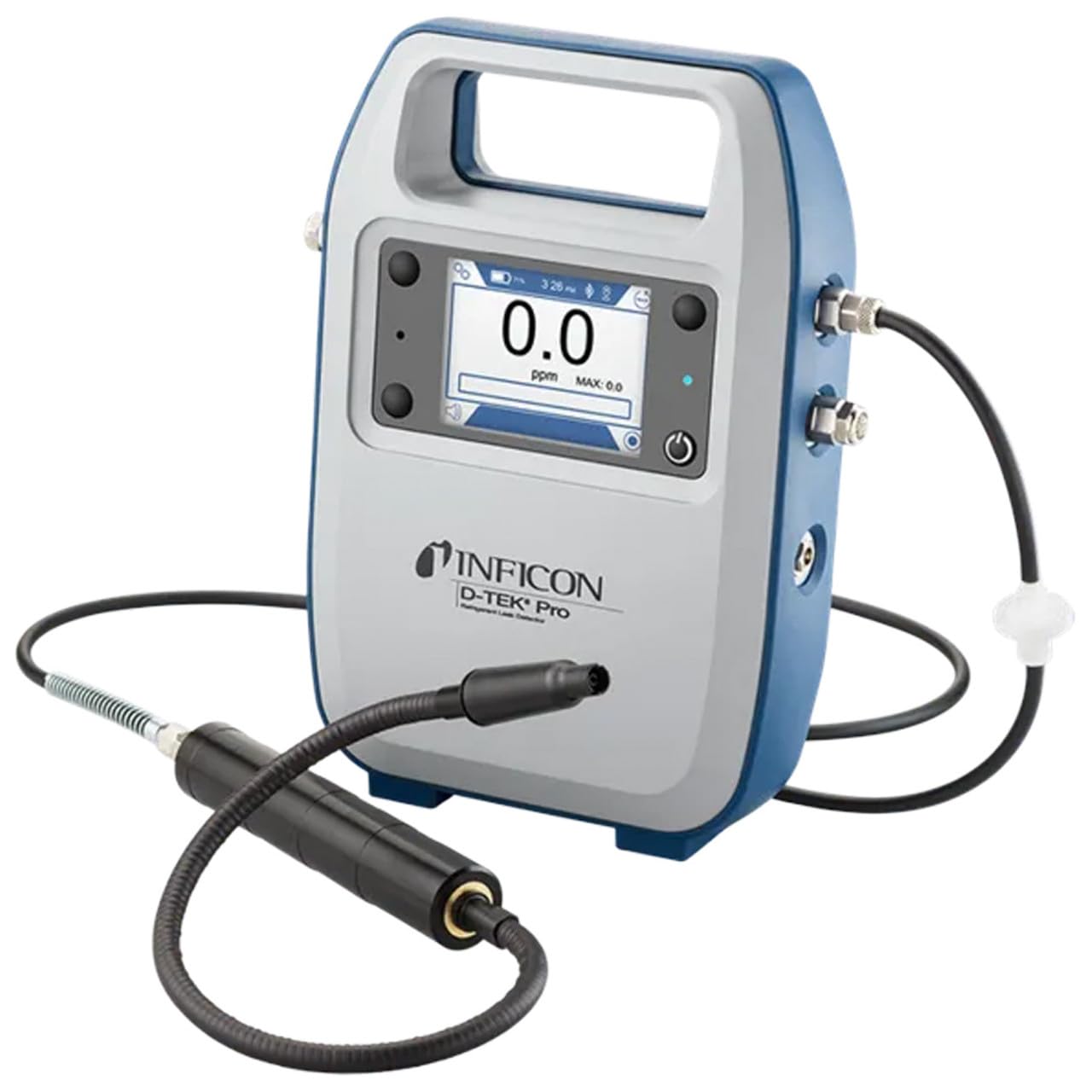
Inficon D-TEK Pro Refrigerant Leak Detector User Manual
Модель: 508-202-G1
1. Киришүү
The Inficon D-TEK Pro Refrigerant Leak Detector is designed for precise and rapid detection of refrigerant leaks. This device offers high sensitivity and an all-in-one Pro Mode for efficient leak identification. This manual provides essential information for the proper setup, operation, and maintenance of your D-TEK Pro.
2. Коопсуздук маалыматы
Жаракат алуунун жана түзмөктүн бузулушунун алдын алуу үчүн ар дайым төмөнкү коопсуздук чараларын сактаңыз:
Аппаратты иштетүүдөн мурун бардык нускамаларды окуп чыгыңыз.
Аппаратты ушул колдонмодо сүрөттөлгөндөй гана колдонуңуз.
Аппаратты экстремалдык температурага же нымдуулукка дуушар кылбаңыз.
Муздаткычтар менен иштөөдө туура вентиляцияны камсыз кылыңыз.
Кол кап жана көздү коргоо сыяктуу тиешелүү жеке коргоочу шаймандарды (ЖКБ) кийиңиз.
Do not attempt to service the device beyond what is described in the maintenance section. Refer all other servicing to qualified personnel.
3. Кутуда эмне бар
Таңгактан чыгарганда бардык буюмдар бар экенин текшериңиз:
(1) D-TEK Pro Refrigerant Leak Detector
(1) Soft case with shoulder strap
(1) Spare filters
(1) Phone holder
(1) Заряддоо кабели
4. Орнотуу
4.1 Аппаратты заряддоо
The D-TEK Pro is powered by a rechargeable battery. Before first use, fully charge the device.
Connect the provided charging cable to the charging port on the D-TEK Pro.
Plug the other end of the charging cable into a suitable power source.
The charging indicator on the device will illuminate. Allow sufficient time for a full charge.
4.2 Attaching the Phone Holder
The included phone holder allows for convenient mobile device integration.
Locate the attachment point for the phone holder on the D-TEK Pro.
Securely attach the phone holder according to its design.
Place your mobile device into the holder, ensuring it is stable.
5. Иштөө нускамалары
5.1 Күйгүзүү/өчүрүү
Күйгүзүү үчүн кубат баскычын дисплей күйгүчө басып туруңуз.
Өчүрүү үчүн, аппарат өчүп калганга чейин кубат баскычын басып, кармап туруңуз.
5.2 Using Pro Mode for Leak Detection
The D-TEK Pro features an all-in-one Pro Mode that combines cloud hunting and pinpointing capabilities, allowing for efficient leak location.
Ensure the device is powered on and in Pro Mode (refer to the display for mode indication).
Move the sensor probe slowly around suspected leak areas. The device's superior airflow allows for detection from a greater distance.
The D-TEK Pro will indicate the presence of refrigerants with high sensitivity, detecting down to 0.1 ppm.
Follow the increasing readings to pinpoint the exact leak source.
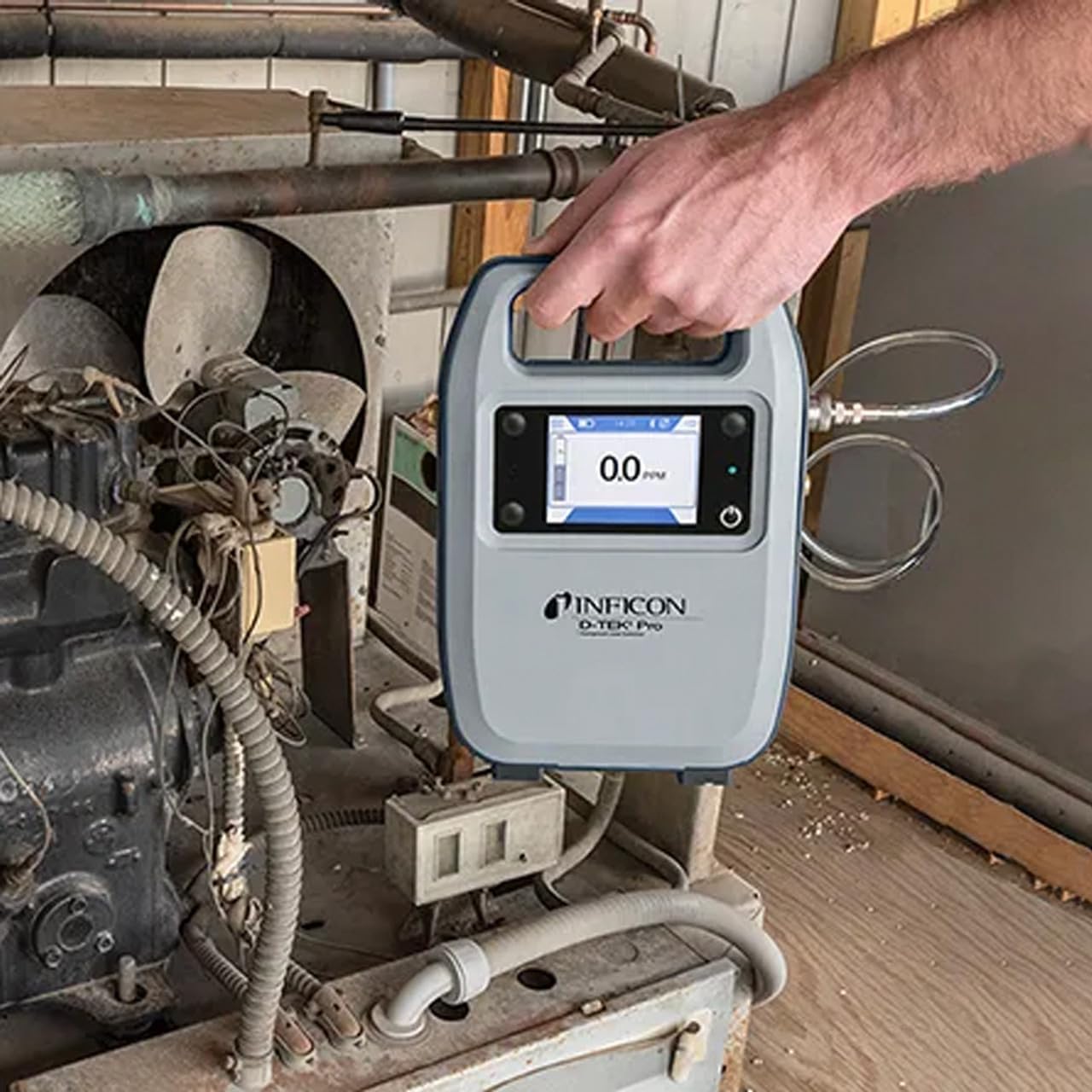
Figure 1: The Inficon D-TEK Pro being used to inspect a refrigeration unit. The display shows a 0.0 ppm reading, indicating no refrigerant detected at the current location. The device is held by a user's hand, demonstrating its portability and ease of use in an industrial setting.
5.3 Refrigerant Compatibility
The D-TEK Pro is designed to detect a wide range of refrigerants, including:
CFCs (Chlorofluorocarbons)
HCFCs (Hydrochlorofluorocarbons)
HFCs (Hydrofluorocarbons)
HFOs (Hydrofluoroolefins)
Blends including A2Ls
5.4 Мобилдик тиркемелерди интеграциялоо
Download the D-TEK Pro mobile app to enhance your leak detection workflow.
Customer Reports: Generate detailed reports with photos and ppm tracking.
GPS көз салуу: Confirm job location with integrated GPS functionality.
Figure 2: The Inficon D-TEK Pro connected to a smartphone, showcasing the mobile application's interface. This setup allows users to view real-time leak detection data, generate reports, and utilize GPS tracking for job site verification.
6. Техникалык тейлөө
6.1 Жалпы кам көрүү жана тазалоо
To ensure optimal performance and longevity of your D-TEK Pro:
Аппаратты жумшак менен сүртүңүз, гamp кездеме. Абразивдүү тазалагычтарды же эриткичтерди колдонбоңуз.
Keep the sensor probe clean and free from debris.
Store the device in its soft case when not in use to protect it from dust and physical damage.
6.2 Фильтрди алмаштыруу
The D-TEK Pro is designed for low maintenance, requiring no purging and no charcoal filters. However, spare filters are provided for specific applications or if the existing filter becomes visibly soiled or damaged.
Locate the filter housing on the device.
Эски чыпканы кылдаттык менен алып салыңыз.
Insert a new spare filter, ensuring it is seated correctly.
7. Кыйынчылыктарды
This section addresses common issues you might encounter with your D-TEK Pro.
Көйгөй
Мүмкүн себеп
Чечим
Түзмөк күйбөйт.
Батарея аз же түгөнүп калган.
Берилген заряддоо кабели аркылуу аппаратты заряддаңыз.
Туура эмес же дал келбеген окуулар.
Sensor probe is dirty or damaged; environmental interference.
Clean the sensor probe. Ensure proper environmental conditions. If issue persists, contact support.
Мобилдик тиркеме туташпай жатат.
Bluetooth көйгөйү; колдонмо жаңыртылган жок.
Ensure Bluetooth is enabled on both devices. Update the D-TEK Pro app to the latest version.
8. Техникалык шарттар
Өзгөчөлүк
Деталь
Модель номери
508-202-G1
Элемент Салмагы
3 фунт
Пакеттин өлчөмдөрү
15 x 12 x 4 дюйм
Дисплей түрү
ЖК, LED
Power Source
Заряддалуучу батарея
Сезимталдуулук
0.1 промилле резолюциясы
Detected Refrigerants
CFCs, HCFCs, HFCs, HFOs, and blends including A2Ls
9. Кепилдик маалыматы
The Inficon D-TEK Pro Refrigerant Leak Detector comes with a 2 жылдык кепилдик from the date of purchase. This warranty covers defects in materials and workmanship under normal use. For warranty claims or detailed terms and conditions, please refer to the official Inficon webсайтка же кардарларды колдоо менен байланышыңыз.
10. Кардарларды колдоо кызматы
For technical assistance, troubleshooting not covered in this manual, or general inquiries, please contact Inficon customer support.
Байланыш маалыматы: Refer to the Inficon official website for direct contact details (phone, email).
Ask a question about this manual
Ask about setup, troubleshooting, compatibility, parts, safety, or missing instructions. Manuals+ will review the question and use this page’s manual context to help answer it.