
1. Продукт бүтүп калдыview
The AJAZZ AJ139 V2 MC is a versatile tri-mode gaming mouse designed for precision and responsiveness. It features a PAW3311 sensor for accurate tracking, a 1000Hz return rate for smooth performance, and a long-lasting 500mAh battery. Its compact and lightweight design makes it suitable for extended use and portability.
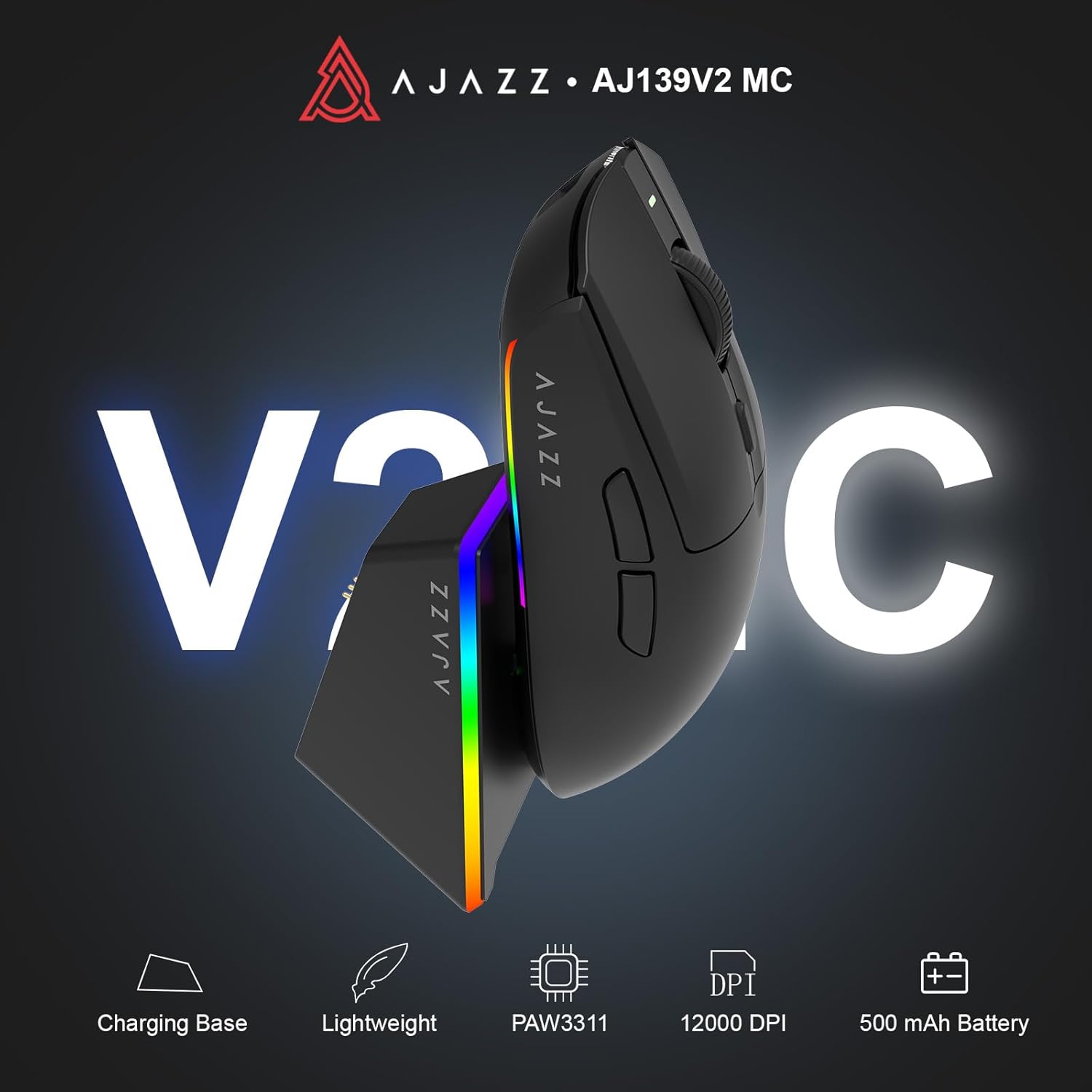
Figure 1.1: AJAZZ AJ139 V2 MC Gaming Mouse and Charging Dock.
Видео 1.1: Бүттүview of the AJAZZ AJ139 V2 MC Gaming Mouse, highlighting its features and design.
2. Пакеттин мазмуну
Пакетте бардык буюмдар бар экенин текшериңиз:
- AJAZZ AJ139 V2 MC Gaming Mouse
- Заряддоо док
- USB-C заряддоо кабели
- 2.4G USB кабыл алгыч (донгл)
- User Manual
3. Негизги өзгөчөлүктөрү
- PAW3311 Sensor Technology: Equipped with the PAW3311 sensor, this mouse ensures precise tracking and accurate cursor control for optimal performance.
- High 1000Hz Return Rate: Experience smooth and responsive performance with a 1000Hz return rate, enhancing your gaming or work experience.
- Узак мөөнөттүү 500mAh Батарея: The integrated 500mAh battery provides extended power, ensuring uninterrupted use for prolonged periods.
- Tri-Mode туташуу: Supports versatile connectivity options including Wired, 2.4G Wireless, and Bluetooth, adapting to various devices and setups.
- Компакт жана жеңил дизайн: Weighing approximately 66 grams, the mouse features a compact design for easy portability and comfortable use during long sessions.
- Настройкаланган RGB жарыктандыруу: Features integrated RGB lighting for personalized aesthetics.
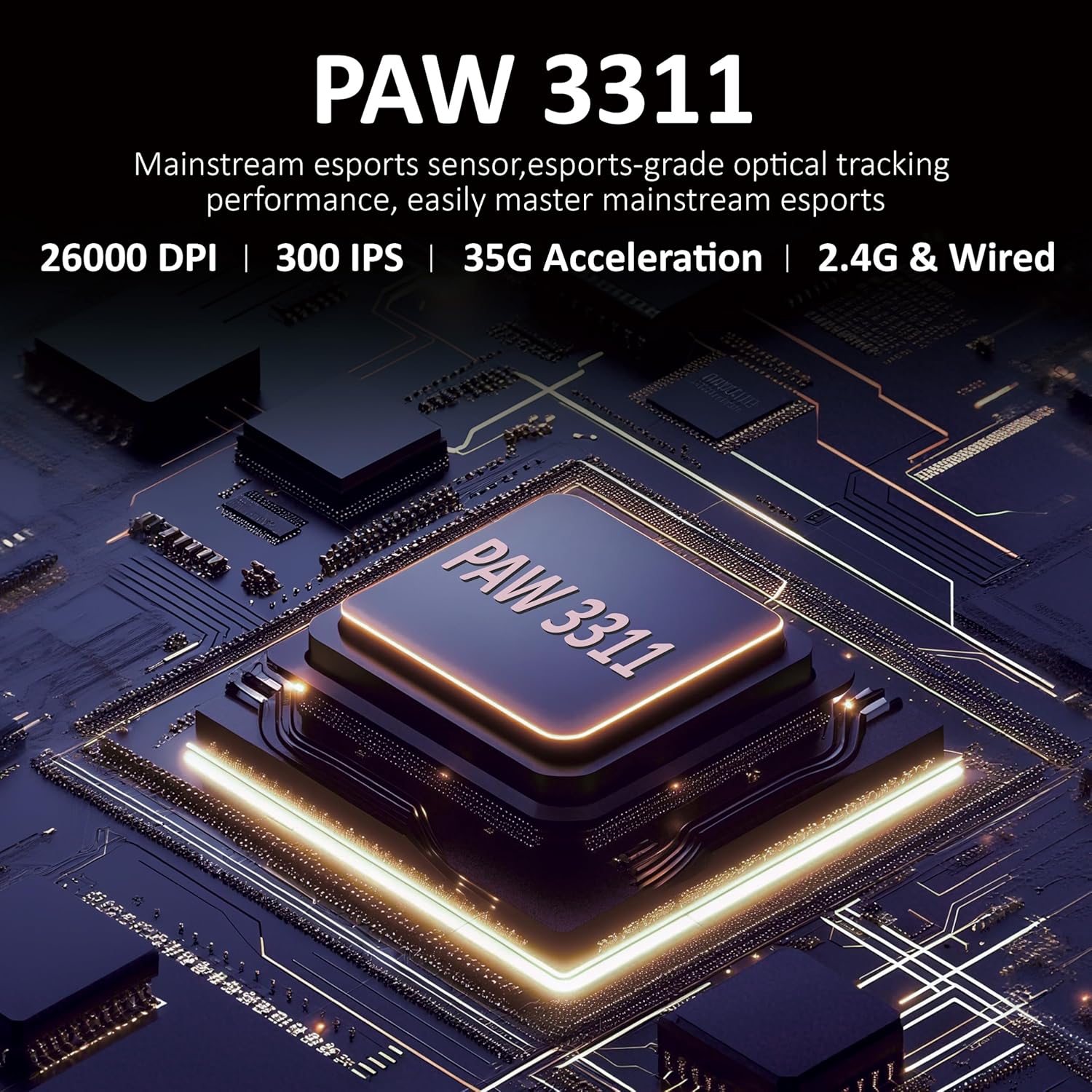
3.1-сүрөт: Детальдуу view of the PAW3311 sensor technology.
Video 3.1: Demonstration of the mouse's 500mAh battery life.
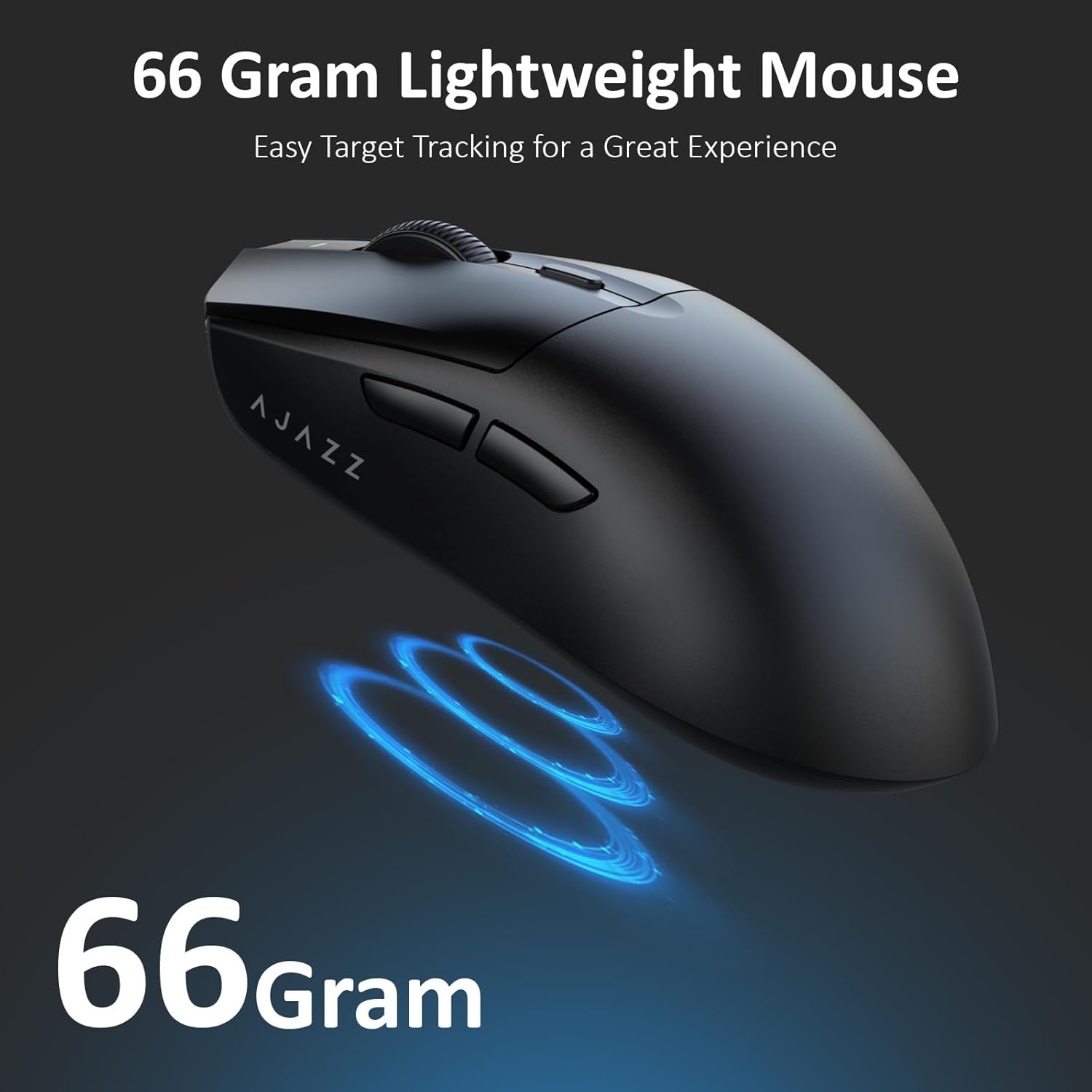
Figure 3.2: The lightweight design of the AJAZZ AJ139 V2 MC mouse.
4. Орнотуу колдонмосу
4.1. Чычканды туташтыруу
The AJAZZ AJ139 V2 MC offers three connection modes:
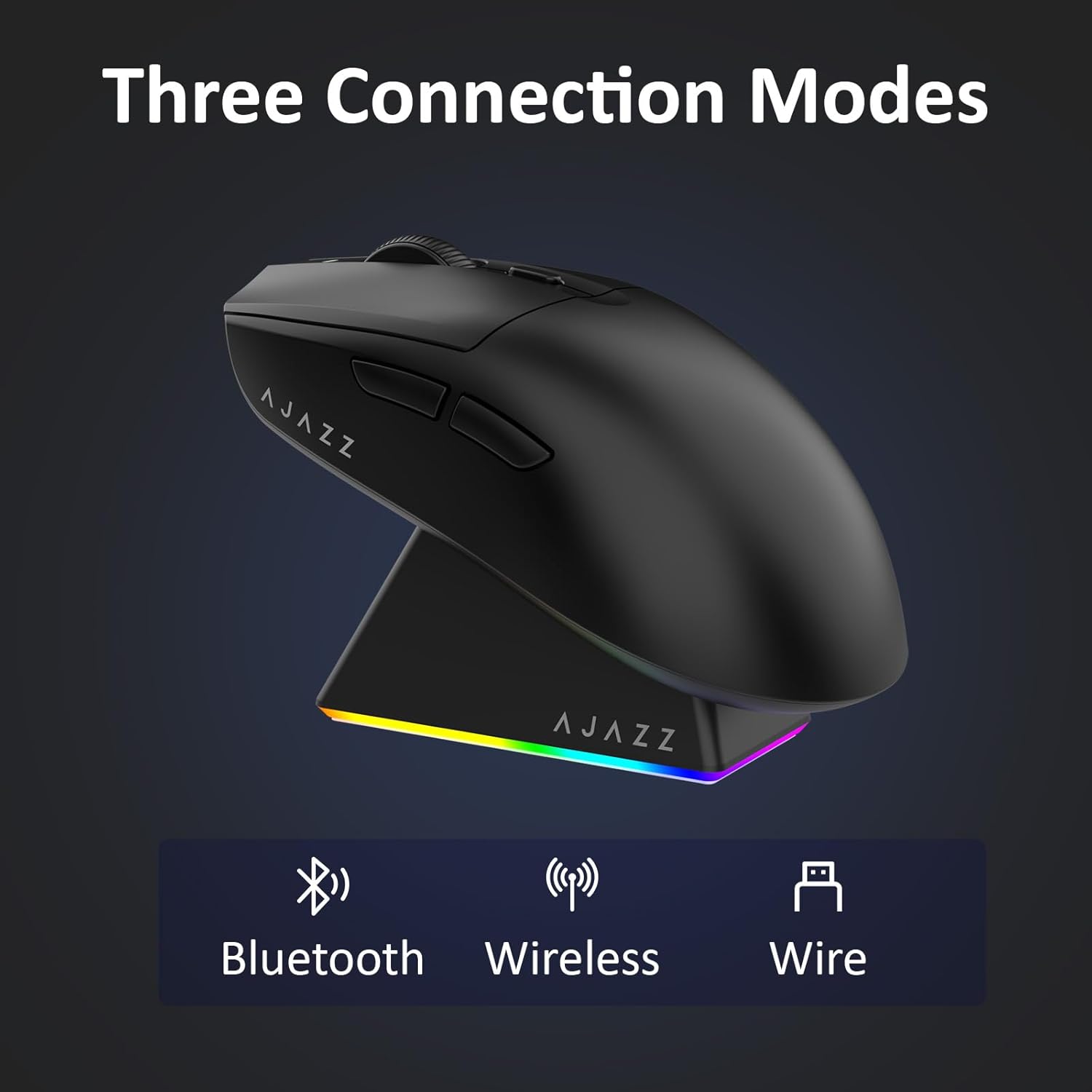
Figure 4.1: Visual representation of the three connection modes.
- 2.4G зымсыз режими:
- Чычкандын астындагы бөлүмдө сакталган 2.4G USB ресиверди табыңыз.
- USB ресиверди компьютериңиздеги жеткиликтүү USB портуна сайыңыз.
- Slide the switch on the bottom of the mouse to the '2.4G' position. The mouse will automatically connect.
- Bluetooth режими:
- Slide the switch on the bottom of the mouse to the 'BT' position.
- Түзмөгүңүздө Bluetooth жөндөөлөрүн ачып, жаңы түзмөктөрдү издеңиз.
- Select 'AJAZZ AJ139 V2 MC' from the list to pair.
- Зымдуу режим:
- Connect the USB-C charging cable to the mouse and the other end to your computer's USB port.
- Чычкан зымдуу түзүлүш катары иштейт жана бир эле учурда заряддалат.
4.2. Чычканды заряддоо
The mouse can be charged using the included charging dock or directly via the USB-C cable.
- Кубаттоочу докту колдонуу:
- Connect the USB-C charging cable to the charging dock and then to a power source (e.g., computer USB port, USB wall adapter).
- Place the mouse onto the charging dock, aligning the magnetic contacts. The RGB lighting on the dock and mouse will indicate charging status.
- Түз USB-C заряддоо:
- Connect the USB-C charging cable directly to the mouse and a power source.
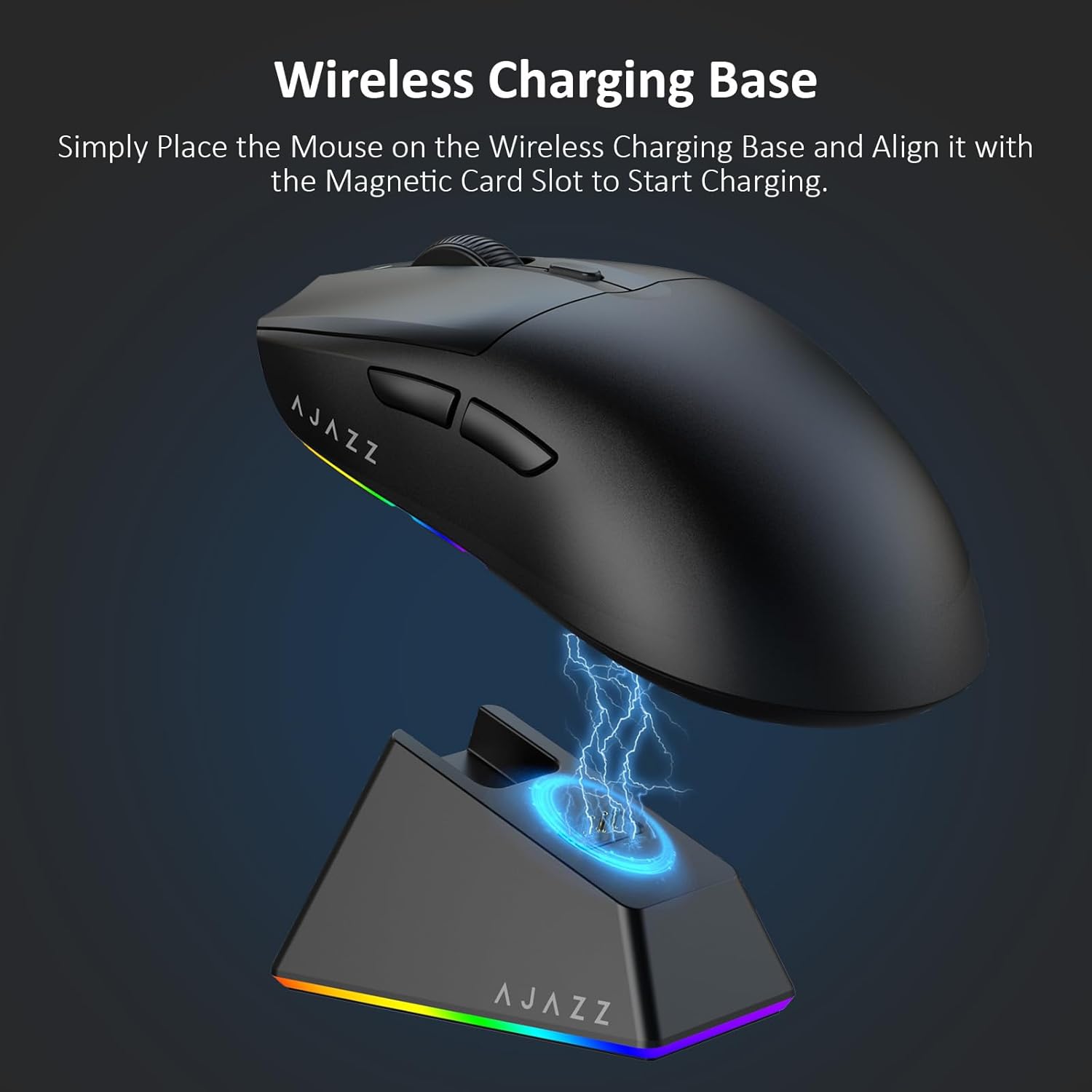
Figure 4.2: The mouse being charged on its wireless charging base.
5. Иштөө нускамалары
5.1. DPI тууралоо
The mouse features a dedicated DPI adjustment button on its underside, allowing you to cycle through different sensitivity levels. Press the button to change the DPI setting to suit your preference.
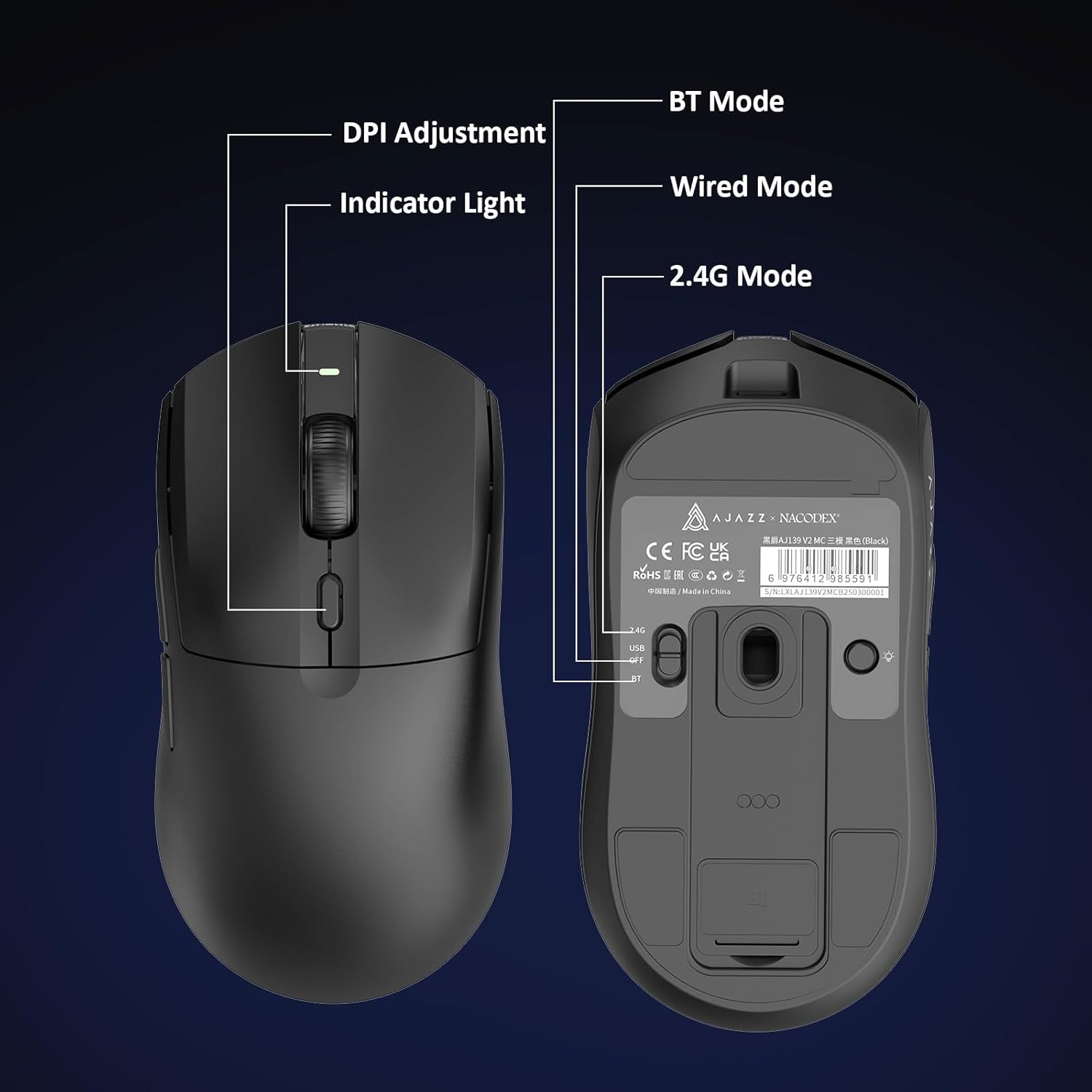
Figure 5.1: Location of the DPI adjustment button and connection mode switch on the mouse underside.
5.2. Баскыч функциялары
The mouse is equipped with 6 programmable buttons:
- Сол чыкылдатуу баскычы
- Оң баскычты чыкылдатыңыз
- Жылдыруу дөңгөлөгү (Чыкылдатуучу)
- DPI Adjustment Button (on underside)
- Two Side Buttons (typically for forward/backward navigation)
For advanced customization of button functions and macros, please refer to the official AJAZZ software (downloadable from the manufacturer's webсайт).
5.3. RGB жарыкты башкаруу
The mouse and charging dock feature customizable RGB lighting. Specific controls for lighting modes and colors are typically managed through the official AJAZZ software. A dedicated light button on the underside of the mouse allows for basic cycling or turning off the lighting.
6. Техникалык тейлөө
- Тазалоо: Чычкандын бетин тазалоо үчүн жумшак, кургак чүпүрөктү колдонуңуз. өжөр кир үчүн, бир аз гamp кездемени колдонсо болот, бул нымдуулуктун ички компоненттерге кирбешин камсыздайт.
- Сенсорго кам көрүү: Көз салуу тактыгын сактоо үчүн чычкандын астыңкы жагындагы оптикалык сенсорду чаңдан же таштандыдан таза кармаңыз.
- Батареянын узактыгы: Батареянын иштөө мөөнөтүн узартуу үчүн чычканды бат-баттан толук кубаттап турбаңыз. Батарея индикатору аз болгондо аны заряддаңыз.
7. Кыйынчылыктарды
| Көйгөй | Мүмкүн чечим |
|---|---|
| Mouse not responding in 2.4G Wireless mode. | Ensure the 2.4G USB receiver is securely plugged into a USB port and the mouse switch is set to '2.4G'. Try a different USB port. |
| Mouse not pairing via Bluetooth. | Ensure the mouse switch is set to 'BT' and your device's Bluetooth is enabled and discoverable. Try unpairing and re-pairing the device. |
| Чычкан заряддалбай жатат. | Verify the USB-C cable is properly connected to both the dock/mouse and the power source. Ensure the mouse is correctly seated on the charging dock's magnetic contacts. |
| Inconsistent tracking or cursor movement. | Clean the optical sensor on the underside of the mouse. Ensure you are using the mouse on a suitable surface (e.g., a mouse pad). |
| RGB жарыктандыруу иштебейт. | Check the mouse's software settings for lighting control. Ensure the mouse has sufficient battery charge. |
8. Техникалык шарттар
| Өзгөчөлүк | Спецификация |
|---|---|
| Бренд | AJAZZ |
| Модель аты | Aj139 V2 MC |
| Түс | V2 MC Black |
| Байланыш технологиясы | Bluetooth, USB, 2.4G Wireless |
| Кыймылды аныктоо технологиясы | Оптикалык (PAW3311 сенсор) |
| Mouse Maximum Sensitivity | 12000 Dots per Inch (DPI) |
| Return Rate | 1000Hz |
| Батарея сыйымдуулугу | 500mAh |
| Button Quantity | 6 |
| Колдун багыты | Туура |
| Шайкеш түзмөктөр | Иш столунун компьютери |
| Операция системасы | Windows |
| Диапазон | 10 метр |
| Элемент Салмагы | 4 унция (болжол менен 113 грамм) |
| Элементтин өлчөмдөрү L x W | Узундугу 5" x Кеңдиги 2.5" (болжол менен 12.7см x 6.35см) |
| Жасалгалоо өзгөчөлүгү | RGB жарыктандыруу |
| Коргоочу материал | Пластик |
| Бүтүрүү | Мт |
9. Кепилдик жана колдоо
This product comes with a standard manufacturer's warranty. For detailed warranty information, please refer to the official AJAZZ webсайтка же сатуучуга кайрылыңыз.
For technical support, troubleshooting assistance, or any product-related inquiries, please visit the AJAZZ official support page or contact their customer service team.
Онлайн ресурстар:
AJAZZ Official Store