
1. Киришүү
Thank you for choosing the comiso M11 Wearable Bluetooth Speaker. This manual provides essential information for setting up, operating, and maintaining your speaker. The M11 is designed for portability and convenience, featuring IPX7 waterproofing, Bluetooth 6.0 connectivity, and a built-in microphone for hands-free calls.
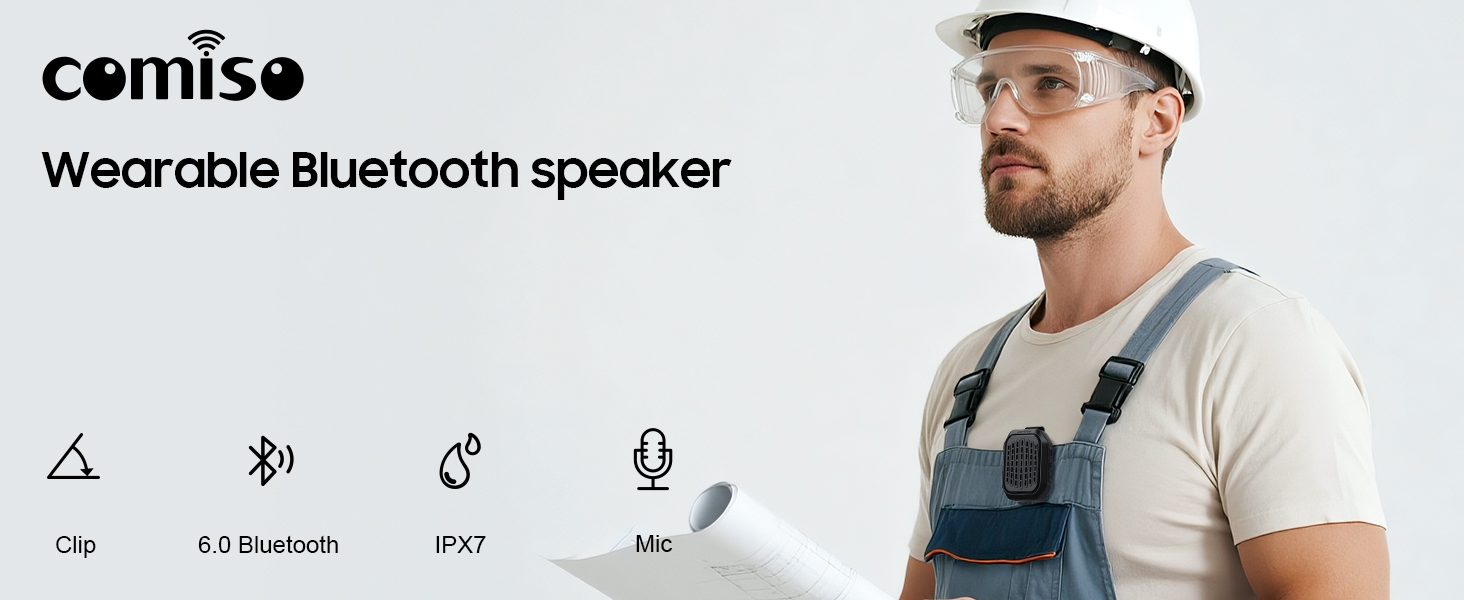
Сүрөт 1.1: Бүттүview of the comiso M11 speaker highlighting its key features: clip-on design, Bluetooth 6.0, IPX7 waterproof rating, and built-in microphone.
2. Пакеттин мазмуну
Сураныч, пакетте төмөнкү нерселерди текшериңиз:
- 1 x comiso M11 Wearable Bluetooth Speaker
- 1 х USB-C кубаттоо кабели
- 1 x Lanyard
- 1 х Колдонуучунун колдонмосу (бул документ)
3. Продукт бүтүп калдыview
The comiso M11 speaker features a compact design with a durable clip for easy attachment. Familiarize yourself with the speaker's components:
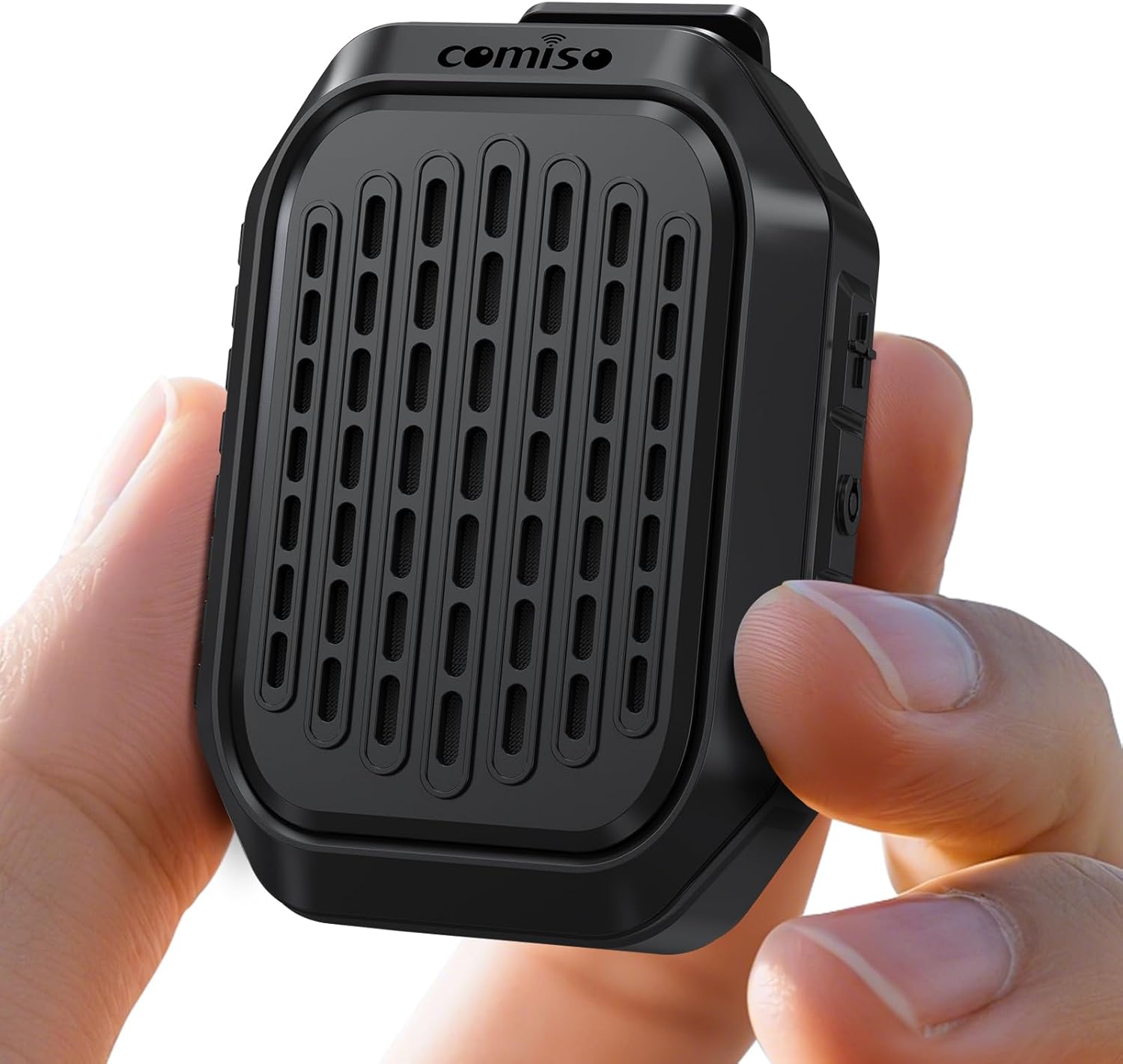
Image 3.1: The comiso M11 speaker, demonstrating its small, portable form factor when held in a hand.
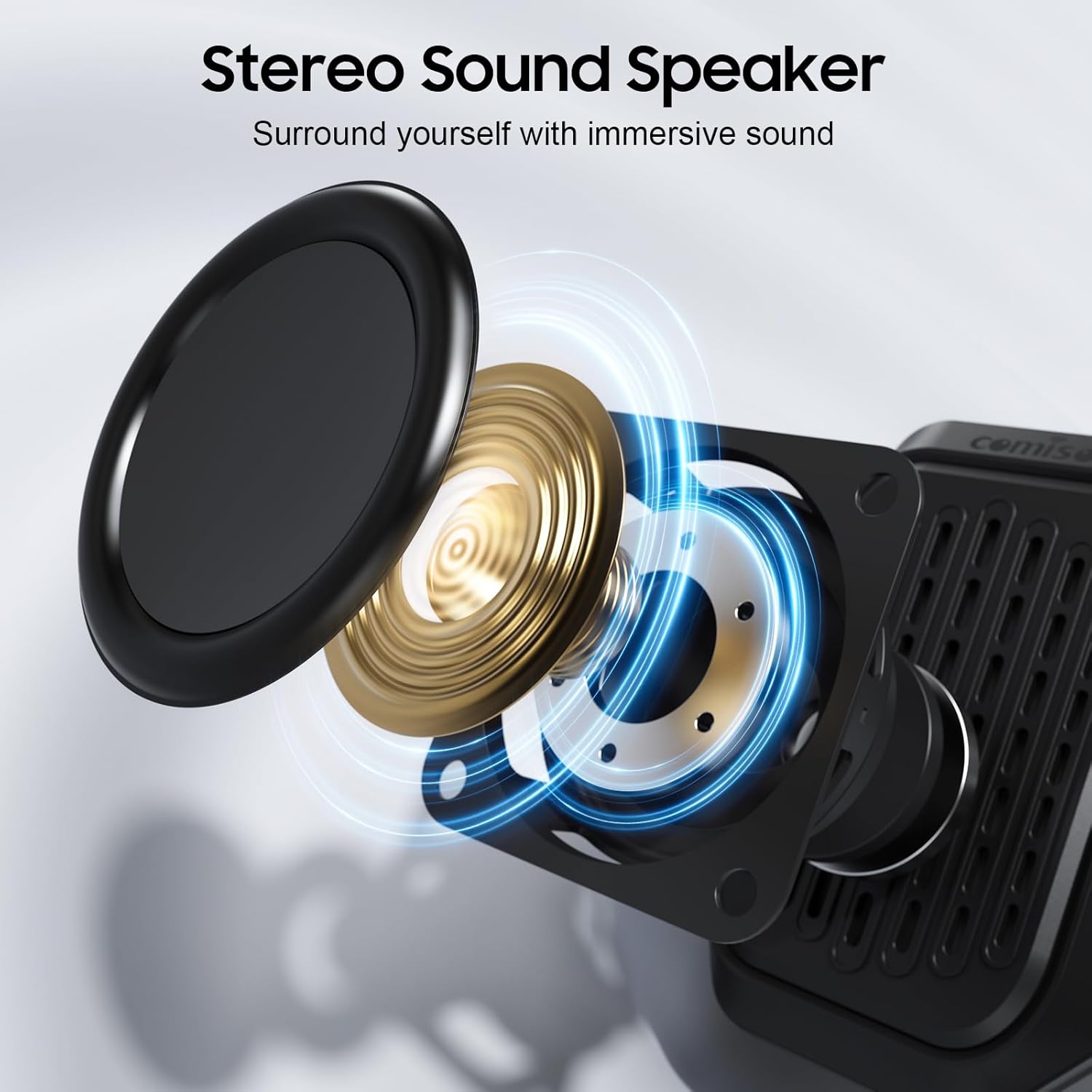
Image 3.2: An exploded diagram illustrating the internal components of the speaker, including the sound driver, designed for stereo sound output.
4. Орнотуу
4.1 Динамикти заряддоо
Before first use, fully charge your comiso M11 speaker. Use the included USB-C cable to connect the speaker to a compatible USB power source (e.g., wall adapter, computer USB port).
- Заряддоо индикатору заряддоо учурунда күйөт.
- A full charge provides over 10 hours of playtime at 50% volume.
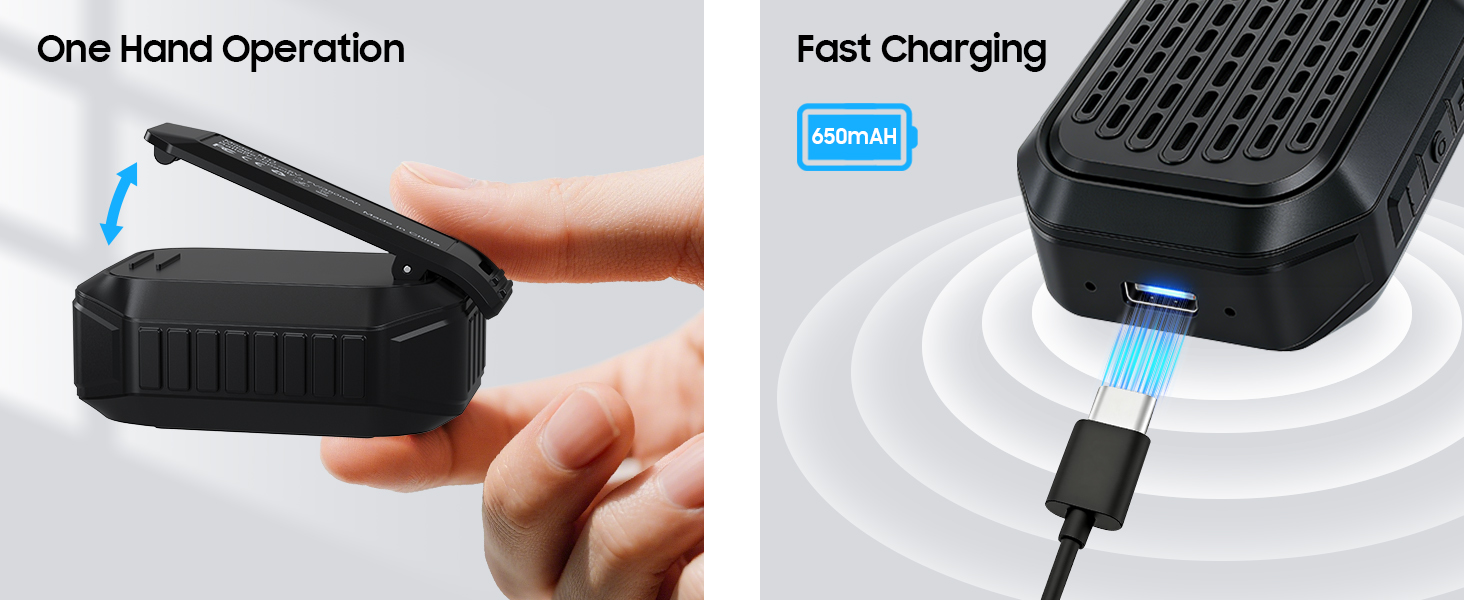
Image 4.1: The speaker's USB-C port connected for fast charging, alongside an illustration of its one-hand operable clip.
4.2 Bluetooth жупташтыруу
Динамикиңизди Bluetooth иштетилген түзмөккө туташтыруу үчүн:
- Динамик кубатталып, күйгүзүлгөнүн текшериңиз.
- Смартфонуңузда же башка түзмөгүңүздө Bluetooth'ду иштетиңиз.
- Издөө жеткиликтүү түзмөктөрдү тандап, тизмеден "M11" тандаңыз.
- Once connected, the speaker will indicate a successful pairing (e.g., an audible tone or LED indicator change).

Image 4.2: A smartphone screen showing the Bluetooth pairing process, with the M11 speaker visible and ready for connection.
5. Иштөө нускамалары
5.1 Күйгүзүү/өчүрүү
- Күйгүзүү үчүн: Кубат баскычын болжол менен 2 секунд басып туруңуз.
- Өчүрүү үчүн: Кубат баскычын болжол менен 3 секунд басып туруңуз.
5.2 Музыканы ойнотуу
Once connected via Bluetooth, you can control music playback from your device or directly on the speaker (if applicable buttons are present).
- Ойнотуу/тындыруу: Play/Pause баскычын бир жолу басыңыз.
- Көлөмү: Үнүн жогорулатуу баскычын басыңыз.
- Үнүн азайтуу: Үндү азайтуу баскычын басыңыз.
- Кийинки трек: Үнүн жогорулатуу баскычын басып, кармап туруңуз.
- Мурунку трек: Үндү азайтуу баскычын басып, кармап туруңуз.
5.3 Колсуз чалуулар
Орнотулган микрофон колсуз так байланышууга мүмкүндүк берет.
- Чакырууга жооп берүү: Чалуу келгенде ойнотуу/тындыруу баскычын бир жолу басыңыз.
- Чакырууну аяктоо: Чалуу учурунда Play/Pause баскычын бир жолу басыңыз.
- Чакырууну четке кагуу: Play/Pause баскычын 2 секунд басып туруңуз.

Image 5.1: A user demonstrating hands-free calling with the speaker clipped to their clothing, suitable for active environments.
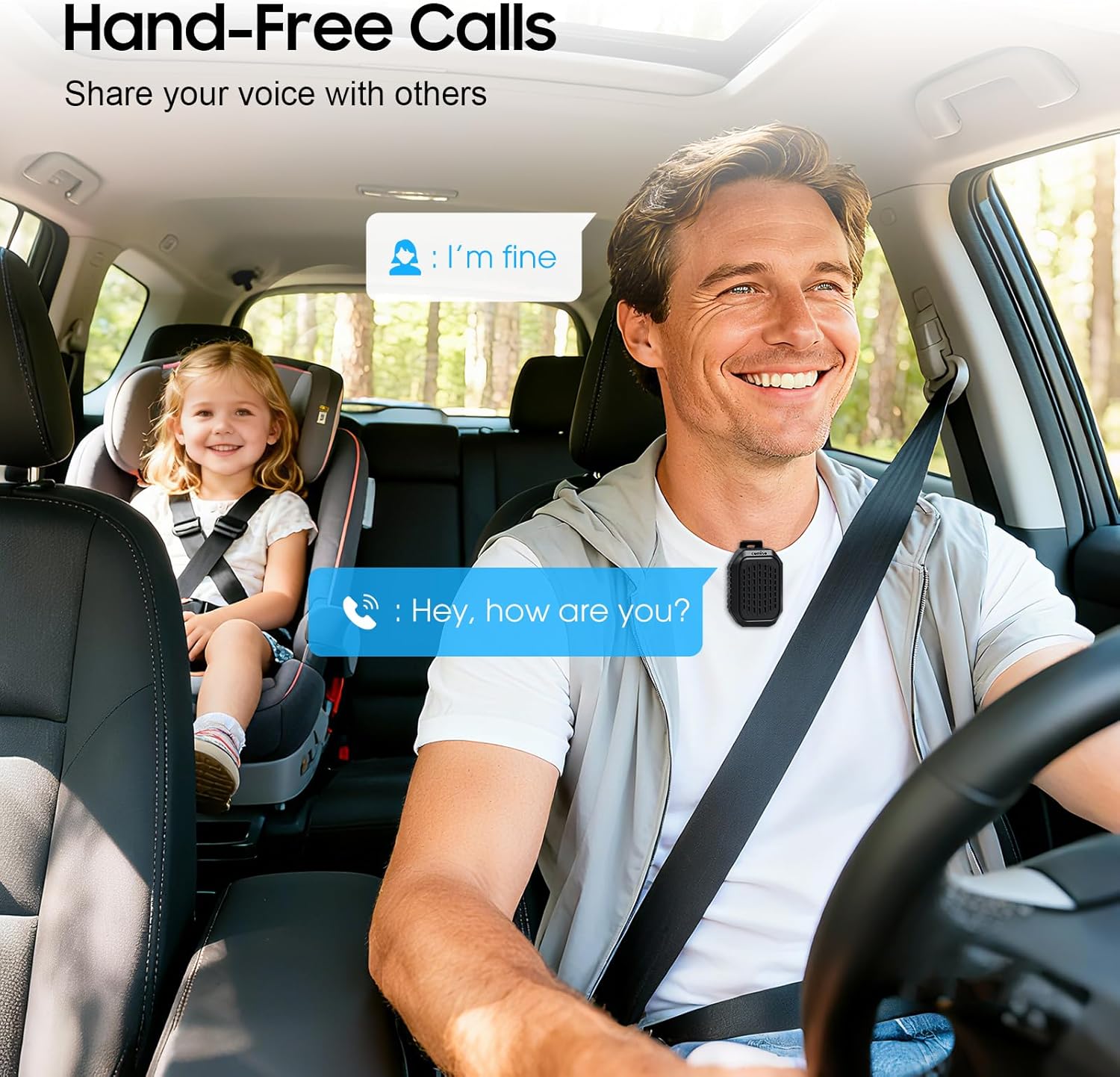
Image 5.2: The speaker facilitating hands-free communication while driving, clipped securely to a seatbelt.
5.4 Чыныгы зымсыз стерео (TWS) жупташтыруу
For an enhanced audio experience, you can pair two M11 speakers together to create a stereo sound system.
- Эки M11 динамик тең күйүп турганын жана башка Bluetooth түзмөгүнө туташпаганын текшериңиз.
- On either speaker, triple-press the Power button to enter TWS pairing mode.
- Динамиктер автоматтык түрдө бири-бирин издеп таап, туташат.
- Once paired, connect your device to one of the speakers via Bluetooth as described in Section 4.2.
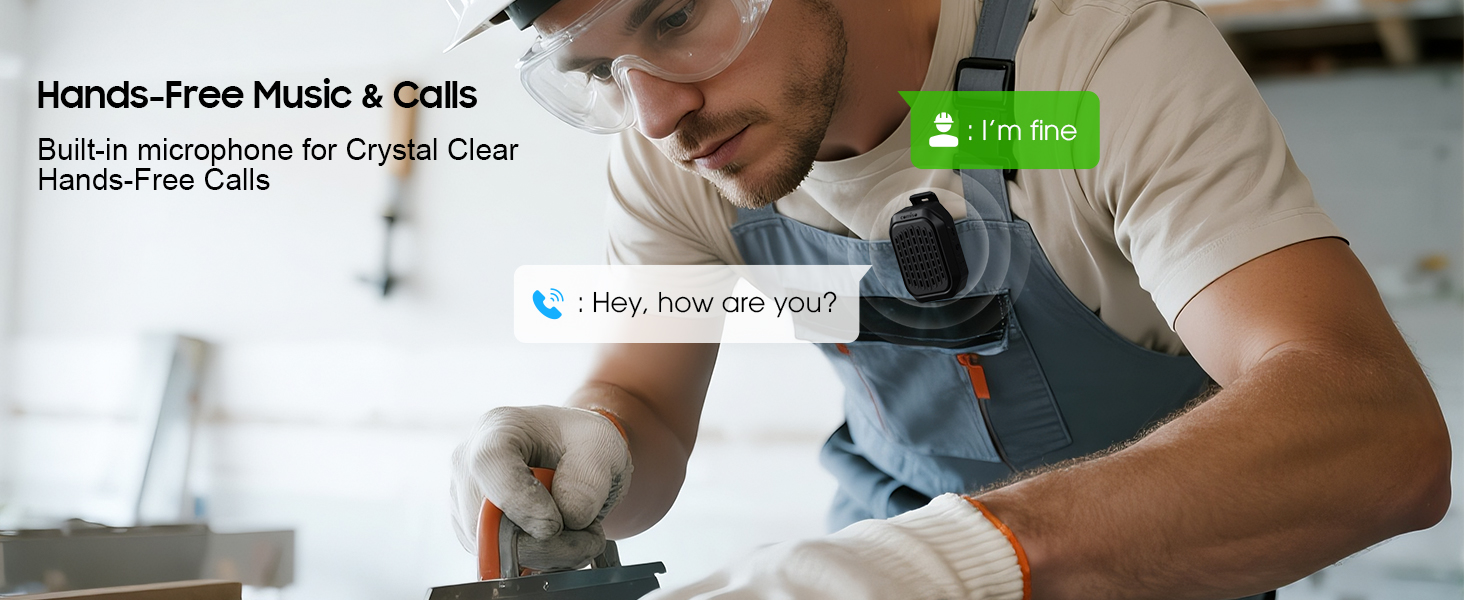
Image 5.3: Two M11 speakers wirelessly connected for a stereo audio experience, enhancing sound immersion.
5.5 Wearing the Speaker
The M11 speaker's anti-slip clip and included lanyard offer versatile wearing options.
- Клип: Easily attach the speaker to your shirt, backpack strap, belt, or jacket.
- Лянард: Use the lanyard to hang the speaker on your bag, bike, or car.
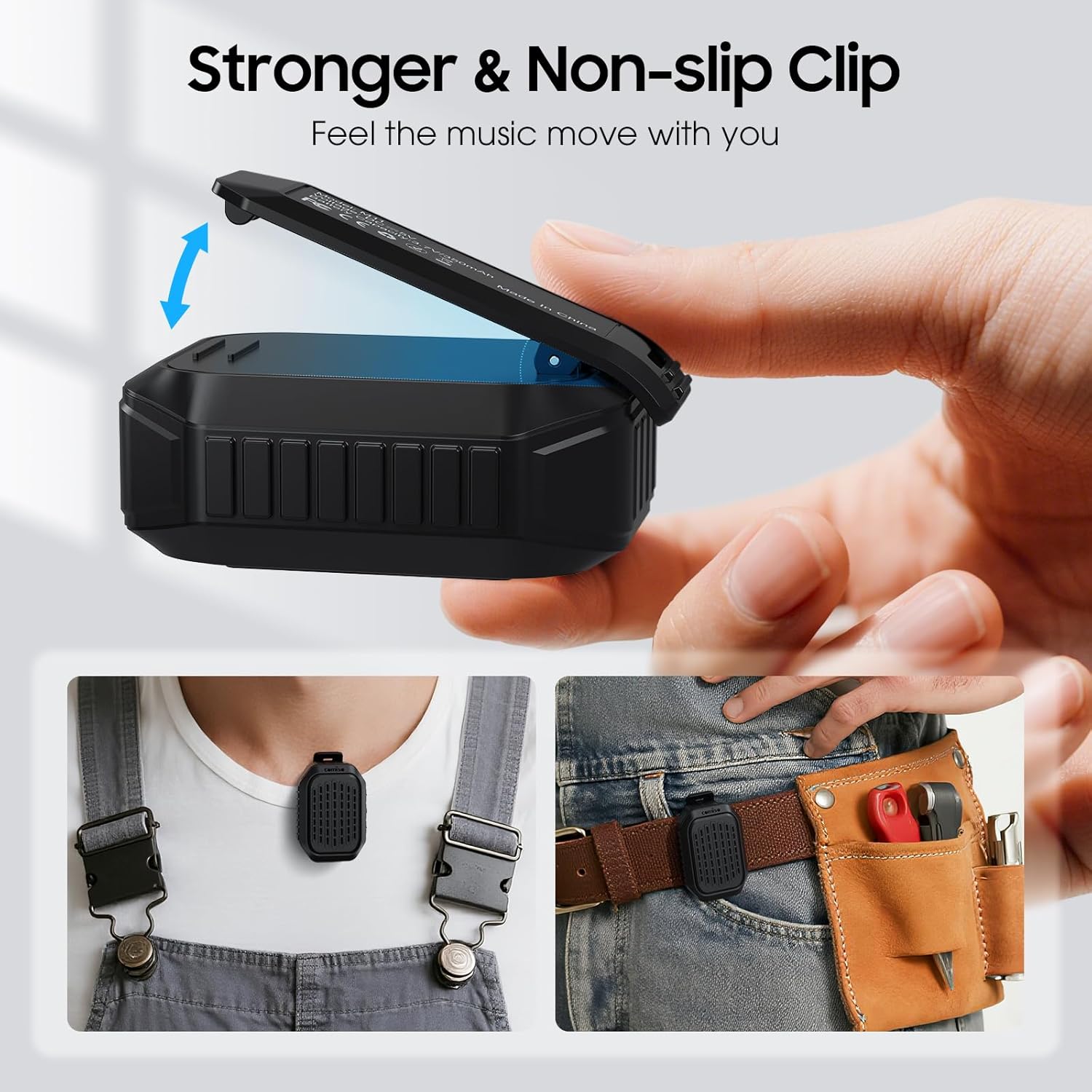
Сүрөт 5.4: деталдуу view of the speaker's strong, non-slip clip, designed for secure attachment to various items.
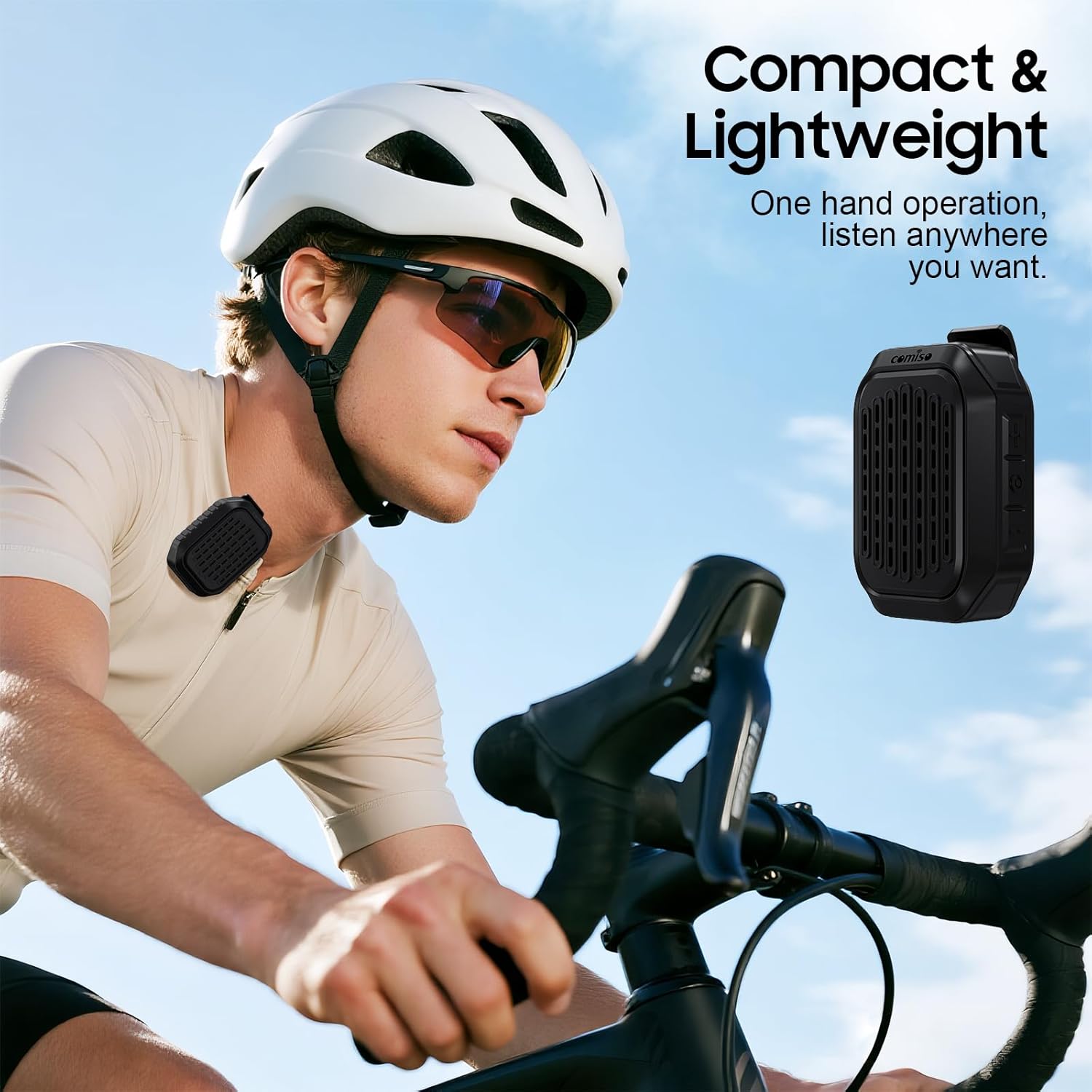
Image 5.5: A cyclist wearing the compact and lightweight speaker, demonstrating its suitability for outdoor activities.
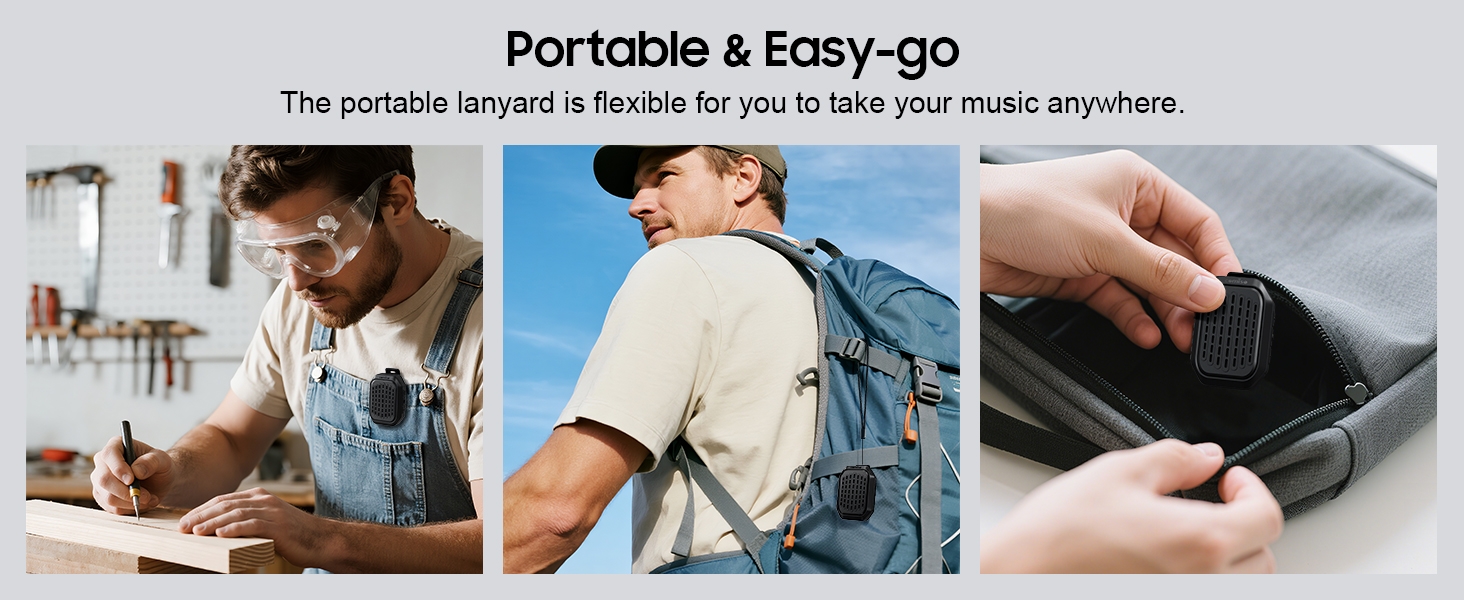
Сүрөт 5.6: Мисamples of the speaker's portability and ease of use, including being clipped to clothing, a backpack, and stored in a pocket.
6. Техникалык тейлөө
6.1 Сууга туруктуулук (IPX7)
The comiso M11 speaker is IPX7 waterproof, meaning it can be immersed in water up to 1 meter deep for 30 minutes. This makes it suitable for outdoor use and resistant to splashes and rain.
- Динамикти сууга тийгизүүдөн мурун заряддоо портунун капкагы бекем жабылганын текшериңиз.
- Динамикти атайылап узак убакытка же көрсөтүлгөн тереңдиктен ашыкча чөмүлтпөңүз.
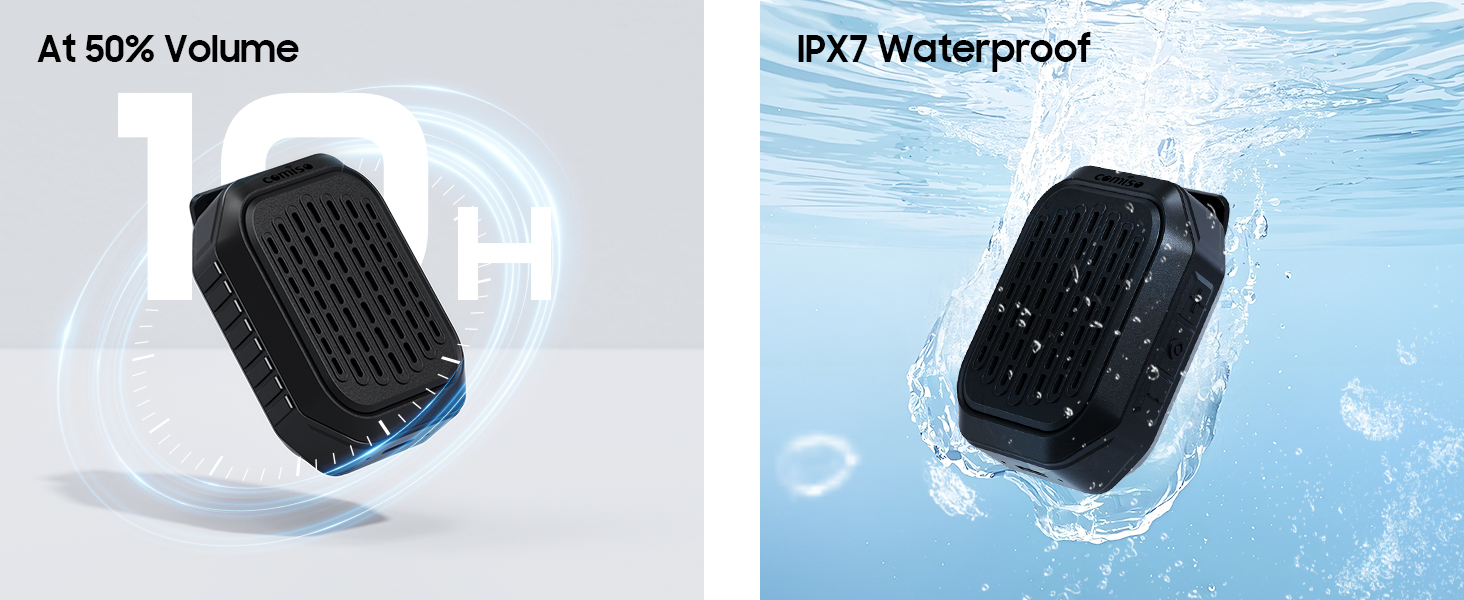
Image 6.1: The speaker submerged in water, illustrating its IPX7 waterproof capability, alongside an indicator of its 10-hour battery life.
6.2 Тазалоо жана сактоо
- Динамикти жумшак менен тазалаңыз, гamp кездеме. Абразивдүү тазалагычтарды же эриткичтерди колдонбоңуз.
- Динамикти катуу температурадан жана тике күн нурунан алыс салкын, кургак жерде сактаңыз.
- If not used for a long period, charge the speaker at least once every three months to maintain battery health.
7. Кыйынчылыктарды
If you encounter issues with your comiso M11 speaker, please refer to the following common solutions:
- Динамик күйгүзбөйт:
Ensure the speaker is fully charged. Connect it to a power source using the USB-C cable and try again. - Bluetooth түзмөгү менен жупташтыруу мүмкүн эмес:
Make sure the speaker is in pairing mode (check indicator light). Turn off and on Bluetooth on your device. Ensure the speaker is within the 10-meter range. Clear previous Bluetooth connections on your device and try pairing again. - Үн жок же үнү төмөн:
Check the volume levels on both the speaker and your connected device. Ensure the speaker is properly paired. If using TWS, ensure both speakers are connected correctly. - Чалуу сапаты начар:
Ensure the speaker is close enough for the microphone to pick up your voice clearly. Check for environmental noise interference. - Динамик кубатталбай жатат:
Verify the USB-C cable is securely connected to both the speaker and the power source. Try a different USB-C cable or power adapter.
8. Техникалык шарттар
| Өзгөчөлүк | Деталь |
|---|---|
| Модель аты | M11 |
| Динамик түрү | Тагылган Bluetooth динамиги |
| Bluetooth версиясы | 6.0 |
| Динамиктин максималдуу чыгаруу күчү | 5 Ватт |
| Сууга туруктуулук деңгээли | IPX7 (30 мүнөткө 1 метрге чейин) |
| Батареянын иштөө мөөнөтү | Over 10 hours (at 50% volume) |
| Заряддоо порту | USB-C |
| Продукциянын өлчөмдөрү (D x W x Y) | 1.9" x 2.9" x 1.3" |
| Элемент Салмагы | 75 грамм (2.65 унция) |
| Максималдуу Bluetooth диапазону | 10 метр |
| Камтылган микрофон | Ооба |
| TWS жупташуу | Ооба |
9. Коопсуздук маалыматы
Please read and follow these safety guidelines to ensure safe operation and prolong the life of your speaker:
- Динамикти бөлүктөргө бөлбөңүз, оңдобоңуз же өзгөртпөңүз. Бул кепилдикти жокко чыгарып, коопсуздук коркунучтарын жаратышы мүмкүн.
- Динамикти өтө жогорку температурадан, түз күн нурунан жана ачык оттон алыс кармаңыз.
- Спикерди түшүрүүдөн же катуу таасирлерге дуушар кылуудан качыңыз.
- Do not use the speaker while charging in wet conditions.
- Балдар жетпеген жерде сактаңыз.
- Динамикти жана анын батарейкасын жергиликтүү эрежелерге ылайык жоопкерчилик менен жок кылыңыз.
10. Кепилдик жана колдоо
For warranty information or technical support, please contact comiso customer service through the retailer where you purchased the product or visit the official comiso website. Please have your model number (M11) and purchase details ready.