
1. Киришүү
This manual provides comprehensive instructions for the Cleyver T57W IP Phone and the Cleyver ODHW25V2 DECT Headset System. This professional VoIP package is designed to enhance communication efficiency in business environments.
Система төмөнкүлөрдү камтыйт:
- Cleyver T57W IP Phone: A Voice over IP (VoIP) phone featuring a 7-inch color touchscreen, Wi-Fi, and Bluetooth connectivity.
- Cleyver ODHW25V2 DECT Duo Headset: A wireless DECT headset with dual earcups and noise cancellation for clear audio.
- Electronic Hook Switch (EHS) Module: Enables remote call control directly from the headset.

Figure 1.1: Cleyver T57W IP Phone, ODHW25V2 DECT Headset, and connecting cables.
2. Пакеттин мазмуну
Орнотууну улантуудан мурун, таңгактагы бардык буюмдардын бар экендигин текшериңиз:
- Cleyver T57W IP Phone
- Телефон жана телефон шнуры
- Ethernet кабели
- Power Adapter for IP Phone
- Cleyver ODHW25V2 DECT Duo Headset
- DECT Headset Base Station
- Power Adapter for Headset Base Station
- EHS Module and Connecting Cables
- Ыкчам баштоо колдонмосу (эгер камтылган болсо)
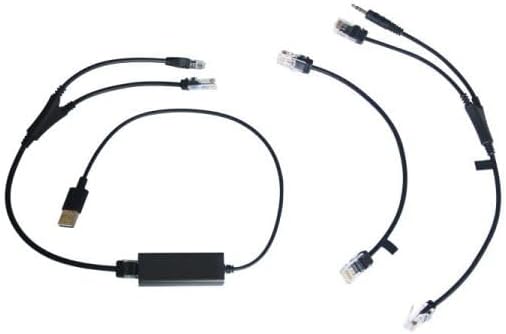
Figure 2.1: Included connecting cables for the IP phone and headset system.
3. Орнотуу
3.1. Cleyver T57W IP Phone Setup
- Телефонду туташтыруу: Plug one end of the coiled handset cord into the handset port on the IP phone and the other end into the handset.
- Тармакка туташуу: Connect one end of the Ethernet cable to the Internet port on the IP phone and the other end to your network router or switch.
- Туташуу кубаты: Plug the power adapter into the power port on the IP phone and then into an electrical outlet. The phone will power on automatically.
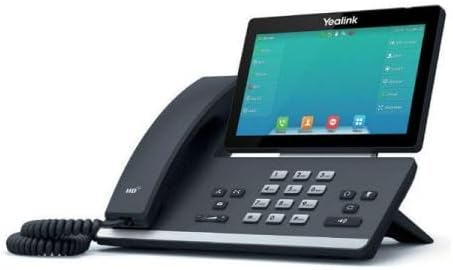
3.1-сүрөт: Каптал view of the Cleyver T57W IP Phone, illustrating port locations for connections.
3.2. Cleyver ODHW25V2 DECT Headset Setup
- Connect Headset Base Power: Plug the power adapter into the power port on the DECT headset base station and then into an electrical outlet.
- Connect to IP Phone (EHS): Use the provided EHS module and cables to connect the headset base station to the appropriate ports on the Cleyver T57W IP Phone. Refer to the EHS module's specific instructions for detailed connection steps, as ports may vary.
- Place Headset on Base: Place the ODHW25V2 headset onto the charging cradle of the base station. Ensure it is seated correctly for charging.
- Жупташтыруу (зарыл болсо): The headset and base station are usually pre-paired. If pairing is required, follow the instructions in the headset's specific manual.
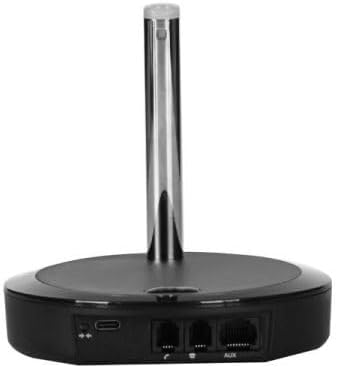
3.2-сүрөт: Арткы view of the DECT headset base station, showing power and connection ports.
3.3. Баштапкы конфигурация
Upon first power-up, the T57W IP Phone will guide you through initial setup steps on its 7-inch touchscreen. This typically includes:
- Тармак орнотуулары: Configure IP address (DHCP or Static), DNS.
- SIP каттоо эсеби: Enter your SIP server address, username, password, and other credentials provided by your VoIP service provider.
- Дата жана убакыт: Set the correct date and time or configure NTP server.
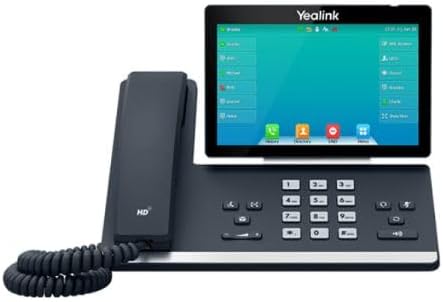
Сүрөт 3.3: Алдыңкы view of the Cleyver T57W IP Phone, highlighting the 7-inch color touchscreen.
4. Иштөө нускамалары
4.1. T57W IP Phone Basic Operations
- Чакыруу: Lift the handset or press the Speaker button, then dial the number and press the Dial/Send key. Alternatively, use the touchscreen to select a contact.
- Чалууга жооп берүү: Lift the handset, press the Speaker button, or press the Answer soft key on the touchscreen.
- Чалууну аяктоо: Трубканы ордуна коюңуз же "Чалууну аяктоо" баскычын басыңыз.
- Кармап туруу: During a call, press the Hold soft key.
- өткөрүүсү: During a call, press the Transfer soft key and follow the on-screen prompts.
- Конференция: During a call, press the Conference soft key and follow the on-screen prompts to add participants.
- Үндү тууралоо: Use the volume keys on the phone to adjust handset, speaker, or ringer volume.
4.2. ODHW25V2 DECT Headset Usage
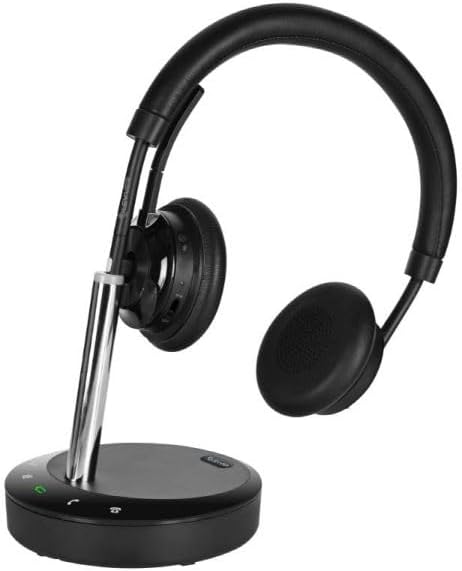
Figure 4.1: Cleyver ODHW25V2 DECT Headset on its charging base, ready for use.
- Гарнитураны тагынуу: Adjust the headband and microphone boom for a comfortable fit. The dual earcups provide passive noise isolation.
- Answering/Ending Calls (EHS): When connected via EHS, you can answer or end calls by pressing the call control button on the headset.
- Үндү көзөмөлдөө: Use the volume buttons on the headset to adjust listening volume.
- Үнсүз: Press the mute button on the headset to mute your microphone during a call.
- Заряддоо: Always return the headset to its base station when not in use to ensure it remains charged.
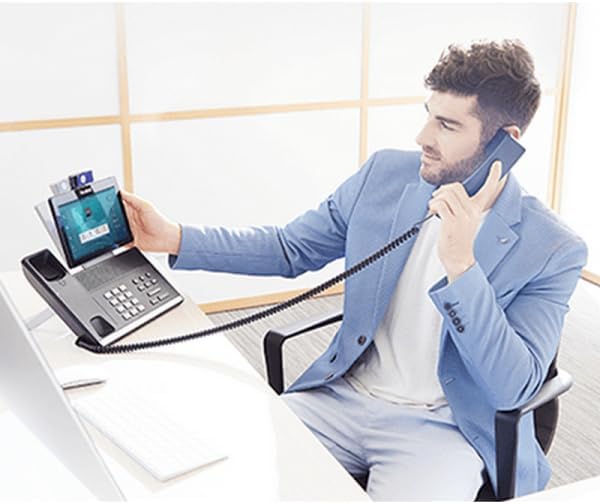
4.2-сүрөт: Мисample of a user operating the Cleyver T57W IP Phone and headset for business communication.
5. Техникалык тейлөө
5.1. Тазалоо
- Use a soft, dry, anti-static cloth to clean the phone's surface and touchscreen.
- For the headset, gently wipe earcups and headband with a slightly damp кездеме. Ашыкча нымдуулуктан сактаныңыз.
- Do not use harsh chemicals, cleaning solvents, or abrasive cleaners.
5.2. Программалык камсыздоону жаңыртуу
Periodically check for firmware updates for your Cleyver T57W IP Phone through the phone's web interface or system settings. Updates can provide new features, performance improvements, and security enhancements. Consult your IT administrator or VoIP service provider for guidance on applying updates.
5.3. Headset Battery Care
- Always return the headset to its charging base when not in use to maintain optimal battery life.
- Батареяны бат-баттан толук кубаттап калуудан алыс болуңуз.
- Store the headset in a cool, dry place if not used for extended periods.
6. Кыйынчылыктарды
If you encounter issues with your Cleyver T57W IP Phone and ODHW25V2 DECT Headset System, refer to the following common problems and solutions:
| Көйгөй | Мүмкүн себеп | Чечим |
|---|---|---|
| Телефон күйбөйт | Кубат адаптери туташкан эмес же туура эмес. | Ensure the power adapter is securely connected to the phone and a working electrical outlet. Try a different outlet. |
| Чалуу сигналы жок / Чалууларды жасай албай жатам | Network connection issue; SIP account not registered. | Check Ethernet cable connection. Verify network status on the phone's screen. Ensure SIP account details are correctly entered and registered. Contact your VoIP provider if registration fails. |
| Headset not connecting or poor audio | Headset out of range; low battery; EHS module issue. | Ensure headset is within range of the base station. Place headset on base to charge. Verify EHS module connections and configuration. Re-pair headset if necessary. |
| Сенсордук экран жооп бербейт | Убактылуу программалык ката. | Restart the IP phone by unplugging and re-plugging the power adapter. |
7. Техникалык шарттар
Key technical specifications for the Cleyver T57W IP Phone and ODHW25V2 DECT Headset System:
| Өзгөчөлүк | Деталь |
|---|---|
| Бренд | Cleyver |
| Модель номери | YEALINKT57WHW20V2 |
| IP Phone Display | 7 дюймдук түстүү сенсордук экран |
| Connectivity (IP Phone) | SIP-VoIP, Built-in Wi-Fi, Bluetooth |
| Гарнитуранын түрү | DECT Duo, Wireless, Noise Cancellation |
| Чалууларды башкаруу | Electronic Hook Switch (EHS) support |
| Power Source | Wired (Power Adapters included) |
| Материал | Пластик, металл |
| Продукциянын өлчөмдөрү | 30 x 22 x 23.5 см (L x W x Y) |
| Элемент Салмагы | 1.2 кг |
| Шайкеш түзмөктөр | DECT phone systems, VoIP SIP phones |
8. Кепилдик жана колдоо
8.1. Кепилдик маалыматы
The Cleyver T57W IP Phone and ODHW25V2 DECT Headset System comes with a эки жылдык кепилдик сатып алынган күндөн тартып. Бул кепилдик өндүрүштүк кемчиликтерди жана нормалдуу колдонуудагы бузулууларды камтыйт. Кепилдик дооматтары үчүн сатып алганыңыздын далилин сактап коюңуз.
8.2. Кардарларды колдоо кызматы
For technical assistance, troubleshooting beyond this manual, or warranty inquiries, please contact your vendor or Cleyver customer support. Refer to the contact information provided with your purchase documentation or visit the official Cleyver webколдоо булактары үчүн сайт.