
1. Киришүү
The WANBO Cube 2 Pro is a versatile smart projector designed for home entertainment. It features Android TV 11.0, offering access to a wide range of streaming applications directly from the Google Play Store. With 500 ANSI lumens brightness and native 1080p Full HD resolution, it delivers clear and vibrant images. Its integrated stand allows for flexible projection angles up to 230 degrees, making it suitable for various environments, including ceiling projection. Advanced features like TOF autofocus and automatic keystone correction ensure a sharp, perfectly aligned image instantly. The projector also boasts high-speed wireless connectivity with dual-band Wi-Fi and Bluetooth 5.0, along with multiple wired connection options for seamless integration with your devices.
2. Орнотуу
2.1 Пакеттин мазмуну
Баштоодон мурун, пакетте бардык элементтер бар экенин текшериңиз:
- WANBO Cube 2 Pro Projector
- Электр кабели
- Алыстан башкаруу
- User Manual
2.2 Баштапкы жайгаштыруу жана күйгүзүү
Place the projector on a stable surface. Connect the power cable to the projector and then to a power outlet. Press the power button on the projector or remote control to turn it on.
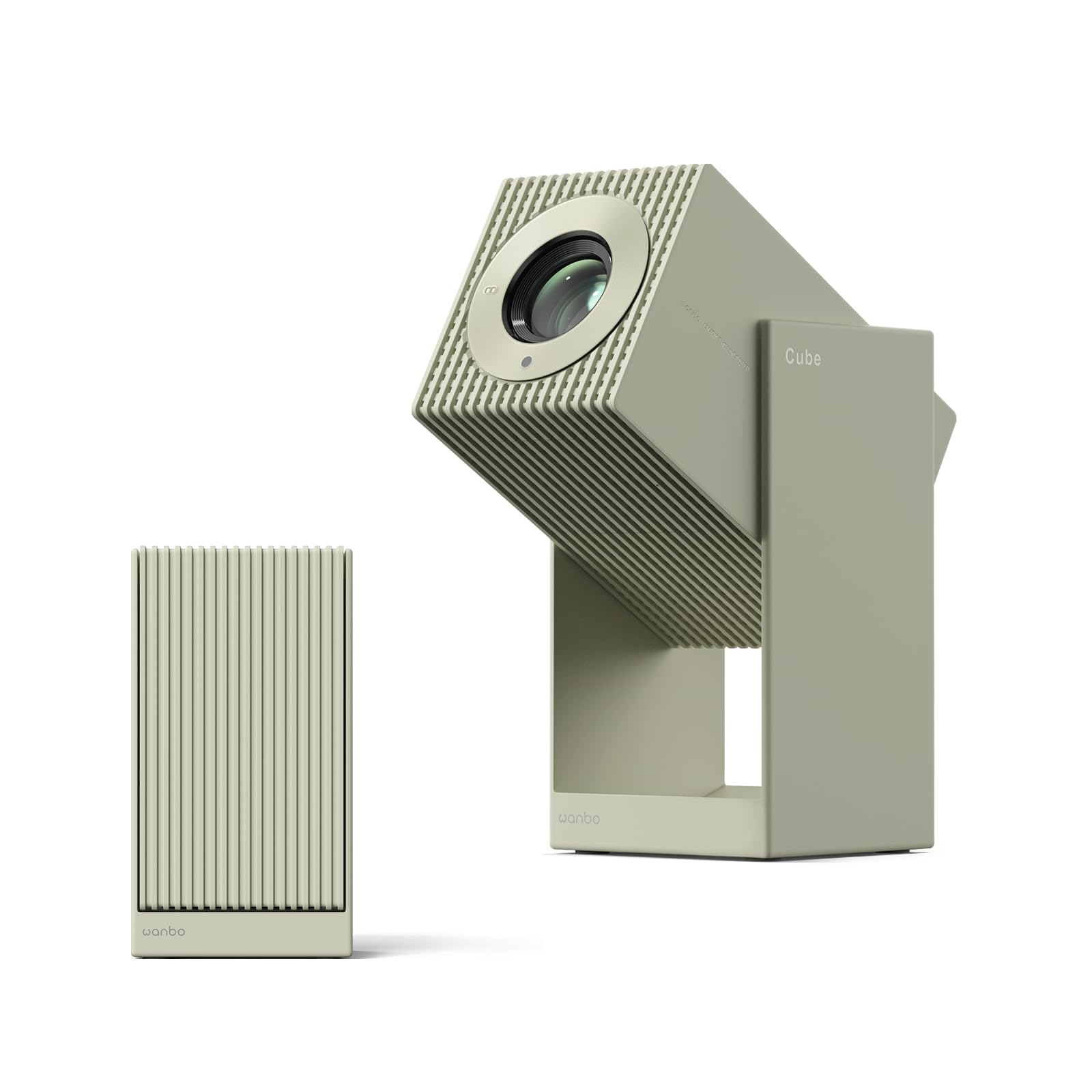
Image: The WANBO Cube 2 Pro projector with its power cable connected, ready for use.
2.3 Adjusting Projection Angle
The integrated stand allows for flexible angle adjustments up to 230 degrees. You can project onto a wall, ceiling, or floor. The stand is designed for stability and also protects the lens when folded.
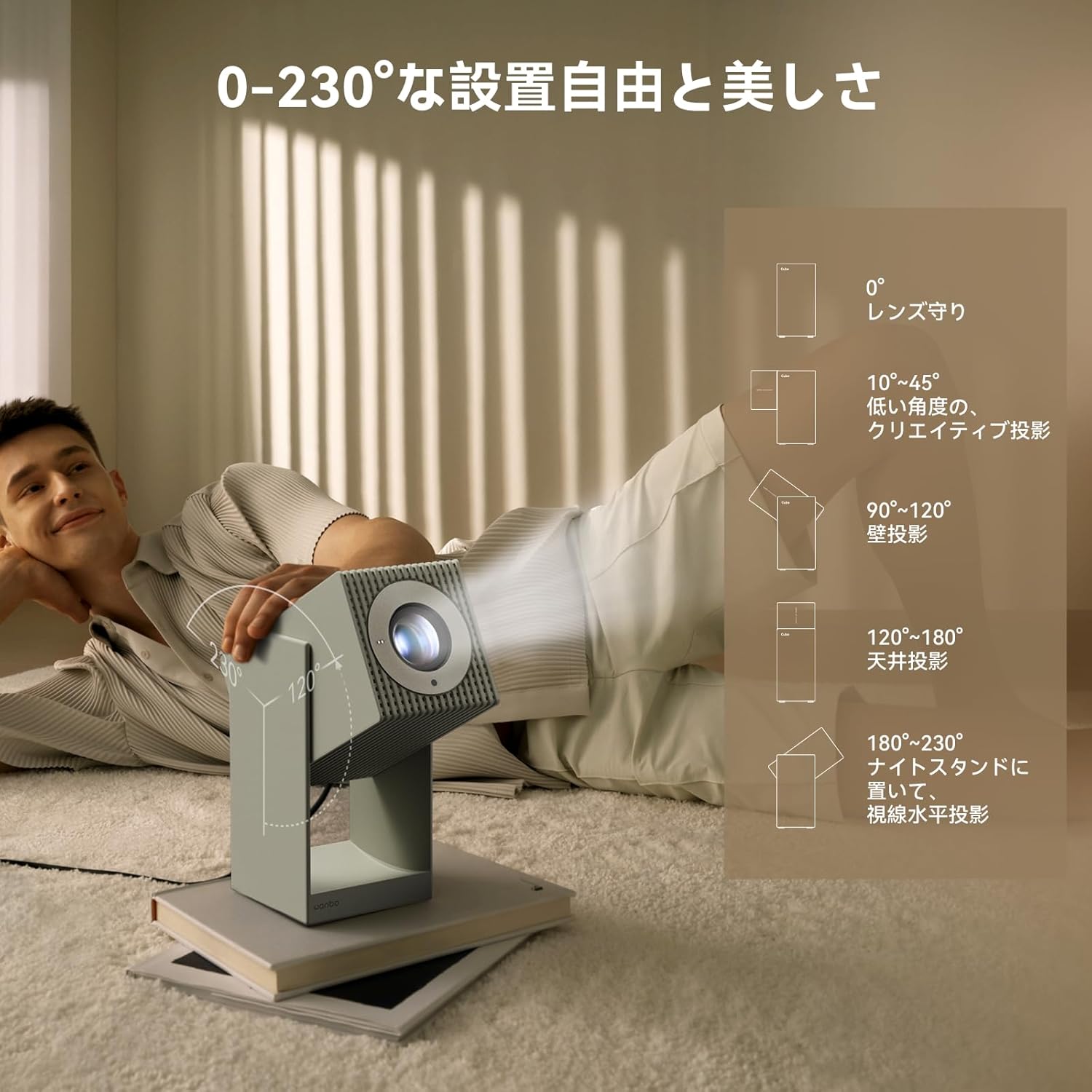
Image: The projector demonstrating its 230-degree adjustable stand for versatile projection, including ceiling and wall mounts.
2.4 Байланыш параметрлери
The Cube 2 Pro supports both wired and wireless connections:
- Зымсыз: 5GHz/2.4GHz dual-band Wi-Fi and Bluetooth 5.0 for smooth streaming and audio pairing.
- чагылтуу: Built-in Chromecast (for Android) and AirPlay (for iOS, requires Google Play download) for one-touch screen mirroring from various devices.
- текст: HDMI (ARC compatible), USB, and 3.5mm audio jack for connecting devices like PCs, smartphones, game consoles (Switch, PS5), and TV streaming sticks.

Image: An illustration of the projector's wireless connectivity features, including 2.4G/5G WiFi and screen mirroring.

Image: A close-up of the projector's side panel, highlighting the HDMI, USB, and 3.5mm audio ports for diverse wired connections.
3. Иштөө нускамалары
3.1 Android TV 11.0 and App Access
The projector comes with Android TV 11.0 built-in, allowing direct installation of popular streaming apps like Netflix, Prime Video, YouTube, and Disney+ from the Google Play Store. The intuitive interface ensures quick access to your favorite content.

Image: The projector screen showing the Android TV 11.0 interface with popular streaming applications like Netflix, YouTube, and Prime Video.
3.2 Intelligent Image Adjustment
The latest TOF sensor enables rapid omnidirectional auto keystone correction and autofocus. The projector automatically detects screen misalignment and blur, adjusting for a clear image instantly. Fine-tuning can be done via the remote control, and the screen can be zoomed from 50% to 100%.

Image: A visual representation of the projector's TOF sensor, showing automatic keystone correction and autofocus for a clear, undistorted image.
3.3 Google Assistant Voice Control
Utilize the built-in Google Assistant for convenient voice commands. Simply press a button on the remote and speak your request to search for content or control the projector.

Image: A person using the Google Assistant feature on the WANBO Cube 2 Pro projector to search for content with voice commands.
3.4 Уйку таймери
Set a sleep timer from 15 to 120 minutes. The projector will automatically turn off after the set time, allowing you to fall asleep without worrying about turning it off manually.

Image: The projector's interface showing the sleep timer option, allowing users to set an automatic shutdown time.
4. Өзгөчөлүктөрү
4.1 Жогорку сапаттагы дисплей
Experience stunning visuals with 500 ANSI lumens brightness and native 1920x1080p Full HD resolution. The projector reproduces incredibly detailed and vivid images, bringing all your content to life with breathtaking beauty. You can customize brightness, contrast, and color temperature to match your room environment and viewартыкчылыктарды алуу.

Image: A vibrant image projected in native 1080P Full HD, showcasing the projector's high-quality display capabilities.
4.2 Иммерсивдүү аудио
The Cube 2 Pro features 8W HiFi speakers, delivering rich and immersive sound. Enjoy a powerful audio experience that complements the large screen visuals, creating an engaging entertainment environment without the need for external speakers.

Image: A couple enjoying music projected on a wall, illustrating the immersive 8W HiFi sound experience of the projector.
4.3 Portable and Stylish Design
With its integrated stand and compact design, the projector is both stylish and highly portable. It blends seamlessly into any interior and is easy to carry, making it perfect for various uses, from home cinema to outdoor gatherings.

Image: The compact design of the WANBO Cube 2 Pro, shown both upright and folded, emphasizing its portability and lens protection.
4.4 Low Noise and Long Lifespan
The projector operates at a low noise level of just 28dB, thanks to its dual-fan cooling system. This efficient heat dissipation ensures quiet operation, allowing you to enjoy movies and games without distraction. Thorough heat management also reduces internal component stress, contributing to a longer product lifespan.

Image: An illustration of the projector's dual-fan cooling system, demonstrating its low noise operation (28dB) and efficient heat dissipation for extended lifespan.
5. Техникалык тейлөө
To ensure optimal performance and longevity of your WANBO Cube 2 Pro projector, follow these maintenance guidelines:
- Линзаны тазалоо: Оптикалык линзалар үчүн атайын жасалган жумшак, түксүз кездемени колдонуңуз. Чаңды же тактарды кетирүү үчүн линзаны акырын сүртүңүз. Абразивдүү материалдарды же катуу химиялык заттарды колдонуудан алыс болуңуз.
- Чаң чыпкасы: The projector features a detachable dust box. Regularly check and clean the dust box to prevent dust accumulation, which can affect performance and lifespan.
- Жалпы тазалоо: Проектордун сыртын жумшак, кургак чүпүрөк менен сүртүңүз. Суюк тазалоочу каражаттарды түз эле түзмөккө колдонбоңуз.
- Сактагыч: When not in use, store the projector in a cool, dry place away from direct sunlight and extreme temperatures. Ensure the lens is protected, for example, by folding the integrated stand.
6. Кыйынчылыктарды
If you encounter any issues with your WANBO Cube 2 Pro projector, please refer to the following common troubleshooting steps:
| Көйгөй | Мүмкүн себеп | Чечим |
|---|---|---|
| Сүрөт чагылдырылган жок | Power cable loose, input source incorrect, device not powered on. | Check power connections. Ensure the projector is on. Verify the correct input source (HDMI, USB, etc.) is selected. |
| Сүрөт бүдөмүк | Фокусунан чыгып, проектор жылып кетти. | Allow the automatic autofocus to adjust. If needed, manually adjust focus via the remote control. |
| Сүрөт бурмаланган (тик бурчтуу эмес) | Keystone correction needed, projector not aligned. | Allow the automatic keystone correction to adjust. If needed, manually adjust keystone via the remote control. |
| Үн жок | Volume too low, external audio device not connected/selected. | Increase volume. Check if an external audio device is connected and properly selected in settings. |
| Пульт иштебей жатат | Batteries low/dead, remote not paired. | Replace batteries. Re-pair the Bluetooth remote control if necessary (refer to the initial setup guide). |
6.1 Заводдук абалга кайтаруу
If issues persist, performing a factory reset may resolve them. This will erase all personal data and settings, returning the projector to its original factory state.
- барыңыз Орнотуулар үй экранынан.
- багыттоо Түзмөк артыкчылыктары (or similar, usually represented by a gear icon).
- Тандоо Жөнүндө.
- Тандоо Заводдук абалга кайтаруу or Заводдук жөндөөлөргө кайтаруу.
- Confirm your selection. The projector will restart and begin the reset process.
7. Техникалык шарттар
| Өзгөчөлүк | Деталь |
|---|---|
| Бренд | WANBO |
| Модель номери | Cube 2 Pro |
| Операция системасы | Android TV 11.0 |
| Жарыктык | 500 ANSI челинин |
| Native Resolution | 1920 x 1080p Full HD |
| Проекцияны тууралоо | 230° Angle Adjustment, TOF Autofocus, Automatic Keystone Correction |
| Zoom функциясы | 50% - 100% |
| Ыргытуу катышы | 1.2:1 (Кыска ыргытуу) |
| Зымсыз байланыш | 5GHz/2.4GHz Dual-band Wi-Fi, Bluetooth 5.0, Chromecast, AirPlay |
| Зымдуу туташуу | HDMI (ARC compatible), USB, 3.5mm Audio Jack |
| Аудио | Built-in HiFi Speakers |
| Ызы-чуу деңгээли | 28дБ |
| Продукциянын өлчөмдөрү | 11.3 x 11.1 x 21.2 см |
| Продукт Салмагы | 1.4 кг |
8. Кепилдик жана колдоо
For warranty information and technical support, please refer to the official WANBO webсайтына кириңиз же сатуучуңузга кайрылыңыз. Кепилдик талаптары үчүн сатып алуунун далили катары сатып алуу дүмүрчөгүңүздү сактап коюңуз.
For further assistance, you may also refer to the contact information provided by the seller:
- Seller Name: WANBO JP
- Seller ID: A3UZ2K2OT94WHE
- Amazon Store Link: WANBO Official Store