
1. Киришүү
The plplaaoo PC 321 W 500 TY WiFi Energy Meter is designed for accurate real-time monitoring of electrical energy consumption in both home and industrial environments. Equipped with three 500A current sensors, this device provides detailed insights into your power usage, helping to optimize efficiency and prevent potential issues. This manual provides essential information for the safe and effective use of your energy meter.
2. Продукт бүтүп калдыview
The plplaaoo PC 321 W 500 TY offers advanced features for comprehensive energy management:
- Accurate Electrical Monitoring: Features 3 high-precision 500A sensors for monitoring power consumption of various appliances, including air conditioners, stoves, water heaters, washing machines, and dryers. Provides real-time data for understanding energy usage patterns and optimizing efficiency.
- Real-Time Energy Tracking: Monitor electricity usage anytime, anywhere via a mobile app. Helps prevent costly repairs by alerting to unusual power surges and enables significant energy savings by identifying high-consumption devices.
- Multifunctional Performance: Чаралар томtage, current, and power factor, offering comprehensive insights into your electrical system. An essential tool for both residential and commercial energy management.
- Seamless WiFi Connectivity: Supports 2.4 GHz WiFi for effortless synchronization with your mobile app, providing instant access to power data. Ensures a stable and secure connection for accurate information.
- Easy Installation and Use: Designed for convenience with simple clamp-on installation, eliminating the need for complex wiring. User-friendly interface and clear instructions make it accessible for professionals and DIY enthusiasts.
2.1-сүрөт: Система бүттүview showing the energy meter connecting to a mobile device.
3. Техникалык шарттар
| Өзгөчөлүк | Деталь |
|---|---|
| Элемент түрү | WiFi энергия өлчөгүч |
| Материал | ABS, металл |
| Модел | PC 321 W 500 TY |
| WiFi стандарты | 802.11 B G N20 |
| Иштөө жыштыгы | 2.4GHz, external antenna |
| Чыгуу күчү | +20дБм |
| CT Current | 3 x 500A |
| Connection Voltage | 100-240V |
| Калибрлөө өлчөө тактыгы | 100W (within ±2W); >100W (within ±2%) |
| Иштөө температурасы | -20°Cден +55°Cге чейин |
| Нымдуулук | 90% конденсацияланбайт |
| Пакеттин өлчөмдөрү | 11.02 x 10.24 x 3.94 дюйм |
| Элемент Салмагы | 3.3 фунт |

Сүрөт 3.1: Продукциянын өлчөмдөрү.
4. Пакеттин мазмуну
Пакетте бардык буюмдар бар экенин текшериңиз:
- 1 x WiFi Energy Meter (Main Unit)
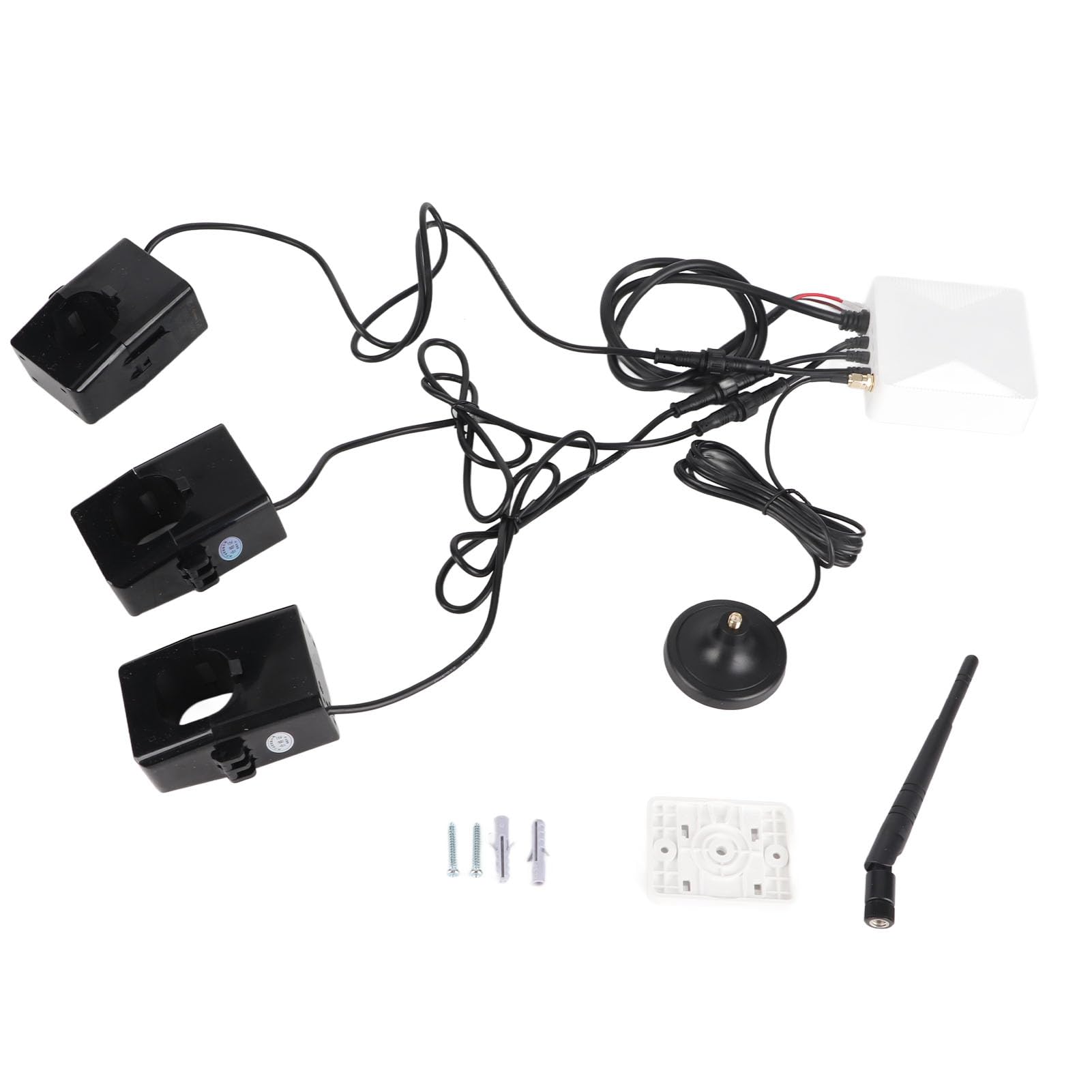
- 1 Антеннаны х
- 1 x Antenna Base
- 4 x Accessories (likely mounting hardware or connectors)
- 1 х Колдонуучунун колдонмосу (бул документ)

Figure 4.1: Contents of the package.
5. Орнотуу жана орнотуу
Маанилүү коопсуздук эскертүүсү: Before proceeding with installation, ensure the main power to your facility is completely turned off at the circuit breaker. Installation should only be performed by qualified personnel or with extreme caution by experienced DIY enthusiasts. Always follow local electrical codes and safety guidelines.
5.1 Wiring the Current Sensors (CTs)
The energy meter uses three 500A clamp-on current transformers (CTs) to measure current. These CTs must be clamped around the live wires of the circuits you wish to monitor. Ensure the direction of the current flow through the CTs is consistent (e.g., arrow on CT pointing towards the load).

Figure 5.1: Wiring diagram for 3-Phase and Single-Phase electricity.
- Өчүрүү: Disconnect all power to the electrical panel where the meter will be installed.
- Mount the Meter: Securely mount the main WiFi Energy Meter unit in a suitable location within the electrical panel or an adjacent enclosure.
- Connect Voltage Зымдар: Томду туташтырууtage sensing wires from the meter to the appropriate live (L1, L2, L3) and neutral (N) terminals of your electrical system, as indicated in the wiring diagram (Figure 5.1). Ensure correct phase connection for accurate readings.
- Install CTs: Open each current clamp and place it around one of the live wires (L1, L2, L3) you intend to monitor. Ensure the clamp is fully closed and secured. The arrows on the CTs should point in the direction of current flow towards the load.
- Антеннаны туташтыруу: Attach the antenna to the main unit and position it for optimal WiFi signal reception.
- Байланыштарды текшерүү: Электр кубатын калыбына келтирүүдөн мурун, бардык зымдардын туташууларынын бекемдигин жана тууралыгын эки жолу текшериңиз.
5.2 Баштапкы күйгүзүү жана WiFi конфигурациясы
Once the physical installation is complete:
- Күчтү калыбына келтирүү: Turn on the main power supply to the electrical panel. The energy meter should power on.
- Колдонмону жүктөп алуу: Download the dedicated mobile application (e.g., "Smart Life" or "Tuya Smart" app, refer to packaging or quick start guide for specific app name) from your smartphone's app store.
- Катталуу/Кирүү: Каттоо эсебин түзүңүз же колдонмого кириңиз.
- Түзмөк кошуу: Follow the in-app instructions to add a new device. This typically involves putting the meter into pairing mode (often by pressing a button on the device or cycling power) and connecting your phone to the meter's temporary WiFi hotspot, then configuring it to connect to your home/industrial 2.4GHz WiFi network.
- Түзмөктүн аталышын өзгөртүү: Once connected, you can rename the device within the app for easy identification.

Figure 5.2: Meter connected and ready for app configuration.
6. Иштөө нускамалары
After successful setup, you can monitor your energy consumption through the mobile application.
- Access Real-Time Data: Open the mobile app and select your plplaaoo Energy Meter. The app will display real-time data for voltage, current, power, and power factor for each monitored phase.
- Тарыхый дата: View historical energy consumption data, often presented in graphs or charts, allowing you to track daily, weekly, or monthly usage patterns.
- Эскертүүлөрдү коюу: Configure custom alerts for high power consumption, unusual surges, or other anomalies to receive notifications on your smartphone.
- Energy Analysis: Use the app's analysis features to identify energy-intensive appliances and areas where energy savings can be made.

Figure 6.1: Mobile application interface for energy monitoring.
7. Техникалык тейлөө
The plplaaoo WiFi Energy Meter is designed for low maintenance. Follow these guidelines to ensure optimal performance:
- Тазалоо: Gently wipe the exterior of the device with a dry, soft cloth. Do not use liquid cleaners or solvents.
- Экологиялык шарттар: Ensure the device operates within the specified temperature and humidity ranges (-20°C to +55°C, 90% non-condensing humidity).
- Программалык камсыздоонун жаңыртуулары: Periodically check the mobile application for available firmware updates for the energy meter. Updates can improve performance and add new features.
- Туташуу текшерүү: Occasionally verify that all wiring connections, especially the CT clamps, remain secure.
8. Кыйынчылыктарды
If you encounter issues with your plplaaoo WiFi Energy Meter, refer to the following common problems and solutions:
| Көйгөй | Мүмкүн себеп | Чечим |
|---|---|---|
| Түзмөк күйбөй жатат. | Электр энергиясы жок; туура эмес зымдар. | Check the circuit breaker. Verify voltage wiring connections are secure and correct. |
| WiFi'га туташа албай жатат. | Incorrect WiFi password; 5GHz network; weak signal; device not in pairing mode. | Ensure you are using a 2.4GHz WiFi network. Double-check the password. Move the antenna for better signal. Re-enter pairing mode as per app instructions. |
| Inaccurate readings or no data. | CT clamps not properly installed; incorrect wiring; faulty sensor. | КТ cl текшерүүamps are fully closed around the correct wires and the arrows point towards the load. Check voltage wiring. If issues persist, contact support. |
| App not displaying real-time data. | No internet connection on phone; meter lost WiFi connection; app glitch. | Check your phone's internet connection. Verify the meter's WiFi status in the app. Restart the app or the meter. |
9. Кепилдик жана колдоо
For warranty information and technical support, please refer to the documentation provided with your purchase or visit the official plplaaoo webсайт. Сатып алуу квитанциясын кепилдик дооматтары үчүн сатып алуунун далили катары сактаңыз.
Өндүрүүчү: plplaaoo
ASIN: B0FPJFZHNQ