
Introduction
This manual provides detailed instructions for the installation, operation, and maintenance of your J-TREK JX01 Motorcycle Bluetooth Headset. Please read this manual thoroughly before using the device to ensure proper function and safety. The JX01 headset features Bluetooth 5.4, 8-way intercom communication, aptX HD audio, app control, and triple noise cancellation for an enhanced riding experience.
Пакеттин мазмуну
The JX01 package typically includes the following items:
- J-TREK JX01 Bluetooth Headset Unit
- Helmet Speakers (40mm titanium diaphragm)
- Microphone (directional)
- Mounting Brackets (clip-on and adhesive options)
- USB заряддоо кабели
- Колдонуучунун Колдонмосу (бул документ)
- Additional accessories for installation (e.g., Velcro pads, foam covers)
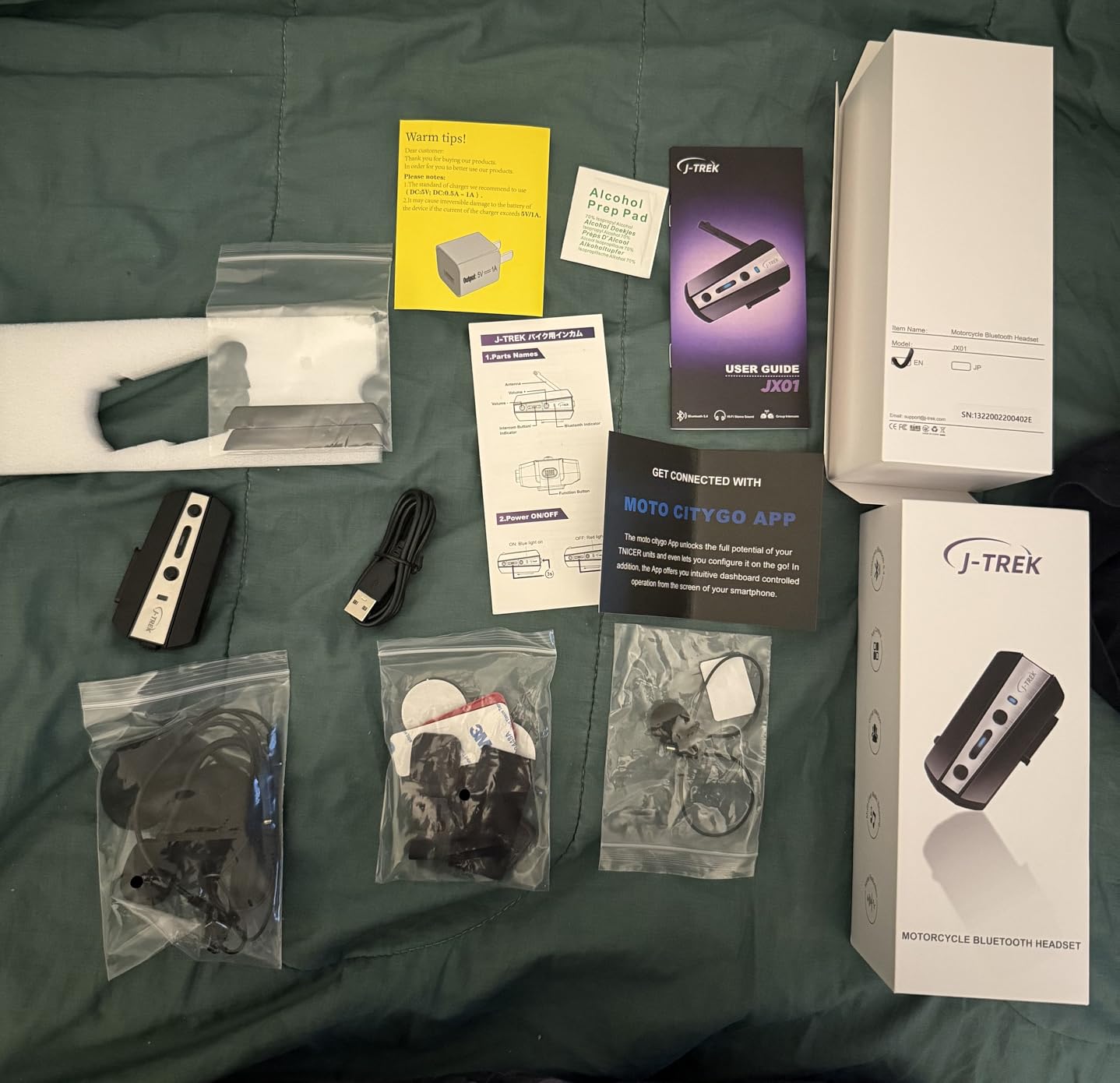
Figure 1: Contents of the JX01 package, including the headset unit, speakers, microphone, and mounting accessories.
Продукт бүттүview
The J-TREK JX01 is a high-performance motorcycle Bluetooth headset designed for clear communication and audio quality during rides. Key features include:
- Bluetooth 5.4 чип: Provides stable connections, improved interference resistance, and ultra-low latency (60ms).
- 8 тараптуу домофон системасы: Supports communication for up to 8 riders with a range of up to 1500m.
- aptX HD Audio: Delivers CD-quality sound with low latency (Note: aptX does not support iPhone devices).
- Triple Noise Cancellation: Integrates DSP digital signal processing and CVC 8.0 dual noise-canceling technology for clear voice at speeds up to 130 km/h.
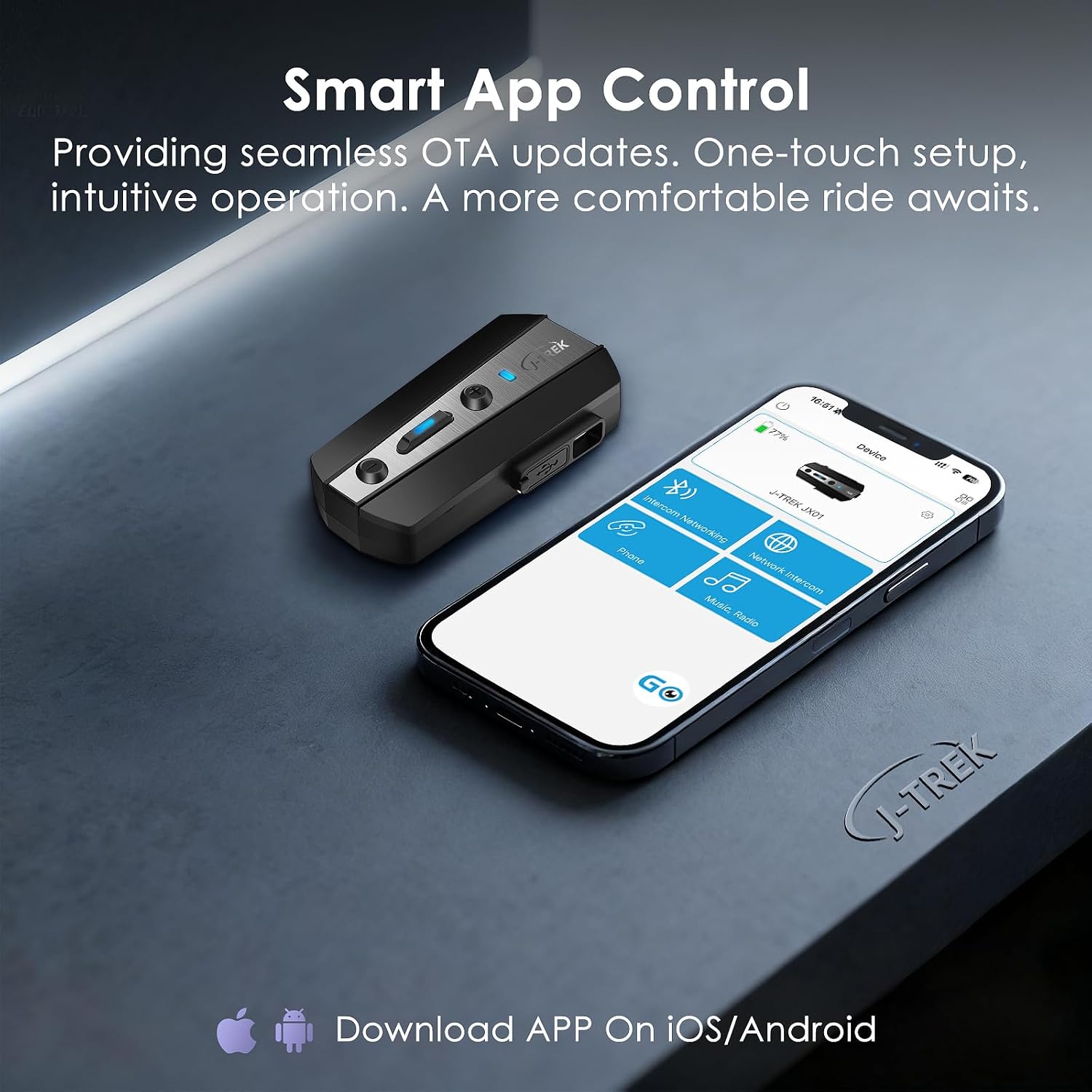
- Колдонмону башкаруу: Seamless pairing, volume adjustment, track skipping, and firmware updates via a dedicated mobile application.
- IP67 суу жана чаң өткөрбөйт: Durable design with custom rubber seals for harsh riding conditions.
- Үн жардамчылары: Siri жана Google Жардамчысы менен шайкеш келет.
Сүрөт 2: Алдыңкы view of the JX01 Bluetooth headset unit, highlighting its compact design.
3-сүрөт: Каптал view of the JX01 headset, illustrating button layout for control and LED indicator.
Орнотуу жана орнотуу
1. Гарнитураны орнотуу
The JX01 offers two mounting options: a clip-on bracket and an adhesive bracket. Choose the option best suited for your helmet.
- Clip-on Mount: Клипти туулга кабыгы менен ички төшөмөнүн ортосуна жылдырыңыз. Анын бекем бекитилгенин текшериңиз.
- Жабышкак орнотуу: Clean the helmet surface thoroughly. Peel the backing from the adhesive pad and firmly press the bracket onto the desired location on the helmet. Allow sufficient time for the adhesive to cure before use.
Once the bracket is installed, slide the JX01 main unit onto the bracket until it clicks into place.
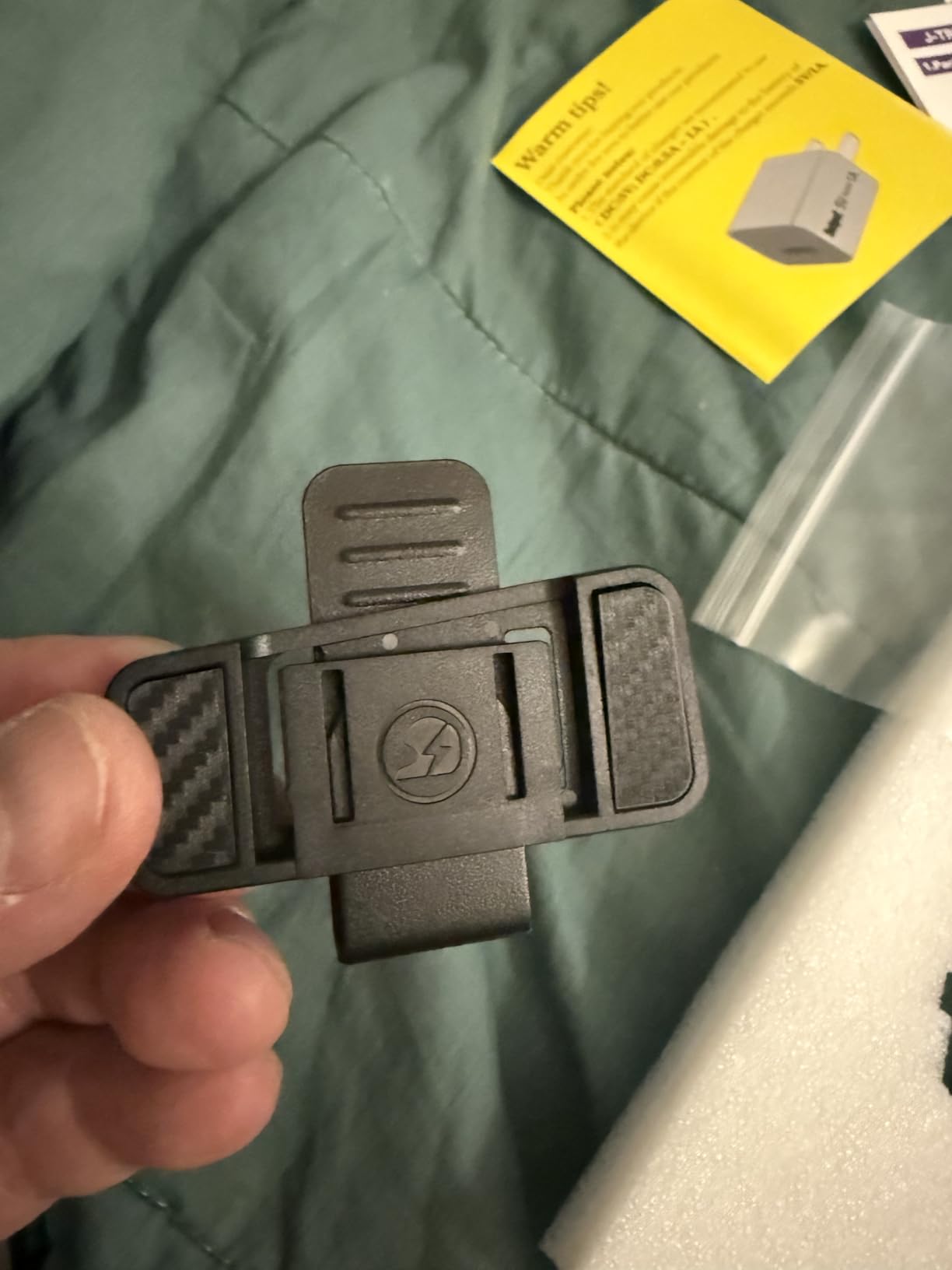
Figure 4: JX01 headset mounted on a helmet, demonstrating proper placement and secure attachment.
2. Динамик жана микрофонду орнотуу
Install the speakers into the ear pockets of your helmet. Ensure they are positioned directly over your ears for optimal sound quality. If your helmet has ear space fillers, remove them to prevent the speakers from pressing against your head uncomfortably.
Attach the microphone to the inside of the helmet, positioning it close to your mouth but not directly in front to avoid breath noise. Route all wires neatly under the helmet padding to prevent interference and ensure comfort.
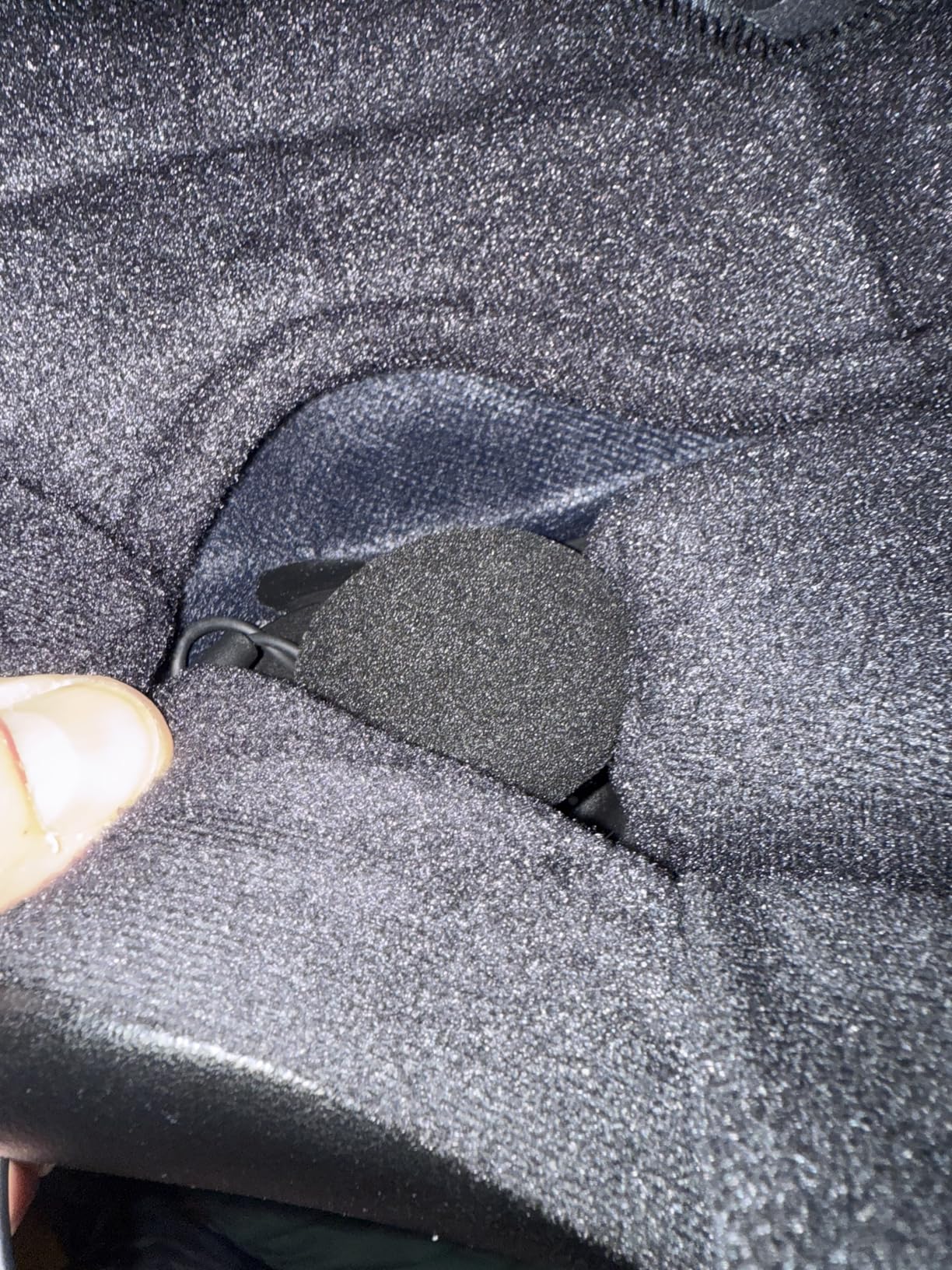
Figure 5: Internal helmet view showing speaker and microphone placement, and proper wire routing for comfort and functionality.
3. Initial Pairing with a Mobile Device
- Ensure the JX01 headset is powered off.
- Жупташтыруу режимин көрсөткөн LED индикатору кызыл жана көк түстө күйүп-өчкөнгө чейин кубат баскычын басып туруңуз.
- On your mobile device, enable Bluetooth and search for "J-TREK JX01".
- Select "J-TREK JX01" to connect. A voice prompt will confirm successful pairing.
Alternatively, use the dedicated J-TREK app for one-touch pairing. Refer to the "App Control" section for more details.
4. Cross-Brand Intercom Pairing
The JX01 supports pairing with other brand intercoms (one device at a time). Refer to the specific instructions for your other intercom device to initiate universal pairing mode, then follow the JX01's pairing instructions for intercom connection.
Иштөө нускамалары
Негизги функциялар
| Функция | Акция |
|---|---|
| Күйгүзүү/өчүрүү | Кубат баскычын 3 секунд басып, кармап туруңуз. |
| Үнүн жогорулатуу/төмөндөтүү | Press the '+' or '-' button. |
| Музыканы ойнотуу/тындыруу | Көп функциялуу баскычты бир жолу басыңыз. |
| Кийинки/Мурунку трек | Double-press '+' for next, double-press '-' for previous. |
| Чалууга жооп берүү/аяктоо | Көп функциялуу баскычты бир жолу басыңыз. |
| Чакырууну четке кагуу | Көп функциялуу баскычты 2 секунд басып туруңуз. |
| Үн жардамчысын жандырыңыз | Press the Voice Assistant button (if available) or specific button combination (refer to quick start guide). |
Домофондук байланыш
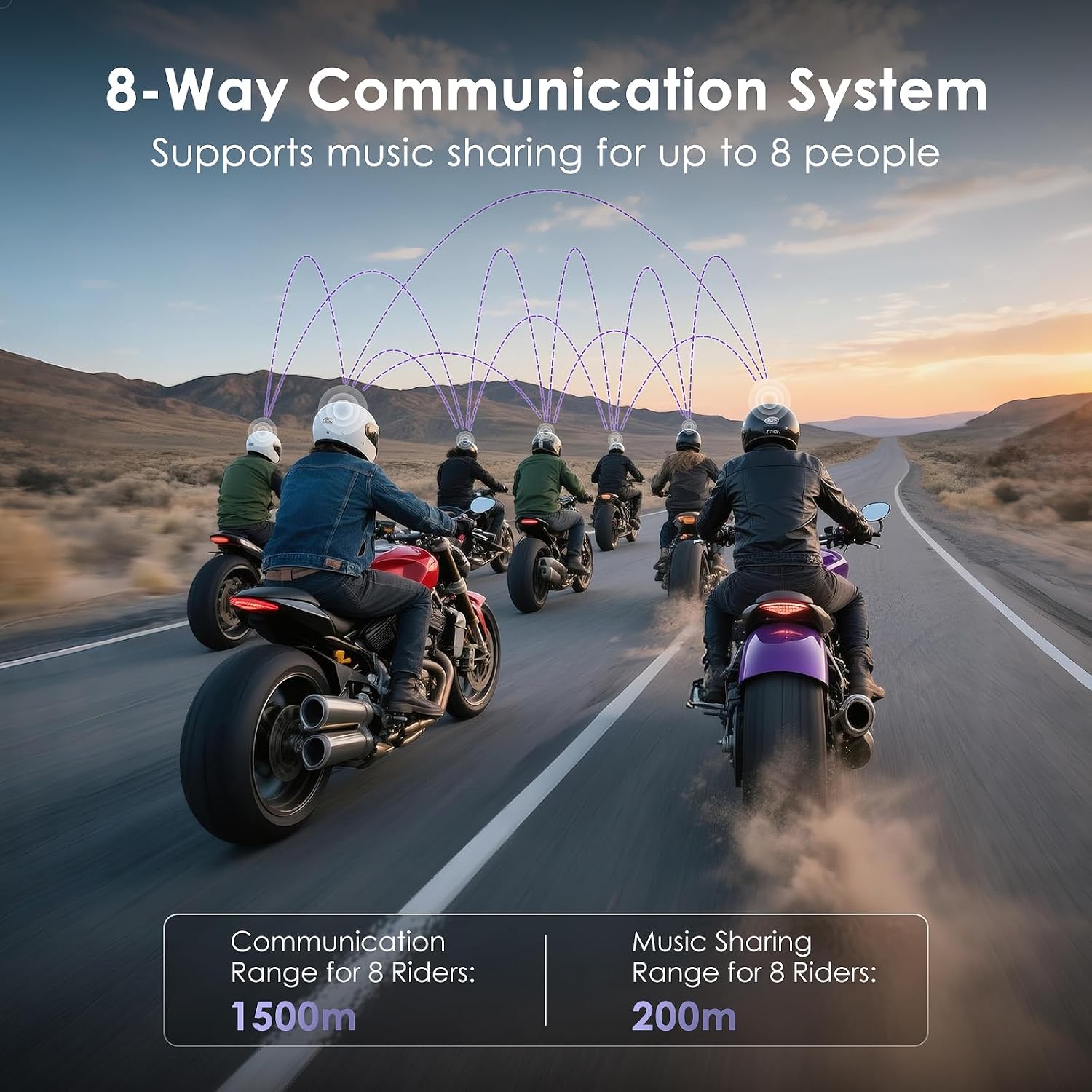
The JX01 supports an 8-way communication system, allowing multiple riders to communicate simultaneously. The system provides a real-time range of up to 1500m and music sync accuracy under 5ms. Teammates who disconnect will automatically reconnect within 0.5 seconds.
- Домофонду иштетүү: After pairing multiple JX01 units, press the Intercom button on your unit to start a group conversation.
- Музыка бөлүшүү: Share music with other riders within a 200m range during intercom sessions.

Figure 6: Visual representation of the 8-way communication system in action, showing multiple riders connected for group communication.
App Control and Firmware Updates
The J-TREK app provides enhanced control and management for your JX01 headset.
- Жүктөп алуу: Издөө "J-TREK" in your device's app store (iOS/Android).
- Өзгөчөлүктөрү: Use the app for one-touch pairing, adjusting volume, skipping tracks, setting call modes, and checking battery status.
- Firmware Updates (OTA): The app allows for Over-The-Air (OTA) firmware updates, ensuring your device always has the latest features and optimizations.

Figure 7: The J-TREK mobile application interface, showing options for headset control and settings.
Audio Settings and Noise Cancellation
The JX01 features advanced audio technologies for superior sound and communication clarity.
- aptX HD Audio: Provides high-fidelity sound for music and calls. (Note: Not supported on iPhone devices).
- Triple Noise Cancellation: DSP and CVC 8.0 technologies actively reduce wind and road noise, maintaining voice clarity even at high speeds (up to 130 km/h).
- EQ эффекттери: The headset may offer different EQ modes (e.g., Bass Boost, Mid Boost, Treble Boost) to customize your audio experience. These can typically be adjusted via the app.
- Ыңгайлаштырылган Көлөм: Independently adjust notification volumes to avoid high-frequency noise.
Техникалык тейлөө
Аппаратты заряддоо
Connect the JX01 headset to a standard USB charger using the provided cable. A full charge takes approximately 1.5 hours. Avoid using fast chargers, as they may damage the device.
- Сүйлөшүү убактысы: 43 саатка чейин
- Музыка убактысы: 45 саатка чейин
- Күтүү убактысы: 700 саатка чейин
Battery status can be checked via voice announcement or through the J-TREK mobile app.

Figure 8: Battery specifications and charging time for the JX01 headset.
Суу өткөрбөйт жана чаң өткөрбөйт
The JX01 is designed with an IP67 waterproof and dustproof rating, featuring custom rubber seals to withstand harsh riding conditions, including rain and dust. Ensure all ports are securely closed when not in use to maintain water resistance.

Figure 9: The JX01 headset showcasing its durable, weather-resistant design.
Тазалоо
Гарнитураны жумшак менен сүртүңүз, damp cloth. Do not use harsh chemicals or abrasive cleaners. Ensure the device is completely dry before charging or prolonged storage.
Проблемаларды чечүү
- Түзмөк күйбөй жатат: Ensure the device is fully charged. Connect to a charger and check the charging indicator.
- Телефон менен жупташтыруу мүмкүн эмес:
- Ensure the headset is in pairing mode (flashing red and blue LED).
- Телефонуңуздун Bluetooth'ун өчүрүп, күйгүзүңүз.
- Телефонуңуздун Bluetooth жөндөөлөрүнөн түзмөктү унутуп, кайра жупташтырып көрүңүз.
- Гарнитурага башка түзмөктөр активдүү туташып турбаганын текшериңиз.
- Домофон туташпай жатат:
- Ensure all units are within range (up to 1500m).
- Verify that all units are properly paired for intercom communication.
- Колдонмо аркылуу микропрограмма жаңыртууларын текшериңиз.
- Poor audio quality/wind noise:
- Колонкалардын кулагыңыздын үстүнө туура коюлганын текшериңиз.
- Verify microphone placement is optimal and not obstructed.
- Check if the helmet's ear space fillers are removed if they cause discomfort or poor sound.
- Үндүн жөндөөлөрүн тууралаңыз.
- App not connecting to headset:
- Ensure Bluetooth is enabled on your phone and the headset is connected.
- Restart the app and the headset.
- Колдонмонун жаңыртууларын текшериңиз.
Техникалык шарттар
| Өзгөчөлүк | Деталь |
|---|---|
| Модель аты | JX01 |
| Бренд | J-TREK |
| Bluetooth версиясы | 5.4 (Qualcomm Custom Chip) |
| Домофон колдоо | 8 атчанга чейин |
| Домофон диапазону | 1500 м чейин |
| Аудио кодек | aptX HD (Note: Not supported on iPhone) |
| Noise Cancellation | DSP Digital Signal Processing, CVC 8.0 Dual Noise Canceling |
| Баяндамачылар | 40 мм титан диафрагмасы |
| Суу өткөрбөйт рейтинги | IP67 |
| Батарея сыйымдуулугу | 1000 мАч |
| Talking Time | 43 саатка чейин |
| Музыка убактысы | 45 саатка чейин |
| Күтүү убактысы | 700 саатка чейин |
| Заряддоо убактысы | Болжол менен 1.5 саат |
| Өлчөмдөр | 83 x 43.5 x 20.5 мм |
| Салмагы | 48г |
Кепилдик жана колдоо
For warranty information and technical support, please refer to the official J-TREK webсайтка же түздөн-түз кардарларды тейлөөгө кайрылыңыз. Сатып алуу квитанциясын кепилдик дооматтары үчүн сатып алуунун далили катары сактаңыз.
For the latest firmware updates and additional support resources, download the J-TREK mobile application.