
1. Киришүү
The GODOX Litemons LE600Bi is a high-performance bi-color LED light designed for professional photography, videography, live streaming, and portraiture. It features an integrated power supply for ease of use, exceptional brightness, and accurate color rendition. This manual provides essential information for the safe and effective operation of your LE600Bi LED light.
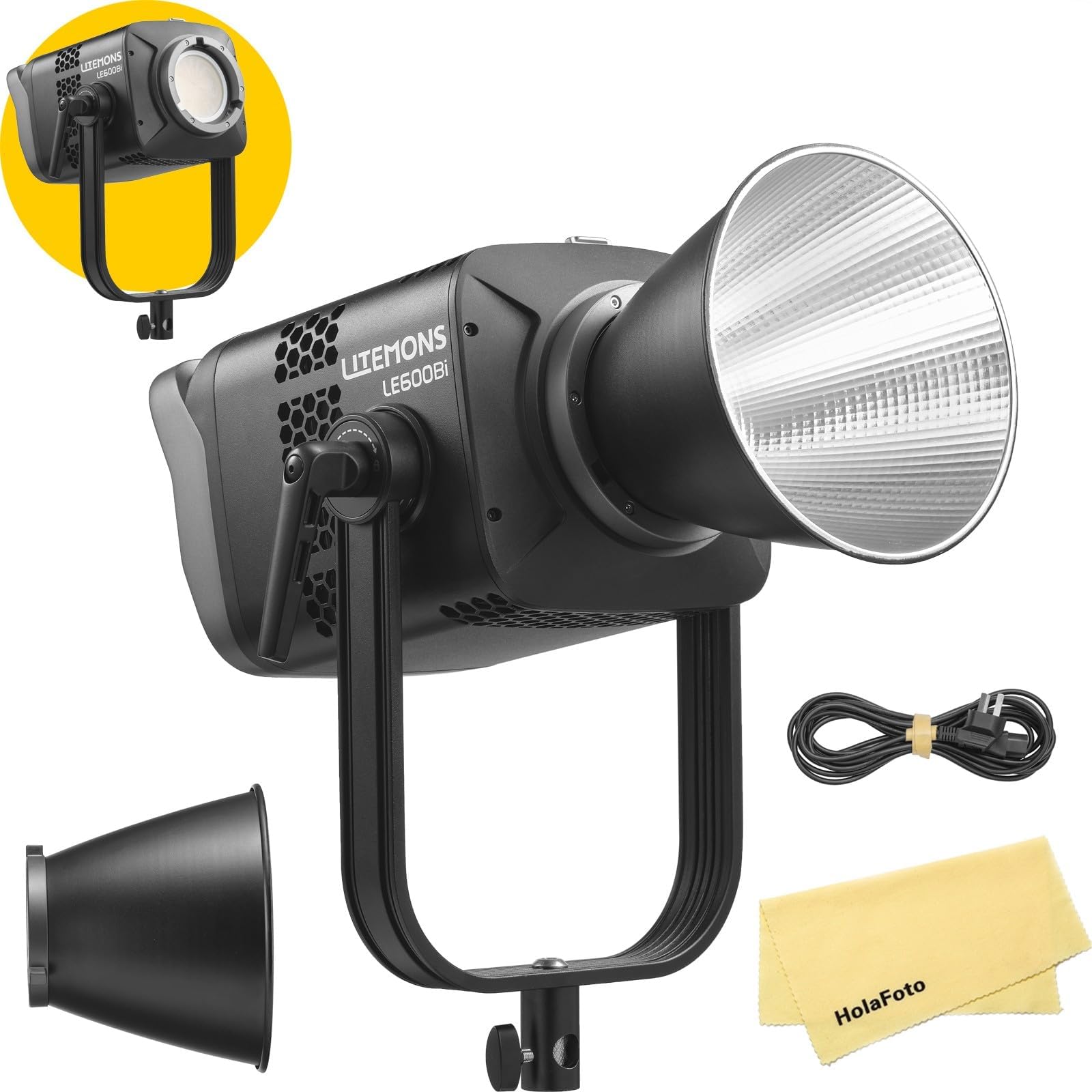
Image 1.1: GODOX Litemons LE600Bi Bi-Color LED Light with reflector.
2. Пакеттин мазмуну
Сураныч, бардык буюмдар пакетиңизге камтылганын текшериңиз:
- LE600Bi Light Body x1
- Рефлектор BR30A x1
- AC кубат кабели x1
- HolaFoto Cloth x1
3. Коопсуздук нускамалары
To prevent damage to the product or injury to yourself or others, read the following safety precautions completely before using this product. Keep these safety instructions where users can read them.
- Продукцияны ажыратпаңыз же өзгөртпөңүз. Буюм иштен чыкса, аны ыйгарым укуктуу тейлөө борбору оңдошу керек.
- Бул продуктуну кургак кармаңыз. Нымдуу кол менен кармабаңыз же сууга батырбаңыз.
- Do not use the product in the presence of flammable gases, chemicals, or other materials.
- Do not leave or store the product in high-temperature environments or in direct sunlight.
- электр менен жабдууну камсыз кылуу voltage буюмдун талаптарына дал келет.
- Always disconnect the power cord before cleaning or when not in use.
- LED жарыгынын көзгө түздөн-түз таасирин тийгизбеңиз, өзгөчө жогорку жарыктык орнотууларында, бул көзгө зыян келтириши мүмкүн.
- Ашыкча ысып кетүүнүн алдын алуу үчүн иштөө учурунда туура желдетүүнү камсыз кылыңыз.
4. Продукциянын өзгөчөлүктөрү
- Баары бир дизайн: The LE600Bi features an integrated power supply, eliminating the need for an external adapter. This design simplifies setup and enhances portability.
- Unmatched Brightness: Equipped with premium LED chips, the LE600Bi delivers high levels of illumination suitable for various professional applications.
- Мыкты түс тактыгы: Boasting TLCI and CRI ratings of up to 98, the LE600Bi ensures accurate color reproduction, making it suitable for professional filmmaking, live streaming, and podcasting.
- Adjustable CCT with Built-in Creative FX: The light offers a wide color temperature range (2800K-6500K) and 11 built-in special effects (FX) such as TV flicker, lightning, and candlelight to enhance creative productions.
- Professional and Efficient Control: Control options include wired DMX, CRMX network integration with TimoLink RX (optional), and wireless Bluetooth control via the Godox Light App for seamless adjustments.
- One-Click Reset: Features a Bluetooth reset button and NFC addition for quick and easy setup of multiple lights.
- Ultra-Cool and Whisper-Quiet: Constructed with a robust metal body and an ultra-quiet fan, ensuring efficient heat dissipation and consistent performance during extended use.
- Боуэнс тоосуна шайкештиги: Supports both flat and standard Bowens accessories, offering flexibility for various light modifiers.

Image 4.1: Illumination data example for similar models (LE200Bi/LE300Bi) with BR30A Reflector at 5600K, 1m.

Image 4.2: Visual representation of high TLCI and CRI ratings (TLCI≈98 | CRI≈98).

Image 4.3: Demonstration of adjustable color temperature from warm (2800K) to cool (6500K).
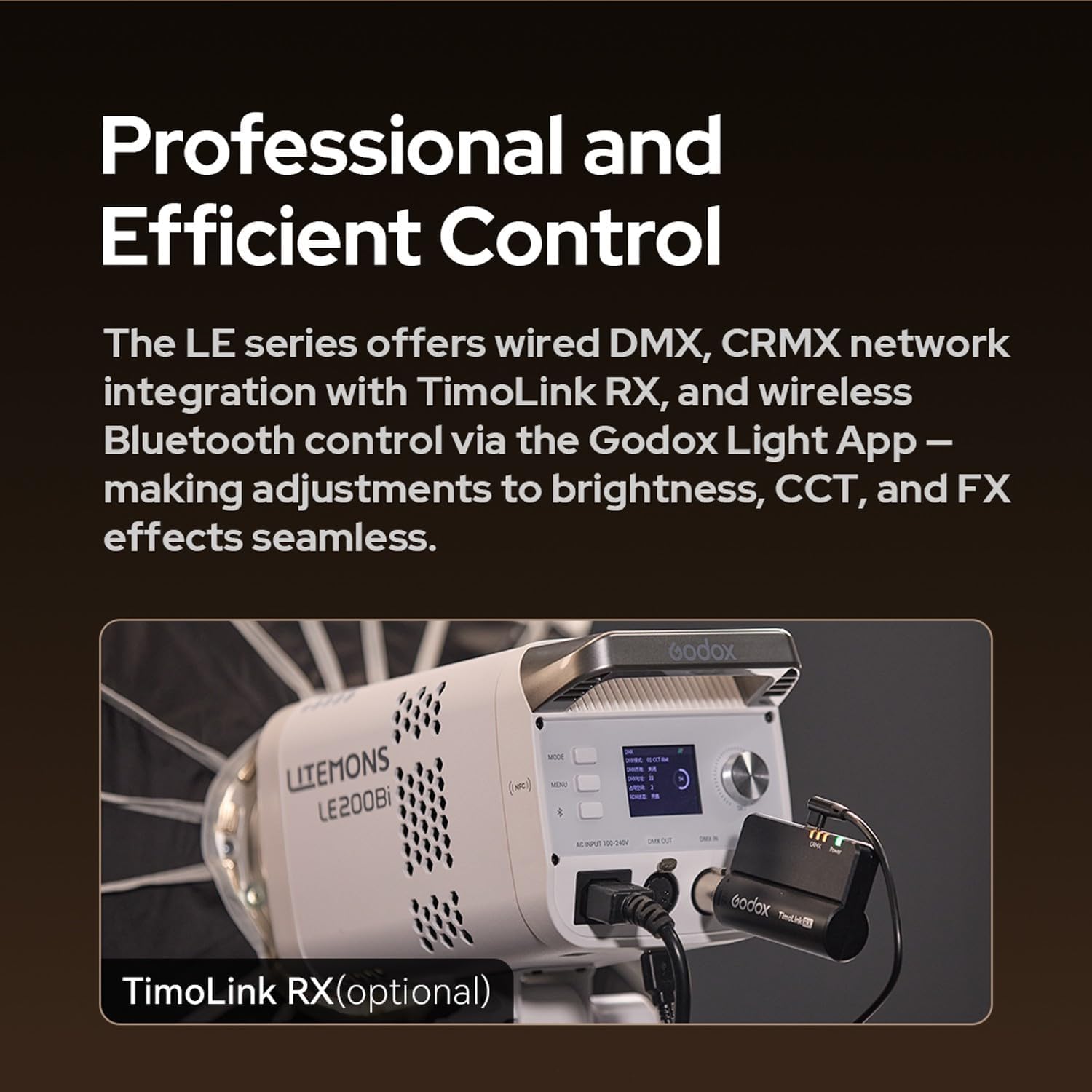
Image 4.4: Control panel of a Litemons LE200Bi light, showing DMX IN/OUT ports and an optional TimoLink RX module.
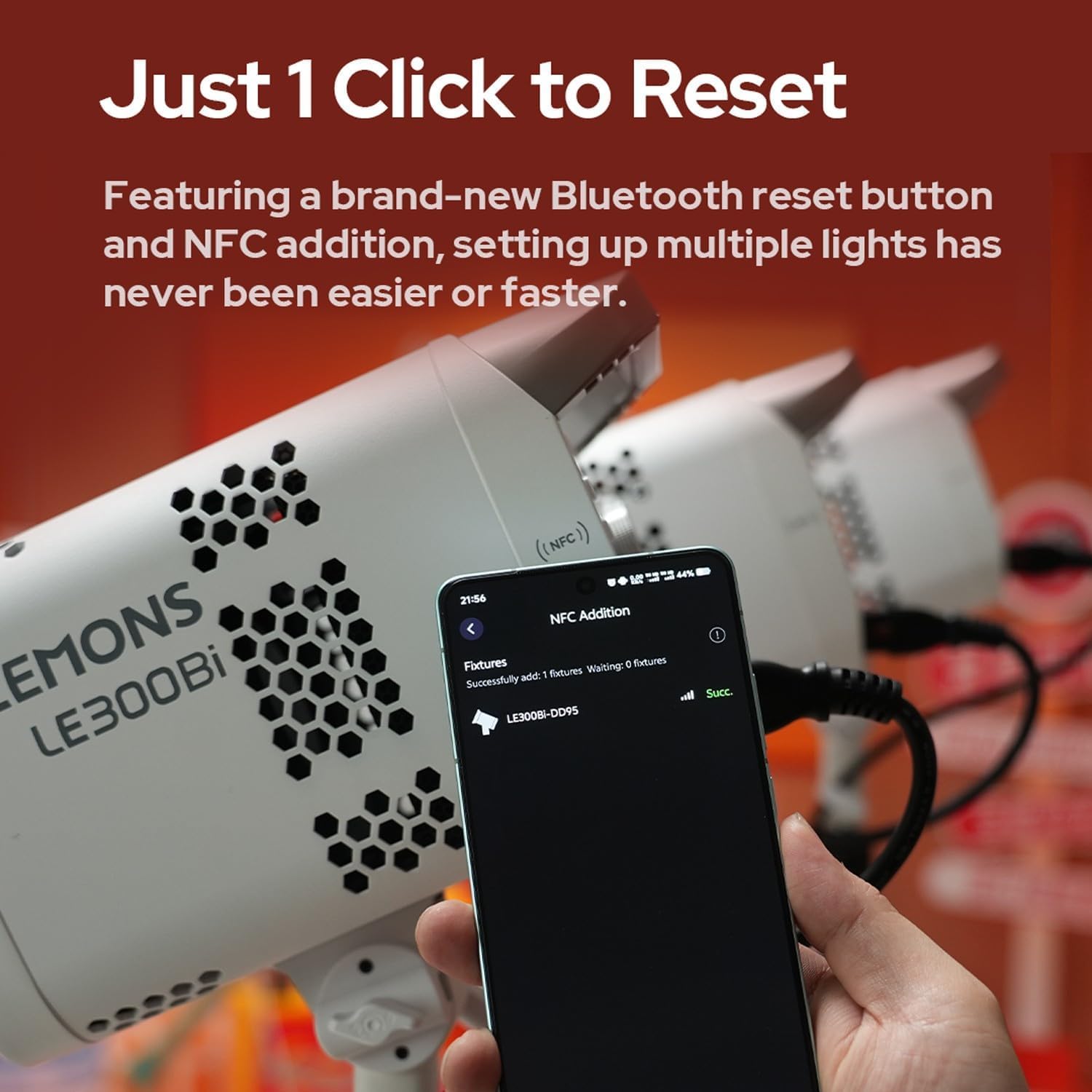
Image 4.5: A smartphone screen displaying successful NFC addition of a LE300Bi fixture.

Image 4.6: Visual representation of the LE300Bi's cooling system, showing heat dissipation.
5. Орнотуу колдонмосу
5.1 Таңгактан чыгаруу жана алгачкы текшерүү
Carefully remove all components from the packaging. Inspect the light body and accessories for any signs of damage. If any damage is found, do not use the product and contact your retailer.
5.2 Assembling the Light
- Mount the LE600Bi light body onto a compatible light stand using the mounting bracket. Secure it firmly.
- Attach the BR30A reflector (or other Bowens mount accessory) to the front of the light by aligning the three mounting points and twisting clockwise until it locks into place.
5.3 Кубат туташтыруу
- Connect the AC power cord to the power input port on the back of the LE600Bi light.
- Plug the other end of the AC power cord into a suitable power outlet.
6. Иштөө нускамалары
6.1 Күйгүзүү/өчүрүү
Press the power button located on the control panel to turn the light on or off. The display screen will illuminate upon power-on.
6.2 Түс температурасын жөндөө (CCT)
Use the CCT adjustment dial or buttons on the control panel to change the color temperature. The range is typically 2800K (warm) to 6500K (cool). Observe the display for the current CCT value.
6.3 Жарыктыкты жөндөө
Rotate the brightness adjustment dial or use the corresponding buttons to increase or decrease the light intensity. The brightness level will be shown on the display.
6.4 Special Effects (FX) Modes
Access the FX mode menu via the control panel. Select from the 11 available effects such as TV, lightning, candlelight, broken bulb, etc. Adjust parameters for each effect as needed.
6.5 Wireless Control (Bluetooth/DMX)
- Bluetooth колдонмосун башкаруу: Download the Godox Light App on your smartphone. Enable Bluetooth on your device and follow the app's instructions to connect to the LE600Bi. You can then control brightness, CCT, and FX effects wirelessly.
- DMX башкаруу: For professional setups, connect the LE600Bi to a DMX controller using DMX cables. Refer to the DMX channel chart in the full manual for specific control parameters.
- CRMX Control (with TimoLink RX): If using the optional TimoLink RX, integrate it with your CRMX system for advanced wireless control.
6.6 Калыбына келтирүү функциясы
The LE600Bi features a dedicated Bluetooth reset button. Pressing this button will reset Bluetooth connections, facilitating quick pairing with new devices or resolving connection issues. NFC functionality can also aid in rapid pairing.
7. Техникалык тейлөө
7.1 Тазалоо
Regularly clean the light body and reflector with a soft, dry cloth. For stubborn dirt, use a slightly damp cloth with a mild detergent, then wipe dry immediately. Do not use harsh chemicals or solvents.
7.2 Сактоо
When not in use, store the LE600Bi in a cool, dry place, away from direct sunlight and excessive humidity. Use the original packaging or a padded case for protection during transport and storage.
8. Кыйынчылыктарды
| Көйгөй | Мүмкүн себеп | Чечим |
|---|---|---|
| Жарык күйбөйт. | No power supply; faulty power cord; power button not pressed. | Кубат шнурунун туташуусун текшериңиз; башка розетканы колдонуп көрүңүз; кубат баскычы толук басылганын текшериңиз. |
| Жарык бүлбүлдөп же туруксуз. | Loose power connection; incorrect power supply; overheating. | Secure power connections; ensure correct voltage; allow light to cool down. |
| Bluetooth аркылуу туташуу мүмкүн эмес. | Bluetooth not enabled; light not in pairing mode; interference. | Ensure Bluetooth is on; press the Bluetooth reset button on the light; try pairing in a different location. |
| Жарык ашыкча ысып жатат. | Blocked ventilation; prolonged use at high power in confined space. | Ensure ventilation openings are clear; reduce power output; operate in a well-ventilated area. |
9. Техникалык шарттар
| Өзгөчөлүк | Деталь |
|---|---|
| Бренд | GODOX |
| Модель номери | LE600Bi |
| Түс температурасы (CCT) | 2800K-6500K |
| CRI | ≥98 |
| TLCI | ≥98 |
| FX эффекттери | 11 орнотулган эффект |
| Тоо түрү | Bowens Mount (Flat and Standard) |
| Контролдоо ыкмалары | On-board, Bluetooth App, Wired DMX, CRMX (with TimoLink RX) |
| Муздатуу | Ultra-quiet fan, efficient heat dissipation |
| Электр камсыздоо | Integrated AC power supply |
10. Кепилдик жана колдоо
GODOX products are designed for reliability and performance. For warranty information, please refer to the warranty card included with your product or visit the official GODOX website. For technical support, troubleshooting assistance, or service inquiries, please contact your authorized GODOX dealer or the GODOX customer service department. Keep your purchase receipt as proof of purchase for warranty claims.