
1. Киришүү
This manual provides detailed instructions for the proper setup, operation, and maintenance of your plplaaoo U20 Wired Barcode Scanner. Please read this manual thoroughly before using the device to ensure optimal performance and longevity. The U20 scanner is designed for efficient 1D and 2D barcode recognition in various environments, including retail, logistics, and inventory management.

Figure 1: plplaaoo U20 Barcode Scanner in a typical application setting.
2. Продукт бүтүп калдыview
2.1 Негизги өзгөчөлүктөрү
- Ар тараптуу колдонмо: Suitable for shopping malls, supermarkets, pharmacies, hospitals, restaurants, and clothing stores.
- High Precision Scanning: Equipped with a red light scanning head, boasting an accuracy of 5 mil. Decodes fuzzy, twisted, screen, and reflective barcodes.
- Fast Decoding: High-performance decoder chip for rapid and accurate recognition of 1D and 2D barcodes.
- Эргономикалык дизайн: Comfortable grip for extended use, reducing hand fatigue.
- Компакт жана көчмө: Lightweight design for easy carrying and use in various locations.
2.2 Компоненттер
The plplaaoo U20 Wired Barcode Scanner package includes:
- 1 x plplaaoo U20 Wired Barcode Scanner Unit
- 1 x USB Connection Cable
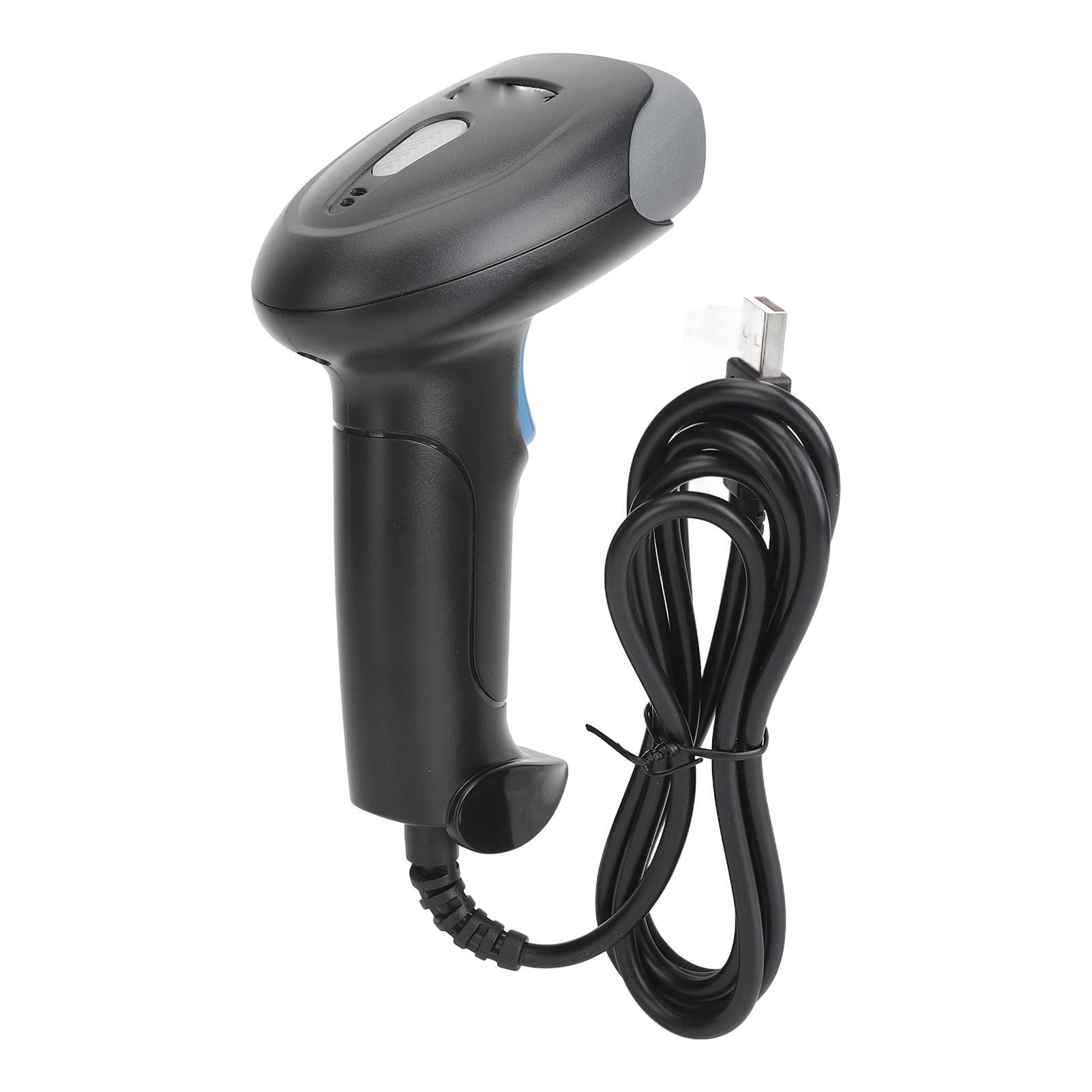
Сүрөт 2: Алдыңкы view of the scanner, highlighting the red scanning light.

3-сүрөт: Каптал view of the scanner, showing the integrated USB cable.
3. Орнотуу
Follow these steps to set up your plplaaoo U20 barcode scanner:
- USB кабелин туташтыруу: Plug the USB connector of the scanner's cable into an available USB port on your computer or host device.
- Драйверди орнотуу: The scanner is typically plug-and-play and does not require manual driver installation. Your operating system should automatically detect and install the necessary drivers.
- Ырастоо: Once connected, the scanner will emit a short beep, indicating it is ready for use.
4. Иштөө нускамалары
To operate the plplaaoo U20 barcode scanner:
- Күйгүзүү: The scanner powers on automatically when connected to a USB port.
- Штрих-кодду сканерлөө:
- Hold the scanner with the scanning window facing the barcode.
- Press and hold the trigger button. A red scanning light will emit from the scanning window.
- Aim the red light beam across the entire barcode.
- Once successfully scanned, the scanner will emit a beep (Buzzer Alert) and the data will be transmitted to your host device.
- Автоматтык уйку: The scanner features an automatic sleep function to conserve energy during periods of inactivity. It will reactivate upon pressing the trigger or detecting movement.

Figure 4: Demonstrating the scanning process on a digital barcode.

Figure 5: Visual representation of Buzzer Alert and Automatic Sleep features.
5. Техникалык тейлөө
Тийиштүү техникалык тейлөө сканериңиздин узак мөөнөттүү иштешин жана оптималдуу иштешин камсыз кылат.
- Тазалоо: Жумшак, таза чүпүрөктү бир аз колдонуңузampened with water or a mild cleaning solution to wipe the exterior of the scanner. Do not use abrasive cleaners or solvents. Ensure the scanning window is kept clean and free of dust or smudges for accurate reading.
- Сактагыч: Сканерди күн нурунан жана экстремалдык температурадан алыс салкын, кургак жерде сактаңыз.
- Кабельге кам көрүү: Ички зыян келтирбөө үчүн USB кабелин өтө ийип же бурап албаңыз.
6. Кыйынчылыктарды
Сканериңизде көйгөйлөргө туш болсоңуз, төмөнкү жалпы көйгөйлөрдү жана чечимдерди караңыз:
| Көйгөй | Мүмкүн себеп | Чечим |
|---|---|---|
| Сканер күйбөйт. | USB кабели туура эмес туташкан же USB порту бузук. | Ensure the USB cable is securely plugged into both the scanner and the host device. Try a different USB port. |
| Сканер штрих-коддорду окубайт. | Barcode damaged, scanning window dirty, incorrect aiming, or unsupported barcode type. | Clean the scanning window. Ensure the barcode is clear and undamaged. Aim the red light directly across the entire barcode. Verify the barcode type is supported (refer to Specifications). |
| Incorrect data is transmitted. | Partial scan or incorrect symbology settings. | Ensure a complete scan of the barcode. If issues persist, consult the manufacturer's website for advanced configuration guides. |
Бул чечимдерди колдонуу аракетинен кийин көйгөй чечилбесе, кардарларды колдоо кызматына кайрылыңыз.
7. Техникалык шарттар
Detailed technical specifications for the plplaaoo U20 Wired Barcode Scanner:
- Модел: U20
- Материал: ABS
- Скандоо тактыгы: 5 млн
- Decode Types (1D): EAN13, EAN 8, UPC A, UPC E0, UPC E1, Code128, Code39, Code93, Interleaved 2 of 5, Industrial 25, CodeBar, RSS 14, RSS Ltd, RSS Exp, Standard 2 of 5, for Plessey, for ChinaPost 25, for GS1 Composite, etc.
- Decode Types (2D): QR Code, PDF417, for Han Xin, Micro PDF417, Micro QRCode, MaxiCode, for Aztec Code, Code16K, etc.
- Элемент Салмагы: 8.9 унция (болжол менен 252 грамм)
- Пакеттин өлчөмдөрү: 7.87 x 4.33 x 3.15 дюйм (болжол менен 20 x 11 x 8 см)
8. Кепилдик жана колдоо
For warranty information and customer support, please refer to the documentation provided with your purchase or contact the seller directly. You may also visit the official plplaaoo webкошумча жардам жана продукт маалымат алуу үчүн сайт.
Өндүрүүчү: plplaaoo