
NIMO NIMO N158
NIMO 15.6" FHD Laptop User Manual - Model N158
AMD Ryzen 7 8745HS, 16GB DDR5 RAM, 1TB SSD
1. Киришүү
This manual provides essential information for setting up, operating, maintaining, and troubleshooting your NIMO 15.6" FHD Laptop (Model N158). Please read this manual thoroughly before using your device to ensure optimal performance and longevity.
Пакеттин мазмуну
- 1 x NIMO N158 Laptop
- 1 x Type-C 100W PD Fast Charger
- 1 x User Manual
- Windows 11 Home Operating System (pre-installed)
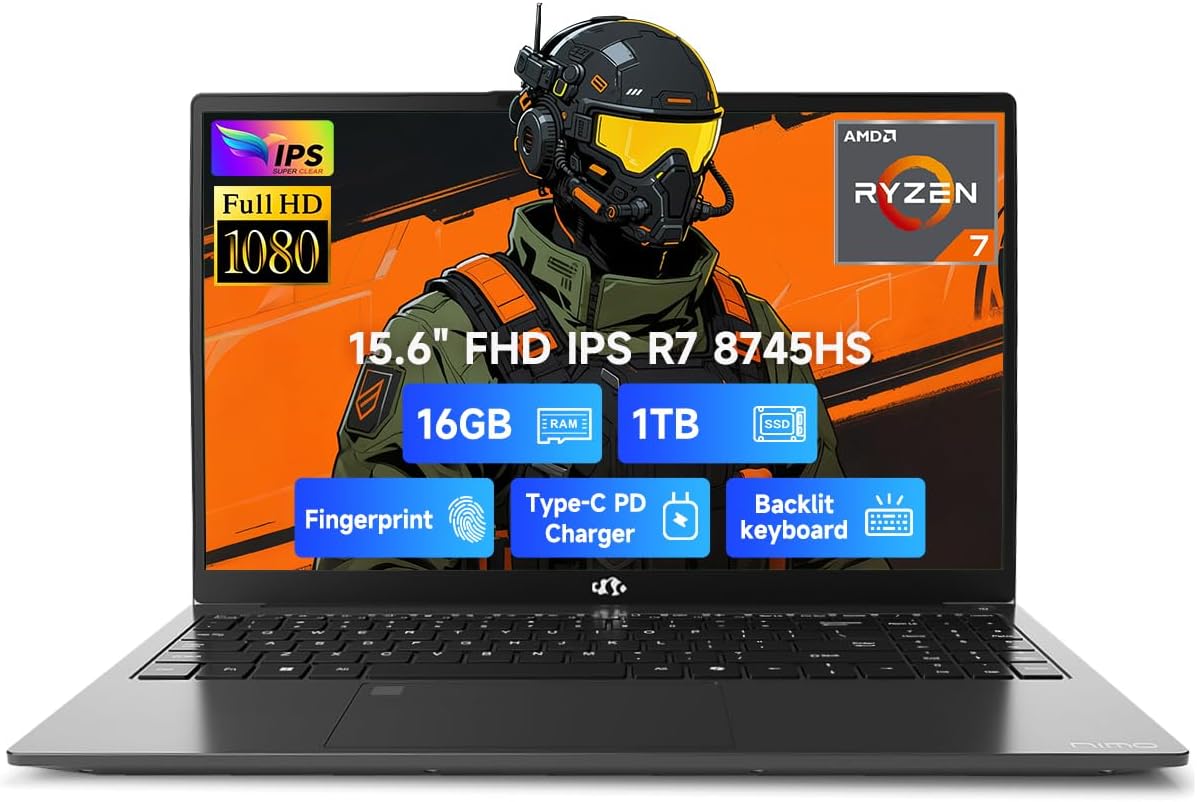
Image 1.1: NIMO 15.6 inch FHD Laptop, showcasing анын кооз дизайны жана дисплейи.
2. Баштапкы орнотуу
2.1 Күйгүзүү жана заряддоо
Before first use, ensure your laptop is fully charged. Connect the provided 100W Type-C PD Fast Charger to the USB 4.0 Type-C port on the laptop and to a power outlet. The charging indicator light will illuminate.

Image 2.1: The NIMO laptop connected to its 100W USB-C fast charger, illustrating the charging process and battery capacity.
2.2 Биринчи жүктөө жана Windows 11 орнотуу
Press the power button to turn on the laptop. Follow the on-screen instructions to complete the initial setup of Windows 11 Home. This includes setting up your region, language, network connection, and user account.
2.3 Манжа изи сенсорун орнотуу
For enhanced security, configure the integrated fingerprint sensor. During Windows 11 setup or via Windows Settings > Accounts > Sign-in options, you can register your fingerprint for quick and secure login.

Image 2.2: Close-up of the NIMO laptop's keyboard, highlighting the backlit keys and the integrated fingerprint sensor on the touchpad.
3. Ноутбугуңузду иштетүү
3.1 Баскычтоп жана сенсордук такта
The laptop features a full-size keyboard with a numeric keypad and adjustable backlighting for comfortable typing in various lighting conditions. The precision gesture touchpad supports multi-touch gestures for intuitive navigation. The fingerprint sensor is integrated into the touchpad for convenient unlocking.
3.2 Байланыш порттору
Your NIMO laptop is equipped with a variety of ports for connecting external devices:
- USB 4.0 Type-C: For high-speed data transfer, video output, and power delivery (charging).
- USB 3.2: Multiple ports for connecting peripherals like external drives and mice.
- USB 2.0: Стандарттык USB түзмөктөр үчүн.
- HDMI: Тышкы дисплейлерге же проекторлорго туташуу үчүн.
- Гарнитура уячасы: Аудио чыгаруу үчүн.
- SD карта уячасы: Эстутум карталарын окуу үчүн.
- Kensington Lock Slot: Физикалык коопсуздук үчүн.
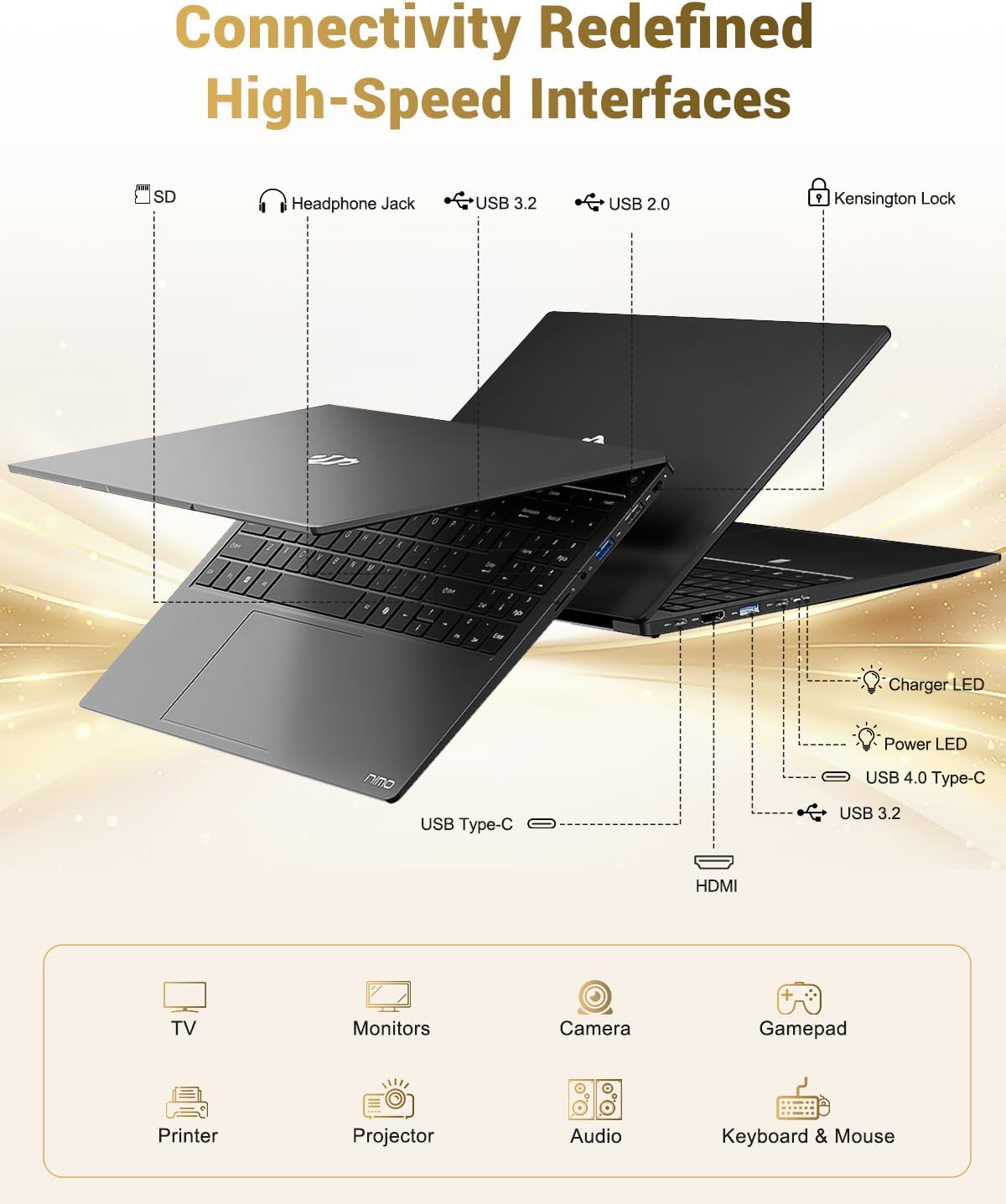
Image 3.1: Diagram illustrating the various input/output ports available on the NIMO laptop, including USB, HDMI, and audio jacks.
3.3 Webкамераны колдонуу
Интегралдык 2 МП webcam is suitable for video calls and online meetings. For privacy, the laptop includes a physical privacy switch to disable the webпайдаланылбаган учурда камера.

Image 3.2: A visual representation of the laptop's webcam with an open and closed privacy switch, emphasizing user control over privacy.
4. Техникалык тейлөө жана кам көрүү
4.1 Батареяга кам көрүү
The laptop is equipped with a 75Wh Smart Battery, providing an average battery life of 15.5 hours. To prolong battery lifespan:
- Ашыкча температурадан сактаныңыз.
- Батареяны бат-баттан толук зарядсыздандырбаңыз.
- If storing the laptop for extended periods, charge it to approximately 50-60%.
4.2 Жаңыртыла турган компоненттер
The NIMO laptop features an upgradable design, allowing for expansion of memory (DDR5 RAM) and storage (PCIe 4.0 SSD) to meet future needs. Consult a qualified technician for upgrades to avoid damaging components.

Image 4.1: Visual representation of the laptop's multitasking capabilities and ample storage, highlighting 1TB PCIe 4.0 SSD and 16GB DDR5 RAM.
4.3 Ноутбугуңузду тазалоо
Экранды жана сырткы беттерди тазалоо үчүн жумшак, мамыксыз чүпүрөктү колдонуңуз. Өжөр тактар үчүн,ampкездемени суу же экранга тийбей турган тазалоочу каражат менен бир аз сүртүңүз. Катуу химиялык заттардан же абразивдүү материалдардан алыс болуңуз.
5. Кыйынчылыктарды
This section addresses common issues you might encounter with your NIMO laptop.
5.1 Электр энергиясы маселелери
- Ноутбук күйбөйт: Ensure the charger is securely connected and the power outlet is functional. If the battery is completely drained, it may take a few minutes of charging before the laptop can power on.
- Батарея кубатталбай жатат: Verify the Type-C charger and cable are undamaged. Try a different power outlet.
5.2 Дисплей көйгөйлөрү
- Экран бош: Check if the laptop is powered on. Try connecting an external monitor via HDMI to determine if the issue is with the laptop's display or the graphics output.
- Жаркылдаган же бурмаланган дисплей: Графикалык драйверлериңизди жаңыртыңыз. Эгер тышкы мониторду колдонсоңуз, кабелдик туташууну текшериңиз.
5.3 Байланыш маселелери
- Wi-Fi туташпай жатат: Windows жөндөөлөрүндө Wi-Fi иштетилгенин текшериңиз. Роутериңизди жана ноутбугуңузду өчүрүп-күйгүзүңүз. Жаңыртылган Wi-Fi драйверлерин текшериңиз.
- USB түзмөктөрү таанылган жок: Аппаратты башка USB портуна туташтырууга аракет кылыңыз. Түзмөктүн драйверлери орнотулганын текшериңиз.
If you encounter issues not covered here, please refer to the support section for assistance.
6. Техникалык шарттар
Detailed technical specifications for the NIMO 15.6" FHD Laptop (Model N158).
| Өзгөчөлүк | Спецификация |
|---|---|
| Бренд | NIMO |
| Модель аты | NIMO N158L |
| Элемент моделинин номери | NIMO N158 |
| Screen Size | 15.6 дюйм |
| Screen Resolution | 1920 x 1080 пиксел (FHD IPS) |
| Процессор | AMD Ryzen 7 8745HS (8 ядро, 16 жип, 4.9 ГГц чейин) |
| RAM | 16 ГБ DDR5 (4800 МГц) |
| Катуу диск | 1024 GB SSD (PCIe 4.0) |
| Графикалык сопроцессор | AMD Radeon 780M (интеграцияланган) |
| Операция системасы | Windows 11 Home |
| Зымсыз түрү | 802.11a/b/g/n/ac |
| USB порттору | 1 x USB 2.0, 3 x USB 3.0, 1 x USB 4.0 Type-C |
| Батареянын орточо иштөө мөөнөтү | 15.5 Hours (75Wh) |
| Элемент Салмагы | 3.8 фунт |
| Продукциянын өлчөмдөрү | 14.07 x 8.98 x 0.76 дюйм |
| Түс | Кара |
| Арткы Webcam Resolution | 2 депутат |
| Өзгөчөлүктөр | Арткы жарык клавиатура, манжа изин окугуч, HD аудио, сандык баскычтоп |

Image 6.1: The NIMO laptop's 15.6-inch FHD IPS display, emphasizing clear visuals and screen size.

Image 6.2: Close-up of the AMD Ryzen 7 8745HS processor, detailing its 8 cores, 16 threads, and 4.9GHz boost clock.
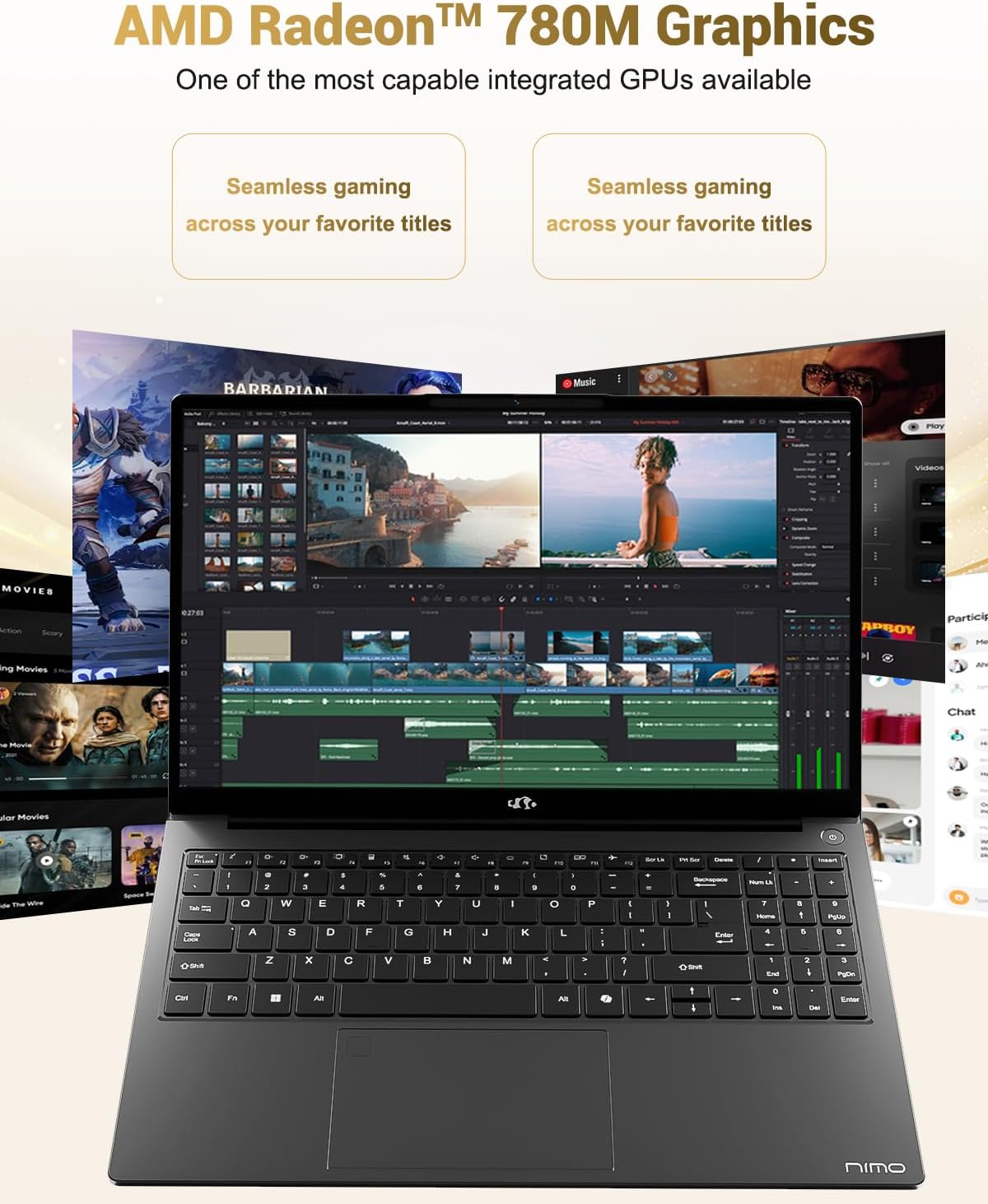
Image 6.3: The AMD Radeon 780M Graphics, highlighting its capability for seamless gaming and creative tasks.
7. Кепилдик маалыматы
Your NIMO laptop comes with a 2 жылдык кепилдик from the date of purchase. This warranty covers manufacturing defects and hardware malfunctions under normal use. Additionally, NIMO offers a 90-day hassle-free return policy сиздин ыңгайлуулугуңуз үчүн.
For warranty claims or return inquiries, please contact our customer support team using the information provided in the Support section.

Image 7.1: Icon representing 2-year support for NIMO products.

Image 7.2: Icon representing the 90-day return policy for NIMO products.
8. Кардарларды колдоо кызматы
NIMO is committed to providing excellent customer service. Our dedicated support team is available to assist you with any questions or issues you may have.
Байланыш маалыматы
- Электрондук почта: service@nimopc.com
- Тейлөө сааттары: 24-hour service available
For quick solutions and a worry-free experience, please reach out to us. We are ready to provide professional assistance.

Image 8.1: Illustration of professional customer assistance, indicating support availability.