
1. Коопсуздук боюнча маанилүү маалымат
Before operating the LONGER Ray5 Mini 3.5W Laser Engraver, please read and understand all safety instructions. Failure to follow these guidelines may result in injury or damage to the device.
- Көздү коргоо: Always wear the provided laser safety glasses during operation to protect your eyes from direct or reflected laser light. The laser module includes an anti-laser protective cover for additional safety.
- Шашылыш токтотуу: The device is equipped with an emergency stop button. Press this button immediately in case of any malfunction or unsafe condition.
- Жалын сенсору: The engraver features a flame sensor to detect and alert users to potential fires, enhancing safety during engraving and cutting processes.
- Вентиляция: Operate the laser engraver in a well-ventilated area to dissipate fumes and smoke produced during engraving.
- Материалдык шайкештик: Only engrave or cut materials specified as safe for laser processing. Avoid highly reflective, flammable, or unknown materials.

Image: Laser safety glasses and the laser module with its protective cover, emphasizing eye protection.
2. Продукт бүтүп калдыview
The LONGER Ray5 Mini 3.5W is a compact and high-precision laser engraver designed for various materials. It offers advanced features for both beginners and experienced users.
Негизги өзгөчөлүктөрү:
- Жогорку ылдамдык: Achieves engraving speeds up to 12,000 mm/min, powered by a 32-bit motherboard.
- Absolute Precision: Features an ultra-fine laser focal spot of 0.04mm for detailed and high-contrast results.
- Smart Control: Supports WiFi and mobile app control, in addition to PC software (LaserGRBL, LightBurn).
- Компакт дизайн: Pre-assembled for immediate use, with a fixed-focus laser head for easy height adjustment.
- Иштөө аймагы: 130x140mm engraving area.
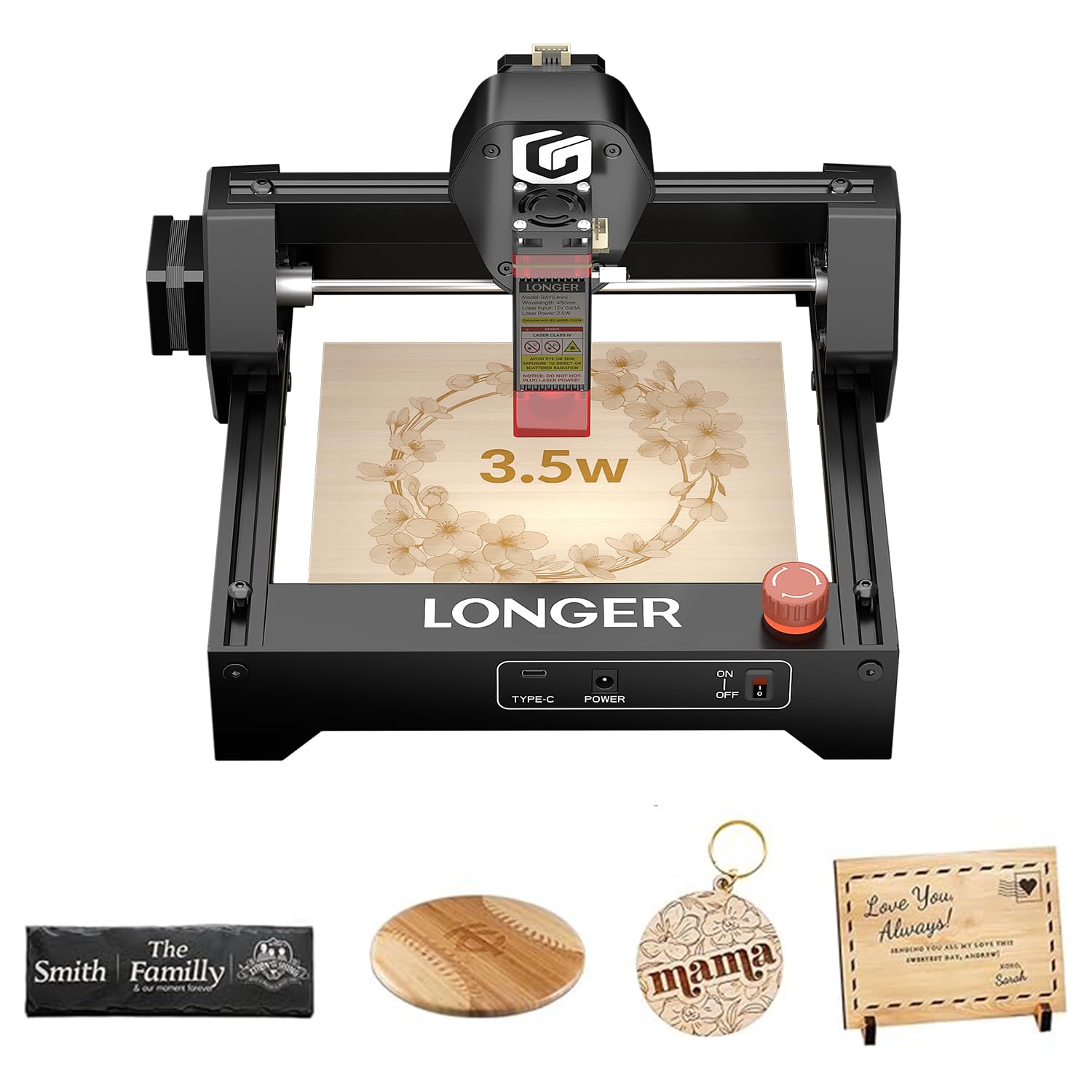
Image: The LONGER Ray5 Mini 3.5W Laser Engraver, showcasing анын компакттуу дизайны.

Image: Visual representation of the 12,000 mm/min engraving speed compared to other models.

Image: Close-up showing the 0.04mm laser spot for high-precision engraving.
3. Орнотуу жана чогултуу
The LONGER Ray5 Mini 3.5W Laser Engraver comes largely pre-assembled, allowing for quick setup.
3.1 Кутудан чыгаруу жана алгачкы текшерүү
- Бардык компоненттерди таңгактан кылдаттык менен алып салыңыз.
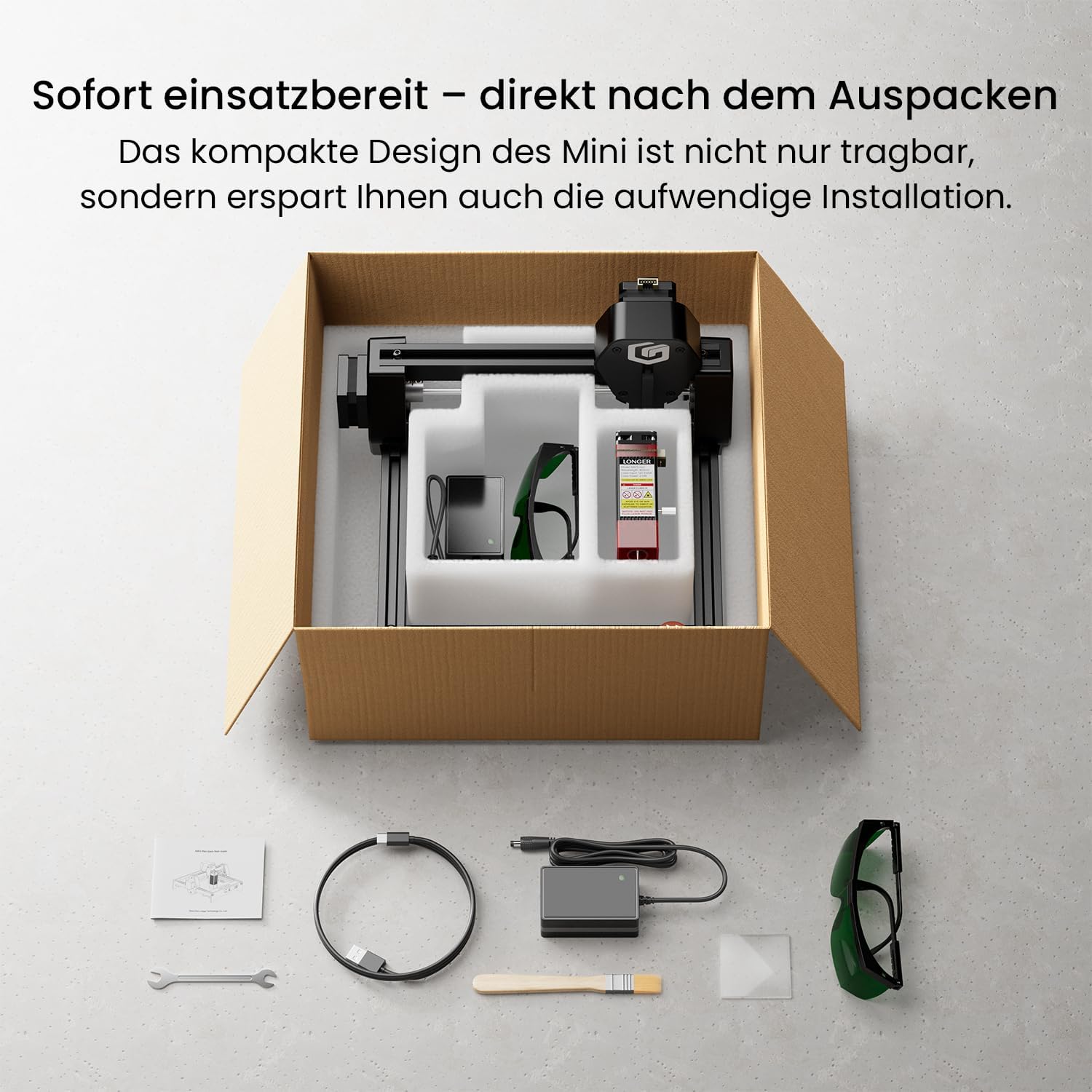
- Verify that all included accessories are present: laser engraver unit, power adapter, USB cable, safety glasses, small wrench, and user manual.
- Inspect the device for any visible damage during transit.

Image: The LONGER Ray5 Mini and its accessories laid out after unboxing.
3.2 Кубат туташтыруу
- Connect the power adapter to the engraver's power input port.
- Кубат адаптерин ылайыктуу электр розеткасына сайыңыз.
- Аппаратты күйгүзүңүз.
3.3 Фокусту тууралоо
The fixed-focus laser head allows for quick height adjustments to accommodate different material thicknesses. Use the provided focus block or follow the software's focusing guide.
4. Иштөө нускамалары
The LONGER Ray5 Mini offers flexible control options for your engraving projects.
4.1 Программанын шайкештиги
The engraver is compatible with popular laser engraving software:
- LaserGRBL: A free, open-source software for Windows users.
- LightBurn: A paid, feature-rich software compatible with Windows, macOS, and Linux.
4.2 Түзмөгүңүзгө туташуу
You can connect the engraver via USB or wirelessly via WiFi/App.
- USB туташуу: Connect the engraver to your computer using the provided USB cable. Launch your chosen software (LaserGRBL or LightBurn) and follow its instructions to establish a connection.
- WiFi/Колдонмо башкаруу: Download the dedicated mobile application for real-time control from your smartphone or tablet. The app allows for project management and offline engraving.
Video: Demonstrates connecting the LONGER Ray5 Mini to a laptop and initiating an engraving process on a slate coaster. The video shows the laser in action and the finished product.
Video: Illustrates controlling the LONGER Ray5 Mini via a mobile application. The user selects a design, adjusts parameters, and starts the engraving process on a red acrylic sheet, showcasing the ease of wireless operation.
4.3 Долбооруңузду даярдоо
- Place your material securely within the 130x140mm working area.
- Adjust the laser head height to ensure proper focus on the material surface.
- Load your design into the software or mobile app.
- Set engraving parameters (speed, power, passes) according to your material and desired outcome.
Сүрөт: Мисamples of various materials suitable for engraving, including wood, acrylic, and leather.
4.4 Starting Engraving
Once your project is prepared and parameters are set, initiate the engraving process through the software or app. Monitor the process closely and ensure safety precautions are maintained.
5. Техникалык тейлөө
Regular maintenance ensures optimal performance and longevity of your LONGER Ray5 Mini.
- Линзаны тазалоо: Periodically clean the laser lens with a soft, lint-free cloth and lens cleaning solution to maintain laser beam quality.
- Майлоо: Apply a small amount of lubricant to the guide rails and lead screws to ensure smooth movement of the laser module.
- Таштандыларды алып салуу: Keep the working area and the engraver free from dust and debris, which can interfere with operation or cause damage.
- Программалык камсыздоонун жаңыртуулары: Check the official Longer website or app for any available firmware updates to improve performance and add new features.
6. Кыйынчылыктарды
This section addresses common issues you might encounter with your LONGER Ray5 Mini.
6.1 Жалпы маселелер жана чечимдер:
- Лазер күйбөйт:
- Check power connection and ensure the device is turned on.
- Verify software connection and laser power settings.
- Авариялык токтотуу баскычы иштебей турганын текшериңиз.
- Гравюранын сапаты начар:
- Adjust laser focus for optimal sharpness.
- Review engraving speed and power settings for the specific material.
- Лазердик линза кир болуп көрүнсө, тазалаңыз.
- Туташуу көйгөйлөрү:
- For USB, ensure the cable is securely connected and drivers are installed.
- For WiFi/App, ensure the device is connected to the correct network and the app is updated.
For further assistance, refer to the official Longer support resources or contact customer service.
7. Техникалык шарттар
| Өзгөчөлүк | Спецификация |
|---|---|
| Модель номери | Мини 3.5W |
| Лазердик күч | 3.5 Вт |
| Гравюранын тактыгы | 0.04мм |
| Гравюра ылдамдыгы | 12,000 мм/мин чейин |
| Жумушчу аймак | 130x140мм |
| Байланыш | WiFi, APP, USB |
| Материал | Алюминий |
| Power Source | AC/DC (шнурдуу электр) |
| Салмагы | 2.2 килограмм |
| Өлчөмдөрү (пакет) | 30 x 29 x 17 см |
8. Кепилдик жана колдоо
LONGER provides comprehensive support for its products.
- Кепилдик: The LONGER Ray5 Mini 3.5W Laser Engraver comes with a 1-year warranty. Please retain your proof of purchase for warranty claims.
- Кардарларды колдоо: For technical assistance, troubleshooting, or warranty inquiries, please contact Longer's official customer support. Details can be found in the included manual or on the official Longer webсайт.
- Онлайн ресурстар: Visit the Longer official website for FAQs, software downloads, and additional tutorials.