
1. Киришүү
This manual provides essential information for the safe and effective operation, maintenance, and care of your STANLEY STHT77803-A Laser Distance Meter. Please read this manual thoroughly before using the device and keep it for future reference.
The STANLEY STHT77803-A is a professional laser distance meter designed for accurate and efficient measurement of distances, areas, and volumes up to 100 meters. It features a robust design with an IP40 dust and water-splash rating, making it suitable for various working environments.
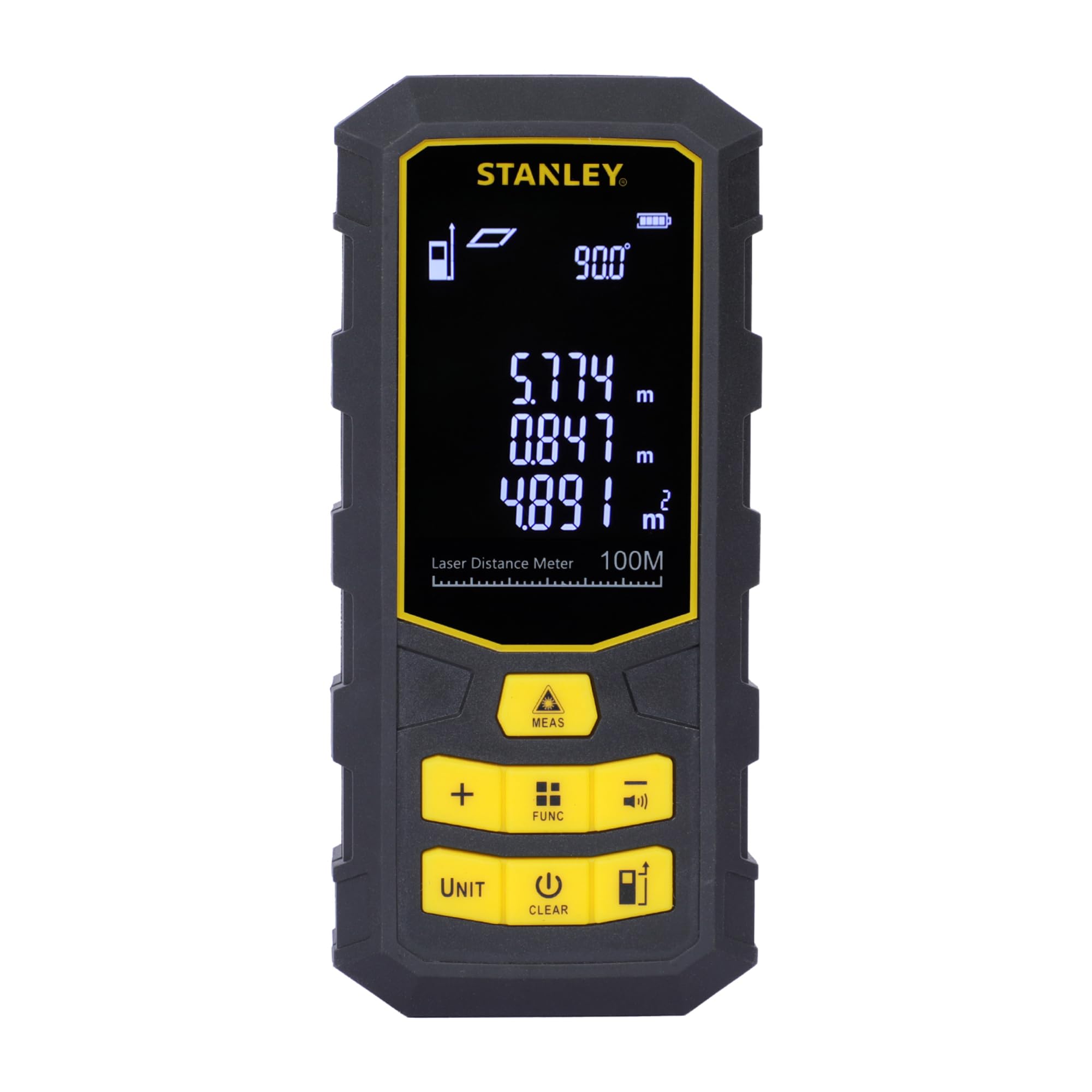
The STANLEY STHT77803-A Laser Distance Meter, a compact and robust device for precise measurements.
2. Кутуда эмне бар
Таңгактан чыгаргандан кийин, төмөндө көрсөтүлгөн нерселердин бардыгы бар экенин жана жакшы абалда экендигин текшериңиз:
- 1 x STANLEY STHT77803-A Laser Distance Meter (100 Metres)
- 1 х Carry Pouch
- 3 x AAA Batteries (1.5V)
- 1 x User Manual
- 1 x Кепилдик картасы

The product packaging showing the laser distance meter, carry pouch, and batteries.
3. Коопсуздук маалыматы
ЭСКЕРТҮҮ: ЛАЗЕР РАДИАЦИЯСЫ
This device emits Class 2 laser radiation. Do not stare into the laser beam. Avoid direct eye exposure. The laser power is <1mW at 630-690nm. Use of controls or adjustments or performance of procedures other than those specified herein may result in hazardous radiation exposure.
- Always operate the device in accordance with the instructions provided.
- Аппаратты ажыратууга же өзгөртүүгө аракет кылбаңыз.
- Аппаратты балдар жетпеген жерде сактаңыз.
- Ensure the laser is not aimed at reflective surfaces or other people.
4. Продукт бүтүп калдыview
Familiarize yourself with the components and controls of your laser distance meter.

Деталдаштырылган view of the laser distance meter's front panel, highlighting the display, laser emitter, and control buttons for various functions.
Негизги өзгөчөлүктөрү:
- Лазердик тактык: ±2мм
- Max Storage: 99 бирдик
- Лазердик түрү: 2-класс
- Батарея түрү: 1.5V 3*AAA

An overview of the laser distance meter's key specifications: ±2mm laser accuracy, 99 units max storage, Class 2 laser type, and 1.5V 3*AAA battery type.
5. Орнотуу
5.1 Батареяны орнотуу
- Аппараттын артындагы батарея бөлүкчөсүнүн капкагын табыңыз.
- Капкакты жылдырыңыз.
- Туура полярдуулукту (+/-) камсыз кылуу менен үч 1.5V AAA батарейкасын салыңыз.
- Батарея уясынын капкагын бекем жабыңыз.

The rear of the device with the battery compartment cover removed, showing slots for three AAA batteries.
6. Иштөө нускамалары
6.1 Негизги өлчөө
- басыңыз MEAS баскычын басыңыз аппаратты күйгүзүү жана лазерди иштетүү.
- Aim the laser beam at the target point from which you want to measure the distance.
- басыңыз MEAS button again to take a measurement. The result will be displayed on the screen.

Illustration of the laser beam emitting towards a target point and the precise measurement display on the device screen.

A user holding the laser distance meter, demonstrating how to aim the laser beam for measurement.

The device display showing various measurement readings, including distance, area, and volume.
6.2 Функция баскычтары
The device features several buttons for different operations:
- ӨЛЧӨМ: Power on and start measuring instantly.
- +: Add multiple measurements for total distance.
- FUNC: Access various functions and save data.
- -: Subtract values and mute sound.
- БИРИКМЕ: Switch between different measurement units (meters, feet, inches).
- ТАЗАЛОО: Turn off the device or clear a measurement.
- Standard Measurement Button: Basic control for standard measurements.

Close-up of the device's control panel, detailing buttons for power/measurement, addition, function/storage access, and subtraction/mute.

Further detail on the control panel, showing buttons for switching measurement units, turning off/clearing measurements, and standard measurement control.
6.3 Өркүндөтүлгөн өлчөө функциялары
- Area and Volume Measurement: басыңыз FUNC button to cycle through measurement modes until the area or volume icon appears. Follow the on-screen prompts to take the required length, width, and height measurements.
- Indirect Pythagorean Theorem Measurement: Use this function to measure inaccessible distances. Press FUNC to select the Pythagorean mode and follow the instructions to measure the hypotenuse and one side.
- Үзгүлтүксүз өлчөө (көзөмөл): This mode allows you to move the device and see real-time distance updates. The device will display maximum and minimum measurements during continuous tracking.
- Сактоо функциясы: The device can store up to 99 measurement units. Use the FUNC button to access and manage stored data.
7. Техникалык тейлөө
Proper maintenance ensures the longevity and accuracy of your laser distance meter.
- Сактагыч: Do not store the meter in high temperature or high humidity environments for extended periods. If not used frequently, remove the batteries and store the device in its portable bag in a cool, dry place.
- Тазалоо: Keep the device surface clean. Use a wet soft cloth to wipe off dust. Do not use corrosive liquids for cleaning.
- Optical Components: The laser output window and its focus lens should be maintained according to standard optical device cleaning procedures. Avoid touching these surfaces directly.

The laser distance meter securely stored within its protective black carry pouch.
8. Кыйынчылыктарды
Эгерде сиз түзмөгүңүздө көйгөйлөргө туш болсоңуз, төмөнкү кеңири таралган чечимдерди караңыз:
- Түзмөк күйбөй жатат: Батареялар туура салынганын жана жетиштүү заряддалганын текшериңиз. Зарыл болсо, батареяларды алмаштырыңыз.
- Туура эмес өлчөөлөр: Ensure the laser lens is clean and unobstructed. Verify that the measurement reference point is correctly set. Avoid measuring through transparent surfaces or in extremely bright conditions.
- Дисплей көйгөйлөрү: Эгерде дисплей күңүрт же жыпылыктап турса, батарейкаларды алмаштырыңыз.
- Лазер көрүнбөйт: In very bright outdoor conditions, the laser dot may be difficult to see. This is normal for Class 2 lasers. Try to shade the target area or use the device in lower light conditions.
Туруктуу маселелер үчүн кардарларды колдоо кызматына кайрылыңыз.
9. Техникалык шарттар
| Өзгөчөлүк | Спецификация |
|---|---|
| Модель номери | STHT77803-A |
| Өлчөө диапазону | 100 м |
| Өлчөө тактыгы | ±(2mm + 5x10⁻⁵D) |
| Дисплейдин тактыгы | 1мм |
| Лазердик класс | 2-деңгээл |
| Лазердик күч | <1мВт |
| Dust and Water Splash Rating | IP40 |
| Иштөө температурасы диапазону | 0°C ~ +40°C |
| Сактоо Температура диапазону | -10°C ~ +50°C |
| Батарея түрү | 3 x 1.5V AAA |
| Laser Automatic Shutdown Time | 30 секунд |
| Instrument Automatic Shutdown Time | 3 мүнөт |
| Элемент Салмагы | 140 грамм |
| Элементтин өлчөмдөрү (L x W x Y) | 13L x 6W x 3H Сантиметр |
| Материал | Polyvinyl Chloride, Rubber |
| Келип чыккан өлкө | Кытай |
10. Кепилдик
Your STANLEY STHT77803-A Laser Distance Meter comes with a 1 жылдык кепилдик provided by the manufacturer from the date of purchase. This warranty covers manufacturing defects only. Please retain your purchase receipt as proof of purchase for warranty claims.
11. Кардарларды колдоо кызматы
For any queries, technical assistance, or warranty claims, please contact STANLEY customer support:
- Телефон: 1800-203-0644 (Дүйшөмбү - Ишемби, 09:00 - 06:00 IST, өкмөттүк майрамдардан тышкары)
- Электрондук почта: sbd-customercommunications@sbdinc.com
- WhatsApp: Scan the QR code below or click the link to contact us.

Image displaying contact details for STANLEY customer support, including phone number, email, and WhatsApp QR code.
Contact via WhatsApp: Бул жерди басыңыз
Өндүрүүчүнүн Байланыш маалыматы:
Stanley Black & Decker India Pvt Limited, GAT NO. 135, 137 & 157, PO - Mahalunge, Talukha - Khed, Pune, 410501, Maharashtra, India.


