
1. Киришүү
This manual provides detailed instructions for the safe and effective operation of your Ourlife M40TR 5K WiFi Action Camera. Please read this manual thoroughly before using the device and retain it for future reference. This camera is designed to capture high-quality video and photos in various environments, including underwater, with features such as dual screens, Electronic Image Stabilization (EIS), and remote control capabilities.
2. Пакеттин мазмуну
Төмөндө тизмеленген нерселердин баары пакетиңизге камтылганын текшериңиз. Эгерде кандайдыр бир нерселер жок болсо же бузулса, кардарларды колдоо менен байланышыңыз.
- Ourlife M40TR Action Camera
- Суу өткөрбөй турган турак жай
- 32 ГБ эстутум картасы
- 2.4G Wireless Remote Control
- USB кабели
- Рутка/Уюлга орнотулган
- Various Mounts (Mount1, Mount2, Mount3, Mount4, Mount5)
- Клип 1
- бинттер
- 3M Жабыштыргычтар
- Wirerope
- User Manual

Сүрөт: Оurlife M40TR Action Camera, waterproof housing, 32GB memory card, remote control, and various mounting accessories.
3. Продукт бүтүп калдыview
Оurlife M40TR features a compact design with dual screens for versatile shooting. The main screen is a 2-inch touchscreen, complemented by a 1.3-inch front display for easy selfies and vlogging. It supports 5K Ultra HD video recording and 50MP photos, enhanced by Electronic Image Stabilization (EIS) and a 170° ultra-wide-angle lens with 5X digital zoom.

Сүрөт: Оurlife M40TR Action Camera showcasing its dual color screens and 5K 30FPS capability.

Image: Icons illustrating key features: 5K Video, Dual Color Screen, EIS, 50MP Photos, Dashcam Mode, 170° Wide Angle Lens, Time Lapse, 100FT Waterproof, WiFi Connect, Remote.
4. Орнотуу
4.1. Батареяны орнотуу
The camera uses a rechargeable Lithium Ion battery. Ensure the battery is fully charged before first use. To install the battery:
- Камеранын ылдый жагындагы батарея уясынын капкагын ачыңыз.
- Батареяны контакттары менен дал келтирип, туура багыт менен салыңыз.
- Батарея уясынын капкагын бекем жабыңыз.
4.2. SD картаны орнотуу
A 32GB Micro SD card is included. The camera supports Micro SD cards up to 256GB.
- Камераңыздын капталынан Micro SD карта уячасын табыңыз.
- Insert the Micro SD card with the contacts facing the front of the camera until it clicks into place.
- Чыгаруу үчүн картаны акырын чыккыча түртүңүз.
4.3. Суу өткөрбөй турган корпусту колдонуу
The included waterproof housing allows the camera to be used at depths of up to 30 meters (100 feet). Ensure the camera is securely placed inside the housing and the latch is firmly closed before submerging.
Video: Demonstration of the Ourlife M40TR Action Camera's waterproof capabilities, showing it submerged in water.

Сүрөт: Оurlife M40TR Action Camera in its waterproof housing, submerged in water with a diver in the background, illustrating its 30M (100FT) waterproof depth.
5. Иштөө нускамалары
5.1. Күйгүзүү/өчүрүү
- To power on: Press and hold the Power/Mode button until the screen lights up.
- To power off: Press and hold the Power/Mode button until the screen turns off.
5.2. Dual Screen Operation
The camera features a 2-inch main touchscreen and a 1.3-inch front display. You can switch between the front and rear screens for different shooting perspectives.
- To switch screens: Press and hold the 'M' button on the side of the camera.
- Note: Only one screen is active at a time to conserve battery.

Сүрөт: Оurlife M40TR Action Camera displaying its dual screens, with the front screen showing a selfie view and the rear screen showing the main camera view.
5.3. Режимди тандоо
The camera offers multiple shooting modes accessible via the touchscreen interface.
Video: A user navigating through the mode selection menu on the Ourlife M40TR Action Camera's touchscreen.
Жеткиликтүү режимдерге төмөнкүлөр кирет:
- Кадимки видео
- Жай видео
- Loop Video
- Time Lapse Video
- Кадимки Сүрөт
- Автоматтык таймер сүрөтү
- Burst Photos
- Time Lapse Сүрөт
- Dashcam Mode
5.4. Video and Photo Resolution Settings
Adjust video and photo resolutions to suit your needs. Access these settings through the camera's menu.

Сүрөт: Оurlife M40TR Action Camera highlighting its 5K Ultra HD video display, supporting various resolutions including 4K 60fps/30fps, 2.7K 30fps, 1080P 60fps/30fps, and 720P 120fps/60fps/30fps.

Сүрөт: Оurlife M40TR Action Camera demonstrating its 50MP photo capability, with options for 50MP, 30MP, 24MP, 20MP, 12MP, and 8MP.
5.5. Электрондук сүрөттү турукташтыруу (EIS)
The built-in EIS technology helps to stabilize video footage, reducing blur and shakiness, especially during active movements.

Image: A split image showing the difference between EIS off (blurry) and EIS on (stable) during a cycling activity.

Image: Visual representation of EIS Anti-Shake Technology, ensuring crystal-clear photos and videos devoid of blurriness or ghosting.
5.6. Кең бурч жана масштабдоо
The 170° ultra-wide-angle lens captures expansive scenes, and the 5X digital zoom allows for closer shots.
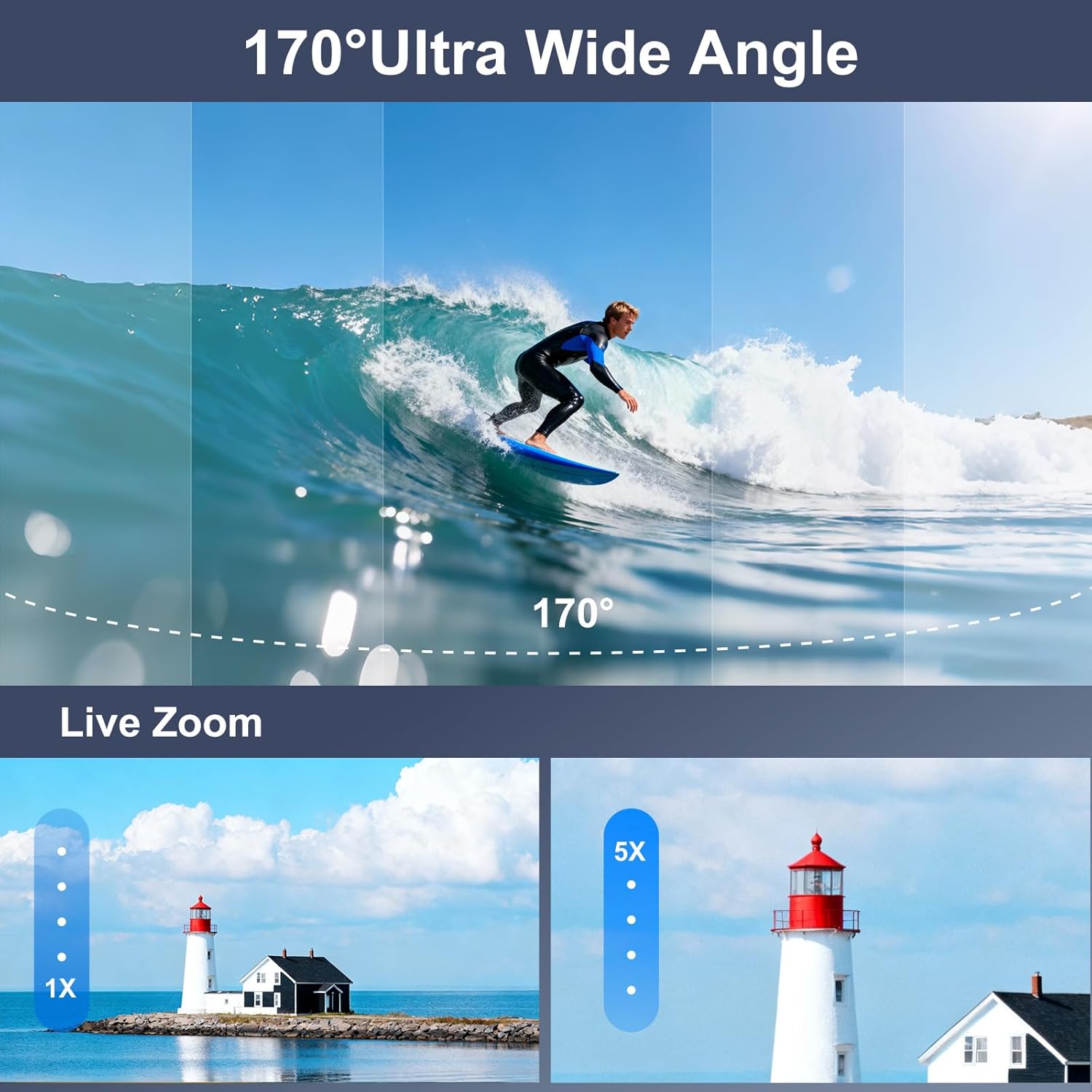
Image: A visual comparison of a 170° ultra-wide-angle shot of a surfer and a demonstration of 5X digital zoom on a lighthouse.

Image: A paraglider captured with the Ourlife M40TR Action Camera, illustrating the expansive 170° ultra-wide view бурч.
5.7. Алыстан башкарууну колдонуу
The 2.4G wireless remote control allows you to operate the camera from up to 15 meters away, switching between video and photo modes with a single button.

Image: A cyclist using the 2.4GHz wireless remote control on their wrist to operate the Ourlife M40TR Action Camera, highlighting its 15m range.
5.8. Wi-Fi Connection & App
Connect your camera to the SupCam Pro app via Wi-Fi for live preview, remote control, and instant sharing of content.

Сүрөт: Оurlife M40TR Action Camera wirelessly connected to a smartphone, showing instant sharing of photos and videos to social media platforms.

Image: Step-by-step guide on how to connect the Ourlife M40TR Action Camera to Wi-Fi using the SupCam Pro App, including a QR code for app download. Download the SupCam Pro App: https://qr04.cn/Acp9lo
5.9. Маалыматтарды өткөрүү
Transfer your photos and videos to your computer using Wi-Fi, USB cable, or a card reader.

Image: Visual guide demonstrating three methods for downloading pictures and videos from the Ourlife M40TR Action Camera to a computer: via Mobile App (Wi-Fi), USB Connection, and Card Reader.
6. Техникалык тейлөө
6.1. Тазалоо
- Камера линзаларын жана экрандарын тазалоо үчүн жумшак, мамыксыз чүпүрөктү колдонуңуз.
- For the waterproof housing, rinse with fresh water after each use in saltwater and allow to air dry.
6.2. Сактоо
- Камераны салкын, кургак жерде, күндүн нуру түз тийбеген жерде сактаңыз.
- Камера узак убакыт бою колдонулбаса, батареяны алып салыңыз.
7. Кыйынчылыктарды
If you encounter any issues with your Ourlife M40TR Action Camera, please refer to the following common solutions:
- Камера күйбөй жатат: Батарея толук заряддалганын жана туура салынганын текшериңиз.
- SD карта катасы: Format the SD card in the camera's settings menu. If the issue persists, try a different compatible SD card.
- Wi-Fi туташуу көйгөйлөрү: Ensure the camera's Wi-Fi is enabled and you are within range. Restart both the camera and your smartphone.
- Видео/сүрөттүн сапаты начар: Check the selected resolution settings. Ensure the lens is clean and free from smudges.
- Water leakage in housing: Before each use, inspect the waterproof housing for any cracks or damage. Ensure the rubber seal is clean and properly seated.
Кошумча жардам алуу үчүн кардарларды колдоо бөлүмүнө кайрылыңыз.
8. Техникалык шарттар
| Өзгөчөлүк | Деталь |
|---|---|
| Бренд аты | Ourlэгерде |
| Модель номери | AT-M40R |
| Видео тартуунун резолюциясы | 5K |
| Фото сенсор технологиясы | CMOS |
| Өзгөчөлүктөр | EIS, 170° Adjustable View Angle, Anti-Shake, Remote Control, Speakers, Time Lapse, Timer, Car Mode |
| Суу өткөрбөйт | Up to 30 meters (100FT) with waterproof case |
| Байланыш технологиясы | Wi-Fi, Зымсыз |
| Screen Size | 2 Inches (main), 1.3 Inches (front) |
| Flash эс тутум түрү | Micro SD (supports up to 256GB) |
| Батареялар | 1 литий-иондук батарейка талап кылынат (кошулган) |
| Элемент Салмагы | 14.9 унция |
| Пакеттин өлчөмдөрү | 11.34 x 7.52 x 3.11 дюйм |
9. Кепилдик жана колдоо
Ourlife offers the following support for your product:
- 30-day Guarantee & Refunds: Баштапкы сатып алуу канааттануусу үчүн.
- 1-year Exchange: Продукциянын кемчиликтери же бузулуулары үчүн.
- 24-hour Official Support: электрондук почта аркылуу байланыш маалымат@ourlifesmart.com ар кандай суроолор же жардам үчүн.

Сүрөт: Оurlife customer support details, including email address (info@ourlifesmart.com), 24-hour official support, 30-day guarantee & refunds, and 1-year exchange policy.