
1. Киришүү
Thank you for choosing the HEBEOT HD 1080p Portable Video Camera. This manual provides essential information for setting up, operating, and maintaining your device. Please read it thoroughly before use to ensure optimal performance and longevity of your camera.
2. Коопсуздук маалыматы
- Камераны сууга же нымга тийгизбеңиз.
- Avoid extreme temperatures, direct sunlight, or dusty environments.
- Аппаратты өз алдынча бөлүүгө же оңдоого аракет кылбаңыз. Тейлөө үчүн квалификациялуу кызматкерлерге кайрылыңыз.
- Балдар жетпеген жерде сактаңыз.
- Use only the provided data cable for charging.
3. Пакеттин мазмуну
Сураныч, пакетте төмөнкү нерселерди текшериңиз:
- 1 x HEBEOT HD 1080p Portable Video Camera
- 1 x Data Cable (USB Type-C)
- 1 x Instruction Manual
4. Продукт бүтүп калдыview
The HEBEOT Portable Video Camera is a compact device designed for capturing high-definition video and photos. It features a 1080p camera module, built-in supplementary lights for low-light conditions, and WiFi connectivity for easy content management.


5. Орнотуу
5.1 Камераны заряддоо
Before first use, fully charge the camera. Connect the provided USB Type-C data cable to the camera's charging port and the other end to a USB power adapter (not included) or a computer USB port. The charging indicator will show the charging status.
5.2 TF картасын салуу
The camera requires a TF (microSD) card for storing recordings. Locate the TF card slot on the side of the camera. Gently insert the TF card with the gold contacts facing down until it clicks into place. Ensure the card is inserted correctly to avoid damage.
5.3 Күйгүзүү/өчүрүү
To power on the camera, slide the power switch to the 'ON' position. To power off, slide the switch to the 'OFF' position.
6. Иштөө нускамалары
6.1 One-Touch Recording and Photo Taking
The camera features dedicated buttons for quick recording and photo capture. Press the designated button (refer to Figure 4.2) once to start recording video or take a photo. Press again to stop recording or take another photo.
6.2 Камеранын бурчун жөндөө
The camera lens can be rotated 360 degrees. Gently rotate the lens module to achieve the desired shooting angle. This flexibility allows for capturing footage from various perspectives, whether mounted or handheld.
6.3 Монтаждоо параметрлери
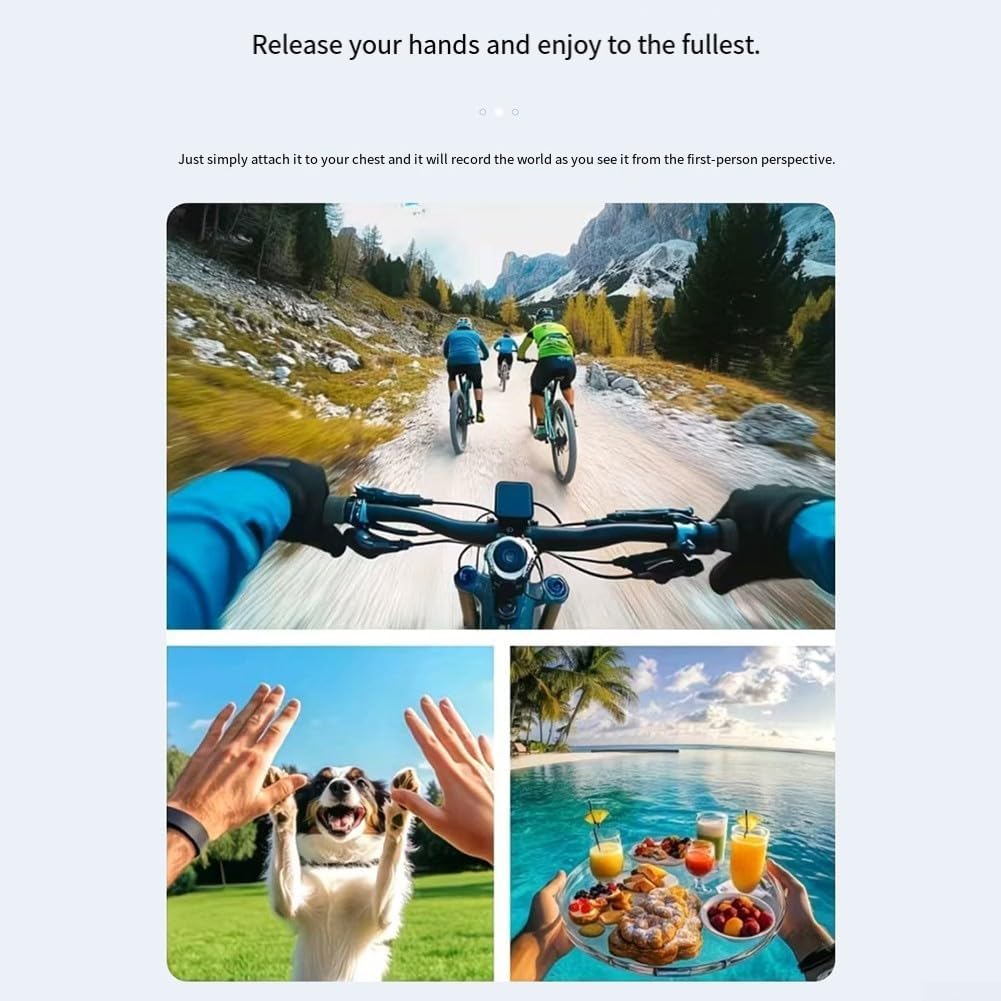
The camera includes a fixed back clip for attaching it to clothing, bags, or other surfaces. Additionally, it features a 1/4 inch expansion socket, making it compatible with standard tripods and other mounting accessories for stable recording.

7. WiFi туташуу
The camera supports WiFi connectivity, allowing you to connect your smartphone to its built-in WiFi hotspot. This feature enables seamless playback and downloading of recorded videos and photos directly to your smartphone without consuming mobile data. Refer to the camera's on-screen menu or a dedicated app (if applicable, check product packaging for app details) for WiFi setup instructions.
8. Low Light / Night Recording
Equipped with integrated supplementary lights, this camera is designed to deliver clear video quality even in low-light environments. This makes it suitable for use during nighttime or in dimly lit indoor settings, ensuring your recordings maintain detail and visibility.
9. Техникалык тейлөө
- Тазалоо: Use a soft, dry cloth to clean the camera body. For the lens, use a specialized lens cleaning cloth and solution. Do not use harsh chemicals or abrasive materials.
- Сактагыч: Колдонулбаганда камераны күн нурунан жана өтө температурадан алыс салкын, кургак жерде сактаңыз.
- Батареяга кам көрүү: For optimal battery life, avoid fully discharging the battery frequently. Charge the camera regularly, even if not in active use, to maintain battery health.
10. Кыйынчылыктарды
10.1 Камера күйбөй жатат
- Ensure the battery is charged. Connect the camera to a power source and allow it to charge for at least 30 minutes.
- Кубат которгучу 'ON' абалында экенин текшериңиз.
10.2 Cannot Record Video/Take Photos
- Check if a TF card is inserted correctly and has sufficient free space.
- Ensure the TF card is formatted correctly (usually FAT32). Format the card if necessary (this will erase all data).
- The battery level might be too low. Charge the camera.
10.3 WiFi туташуу көйгөйлөрү
- Ensure the camera's WiFi hotspot is enabled.
- Камераны да, смартфонуңузду да өчүрүп-күйгүзүңүз.
- Make sure you are within the effective range of the camera's WiFi signal.
11. Техникалык шарттар
| Өзгөчөлүк | Спецификация |
|---|---|
| Бренд | HEBEOT |
| Модел | M22T1UQO235FIZDV759Y5JN4M |
| Video Resolution | 1080p HD |
| Өлчөмдөрү (L x W x Y) | 10 x 8 x 6 см |
| Салмагы | 150 грамм |
| Байланыш | WiFi |
| Сактагыч | TF картасы (киргизилген эмес) |
| Өзгөчөлүктөр | Night Recording (built-in supplementary lights), 360° Rotatable Lens, One-touch Recording, Fixed Back Clip, 1/4 inch Tripod Socket |
12. Кепилдик жана колдоо
Кепилдик маалыматы жана техникалык колдоо үчүн, сатып алууңуз менен бирге берилген документтерди караңыз же сатуучу/өндүрүүчү менен түз байланышыңыз. Ар кандай кепилдик дооматтары үчүн сатып алганыңыздын далилин сактаңыз.