
Introduction
Thank you for choosing the SKAPENDY VK81 Wireless Gaming Headset. This manual provides essential information for setting up, operating, and maintaining your headset to ensure an optimal gaming and audio experience. Please read this manual thoroughly before use and retain it for future reference.
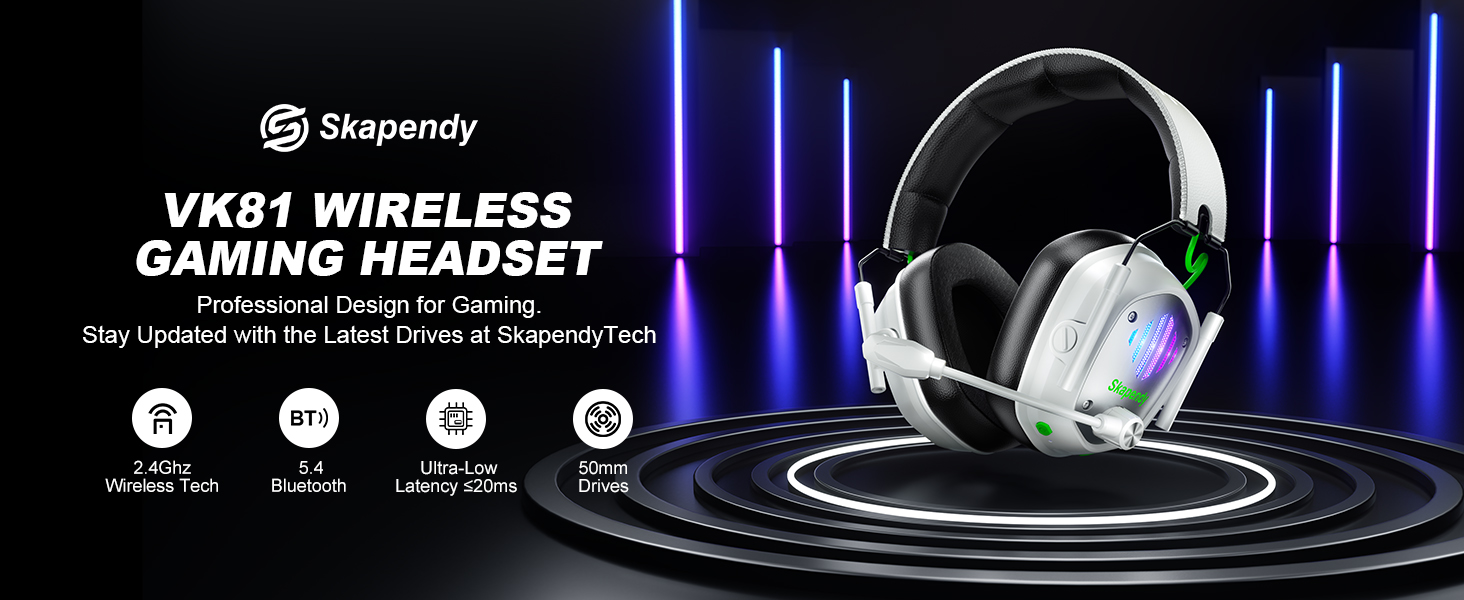
Image: SKAPENDY VK81 Wireless Gaming Headset overview.
Кутуда эмне бар
- Оюн гарнитурасы
- USB Dongle
- Type-C кабели
- User Manual
Жайгашуу
Гарнитураны заряддоо
Before first use, fully charge your headset using the provided Type-C cable. A full charge takes approximately 2.5 hours. The 1200mAh battery provides up to 50 hours of playtime without RGB lighting or 40 hours with RGB lighting enabled. A low battery alarm will notify you when charging is needed.

Image: Visual representation of headset charging and battery life.
Туташуу параметрлери
The VK81 headset offers versatile connectivity:
- 2.4 ГГц зымсыз режими: For stable, low-latency audio on PC, PS5, PS4, Switch, Mac, and Laptops. Plug the 2-in-1 USB transmitter (dongle) into your device. The headset will automatically connect.
- Bluetooth 5.4 режими: For smartphones, tablets, iPads, and daily use. Switch to Bluetooth mode on the headset and pair with your device.
Маанилүү эскертүүлөр:
- Not compatible with any Xbox consoles.
- Microphone function is not supported on Nintendo Switch.
- Bluetooth mode is not compatible with PS4/PS5.
- The 2-in-1 USB transmitter must be used together to connect with PS, PS2, PS5, PS4, PC, Laptop, and Mac; it cannot be used separately.

Image: Diagram illustrating dual compatibility modes (2.4GHz and Bluetooth).
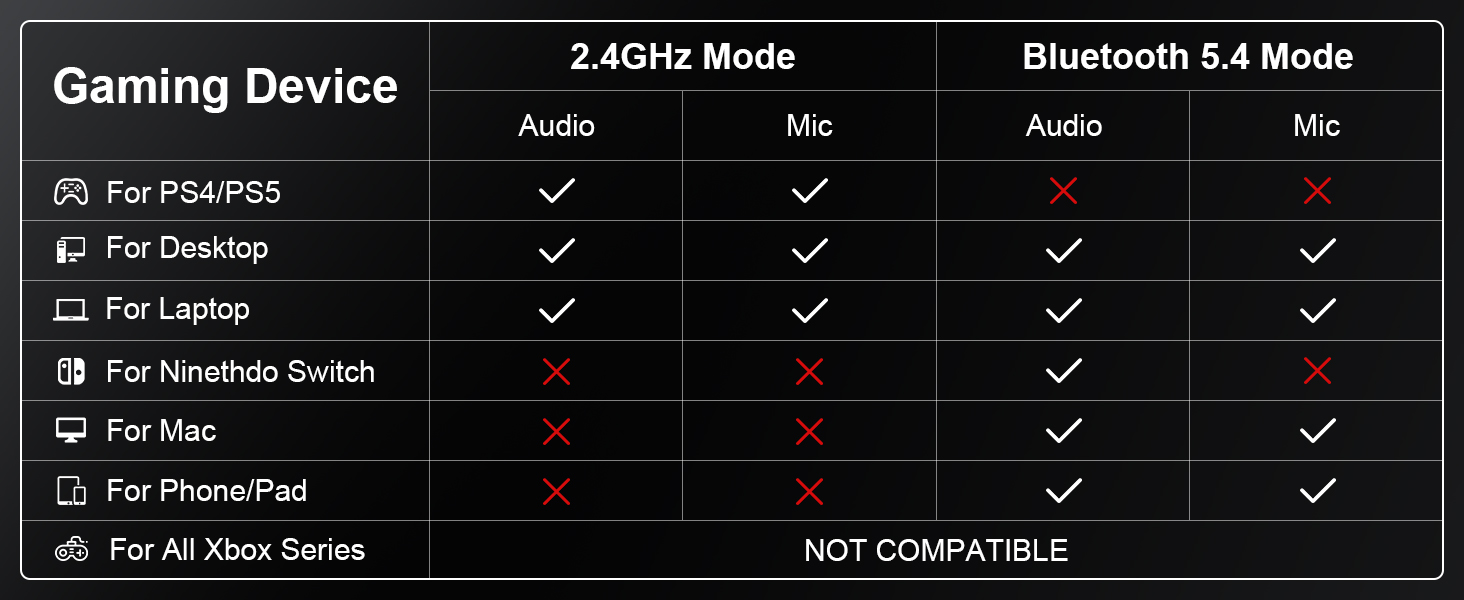
Image: Detailed compatibility table for various gaming devices and modes.
Video: An official video from SKAPENDY explaining the features and connectivity of the VK81 Wireless Gaming Headset.
Иштөө нускамалары
Controls Overview
The headset features intuitive controls for easy management of audio, microphone, and lighting:
- Кубат баскычы: Long press 3s for Power On, Long press 4s for Power Off. Single click for Play/Pause, Answer Call, End Call.
- Үнүн жогорулатуу/төмөндөтүү: Single click for volume adjustment.
- Микрофон күйгүзүү/өчүрүү: Single click to toggle mic. Long press 2s to switch between BT and 2.4G modes.
- RGB күйгүзүү/өчүрүү: Single click to toggle RGB lighting.
- Game/Music Mode (M Button): Double clicks to switch between game and music EQ modes. Long press 3s to re-pair (BT mode).
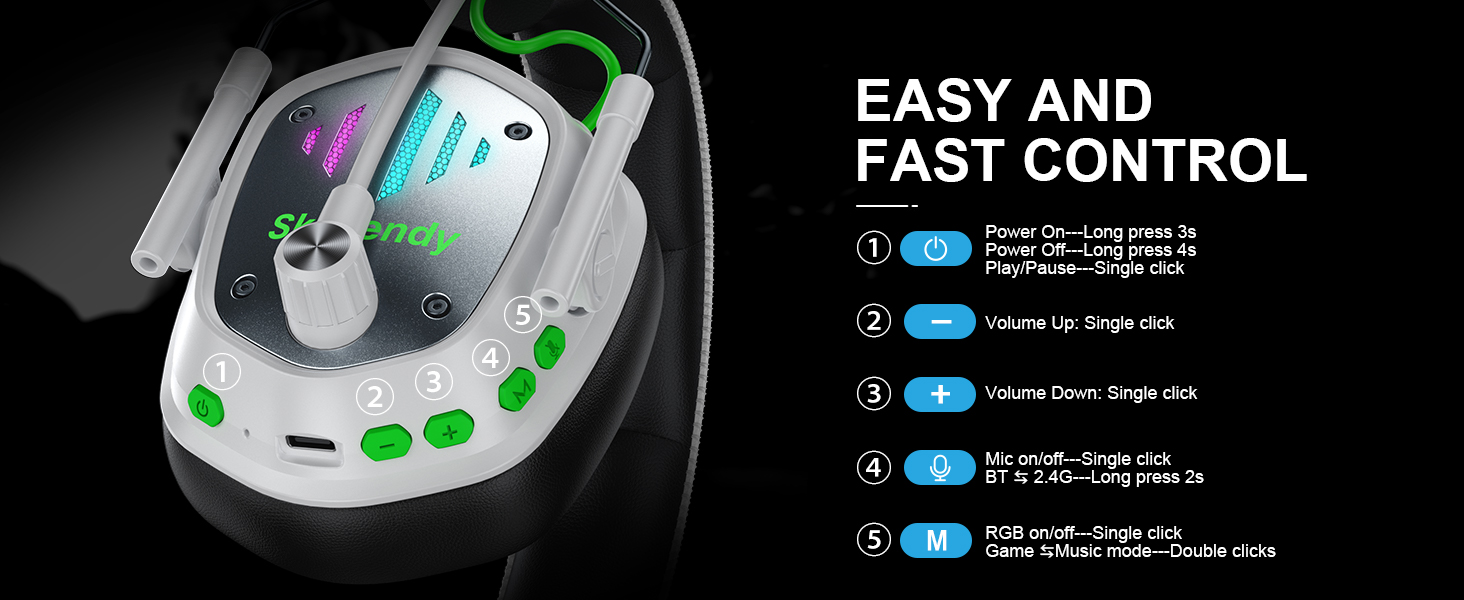
Image: Diagram detailing the control buttons and their functions on the headset.
Аудио тажрыйба
Experience unparalleled 3D stereo sound with 50mm dynamic drivers. The headset delivers deep bass, crystal clear treble, and total immersion for every game. ENC Noise Cancelling Mic eliminates up to 95% of ambient noise for clear voice chats.
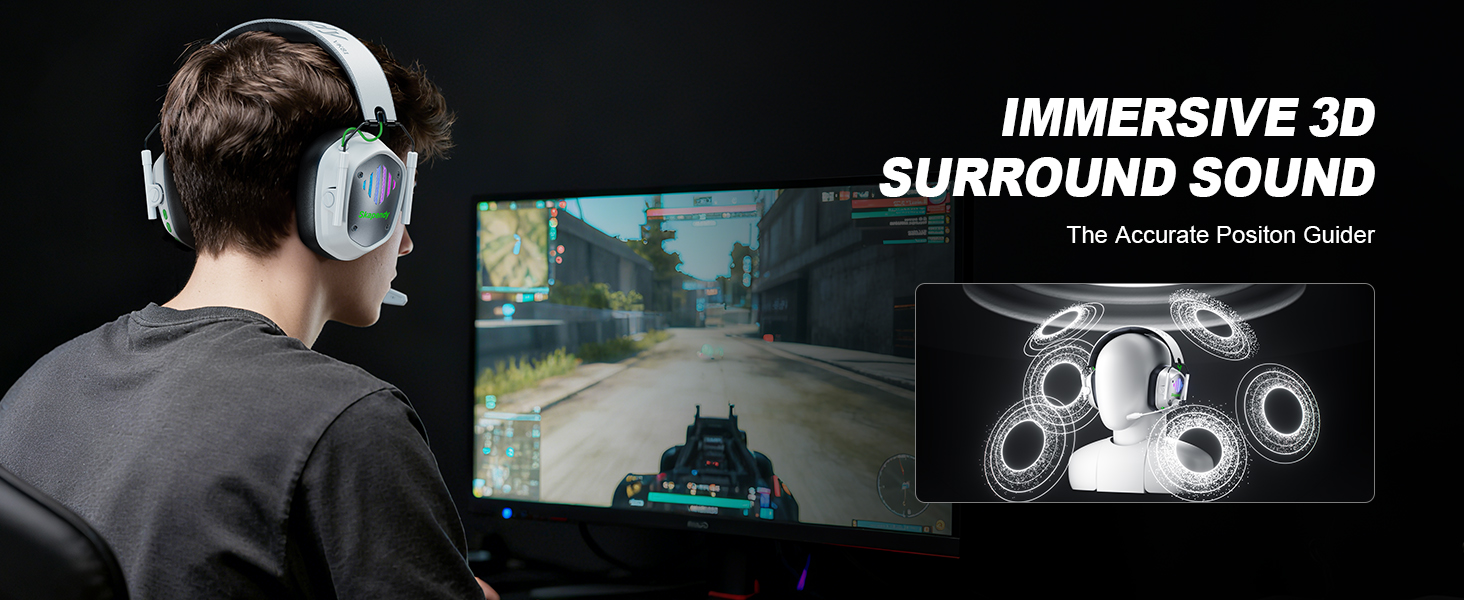
Image: Visual highlighting the immersive 3D surround sound feature.

Image: Illustration of the noise-cancelling microphone technology.
RGB жарыктандыруу
The SKAPENDY VK81 features cool RGB lighting that changes dynamically. Activate or deactivate it with a single click of the RGB button to match your gaming setup or conserve battery.
Video: An official video from SKAPENDY demonstrating the wireless gaming headset in action.
Техникалык тейлөө
To ensure the longevity and performance of your SKAPENDY VK81 headset, follow these maintenance guidelines:
- Тазалоо: Гарнитураны тазалоо үчүн жумшак, кургак чүпүрөктү колдонуңуз. Катуу химиялык заттарды же абразивдүү материалдарды колдонуудан алыс болуңуз.
- Сактагыч: Store the headset in a cool, dry place away from direct sunlight and extreme temperatures. The foldable design makes it ideal for travel and compact storage.
- Батареяга кам көрүү: Батареянын тез-тез толук зарядын жоготуп алуудан алыс болуңуз. Батареянын иштөө мөөнөтүн сактоо үчүн аны үзгүлтүксүз заряддап туруңуз.
- Микрофонго кам көрүү: Handle the flexible microphone boom gently. Avoid excessive bending or twisting.
Проблемаларды чечүү
Эгерде гарнитураңыз менен көйгөйлөргө туш болсоңуз, төмөнкү кеңири таралган чечимдерди караңыз:
- Үн жок/Төмөн үнү:
- Ensure the headset is powered on and properly connected (2.4GHz dongle or Bluetooth).
- Гарнитурадагы жана туташкан түзмөгүңүздүн үнүнүн деңгээлин текшериңиз.
- Түзмөгүңүздүн үн жөндөөлөрүндө туура аудио чыгаруу түзмөгү тандалганын текшериңиз.
- Микрофон иштебейт:
- Гарнитурадагы микрофондун үнсүз эместигин текшериңиз.
- Check if the microphone is properly inserted into its port.
- Verify microphone settings on your connected device (e.g., input device selection, volume).
- Note: Microphone function is not supported on Nintendo Switch.
- Туташуу маселелери:
- For 2.4GHz mode, ensure the USB dongle is securely plugged in. Try a different USB port.
- For Bluetooth mode, ensure Bluetooth is enabled on your device and the headset is in pairing mode (long press 'M' button for 3s).
- Кедергилерди азайтуу үчүн түзмөгүңүзгө жакындаңыз.
- Гарнитураны да, туташкан түзмөгүңүздү да өчүрүп-күйгүзүңүз.
- RGB жарыктары иштебейт:
- Гарнитуранын батареясы жетиштүү заряддалганын текшериңиз.
- Press the RGB button to toggle the lighting on/off.
Video: An official video from SKAPENDY showcasing the VK81 Wireless Gaming Headset.
Техникалык шарттар
| Модель аты | VK81 |
| Байланыш технологиясы | Wireless (Bluetooth 5.4 / 2.4GHz) |
| Аудио драйвер түрү | 50мм динамикалык драйвер |
| Noise Control | Активдүү ызы-чууну жокко чыгаруу (ENC Mic) |
| Батареянын иштөө мөөнөтү | Up to 50 Hours (without RGB) |
| Заряддоо убактысы | 2.5 саат (USB-C) |
| Шайкеш түзмөктөр | PC, PS5, PS4, Switch, Mac, Smartphones, Tablets, Laptops |
| Башкаруу түрү | Volume Control, Mic On/Off, RGB On/Off, EQ Mode Switch |
| Өзгөчөлүктөр | Lightweight, Foldable, RGB Lighting |
| Материал | Leather, Plastic/Synthetic |
| Продукциянын өлчөмдөрү | 3.5 x 5.5 x 5.7 дюйм |
| Элемент Салмагы | 12.3 унция |
Кепилдик жана колдоо
For warranty information, technical support, or customer service inquiries, please refer to the contact details provided in the original product packaging or visit the official SKAPENDY webсайт. Кепилдик дооматтары үчүн сатып алуу дүмүрчөгүңүздү сактаңыз.