
1. Киришүү
Thank you for choosing the UGREEN Qi2 15W 2-in-1 Wireless Charging Stand. This device is designed to provide efficient and convenient wireless charging for your compatible iPhone and AirPods simultaneously. Please read this manual thoroughly before use to ensure proper operation and to maximize the product's lifespan.
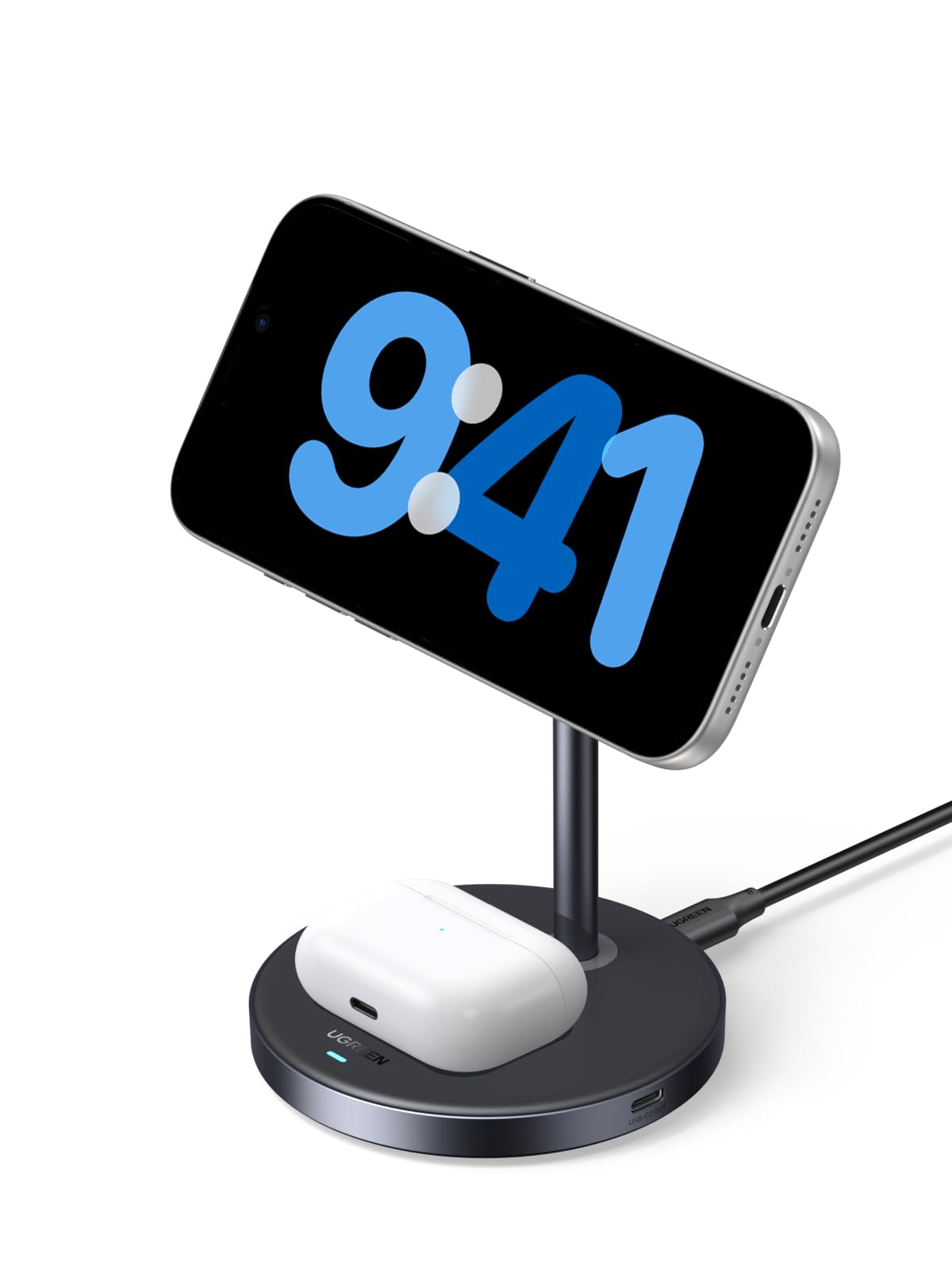
Image: The UGREEN Qi2 15W 2-in-1 Wireless Charging Stand, a sleek grey stand with a magnetic charging pad for an iPhone and a base for AirPods.
2. Пакеттин мазмуну
Пакетиңизде бардык буюмдар бар экенин текшериңиз:
- 1 x UGREEN Qi2 15W 2-in-1 Wireless Charging Stand
- 1 x USB-C - USB-C кабели
- 1 x User Manual

Image: A visual representation of the package contents, including the charging stand, a USB-C cable, and the user manual.
3. Орнотуу нускамалары
- Кубат кабелин туташтыруу: Insert one end of the provided USB-C to USB-C cable into the USB-C port on the back of the charging stand.
- Connect to a Power Adapter: Connect the other end of the USB-C cable to a compatible power adapter (not included). For optimal performance, a power adapter of 27W or higher is recommended.
- Жайгашкан жери: Place the charging stand on a stable, flat surface away from direct sunlight or heat sources.
4. Иштөө нускамалары
4.1 iPhone'ду кубаттоо
The stand features a magnetic charging pad for your iPhone. Ensure your iPhone is compatible with MagSafe or has a MagSafe-compatible case.
- Align your iPhone with the magnetic charging pad on the stand. The magnets will automatically snap your iPhone into place, ensuring proper alignment for charging.
- The charging indicator on your iPhone will confirm that charging has begun.

Image: An iPhone magnetically attached to the charging stand, displaying a charging icon and 75% battery level, indicating 15W fast wireless charging.
4.2 Charging AirPods
The base of the stand is equipped with a wireless charging pad for your AirPods.
- Place your AirPods charging case (with wireless charging capability) onto the designated charging area on the base of the stand.
- Ensure the AirPods case is centered on the charging pad for optimal charging. The indicator light on your AirPods case will show its charging status.

Image: The UGREEN charging stand simultaneously charging an iPhone on the magnetic pad and an AirPods case on the base. An Apple Watch is shown nearby but marked as 'Not Included'.
4.3 жөнгө салынат Viewбурч
The magnetic charging pad for the iPhone can be adjusted to various angles (15°-90°) and rotated 360° for both vertical and horizontal viewing. This allows for comfortable viewing during video calls, media consumption, or checking notifications while charging.
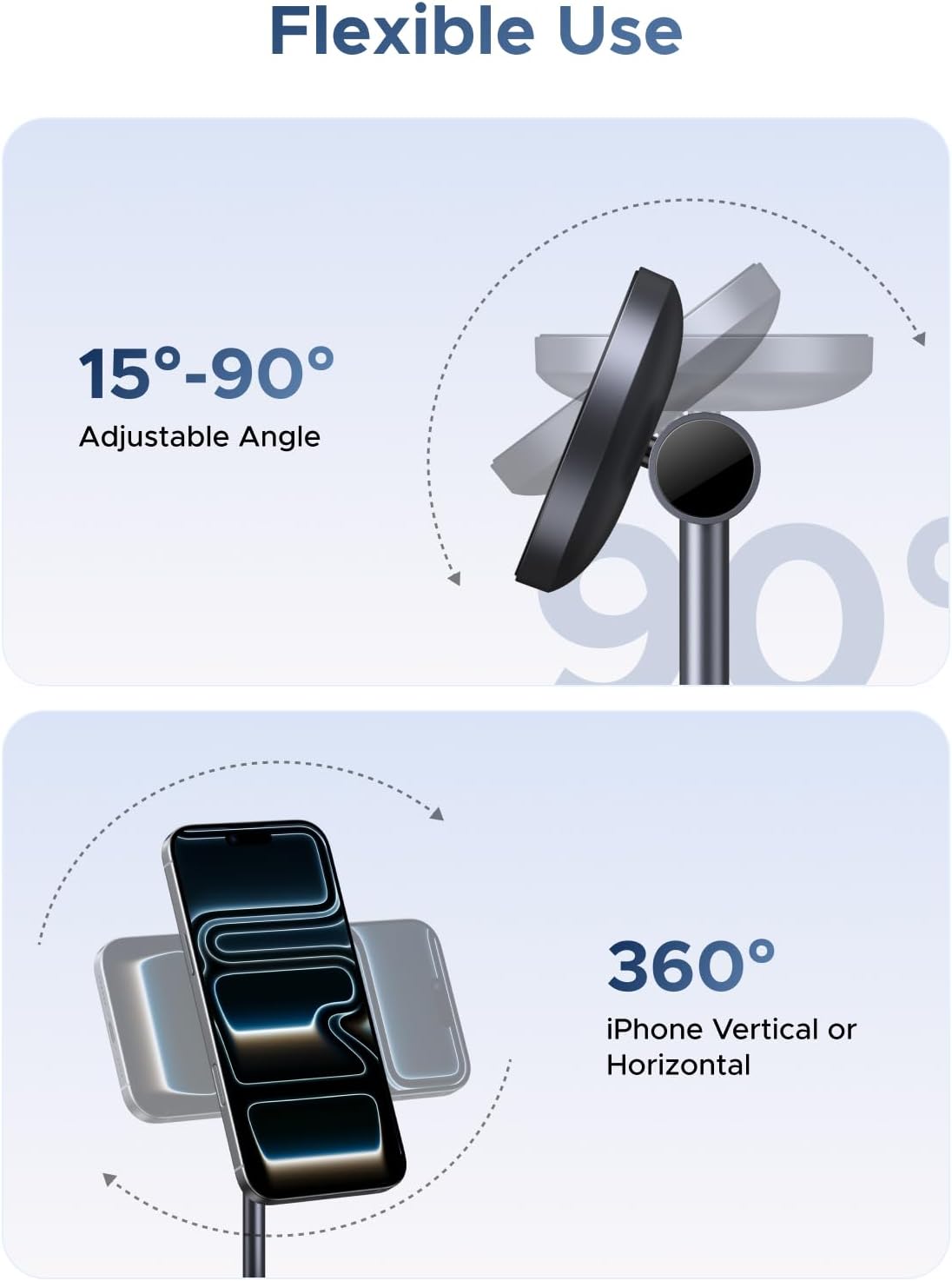
Image: Diagrams illustrating the adjustable angle of the iPhone charging pad from 15 to 90 degrees and 360-degree rotation for vertical or horizontal phone orientation.
4.4 Магниттик адсорбция
The magnetic charging pad utilizes 16 powerful magnets to generate a strong holding force of 7N, ensuring your iPhone remains securely attached during charging and use.

Сүрөт: жакын план view showing an iPhone magnetically attaching to the charging pad, with blue light effects indicating the strong magnetic connection.
5. Шайкештик
This charging stand is compatible with a range of devices:
- iPhones (15W): iPhone 12, 13, 14, 15, 16, 17 Series (including Mini, Plus, Pro, Pro Max models).
- AirPods (5W): AirPods 2, AirPods 3rd Gen, AirPods Pro, AirPods Pro 2nd Gen. (Note: Not compatible with AirPods model A1602 released in 2017 and model A2897 released in 2022.)
- Телефон каптары: Works with most standard cases (≤5mm thick). For magnetic charging, a MagSafe-compatible case is required. Non-MagSafe cases may prevent proper magnetic attachment and charging.

Image: A chart detailing compatibility for 15W iPhone charging (iPhone 12-17 series), 5W AirPods charging (AirPods 2/3/4, AirPods Pro 1/2/3, Galaxy Buds), and phone case compatibility (MagSafe cases supported, non-MagSafe cases not).
6. Коопсуздук маалыматы
The UGREEN Qi2 15W 2-in-1 Wireless Charging Stand incorporates multiple protection features to ensure safe charging:
- Ашыкча ысып кетүүдөн коргоо: Prevents the charger and devices from reaching unsafe temperatures.
- Ашыкча ток коргоо: Safeguards against excessive electrical current.
- Кыска туташуулардан коргоо: Protects against electrical shorts.
- ThermalGuard Technology: Monitors temperature 200 times per second for enhanced safety.
Жалпы коопсуздук чаралары:
- Түзмөктү суюктуктарга, нымдуулукка же өтө жогорку температурага дуушар кылбаңыз.
- Avoid dropping or disassembling the charger.
- Балдар жетпеген жерде сактаңыз.
- Use only the provided cable or a certified USB-C cable.

Image: A person sleeping peacefully next to the charging stand, with icons illustrating overheating, overcurrent, and short circuit protection, emphasizing safety.

Image: A cutaway diagram of the charging pad, highlighting the internal components and the 'ThermalGuard' feature that monitors temperature 200 times per second.
7. Техникалык тейлөө
- Тазалоо: Disconnect the charger from power before cleaning. Use a soft, dry cloth to wipe the surface. Do not use harsh chemicals or abrasive materials.
- Сактагыч: Заряддоо түзүлүштү колдонбогондо салкын, кургак жерде сактаңыз.
- Кабельге кам көрүү: Avoid bending or twisting the charging cable excessively to prevent damage.
8. Кыйынчылыктарды
| Көйгөй | Мүмкүн себеп | Чечим |
|---|---|---|
| Түзмөк заряддалбай жатат | 1. Incorrect placement 2. Incompatible phone case 3. Power adapter insufficient 4. Cable not properly connected | 1. Realign device on charging pad. 2. Remove non-MagSafe case or use a MagSafe-compatible one. 3. Use a 27W or higher power adapter. 4. Ensure cable is securely connected to both charger and power adapter. |
| Жай кубаттоо | 1. Power adapter output too low 2. Device misalignment 3. Background apps consuming power | 1. Use a 27W or higher power adapter. 2. Ensure device is perfectly centered on the charging pad. 3. Close unnecessary apps on your device. |
| Заряддагычтын ысып кетиши | 1. Environmental temperature too high 2. Device misalignment 3. Foreign objects on charging pad | 1. Move charger to a cooler environment. 2. Realign device. 3. Remove any metal objects or foreign materials from the charging surface. |
9. Техникалык шарттар
| Өзгөчөлүк | Деталь |
|---|---|
| Модель номери | W710 |
| Бренд | UGREEN |
| Киргизүү көлөмүtage | 12 вольт (AC) |
| Ampөчүрүү | 3 Amps |
| Ватtage | 15 ватт (макс) |
| Туташтыргыч түрү | USB түрү C |
| Шайкеш түзмөктөр | Smartphones (iPhone 12-17 Series), Headphones (AirPods with wireless charging case) |
| Өзгөчө өзгөчөлүк | Qi2 Certified, 2-in-1 Charging, Magnetic Alignment, Adjustable Angle, Multiple Protection |
| Түс | Боз |
10. Кепилдик жана колдоо
UGREEN products come with a standard manufacturer's warranty. For specific warranty details, please refer to the warranty card included in your package or visit the official UGREEN webсайт.
If you encounter any issues or have questions regarding your UGREEN Qi2 15W 2-in-1 Wireless Charging Stand, please contact UGREEN customer support through the following channels:
- Официалдуу Webсайт: www.ugreen.com
- Электрондук почта колдоо: Өнүмүңүздүн таңгагына же расмий маалыматына кайрылыңыз webбайланыш электрондук почта үчүн сайт.
- Онлайн чат: Available on the UGREEN official webсайт иш убактысында.
Please have your product model number (W710) and purchase information ready when contacting support.