
Introduction
Сатып алганыңыз үчүн рахматasing the Generic Portable Bluetooth CD Player. This device offers versatile audio playback options, including CDs, USB drives, and Bluetooth connectivity, all in a compact and portable design. Please read this manual carefully to ensure proper use and to maximize your listening experience.
Пакеттин мазмуну
Пакетте бардык буюмдар бар экенин текшериңиз:
- Көчмө CD ойноткуч
- User Manual
- C түрүндөгү кубаттоочу кабель
- Наушник
- Earmuffs (for earphones)
Продукт бүттүview
Familiarize yourself with the components and controls of your CD player.

Сүрөт: Алдыңкы жана каптал view of the CD player, highlighting the USB port, HOLD switch, and control buttons. The display shows "04:31".

Сүрөт: Детальдуу жагы view of the CD player, labeling the Type-C charging port, USB interface, 3.5mm headphone/speaker jack, and the On/Off/Key Lock switch.
Башкаруу каражаттары жана порттор:
- Type-C заряддоо порту: Заряддоо кабелин туташтыруу үчүн.
- USB интерфейси: For connecting a USB flash drive for MP3 playback.
- 3.5mm Headphone/Speaker Jack: Зымдуу кулакчындарды же тышкы динамиктерди туташтыруу үчүн.
- On/Off/Key Lock Switch (HOLD): Slides to power on/off the device or to lock/unlock buttons.
- Ойнотуу башкаруу баскычтары: Play/Pause, Skip Forward, Skip Backward, Stop.
- Режим баскычы (M): To switch between CD, USB, and Bluetooth modes.
- LCD дисплей: Тректин номерин, убактысын жана режимин көрсөтөт.
Жайгашуу
1. Аппаратты заряддоо
Before first use, fully charge the CD player. Connect the provided Type-C charging cable to the charging port on the device and to a 5V-2A USB power adapter (not included). The charging indicator will show the charging status. A full charge provides approximately 2 hours of playback with external release or 5-6 hours with headphones.
Сүрөт: Side view of the CD player with labels for Type-C charging port and estimated battery life for different usage scenarios.
2. Күйгүзүү / Өчүрүү
жылдырыңыз On/Off/Key Lock switch to the "ON" position to power on the device. To power off, slide it to the "OFF" position.
Иштөө нускамалары
1. CD ойнотуу
- CD бөлүктүн капкагын ачыңыз.
- Insert a CD (CD/CD-R/CD-RW/MP3 format) with the label side facing up.
- CD бөлүктүн капкагын жабыңыз.
- Эгер CD режиминде эмес болсоңуз, баскычын басыңыз Режим (M) дисплейде "CD" пайда болгонго чейин баскычын басыңыз.
- The player will automatically read the disc and begin playback.
- Use the Play/Pause, Skip Forward, Skip Backward, and Stop buttons to control playback.
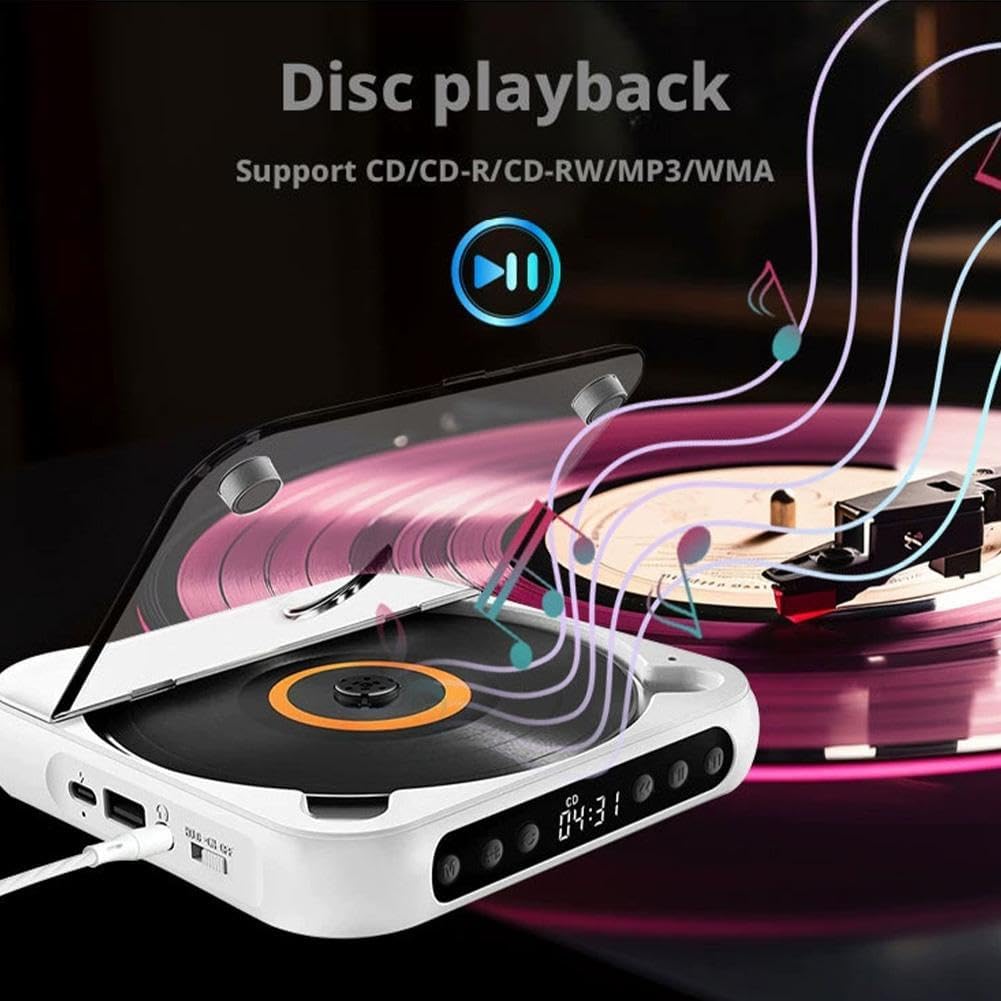
Сүрөт: The CD player with a disc spinning, illustrating the disc playback function. Supports CD/CD-R/CD-RW/MP3 formats.
2. USB ойнотуу
- MP3 аудиосу бар USB флэш-дискти салыңыз fileUSB интерфейсине кирет.
- басыңыз Режим (M) Дисплейде "USB" пайда болгонго чейин баскычын басыңыз.
- The player will automatically read the USB drive and begin playback of MP3 files.
- Use the Play/Pause, Skip Forward, Skip Backward, and Stop buttons to control playback.

Сүрөт: A USB flash drive inserted into the USB port of the CD player, demonstrating USB playback capability for MP3 files.
3. Bluetooth туташуусу
The CD player can connect wirelessly to Bluetooth speakers or headphones.
- CD ойноткучтун күйгүзүлгөнүн текшериңиз.
- басыңыз Режим (M) button until "BT" or "Bluetooth" appears on the display. The player will enter pairing mode.
- Turn on your Bluetooth speaker or headphones and set them to pairing mode.
- The CD player will automatically search for and connect to nearby Bluetooth devices. Once connected, the display will indicate a successful connection.
- You can now play audio from the CD player through your connected Bluetooth device.

Сүрөт: Illustrations of the CD player connecting to a Bluetooth speaker, Bluetooth headset, external speakers via 3.5mm auxiliary cable, and wired headphones.
4. AUX Connection (Wired Output)
Connect wired headphones or external speakers using the 3.5mm audio jack.
- Plug your 3.5mm wired headphones or an AUX cable connected to external speakers into the 3.5mm headphone/speaker jack on the side of the CD player.
- The audio will automatically output through the connected device.
5. HOLD Key Lock Function
The HOLD function prevents accidental button presses during transport or when the device is in a bag.
- To activate: Slide the On/Off/Key Lock switch to the "HOLD" position. All buttons will be locked.
- To deactivate: Slide the switch back to the "ON" or "OFF" position.
Сүрөт: Detail of the HOLD switch, indicating "HOLD" and "ON" positions for locking and unlocking the player's functions.
6. Функцияны кайталоо
The repeat function allows you to repeat a single track or the entire disc/playlist.
- Ойнотуу учурунда басыңыз Кайталоо button (often labeled with a loop icon or "REP") to cycle through repeat modes (e.g., repeat one, repeat all, random play). Refer to the display for the current repeat mode.

Сүрөт: The CD player with a highlighted repeat button, indicating its use for repeating tracks or entire discs.
Техникалык тейлөө
- Аппаратты таза жана чаңдан алыс кармаңыз. Тазалоо үчүн жумшак, кургак чүпүрөктү колдонуңуз.
- Аппаратты экстремалдык температурага, тике күн нуруна же жогорку нымдуулукка дуушар кылуудан алыс болуңуз.
- Do not disassemble the device. Repairs should only be performed by qualified personnel.
- Handle CDs and USB drives carefully to prevent scratches or damage.
Проблемаларды чечүү
| Көйгөй | Мүмкүн себеп | Чечим |
|---|---|---|
| Түзмөк күйбөйт. | Low battery or power switch in OFF position. | Charge the device. Ensure the On/Off switch is in the "ON" position. |
| Кулакчындардан/колонкалардан үн чыкпайт. | Headphones/speakers not connected properly, volume too low, or incorrect mode. | Check connections. Increase volume. Ensure correct mode (CD, USB, BT) is selected. |
| CD ойнотулбай жатат же ойнотулбай жатат. | Scratched or dirty CD, incorrect CD format, or device moved during playback. | Clean the CD. Ensure it is a supported format (CD/CD-R/CD-RW/MP3). Avoid moving the player during playback. |
| Bluetooth түзмөгү жупташкан жок. | Bluetooth device not in pairing mode, too far away, or already connected to another device. | Ensure both devices are in pairing mode and within range. Disconnect from other devices if necessary. |
| USB диск таанылган жок. | USB drive not formatted correctly, no supported files, or drive damaged. | Ensure USB drive contains MP3 fileс. Башка USB дискти колдонуп көрүңүз. |
Техникалык шарттар
| Модель номери | Жалпы 672160 |
| Playback Disc Formats | CD, CD-R, CD-RW, MP3 |
| Колдоого алынган аудио форматы (USB) | MP3 |
| Батарея сыйымдуулугу | 2000mAh кайра заряддалуучу |
| Заряддоо Voltage | 5V-2A (Type-C) |
| Bluetooth версиясы | 5.3 |
| Чыгуу күчү | 2W |
| Ызы-чуунун катышы | 70дБ |
| Жыштык диапазону | 50Гц-20кГц |
| Өлчөмдөрү (L x W x Y) | 13.5 x 13.5 x 2.5 см (5.3 x 5.3 x 1.0 дюйм) |
| Таза Салмак | 280г (0.62 фунт) |
Кепилдик жана колдоо
Бул продукт менен келет Өмүр бою кепилдик as per manufacturer specifications. For technical support, troubleshooting assistance, or warranty claims, please contact the seller or manufacturer directly through your purchase platform.
Manufacturer Contact Information: CAD-XX-CD-Player (as listed in product specifications).