
1. Киришүү
The oleap Archer-AI Wireless Headset is designed to enhance your communication and productivity with advanced features such as AI Noise Canceling, multiple recording modes, and AI-powered transcription and summarization. This manual provides detailed instructions for setting up, operating, and maintaining your headset.
2. Кутуда эмне бар
- oleap Archer-AI Wireless Headset
- Заряддоо кутусу
- USB-C Dongle
- USB заряддоо кабели
- Кулак учтары (ар кандай өлчөмдөгү)
- User Manual
3. Продукт бүтүп калдыview
The Archer-AI headset combines comfort with cutting-edge technology to deliver a seamless communication experience.

Сүрөт: Illustration of the oleap Archer-AI Headset highlighting its AI Noise Canceling capabilities. Sound waves are shown being filtered around the microphone.
AI Noise Canceling (ENC)
The headset features AI Noise Canceling (ENC) technology, reducing background noise by up to 50dB. Dual high-sensitivity microphones focus on your voice, ensuring clear communication for the listener by suppressing ambient sounds, echoes, and interruptions.

Сүрөт: A user wearing the oleap Archer-AI Headset, with a laptop and smartphone displaying transcription and summary features, illustrating the AI-powered workflow.
AI-Powered Transcription & Summarization
Utilize the companion app for AI-powered audio transcription and summarization. Recordings can be converted to text with high accuracy, supporting multiple languages. The AI automatically analyzes content to generate concise summaries, streamlining meeting notes and interviews.
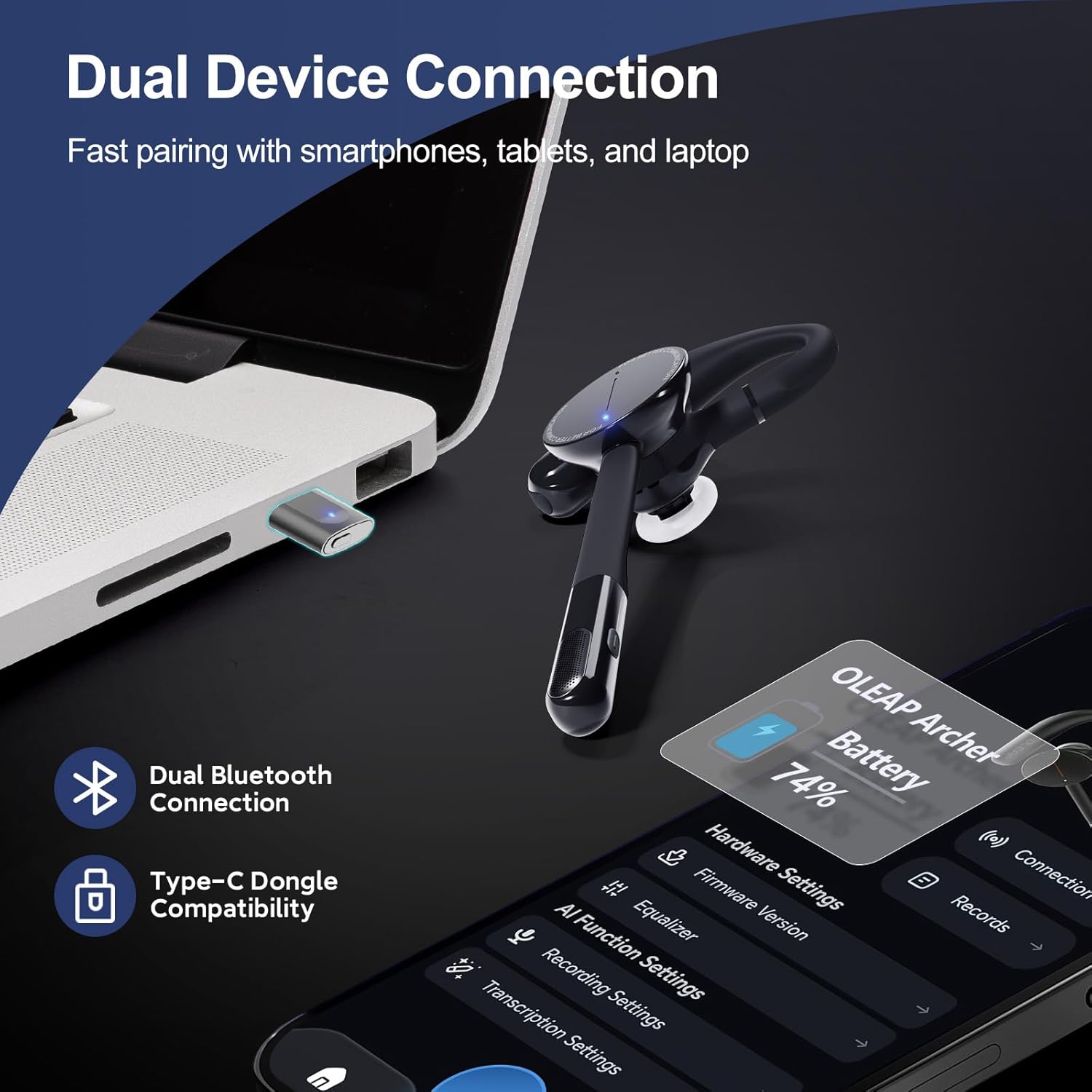
Сүрөт: The oleap Archer-AI Headset connected simultaneously to a laptop via a USB-C dongle and a smartphone via Bluetooth, demonstrating dual device connectivity.
Кош түзмөк байланышы
The headset supports simultaneous connection to two devices, such as a smartphone and a laptop, allowing for smart switching between calls and meetings. This feature is ideal for remote workers and multitaskers.
Комфорт жана дизайн
Weighing only 13g, the Archer-AI features an ergonomic ear hook design for comfortable all-day wear without pressure. The single-ear design allows you to stay aware of your surroundings while on calls.
4. Орнотуу
4.1 Алгачкы заряддоо
Before first use, fully charge your headset and charging case. Connect the provided USB charging cable to the charging case and a power source. The indicator light on the charging case will show charging status.
4.2 Bluetooth жупташтыруу
- Гарнитура заряддалганын жана күйгүзүлгөнүн текшериңиз.
- Аспабыңызда Bluetooth'ду жандырыңыз (смартфон, планшет ж.б.).
- Издөө "oleap Archer-AI" in the list of available Bluetooth devices.
- Select to pair. A voice prompt will confirm successful connection.
4.3 USB-C Dongle Connection
For computers or devices without Bluetooth, or for a more stable connection:
- Plug the USB-C dongle into an available USB-C port on your computer.
- The headset will automatically connect to the dongle. A voice prompt will confirm successful connection.
4.4 Колдонмону жүктөп алуу
Download the official oleap App from your device's app store (iOS/Android) to access advanced features like AI transcription, summarization, and expanded recording storage.
5. Иштөө нускамалары
5.1 Күйгүзүү/өчүрүү
Press and hold the power button on the headset for 3 seconds to power on or off.
5.2 Чалууларды башкаруу
- Чалууга жооп берүү/аяктоо: Көп функциялуу баскычты бир жолу басуу.
- Чакырууну четке кагуу: Көп функциялуу баскычты 2 секунд басып туруңуз.
- Үндү тууралоо: Use the volume up/down controls on the headset.
- Микрофондун үнүн басуу: Press the dedicated mute button on the microphone boom. An indicator light will show mute status.

Сүрөт: The oleap Archer-AI Headset with the one-click mute button on the microphone boom highlighted for easy access during calls.
5.3 Жаздыруу функциялары
The headset offers 4 distinct recording modes:
- Чалуу режими: Records calls directly from iOS, Android, or virtual platforms.
- Personal Mode: Uses the headset for personal recording, enabling microphone personal audio.
- Медиа режими: Records and transcribes online meetings, podcasts, and classes.
- Көшүү режими: Records surrounding discussions or speeches, even when not wearing the headset.

Сүрөт: A user wearing the oleap Archer-AI Headset, with an overlay highlighting the one-click record function for calls, memos, lectures, and podcasts.
To initiate recording, press the dedicated record button on the headset or the charging case. The headset has 2 hours of local storage for recordings, equivalent to 133 minutes of audio.
5.4 AI Transcription & Summarization (via App)
After recording, connect your headset to the oleap App to:
- Transcribe: Convert recorded audio to text with high accuracy.
- Жыйынтыктоо: Generate concise summaries of your recordings.
- Жаздырууларды башкаруу: Store, organize, and export your audio files and transcripts.
6. Батарея жана заряддоо

Сүрөт: The oleap Archer-AI Headset and its charging case, showing 7 hours of talk time on a single charge and an additional 21 hours provided by the 600mAh charging case.
6.1 Батареянын иштөө мөөнөтү
The headset provides approximately 7 hours of talk time on a single charge. The included 600mAh charging case extends the total talk time to 28 hours.
6.2 Гарнитураны жана кутуну заряддоо
Place the headset into the charging case to charge. Connect the charging case to a power source using the provided USB-C cable. A 10-minute charge can provide approximately 1 hour of talk time.
7. Техникалык тейлөө
- Гарнитураны жана заряддоо кутусун жумшак, кургак чүпүрөк менен дайыма тазалаңыз.
- Түзмөктү өтө жогорку температурага, нымдуулукка же дат басуучу заттардын таасирине дуушар кылбаңыз.
- Гарнитураны коргоо жана кубатталып туруу үчүн колдонулбаган учурда кубаттоочу кутучасында сактаңыз.
8. Кыйынчылыктарды
8.1 Байланыш маселелери
- Ensure the headset is charged and within range of your device.
- Гарнитураны да, түзмөгүңүздү да өчүрүп күйгүзүңүз.
- If using Bluetooth, try unpairing and re-pairing the headset.
- If using the dongle, try plugging it into a different USB-C port.
8.2 Аудионун сапаты боюнча маселелер
- Гарнитурадагы жана туташкан түзмөгүңүздүн үнүнүн деңгээлин текшериңиз.
- Микрофондун штангасы оозуңузга туура жайгаштырылганын текшериңиз.
- Verify that the AI Noise Canceling feature is active in noisy environments.
9. Техникалык шарттар
| Бренд | oleap |
| Модель номери | Archer-AI |
| Түс | Кара |
| Кулак жайгаштыруу | On Ear |
| Форма фактору | On Ear |
| Импеданс | 20 Ом |
| Байланыш технологиясы | Зымсыз (Bluetooth 5.0) |
| Noise Control | Environmental Noise Cancellation (50dB) |
| Батареянын орточо иштөө мөөнөтү | 7 саат (сүйлөшүү убактысы) |
| Батареяны заряддоо убактысы | 21 Hours (with Charging Case) |
| Салмагы | 13г |
| Шайкеш түзмөктөр | Laptops, Desktops, Tablets, Telephones, Smart Speaker |
| Кошумча функциялар | AI Noise Cancellation, AI Recorder, Lightweight |
10. Кепилдик жана колдоо
10.1 Кепилдик маалыматы
The oleap Archer-AI Wireless Headset comes with a 1-Year Manufacturer Warranty. Please retain your proof of purchase for warranty claims.
10.2 Кардарларды колдоо
For technical assistance, troubleshooting, or warranty inquiries, please contact oleap customer service. Refer to the contact information provided in your product packaging or on the official oleap webсайт.
11. Продукт видеолору
Archer Wireless Headset Single Ear Bluetooth Headset
Video Description: An overview видео шоуcasing the key features and benefits of the Archer Wireless Headset, including its design, noise canceling, and smart functionalities.
Oleap Archer AI Headset That Records, Transcribes & Summarizes
Video Description: A detailed demonstration of the Oleap Archer AI Headset's recording, transcription, and summarization capabilities, highlighting its utility for meetings and productivity.
Oleap Archer AI Meeting Headset Full Review
Video Description: Комплекстүү кайраview of the Oleap Archer AI Meeting Headset, covering its features, performance, and user experience in various scenarios.