
1. Киришүү
This manual provides detailed instructions for the setup, operation, and maintenance of your GMKtec Nucbox G3S Mini PC. Please read this manual thoroughly before using the device to ensure proper functionality and to maximize your user experience. Keep this manual for future reference.
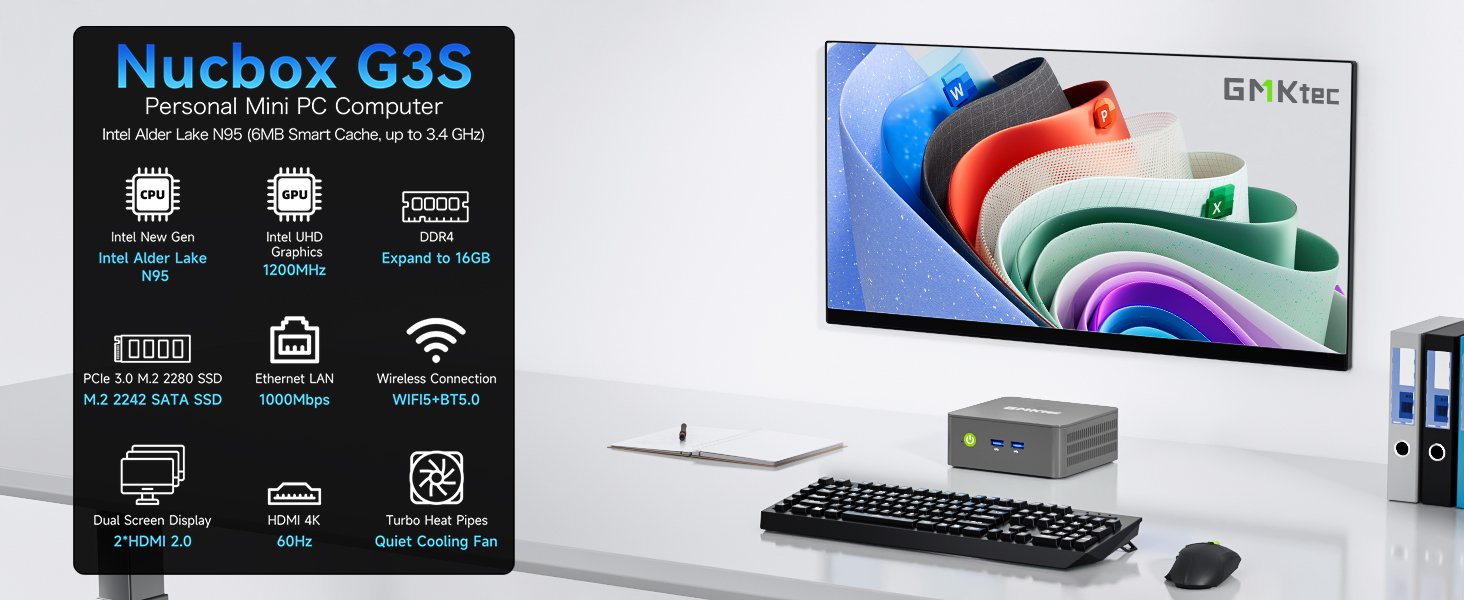
Сүрөт: бүттүview of the GMKtec Nucbox G3S Mini PC and its core features.
2. Кутуда эмне бар
Пакетте бардык буюмдар бар экенин текшериңиз:
- 1 x GMKtec Nucbox G3S Mini PC
- 1 х кубат адаптери
- 1 x VESA монтаждоо бурамалар менен
- 1 x HDMI кабели
- 1 х Колдонуучунун колдонмосу (бул документ)

Image: All components included in the GMKtec Nucbox G3S retail packaging.
3. Продукт бүтүп калдыview
The GMKtec Nucbox G3S is a compact and powerful mini PC designed for various computing needs, from office tasks to home entertainment. It features an Intel N95 processor, ample memory, and fast storage.
3.1. Негизги өзгөчөлүктөрү
- Процессор: 12th Gen Intel Alder Lake N95 CPU (4 Cores, 4 Threads, 6MB Cache, up to 3.4GHz)
- Эстутум: 16 ГБ DDR4 RAM
- Сактагыч: 512GB M.2 2242 SSD (expandable)
- Графика: Intel UHD Graphics (up to 1200MHz)
- Дисплей чыгаруу: Dual HDMI 2.0 ports supporting 4K@60Hz
- Байланыш: WiFi 5, Bluetooth 5.0, Gigabit Ethernet (RJ45 1000MbE)
- Порттор: USB 3.2, USB 2.0, 3.5mm Audio Jack

Image: Detailed diagram of the Nucbox G3S's internal components and specifications.
3.2. Port Layout
The GMKtec Nucbox G3S features a variety of ports for connecting peripherals and network devices.
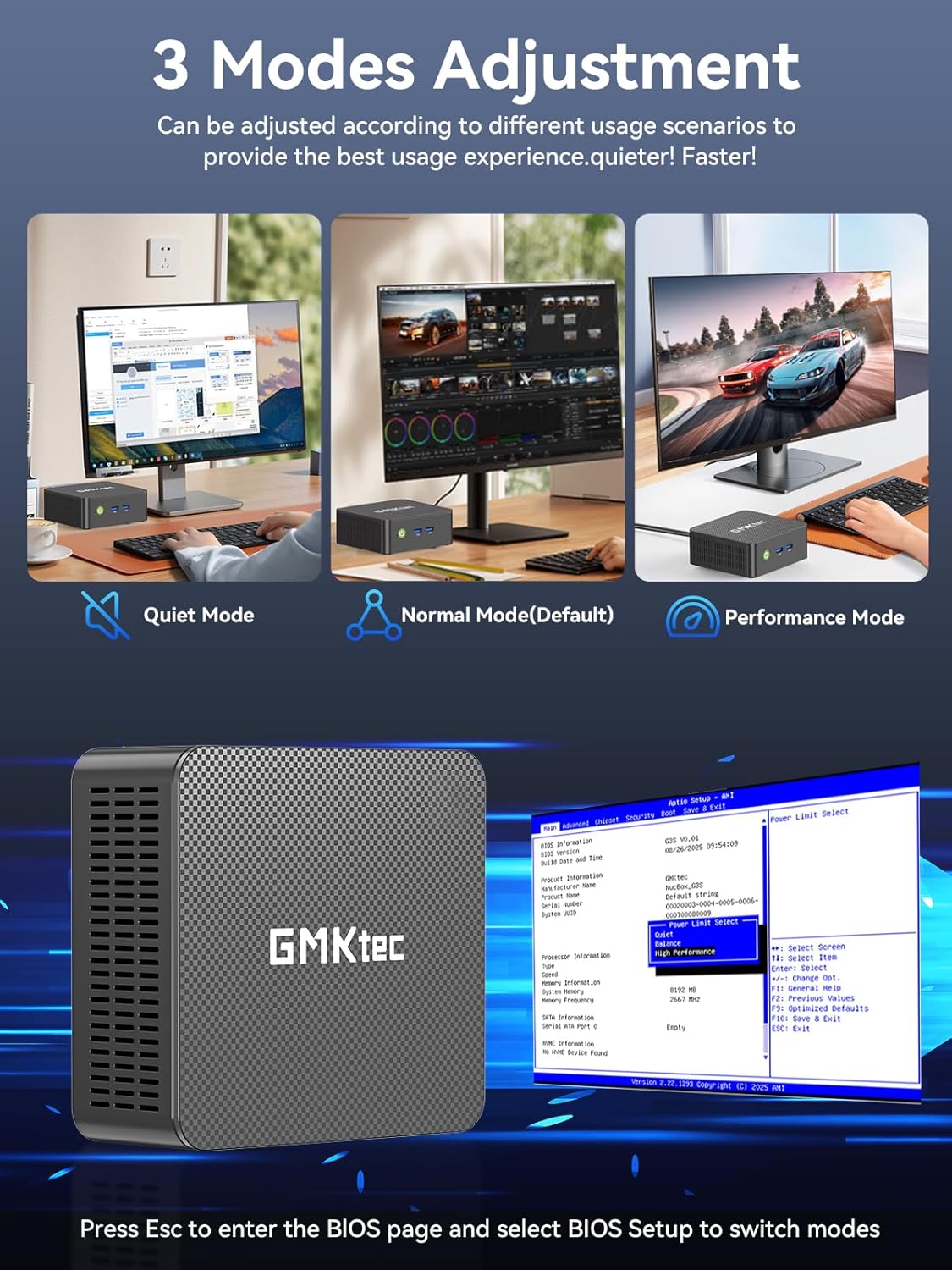
Image: Front and rear panel port layout of the GMKtec Nucbox G3S.
- Алдыңкы панели: Power Button, 2x USB 3.2 ports
- Арткы Panel: 2x HDMI (4K@60Hz), 1x USB 3.2, 1x USB 2.0, 1x Giga LAN (RJ45 2.5G), 1x 3.5mm Audio, DC 12V 3A Power Input
4. Орнотуу
4.1. Баштапкы байланыш
- Дисплейди туташтыруу: Use the provided HDMI cable to connect the Mini PC to a monitor or TV. The device supports dual 4K displays.
- Перифериялык түзүлүштөрдү туташтыруу: USB клавиатураңызды жана чычканыңызды жеткиликтүү USB портторуна сайыңыз.
- Туташуу кубаты: Connect the power adapter to the DC 12V 3A input port on the Mini PC, then plug the adapter into a power outlet.
- Күйгүзүү: Mini PCтин алдыңкы бетиндеги кубат баскычын басыңыз.
4.2. VESA монтаждоо
The GMKtec Nucbox G3S can be mounted behind a monitor using the included VESA mount for a clutter-free setup.
- Attach the VESA mount bracket to the back of your monitor using the provided screws. Ensure the mount is securely fastened.
- Slide the Mini PC onto the VESA mount bracket until it clicks into place.
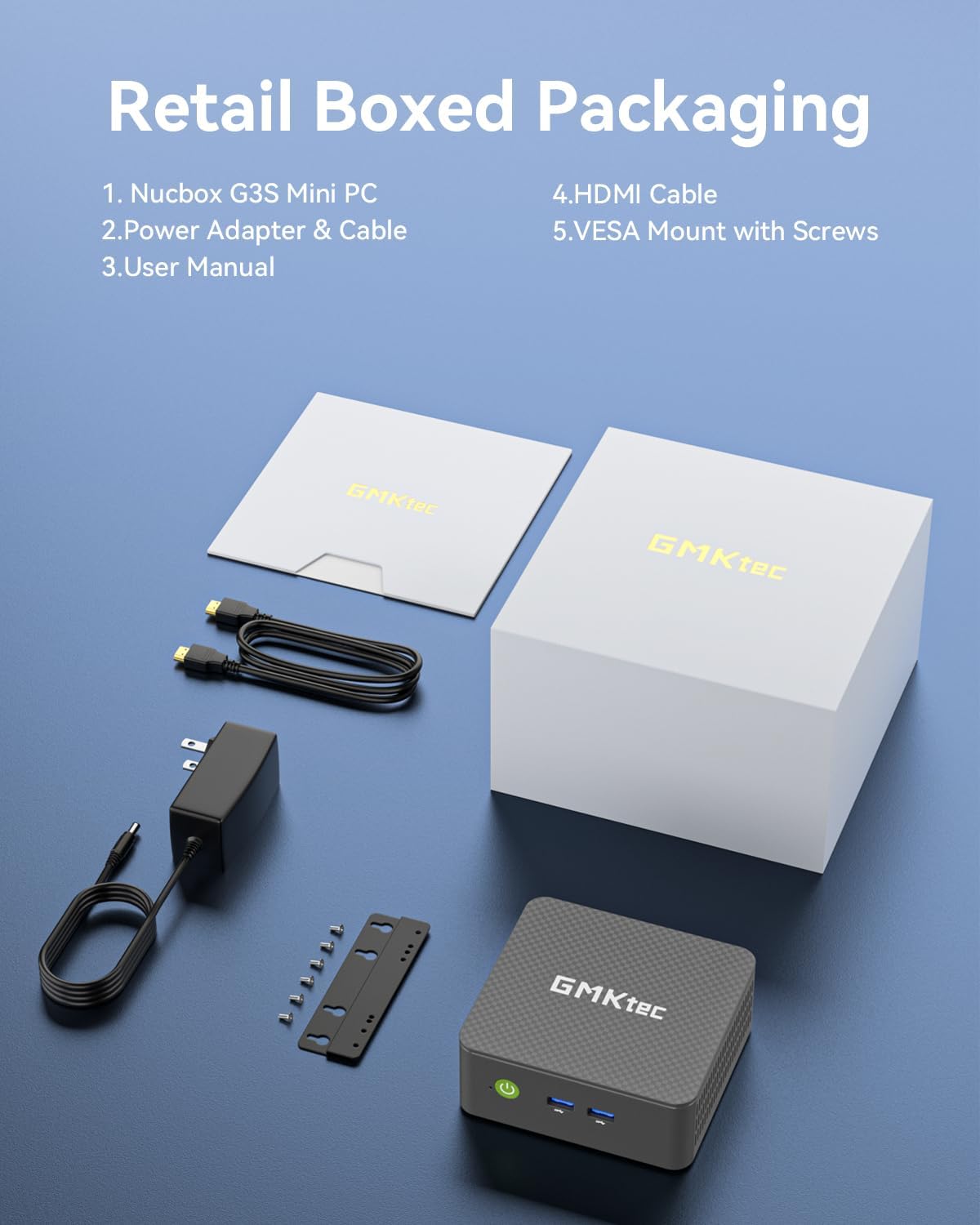
Image: Desktop placement and VESA mount installation options for the Mini PC.
5. Иштөө нускамалары
5.1. Күйгүзүү/өчүрүү
- Күйгүзүү: Алдыңкы панелдеги кубат баскычын басыңыз.
- Өчүрүү: Access the operating system's shutdown menu or press and hold the power button for 5 seconds.
5.2. BIOS Access and Operating Modes
BIOS жөндөөлөрүнө кирүү үчүн баскычты басыңыз ESC or DEL Баштоо учурунда баскычты кайра-кайра басыңыз.
The Mini PC supports three adjustable operating modes: Quiet Mode, Normal Mode (Default), and Performance Mode. These modes can be selected within the BIOS settings to optimize for different usage scenarios.
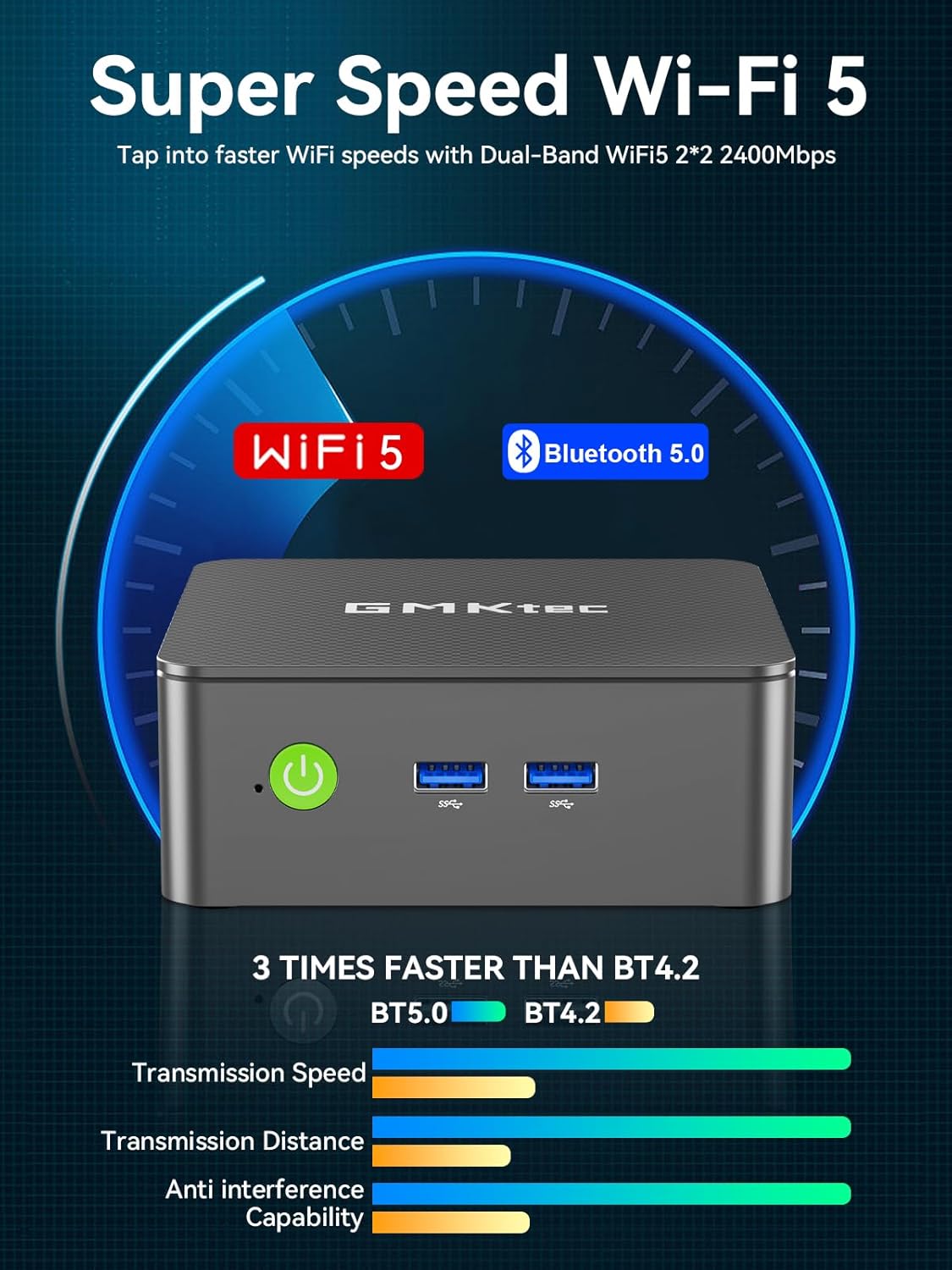
Image: Visual representation of the three operating modes and BIOS access.
5.3. Кош экрандуу дисплей
The Nucbox G3S supports connecting two 4K monitors simultaneously via its dual HDMI 2.0 ports. This allows for extended desktop functionality and enhanced productivity.
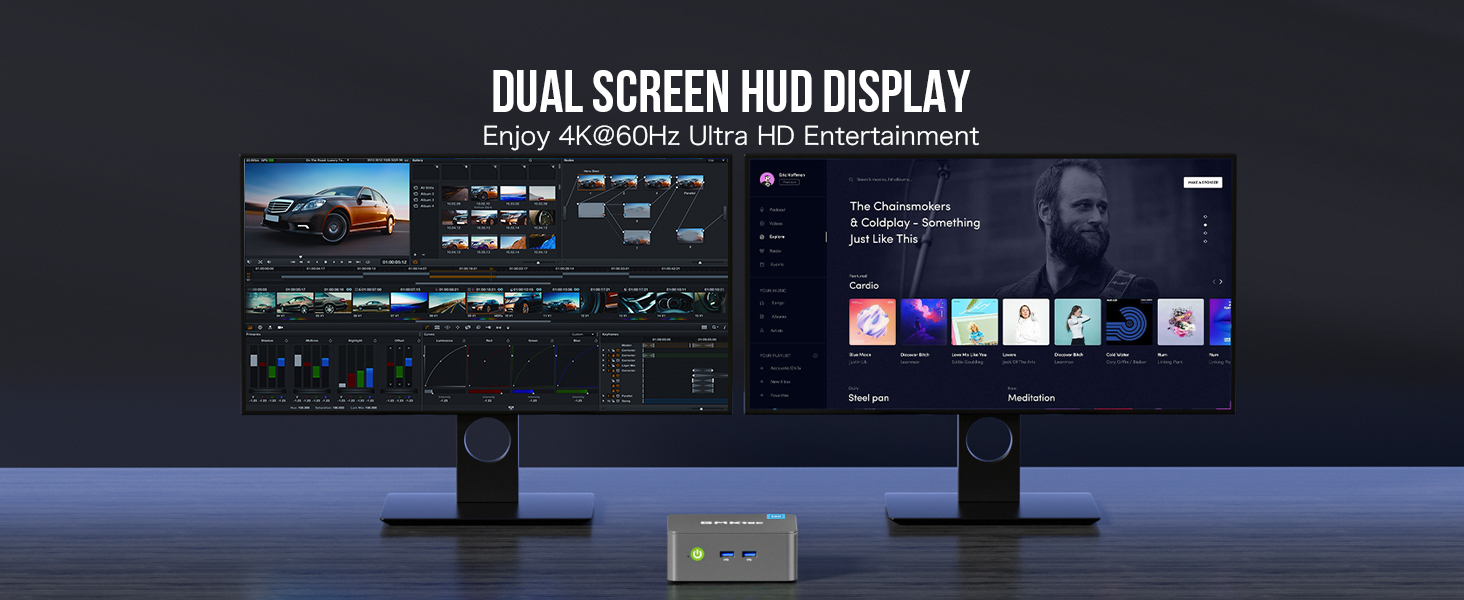
Сүрөт: Мисample of a dual 4K monitor setup with the Mini PC.
5.4. Тармак жана зымсыз байланыш
- Wi-Fi: The device supports WiFi 5 for high-speed wireless internet access. Connect to your preferred network through the operating system's network settings.
- Bluetooth: Bluetooth 5.0 allows for connection to various wireless peripherals such as keyboards, mice, and audio devices.
- Ethernet: For a stable wired connection, use the Gigabit Ethernet (RJ45) port.
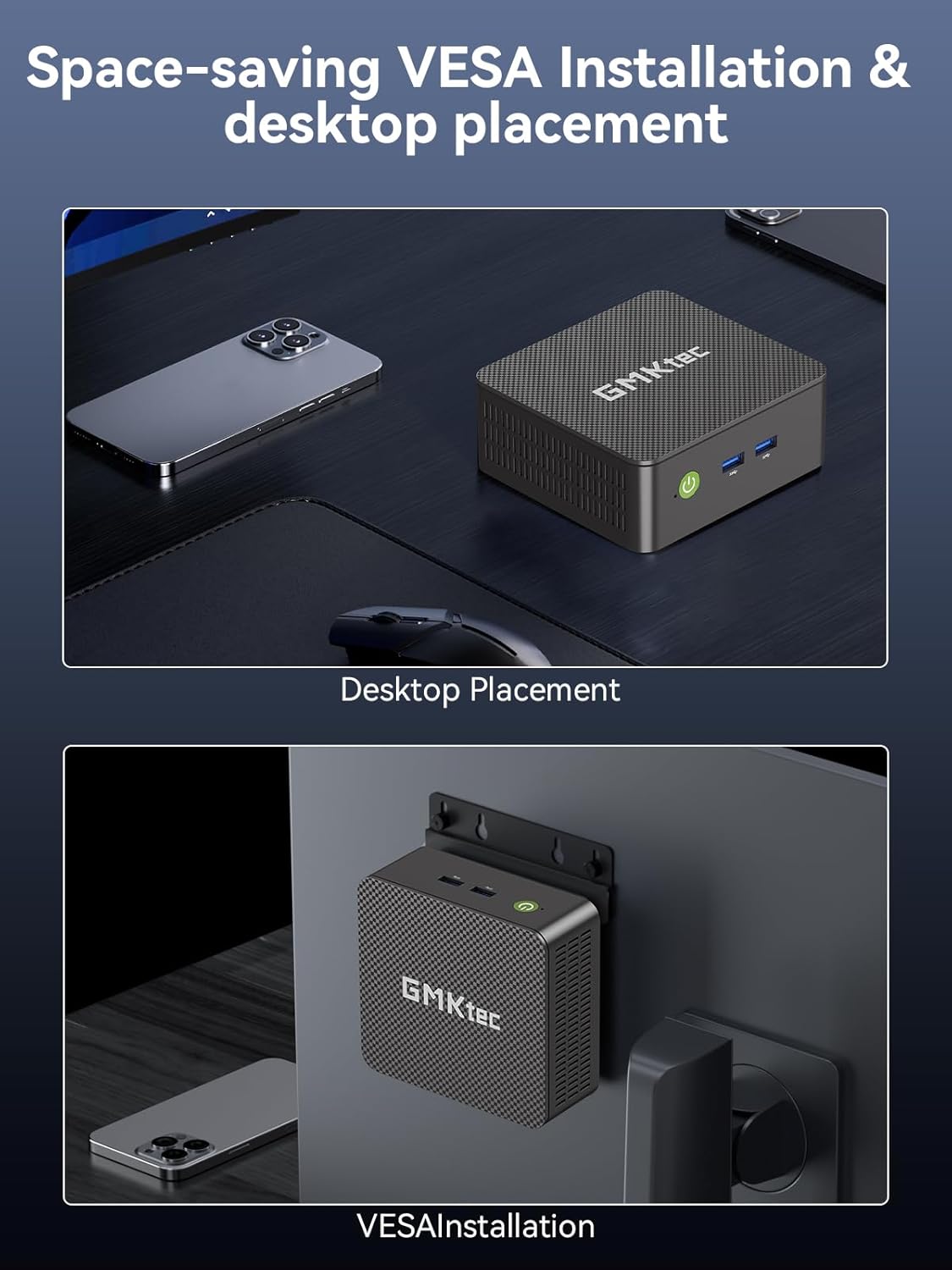
Image: Details on WiFi 5 and Bluetooth 5.0 connectivity.
5.5. Колдоого алынган операциялык системалар
The GMKtec Nucbox G3S comes with Windows 11 Pro pre-installed. It is also compatible with various Linux distributions, including Ubuntu.

Image: The Mini PC handling multiple software applications for various tasks.
6. Техникалык тейлөө
6.1. Жалпы кам көрүү
- Keep the Mini PC in a clean, dry environment away from direct sunlight and extreme temperatures.
- Муздаткыч желдеткичтерди жаппастан, туура желдетүүнү камсыз кылыңыз.
- Сыртын жумшак, кургак чүпүрөк менен тазалаңыз. Суюк тазалоочу каражаттарды колдонбоңуз.
6.2. Сактагычты кеңейтүү
The Nucbox G3S supports storage expansion. It includes a built-in 512GB M.2 2242 SSD and has additional slots for M.2 2280 PCIe Gen3*2 (up to 8TB) and M.2 2242 SATA (up to 2TB) drives.

Image: Illustration of the storage expansion capabilities.
To access the internal components for storage upgrades, carefully remove the bottom cover by unscrewing the retaining screws. Refer to the internal component diagram for guidance.

Сүрөт: жарылды view showing internal components and cooling system.
7. Кыйынчылыктарды
If you encounter issues with your GMKtec Nucbox G3S, consider the following basic troubleshooting steps:
- Кубат жок: Ensure the power adapter is securely connected to both the Mini PC and a working power outlet. Try a different outlet.
- Дисплей жок: Verify that the HDMI cable is firmly connected to both the Mini PC and the monitor. Check if the monitor is set to the correct input source. Try a different HDMI cable or monitor if available.
- Интернет байланышы жок: For Wi-Fi, check your network settings and ensure you are connected to the correct network. For wired Ethernet, ensure the cable is properly connected and your router is functioning.
- Перифериялык маселелер: If a USB device or Bluetooth device is not working, try connecting it to a different port or re-pairing the Bluetooth device. Ensure drivers are up to date in the operating system.
- Система жооп бербейт: If the system freezes, press and hold the power button for 5-10 seconds to force a shutdown, then restart the device.
For more complex issues, please refer to the GMKtec support webсайтка же кардарларды тейлөөгө кайрылыңыз.
8. Техникалык шарттар
| Өзгөчөлүк | Деталь |
|---|---|
| Бренд | GMKtec |
| Модел | G3S |
| Процессор | 12th Gen Intel Alder Lake N95 CPU (4 Cores, 4 Threads, 6MB Cache, up to 3.4GHz) |
| RAM | 16 ГБ DDR4 SDRAM (3200 МГц) |
| Сактагыч | 512GB M.2 2242 SSD (PCIe Gen3*2 + 1*M.2 2242 SATA) |
| Графикалык сопроцессор | Intel UHD Graphics 1200MHz |
| Max Screen Resolution | 5120 x 2880 Pixels (4K@60Hz via HDMI) |
| HDMI порттору | 2 2.0 (HDMI XNUMX) |
| USB 3.2 порттору | 3 |
| USB 2.0 порттору | 1 |
| Ethernet | Gigabit Ethernet (RJ45 1000MbE) |
| Зымсыз түрү | WiFi 5 (2.4 GHz, 5 GHz), Bluetooth 5.0 |
| Операция системасы | Алдын ала орнотулган Windows 11 Pro |
| Элемент Салмагы | 1.1 фунт |
| Түс | Кара |
| Өзгөчөлүктөр | Wake On LAN, PXE Boot, RTC Wake, Auto Power On |
9. Кепилдик жана колдоо
9.1. Кепилдик маалыматы
GMKtec offers a 1 жылдык чектелген кепилдик for each Mini PC, effective from the date of purchase. This warranty covers defects due to design and workmanship. Please retain your proof of purchase for warranty claims.
9.2. Кардарларды колдоо кызматы
For technical assistance, warranty claims, or any questions regarding your GMKtec Nucbox G3S Mini PC, please contact GMKtec customer support. A professional after-sales team is available to assist you.
You may find additional support resources on the official GMKtec webсайт.