
1. Киришүү
This manual provides essential instructions for the installation, operation, and maintenance of your Real HD DS-2CD1083G2-LIUF 4K 8MP Smart Hybrid Light IP Bullet PoE Camera. Please read this manual thoroughly before using the product to ensure proper and safe operation. This camera is designed for outdoor security surveillance, offering 4K resolution, advanced AI detection, and robust weather protection.
2. Коопсуздук маалыматы
- Ensure the power supply (12V DC or PoE) meets the camera's requirements.
- Камераны өтө жогорку температурага, нымдуулукка же коррозиялуу чөйрөлөргө дуушар кылбаңыз.
- Линзаны күчтүү жарык булактарына узак убакытка түз багыттабаңыз.
- Орнотуу квалификациялуу адистер тарабынан аткарылышы керек жана жергиликтүү электр эрежелерине ылайык келиши керек.
- Кандайдыр бир тейлөө же тазалоо иштерин жүргүзүүдөн мурун электр энергиясын өчүрүңүз.
3. Пакеттин мазмуну
Пакетте бардык буюмдар бар экенин текшериңиз:
- Real HD DS-2CD1083G2-LIUF IP Bullet PoE Camera (1 unit)
- Монтаждоо бурамалар жана дубал сайгычтар
- Waterproof Connector for Ethernet Cable
- Ыкчам баштоо колдонмосу (эгер камтылган болсо)
Note: SD card and power adapter are not included.
4. Продукт бүтүп калдыview
The DS-2CD1083G2-LIUF is an 8MP 4K IP bullet camera featuring a 2.8mm wide-angle lens, Smart Hybrid Light technology, and advanced human and vehicle detection capabilities. It is designed for outdoor use with an IP67 weatherproof rating.

4.1-сүрөт: The camera provides 4K Ultra HD resolution for clear surveillance footage.
Негизги өзгөчөлүктөрү:
- 4K 8MP чечилиши: Captures detailed video at 3840 × 2160 pixels.
- 2.8 мм Туруктуу линза: Provides a wide 112° horizontal field of view.
- Акылдуу гибриддик жарык: Combines IR and white light for clear night vision, including color images in low light.
- Адамды жана унааны аныктоо: AI-powered analytics reduce false alarms.
- H.265+ Кысуу: Efficient video encoding saves storage and bandwidth.
- Камтылган микрофон: Аудио мониторинг жүргүзүү үчүн.
- SD карта уячасы: Supports up to 512GB for local storage (SD card not included).
- IP67 аба ырайы: Durable design for outdoor environments.
- PoE (Power over Ethernet): Simplifies installation with single cable for power and data.
5. Орнотуу жана орнотуу
5.1 Физикалык орнотуу
Камера дубалга орнотуу үчүн иштелип чыккан. Каалаганды камсыз кылган ылайыктуу жерди тандаңыз viewing angle and is within reach of your network cable.
- Монтаждоо жери: Select a sturdy wall or surface. Ensure the camera's field of view тоскоолдуксуз болуп саналат.
- Бургулоо тешиктери: Use the provided mounting template (if available) or the camera base to mark and drill pilot holes for screws.
- Коопсуз камера: Attach the camera base to the wall using the supplied screws and wall plugs.
- Бурчту тууралоо: Loosen the adjustment screws to position the camera lens for optimal coverage, then tighten them to secure the angle.

5.1-сүрөт: The IP67 weatherproof design ensures reliable outdoor performance.
5.2 Тармактык туташуу (PoE)
The camera supports Power over Ethernet (PoE), allowing a single Ethernet cable to provide both power and data connection.
- Ethernet кабелин туташтыруу: Connect one end of an Ethernet cable to the camera's RJ45 port. Use the waterproof connector to protect the connection if installing outdoors.
- PoE түзмөгүнө туташуу: Ethernet кабелинин экинчи учун PoE иштетилген NVR, PoE которгучуна же PoE инжекторуна туташтырыңыз.
- Alternative Power (12V DC): If not using PoE, connect a 12V DC power adapter (not included) to the camera's power input and an Ethernet cable to a standard network switch/router.
5.3 Баштапкы конфигурация
After connecting the camera to your network, you will need to activate and configure it.
- Камераны табуу: Use the manufacturer's SADP tool or your NVR's device search function to find the camera's IP address on your network.
- Камераны иштетүү: The camera will likely be inactive upon first use. Set a strong password for the camera.
- Мүмкүнчүлүк Web Интерфейс: ачуу а web browser (e.g., Chrome, Firefox) and enter the camera's IP address. Log in with the newly set password.
- Тармак орнотуулары: Configure network settings (e.g., static IP, DNS) if necessary.
- Убакыт жөндөөлөрү: Так жаздыруу убактысын аныктоо үчүн туура датаны жана убакытты коюңузamps.
6. Иштөө нускамалары
6.1 Accessing Live View жана Ойнотуу
You can access the camera's live view жана жаздырылган тамак-ашtage via its web interface or a compatible NVR/client software.
- Web Браузер: Log into the camera's web interface. Navigate to the "Live View" section to see real-time footage. For playback, go to the "Playback" section and select the desired date and time.
- NVR: If connected to an NVR, access the camera's feed and recordings through the NVR's interface. Refer to your NVR's manual for specific instructions.
6.2 Жазууну башкаруу
The camera supports various recording methods.
- SD карта сактагычы: Insert a microSD/SDHC/SDXC card (up to 512GB, not included) into the camera's card slot. Format the card via the web interface. Configure recording schedules and event-triggered recording.
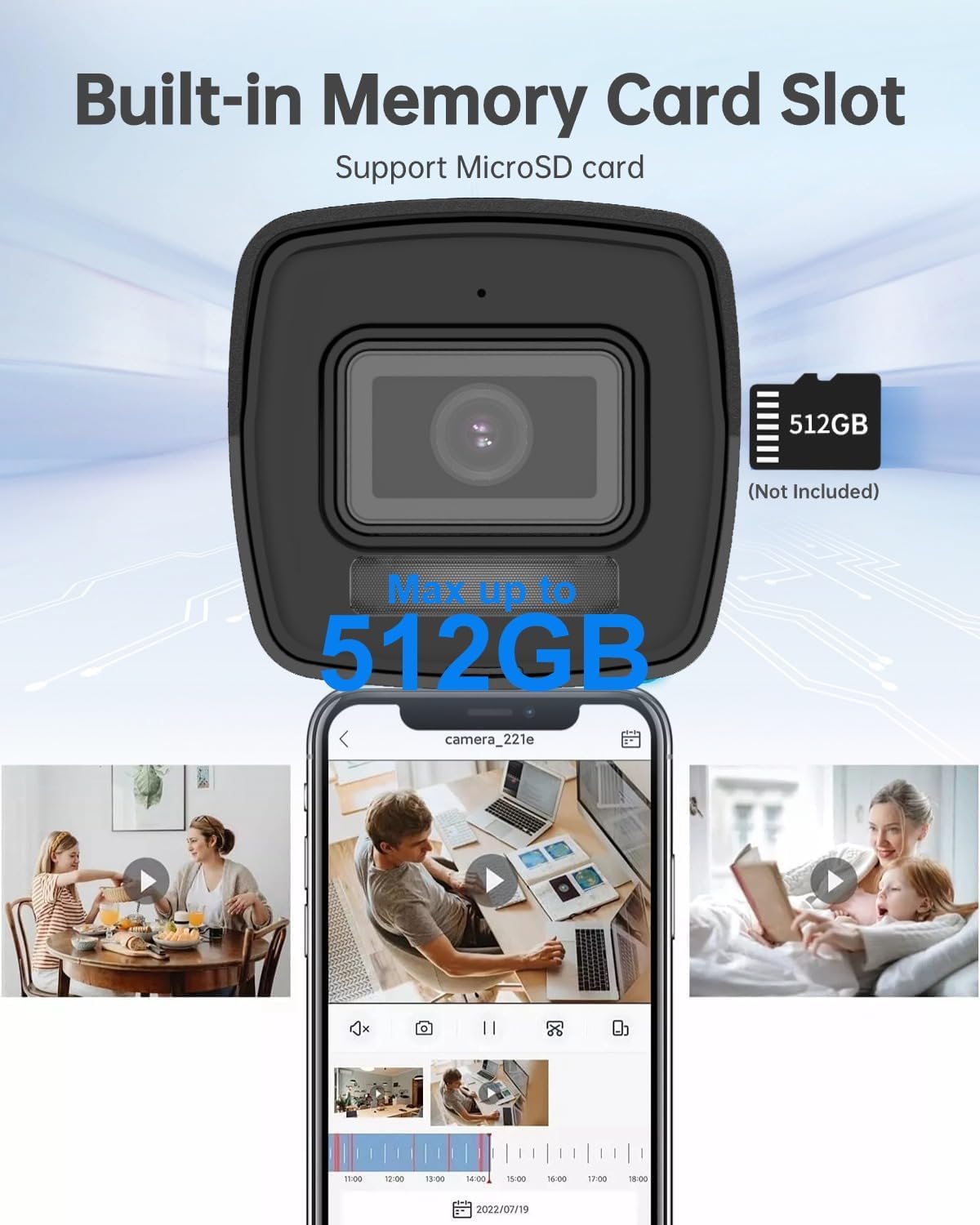
6.1-сүрөт: The camera features a built-in memory card slot supporting up to 512GB for local storage.
- NAS сактагычы: Configure Network Attached Storage (NFS, SMB/CIFS) for remote recording.
- H.265+ Кысуу: The camera utilizes H.265+ video compression to optimize storage space and bandwidth without compromising video quality.

6.2-сүрөт: H.265+ compression reduces data usage by up to 80% compared to H.264.
6.3 Smart Features (AI Detection)
The camera's advanced AI capabilities provide intelligent detection and reduce false alarms.
- Адамды жана унааны аныктоо: Configure detection zones and sensitivity in the camera's web interface. The system can differentiate between humans, vehicles, and other moving objects like raindrops or leaves.
- Сызыктардын кесилишин аныктоо: Set up virtual lines, and the camera will trigger an alarm when an object crosses them in a specified direction.
- Кирүүнү аныктоо: Define virtual regions, and the camera will alert you if an object enters and loiters within that area.
- Unattended Baggage/Object Removal: Configure specific areas for detecting objects left behind or removed.

6.3-сүрөт: Smart AI detection accurately identifies humans and vehicles, reducing false alarms.
6.4 Аудио мониторинг
The built-in microphone allows for real-time audio monitoring. Enable and adjust audio settings via the camera's web интерфейс.
6.5 Night Vision and Smart Hybrid Light
The camera features advanced infrared technology and Smart Hybrid Light for clear imaging in various lighting conditions.
- IR режими: Provides black and white video in complete darkness with a range of up to 98 feet.
- Акылдуу гибриддик жарык: In low-light conditions, the camera can automatically switch to a mode that uses supplemental white light to provide full-color images. This can be configured in the camera settings.

6.4-сүрөт: Advanced Infrared Technology (EXIR 2.0) enhances night vision clarity.
7. Техникалык тейлөө
7.1 Тазалоо
- Камера линзасын жана корпусун жумшак, d менен акырын сүртүңүзamp кездеме.
- Катуу химиялык заттарды же абразивдүү тазалоочу каражаттарды колдонбоңуз.
- Ensure no moisture enters the camera body.
7.2 Микропрограмма жаңыртуулары
Мезгил-мезгили менен өндүрүүчүнүн текшерүү webмикропрограммалык камсыздоону жаңыртуу сайты. Микропрограммалык камсыздоону жаңыртуу иштин натыйжалуулугун жакшыртып, жаңы функцияларды кошуп, коопсуздукту жогорулатат. Микропрограммалык камсыздоону жаңыртуу топтому менен берилген көрсөтмөлөрдү кылдаттык менен аткарыңыз.
7.3 Сактагычты башкаруу
Дайыма кайраview жана жазылган foo башкарууtage. If using an SD card, ensure it is functioning correctly and has sufficient space. Consider backing up important footage to an NVR or NAS.
8. Кыйынчылыктарды
| Көйгөй | Мүмкүн себеп | Чечим |
|---|---|---|
| Сүрөт/видео түрмөгү жок | No power; Network cable disconnected; Incorrect IP address; Camera not activated. | Check power supply (PoE or 12V DC); Verify Ethernet cable connection; Ensure correct IP address and network settings; Activate camera and set password. |
| Сүрөттүн сапаты начар | Dirty lens; Insufficient lighting; Incorrect video settings. | Clean the lens; Ensure adequate lighting or enable Smart Hybrid Light; Adjust image settings (brightness, contrast, sharpness) in the web интерфейс. |
| False alarms from detection | Сезгичтик өтө жогору; Аныктоо зоналары өтө кең; Айлана-чөйрөнүн факторлору (мисалы, кыймылдаган бутактар). | Adjust detection sensitivity; Refine detection zones to exclude irrelevant areas; Utilize human/vehicle detection to filter out non-human/vehicle movements. |
| Cannot record to SD card | SD card not inserted; SD card not formatted; SD card full or faulty. | Insert SD card correctly; Format SD card via web interface; Replace SD card if faulty. |
9. Техникалык шарттар
| Өзгөчөлүк | Деталь |
|---|---|
| Модель аты | DS-2CD1083G2-LIUF |
| Сүрөт сенсору | 1/2.7 "Прогрессивдүү сканерлөө CMOS |
| Натыйжалуу дагы эле чечим | 8 МП (3840 × 2160) |
| Мин. Жарыктандыруу | 0.01 Lux @ (F2.0, AGC ON), 0 Lux with Light |
| Объектив | 2.8mm Fixed Linza |
| Viewбурч | Горизонталдык көрүнүш бурчу 112°, Вертикалдык көрүнүш бурчу 61°, Диагоналдык көрүнүш бурчу 134° |
| Күн жана түн | Авто |
| Digital Noise Reduction | 3D DNR |
| Видеону кысуу | H.265+/H.265/H.264+/H.264/MJPEG |
| Макс. Сүрөттүн чечилиши | 3840 × 2160 @ 15fps |
| Сүрөттү өркүндөтүү | BLC/3D DNR/HLC/ROI |
| Network Storage | microSD/SDHC/SDXC card (512GB max), NAS (NFS, SMB/CIFS), ANR |
| Байланыш интерфейси | 1 RJ45 10M / 100M Ethernet interface |
| Behavior Analysis | Линияны кесип өтүүнү аныктоо, басып кирүүнү аныктоо, кароосуз жүктү аныктоо, объектти алып салуу |
| Электр камсыздоо | 12 VDC ± 25%, PoE (802.3af, класс 3) |
| Энергияны керектөө | Макс. 10 ватт |
| Weather Proof | IP67 |
| Түнкү көрүү диапазону | 98 Фут |
| Ички/тышкы колдонуу | Сыртта |
| Материал | Металл, пластик |
| Өлчөмдөр | 6.7 x 6.7 x 6 дюйм (болжол менен) |
10. Кепилдик жана колдоо
For warranty information, technical support, or service inquiries, please contact the Real HD Store or your authorized dealer. Keep your purchase receipt as proof of purchase.
кире аласыз Real HD Store on Amazon көбүрөөк маалымат жана колдоо булактары үчүн.