
Introduction
This manual provides detailed instructions for the setup, operation, and maintenance of your Auvoda S300 Portable Bluetooth Speaker. Please read this guide thoroughly to ensure optimal performance and longevity of your device. The Auvoda S300 combines a portable Bluetooth speaker with 15W fast wireless charging, a 13-color dimmable night light, white noise functions, an alarm clock, and an FM radio.
Кутуда эмне бар
- Auvoda S300 Bluetooth Speaker
- C түрүндөгү кубаттоочу кабель
- Көрсөтмө (бул документ)
Продукт бүттүview
Familiarize yourself with the various components and controls of your Auvoda S300 speaker.

Image: Front controls and rear ports of the Auvoda S300 speaker.
Башкаруу каражаттары жана порттор:
- Power/Light Switch Button: Long press to turn on/off power. Short press to switch or turn off lights.
- Режим баскычы (M): Long press to switch between Bluetooth (BT), White Noise (NS), and FM Radio (FM) modes. When NS or FM is displayed, short press to switch between options using the '+' and '-' buttons.
- Ойнотуу/тындыруу баскычы: Аудиону ойнотуу же тындыруу үчүн кыска басыңыз.
- Мурунку трек/үндү азайтуу (-): Short press for previous track. Long press to decrease volume. In conjunction with alarm clock, clock, white noise, FM radio settings, use to decrease values.
- Кийинки трек/үндү катуулатуу (+): Short press for next track. Long press to increase volume. In conjunction with alarm clock, clock, white noise, FM radio settings, use to increase values.
- Timer/Bluetooth Pairing Button: Short press to set timer (15/30/60 seconds). Long press to pair Bluetooth devices.
- Alarm Settings Button: Long press until the alarm symbol flashes to enter alarm setting mode. Short press to make it flash, and use '+' and '-' to set the time.
- Clock Settings Button: Long press to switch between 12-hour and 24-hour modes. Short press to make it flash, and use '+' and '-' to set the time.
- DC5V порт: For Type-C charging cable.
- TF карта уячасы: TF картасын ойнотуу үчүн.
- USB порт: USB ойнотуу үчүн.
- AUX порту: For 3.5mm audio input.
- Зымсыз заряддоо аянтчасы: Located on top surface for Qi-enabled devices.
Жайгашуу
1. Аппаратты заряддоо
Before first use, fully charge the Auvoda S300 using the provided Type-C charging cable. Connect the cable to the DC5V port on the back of the speaker and plug the other end into a compatible USB power adapter (not included). The device supports up to 6 hours of battery life.
2. Күйгүзүү/өчүрүү
Long press the Power/Light Switch button to turn the speaker on or off.
3. Bluetooth Жупташтыруу
- Turn on the Auvoda S300 speaker.
- Long press the Mode button (M) until 'BT' appears on the display, indicating Bluetooth mode.
- On your mobile device, enable Bluetooth and search for 'Auvoda S300'.
- Select 'Auvoda S300' to pair. A confirmation sound will indicate successful pairing.
4. TWS (True Wireless Stereo) жупташтыруу
To achieve expansive stereo sound, you can pair two identical Auvoda S300 speakers:
- Ensure both Auvoda S300 speakers are powered on and in Bluetooth mode.
- On one of the speakers, long press the Timer/Bluetooth Pairing button. It will enter TWS pairing mode.
- Эки динамик автоматтык түрдө бири-бирине туташат. Ырастоо үнү TWS жупташтыруусу ийгиликтүү болгонун билдирет.
- Connect your mobile device to one of the paired speakers via Bluetooth as described above. Audio will now play in stereo across both speakers.
5. Саатты коюу
- Long press the Clock Settings button to switch between 12-hour and 24-hour modes.
- Short press the Clock Settings button to make the hour display flash. Use the '+' and '-' buttons to adjust the hour.
- Short press the Clock Settings button again to make the minute display flash. Use the '+' and '-' buttons to adjust the minutes.
- Short press the Clock Settings button one more time to confirm and exit clock setting mode.
6. Ойготкучту орнотуу
- Long press the Alarm Settings button until the alarm symbol flashes on the display.
- Short press the Alarm Settings button to make the hour display flash. Use the '+' and '-' buttons to adjust the alarm hour.
- Short press the Alarm Settings button again to make the minute display flash. Use the '+' and '-' buttons to adjust the alarm minutes.
- Short press the Alarm Settings button one more time to confirm and exit alarm setting mode.
- To activate or deactivate the alarm, short press the Alarm Settings button when the alarm symbol is not flashing.
Иштөө нускамалары
1. Bluetooth Audio Playback
Once paired, you can stream audio from your device to the Auvoda S300. Use the Play/Pause button to control playback, and the '+' and '-' buttons for volume adjustment or track navigation.
2. Түнкү жарык функциясы
The Auvoda S300 features a 13-color dimmable night light.

Image: The Auvoda S300 speaker showcasing its adjustable lighting modes.
- Түстөрдү алмаштыруу: Short press the Power/Light Switch button to cycle through the 13 available colors and lighting effects.
- Turning Off Lights: Continue short pressing the Power/Light Switch button until the lights turn off.
3. Ак ызы-чуу функциясы
The speaker includes 7 soothing white noise sounds for relaxation or sleep.

Image: The Auvoda S300 speaker illustrating its selection of white noise sounds.
- Long press the Mode button (M) until 'NS' appears on the display, indicating White Noise mode.
- Use the '+' and '-' buttons to cycle through the 7 available white noise sounds (e.g., Ocean waves, Rain, Forest).
- Adjust the volume using the '+' and '-' buttons (long press).
4. FM радио функциясы
Сүйүктүү FM радиостанцияларыңызды угуңуз.
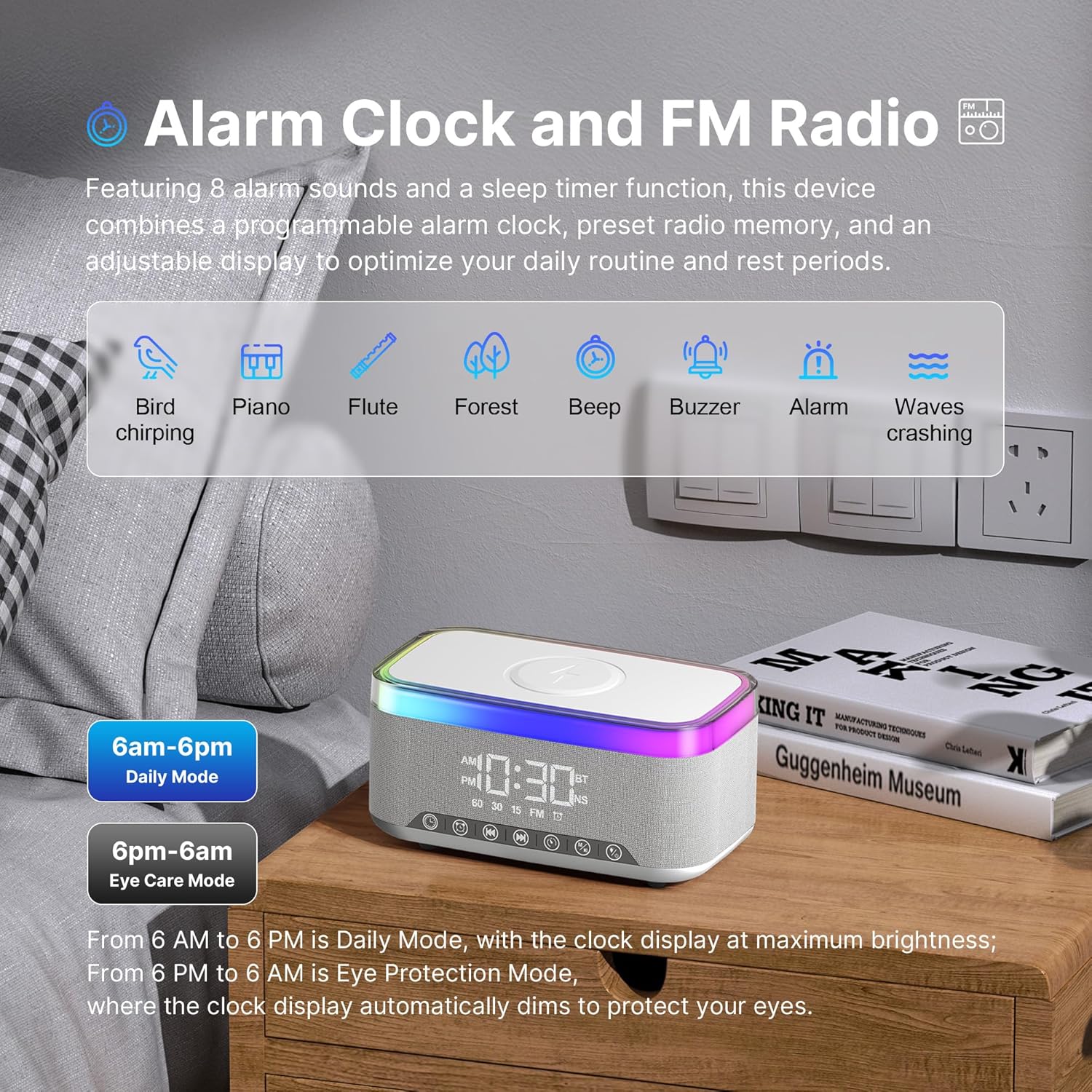
Image: The Auvoda S300 speaker highlighting its alarm clock and FM radio functionalities.
- Long press the Mode button (M) until 'FM' appears on the display, indicating FM Radio mode.
- Use the '+' and '-' buttons to tune to different FM frequencies.
- Adjust the volume using the '+' and '-' buttons (long press).
5. Зымсыз заряддоо
The Auvoda S300 features a 15W fast wireless charging pad for Qi-enabled devices.
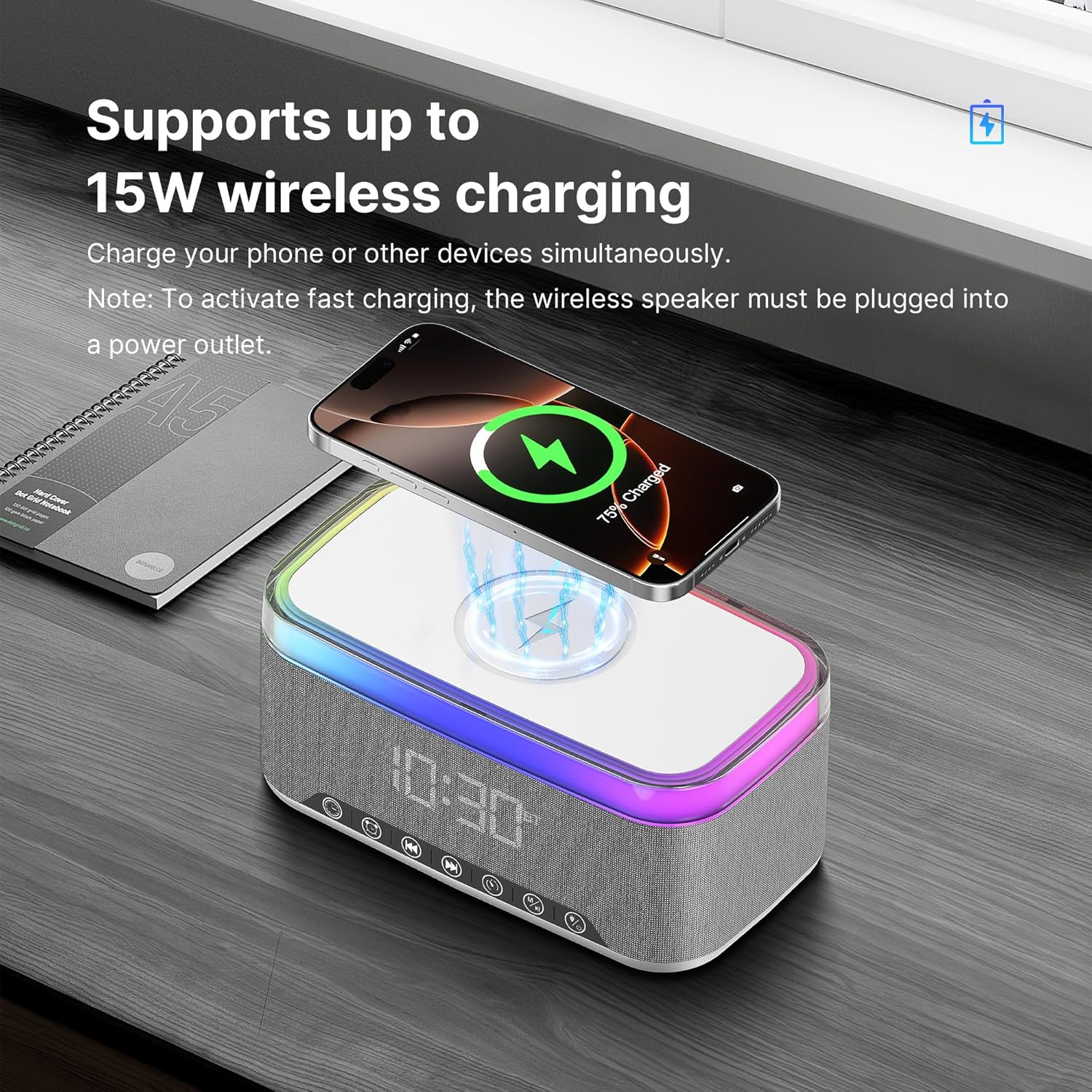
Image: A smartphone being wirelessly charged on the Auvoda S300 speaker.
- Place your Qi-enabled device on the wireless charging pad located on the top surface of the speaker.
- Ensure the speaker is plugged into a power outlet to activate fast wireless charging.
- The charging indicator on your device will confirm charging has begun.
6. AUX, TF Card, and USB Playback
The speaker supports audio playback via AUX input, TF card, and USB drive.
- AUX киргизүү: Connect an audio device using a 3.5mm AUX cable to the AUX port. The speaker will automatically switch to AUX mode.
- TF картасы/USB ойнотуу: Insert a TF card into the TF card slot or a USB drive into the USB port. The speaker will automatically detect and play audio files. Use the '+' and '-' buttons for track navigation and volume control.
7. Видео демонстрация
Watch this video for a visual guide on operating the Auvoda S300 Multi-function Bluetooth Speaker.
Video: A demonstration of the Auvoda S300 Multi-function Bluetooth Speaker's features, including power on, volume adjustment, light switching, FM radio, white noise, alarm clock, and wireless charging.
Техникалык тейлөө
- Динамикти жумшак, кургак чүпүрөк менен тазалаңыз. Абразивдүү тазалагычтарды же эриткичтерди колдонбоңуз.
- Keep the device away from extreme temperatures, direct sunlight, and moisture. The device is IPX3 splash-resistant, but not waterproof.
- Динамикти түшүрүүдөн же катуу таасирлерден сактаныңыз.
- Узак мөөнөткө колдонулбаганда салкын, кургак жерде сактаңыз.
Проблемаларды чечүү
Кубат жок / Түзмөк күйбөй жатат
- Аппараттын толук заряддалганын же кубат булагына туташтырылганын текшериңиз.
- Verify the power cable is securely connected to both the speaker and the power outlet.
Bluetooth жупташуу маселелери
- Make sure the speaker is in Bluetooth pairing mode ('BT' displayed).
- Ensure your mobile device's Bluetooth is enabled and within range (up to 10 meters).
- Forget 'Auvoda S300' from your device's Bluetooth list and try pairing again.
- Restart both the speaker and your mobile device.
Начар аудио сапаты
- Ensure the speaker and your audio source are within Bluetooth range and there are no obstructions.
- Динамиктин жана туташкан түзмөгүңүздүн үнүнүн деңгээлин текшериңиз.
- If using AUX, TF card, or USB, ensure the cable/card/drive is properly inserted and functional.
Зымсыз кубаттоо иштебейт
- Ensure the speaker is plugged into a power outlet (wireless charging does not work on battery power alone).
- Verify your device is Qi-enabled and properly centered on the charging pad.
- Зымсыз кубаттоого тоскоол боло турган калың телефон каптарын алып салыңыз.
Ойготкуч угулбайт
- Confirm the alarm time is set correctly and the alarm is activated (alarm symbol visible on display).
- Check the speaker's volume level.
Техникалык шарттар
| Өзгөчөлүк | Спецификация |
|---|---|
| Модель аты | S300 |
| Бренд | Auvoda |
| Динамик түрү | Портативдик Bluetooth динамиги |
| Байланыш технологиясы | Bluetooth 5.3 |
| Зымсыз кубаттоо чыгышы | 15 Вт |
| Динамиктин максималдуу чыгаруу күчү | 10 Ватт (5 Вт кош драйверлер) |
| Аудио чыгаруу режими | Stereo (supports TWS pairing) |
| Түнкү жарык түстөр | 13 Dimmable Colors |
| Ак ызы-чуу | 7 (e.g., Ocean waves, Rain, Forest) |
| Өзгөчөлүктөр | Alarm Clock, FM Radio, LED Night Light, White Noise, Wireless Charging |
| Сууга туруктуулук деңгээли | IPX3 Splash-Resistant |
| Продукциянын өлчөмдөрү | 3.94"D x 7.09"W x 3.54"H |
| Элемент Салмагы | 1.79 фунт |
| Материал | Акрилонитрил бутадиенстирол (ABS), кездеме |
| Башкаруу ыкмасы | тийүү |
| Bluetooth диапазону | 10 метр |
Кепилдик жана колдоо
The Auvoda S300 Portable Bluetooth Speaker comes with a limited warranty. For specific warranty terms, duration, and support inquiries, please refer to the warranty card included with your product or contact Auvoda customer service directly. Contact information can typically be found on the manufacturer's official webсайт же продукт таңгак.