
Introduction
This manual provides detailed instructions for the installation, operation, and maintenance of your ANKEWAY BH60 Car Radio. Designed specifically for BMW 3 Series E46 and M3 models from 1999 to 2005, this Android-based stereo system enhances your driving experience with modern connectivity and entertainment features. Please read this manual thoroughly before installation and use to ensure proper function and safety.

Сүрөт: алдыңкы view of the ANKEWAY BH60 Car Radio unit, showcasing анын дисплей жана башкаруу баскычтары.
Пакеттин мазмуну
Төмөндө көрсөтүлгөн бардык буюмдар таңгагыңызда бар экенин текшериңиз. Эгерде кандайдыр бир компоненттер жок болсо же бузулуп калса, кардарларды колдоо кызматына кайрылыңыз.

Image: Visual representation of the ANKEWAY BH60 Car Radio and its complete set of accessories.
- ANKEWAY BH60 Car Radio Unit
- CANBUS декодери
- Электр кабели
- Радио антенна
- GPS антеннасы
- Микрофон
- AHD арткы камера
- Camera Cables (various types)
- RCA кабели
- USB кабели
- Панелди алып салуу куралы
Орнотуу жана орнотуу
The ANKEWAY BH60 Car Radio is designed for direct fitment into BMW 3 Series E46 and M3 models (1999-2005). The installation process involves replacing the original car radio with the new unit and connecting the provided accessories.
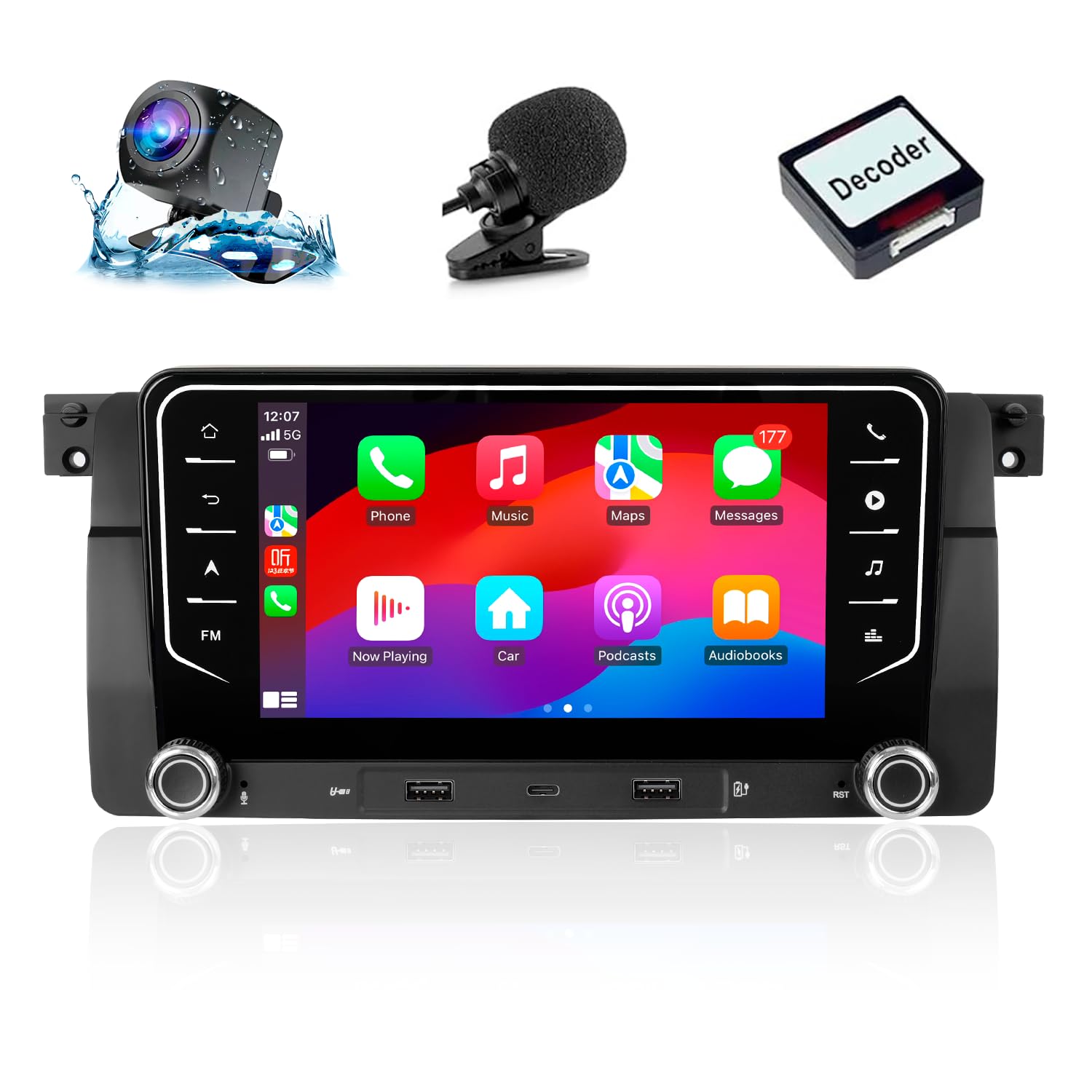
Image: Comparison showing the original BMW E46 dashboard radio (Before) and the ANKEWAY BH60 Car Radio installed (After).
Орнотуу кадамдары:
- Даярдоо: Электр шорт-тосмолорунун алдын алуу үчүн унаанын от алдыруу системасы өчүрүлгөнүнө жана аккумулятордун ажыратылганына ынаныңыз.
- Түпнуска радиону алып салуу: Use the provided panel removal tool to carefully pry off the trim surrounding the original radio. Unscrew and remove the existing radio unit. Disconnect all cables from the back of the original radio.
- Connect CANBUS Adapter: The included CANBUS adapter is crucial for maintaining original steering wheel controls and vehicle protocol compatibility. Connect the CANBUS adapter to the vehicle's wiring harness and then to the ANKEWAY BH60 unit.
- Connect Power and Antenna Cables: Connect the main power cable, radio antenna, and GPS antenna to their respective ports on the new car radio.
- Аксессуарларды туташтыруу: Connect the reversing camera cable, microphone, and any USB cables as needed. Route these cables neatly to their intended locations.
- Сыноо функциясы: Before fully securing the unit, reconnect the vehicle battery and turn on the ignition. Test basic functions such as power, audio, radio, and steering wheel controls.
- Secure New Radio: Once tested, carefully slide the ANKEWAY BH60 unit into the dashboard opening and secure it with screws. Reattach the trim panels.
Эскертүү: The wiring harnesses are pre-grouped for easier connection. If you are unsure about any step, it is recommended to seek professional installation.
Иштөө нускамалары
Your ANKEWAY BH60 Car Radio offers a range of features to enhance your in-car experience. Below are instructions for key functionalities.
1. CarPlay and Android Auto (Wireless & Wired)
This unit supports both wireless and wired CarPlay for iOS devices and Android Auto for Android devices. This allows seamless integration of your smartphone for navigation, music, calls, and more.
- Зымсыз туташуу: Enable Bluetooth and Wi-Fi on your smartphone. On the car radio, navigate to the CarPlay/Android Auto application and follow the on-screen prompts to pair your device.
- Зымдуу туташуу: Connect your smartphone to one of the USB ports on the car radio using a compatible USB cable. The system should automatically detect and launch CarPlay or Android Auto.
- Үн жардамчысы: Use your device's voice assistant (Siri or Google Assistant) for hands-free control of navigation, music playback, and messaging.

Image: The car radio screen displaying both Apple CarPlay and Android Auto interfaces, showing various compatible applications.
2. GPS Navigation & Voice Control
The unit comes with built-in GPS and supports offline map functionality. You can also use voice commands for navigation.
- Navigation App: Access the pre-installed navigation application or download your preferred app from the app store.
- Оффлайн карталары: Download map data for your region to enable navigation without an internet connection.
- Үн менен башкаруу: Activate voice control through the system or connected smartphone to input destinations or search for points of interest.

Image: The car radio screen displaying a GPS navigation map and a voice command prompt for interaction.
3. Online Content & App Store
Connect to the internet via Wi-Fi to access online content and download applications.
- Wi-Fi туташуусу: Go to Settings > Network & Internet > Wi-Fi. Select your mobile hotspot or a local Wi-Fi network and enter the password.
- Колдонмо орнотуу: Once connected to the internet, open the pre-installed app store (e.g., Google Play Store) to download and install various applications like Spotify, YouTube, Waze, Netflix, etc.
- Бөлүнгөн экран: The Android system supports split-screen functionality, allowing you to run two applications simultaneously (e.g., navigation and music player).

Image: The car radio screen displaying online content (YouTube) and indicating Wi-Fi connectivity with a smartphone.
4. FM RDS Radio
Enjoy your favorite radio stations with RDS (Radio Data System) support.
- Станцияны жөндөө: Use the radio application to scan for available FM stations. You can manually tune or use the auto-scan feature.
- Станциянын алдын ала орнотуулары: Тез жетүү үчүн сүйүктүү станцияларыңызды сактаңыз.
- Аудио ыңгайлаштыруу: Utilize the built-in equalizer and DSP (Digital Signal Processor) functions to adjust sound style and spatial positioning for an optimal listening experience.
5. Руль башкаруу
The included CANBUS adapter ensures compatibility with your vehicle's original steering wheel controls, allowing you to manage the radio without taking your hands off the wheel.
- Функционалдык: Control volume, track skipping, mode switching, and answer/end calls directly from your steering wheel buttons.
- Конфигурация: In most cases, the controls will work automatically. If not, check the system settings for steering wheel control mapping options.
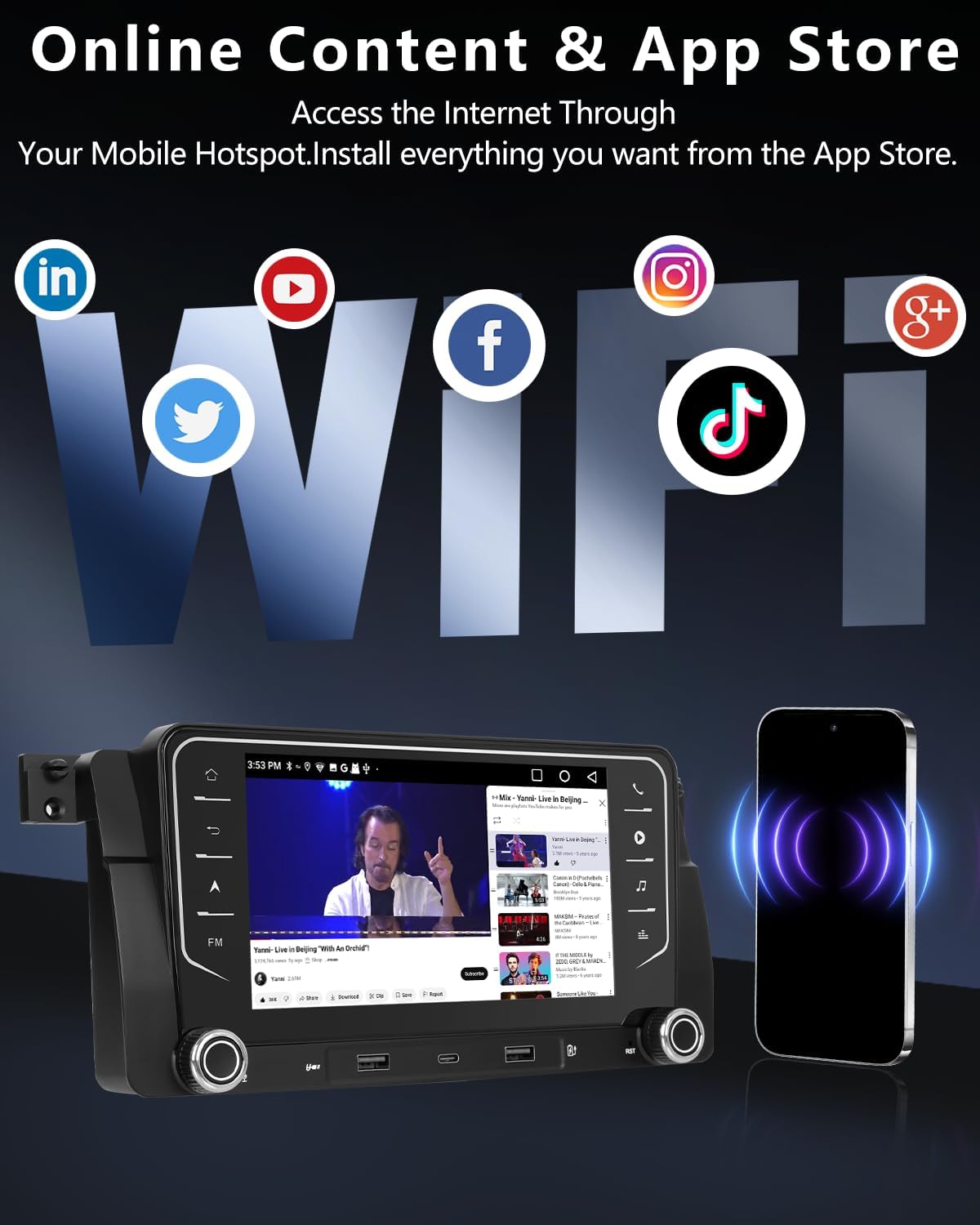
Image: The car radio screen displaying the FM radio interface and an illustration of steering wheel control integration.
6. Арткы View Камера
The included high-quality AHD reversing camera provides a clear view унааңыздын артындагы аймакка.
- Автоматтык дисплей: When the vehicle is shifted into reverse gear, the car radio automatically switches to the camera feed.
- Өзгөчөлүктөрү: Supports high-resolution images, night vision, and a wide 120-degree viewтоктотууга жана маневр жасоого жардам берүү үчүн бурч.
- Байланыш: Ensure the camera is properly connected to the reverse light power source for automatic activation.

Image: Diagram illustrating the connection of the AHD reversing camera to the car radio and its display during reverse.
7. Multiple USB Ports
The control panel features 2 USB-A ports and 1 USB-C port.
- Заряддоо: Use the USB ports to charge various electronic devices.
- Медиа ойнотуу: Connect USB flash drives to play audio or video files directly on the car radio.
8. Системанын жаңыртуулары
Regular firmware updates are released to optimize the system experience.
- Онлайн жаңыртуу: Connect the stereo to your mobile hotspot or a Wi-Fi network. Navigate to System Settings > About Device > System Update to check for and install available updates.
Техникалык тейлөө
Туура тейлөө сиздин унааңыздын радиосунун узак иштөөсүн жана оптималдуу иштешин камсыз кылат.
- Экранды тазалоо: Экранды акырын сүртүү үчүн жумшак, түксүз чүпүрөктү колдонуңуз. өжөр тактар үчүн, бир аз гampчүпүрөккө суу же экранды тазалоочу каражат. Абразивдүү материалдардан же катуу химиялык заттардан алыс болуңуз.
- Агрегатты тазалоо: Түзмөктүн сыртын кургак же бир аз кургак чүпүрөк менен сүртүңүзamp cloth. Ensure no liquids enter the unit's openings.
- Кабелдик башкаруу: Periodically check all connected cables to ensure they are secure and not pinched or damaged.
- Программалык камсыздоо жаңыртуулары: Keep the system software updated as recommended in the operating instructions to benefit from performance improvements and new features.
Проблемаларды чечүү
If you encounter issues with your ANKEWAY BH60 Car Radio, refer to the following common problems and solutions.
| Көйгөй | Мүмкүн себеп | Чечим |
|---|---|---|
| Күч жок | Бошоң электр туташуу, күйгөн сактагыч, унаанын аккумуляторунун көйгөйү. | Бардык электр кабелдеринин туташууларын текшериңиз. Унаанын сактагычтарын текшериңиз. Унаанын аккумулятору заряддалганын текшериңиз. |
| Үн жок | Speaker wires disconnected, volume too low, incorrect audio output setting. | Verify speaker wire connections. Increase volume. Check audio settings in the system. |
| CarPlay/Android Auto туташпай жатат | Bluetooth/Wi-Fi off on phone, incorrect USB cable, software glitch. | Ensure phone's Bluetooth and Wi-Fi are on. Try a different, high-quality USB cable. Restart both phone and car radio. |
| Рулдун башкаруу элементтери иштебейт | CANBUS adapter not connected correctly, system settings. | Check CANBUS adapter connection. Review steering wheel control settings in the car radio menu. |
| Reversing Camera Not Displaying | Camera cable loose, camera power issue, incorrect input selection. | Verify camera cable connections. Ensure camera is receiving power from the reverse light. Check system settings for camera input. |
If the problem persists after attempting these solutions, please contact ANKEWAY customer support for further assistance.
Техникалык шарттар
Below are the technical specifications for the ANKEWAY BH60 Car Radio.
| Өзгөчөлүк | Деталь |
|---|---|
| Бренд | ANKEWAY |
| Модель номери | BH60 |
| Байланыш технологиясы | Bluetooth, USB, Wi-Fi |
| Controller Type | Android, iOS |
| Өзгөчөлүктөр | Android Auto, Apple CarPlay, RDS Radio |
| Шайкеш түзмөктөр | Smartphone, Tablet, Personal computer |
| Аудио чыгаруу режими | Стерео |
| Колдоого алынган Интернет кызматтары | Spotify, YouTube, Waze, Netflix, Hulu |
| Аудио чыгаруу түрү | USB, Bluetooth |
| Зымсыз технология | Wi-Fi |
| Өндүрүүчү | Shenzhen Cheluzhe technology co., LTD |
Кепилдик жана колдоо
For warranty information and technical support, please refer to the documentation provided with your purchase or contact ANKEWAY customer service directly. Ensure you have your product model number (BH60) and purchase details available when seeking support.