
Introduction
This manual provides essential instructions for the safe operation, setup, and maintenance of your DEERC M66 1080P Drone. Designed for beginners, teenagers, and families, this drone features a 4.3-inch screen remote control, a 1080P camera for close-up aerial photography, a brushless motor for stable flight, and 5G transmission for a smooth live view. Please read this manual thoroughly before operating the drone to ensure proper use and to prevent damage or injury.
Коопсуздук маалыматы
ЭСКЕРТҮҮ: Чоңдордун түздөн-түз көзөмөлү астында гана колдонулушу керек.
- Дронду ар дайым ачык жерлерде, адамдардан, жаныбарлардан жана тоскоолдуктардан алыс иштетиңиз.
- Учуунун алдында бардык пропеллерлердин бекем бекитилгенин текшериңиз.
- Аэропорттордун же чектелген аба мейкиндигинин жанына учпаңыз.
- Катуу шамалда же жагымсыз аба ырайынын шарттарында учуудан качыңыз.
- Манжаларды жана чачты айлануучу пропеллерлерден алыс кармаңыз.
- Do not touch the motors immediately after flight as they may be hot.
- Always turn off the drone and remote control when not in use.
- Дрондорду иштетүүгө байланыштуу бардык жергиликтүү эрежелерди жана мыйзамдарды сактаңыз.
Пакеттин мазмуну
Төмөндө тизмеленген нерселердин баары пакетиңизге камтылганын текшериңиз:
- 1 x DEERC M66 Drone
- 1 x Remote Control with 4.3-inch Screen
- 2 x Drone Batteries (Lithium-polymer)
- 4 х запастык пропеллер
- 1 x USB заряддоо кабели
- 1 x Screwdriver
- 1 x Эстутум картасы
- 1 x Кол сумкасы
- Колдонуучунун Колдонмосу (бул документ)

Сүрөт: A visual representation of all components included in the DEERC M66 drone package, laid out neatly. This includes the folded drone, the remote control, two batteries, spare propellers, a USB charging cable, a screwdriver, a memory card, and a carrying bag.
Жайгашуу
1. Батареяны орнотуу жана заряддоо
The DEERC M66 drone comes with two Lithium-polymer batteries, providing up to 40 minutes of total flight time. Ensure batteries are fully charged before each flight.
- Дрон Батарея: Insert the drone battery into the battery compartment on the rear of the drone until it clicks into place. To charge, connect the USB charging cable to the battery and a suitable USB power source (e.g., computer, USB adapter). The charging indicator will show the charging status.
- Алыстан башкаруунун батареясы: The remote control requires 2 D batteries (not included). Open the battery compartment on the back of the remote control and insert the batteries, observing the correct polarity.
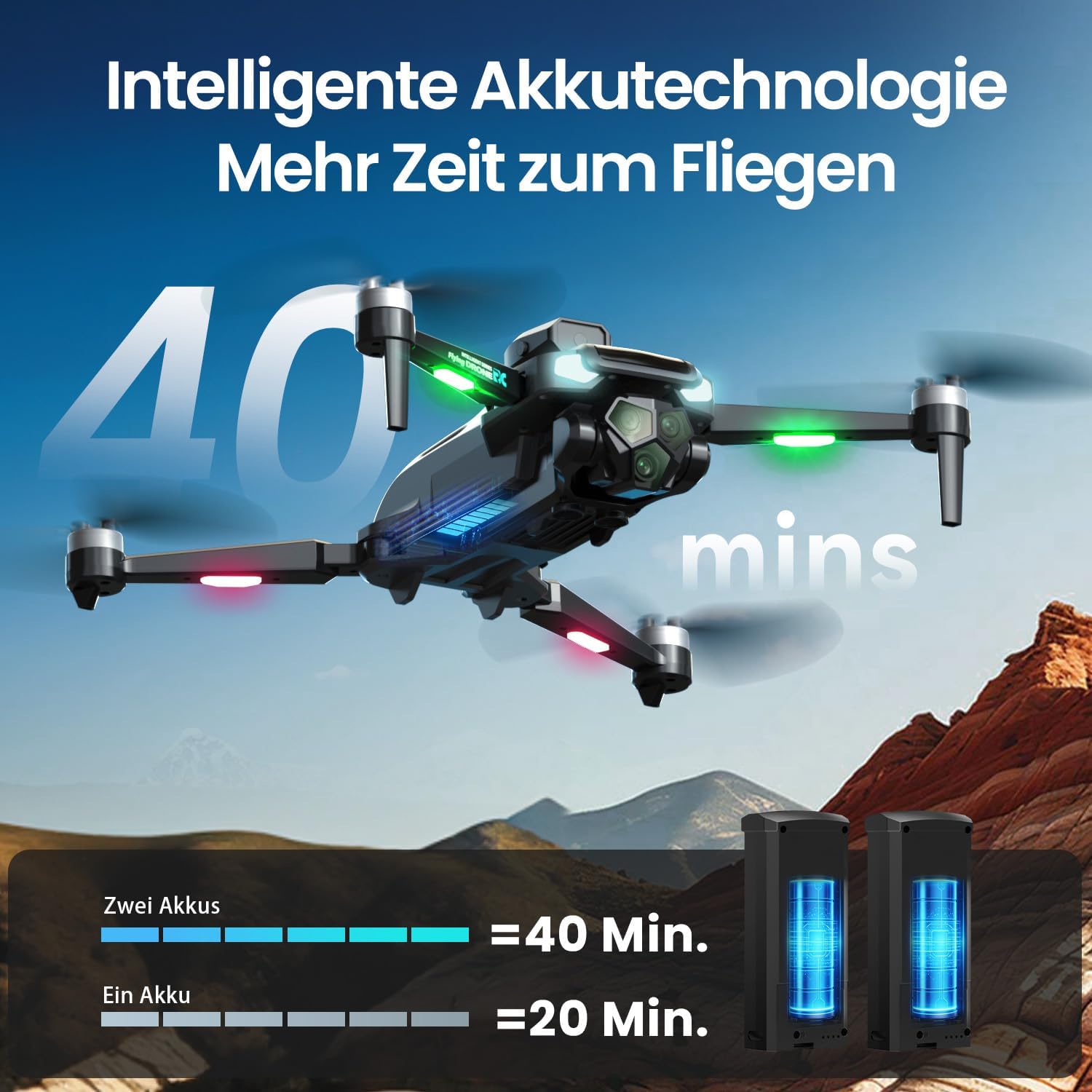
Сүрөт: The DEERC M66 drone in flight, with an overlay indicating "40 mins" flight time. Below, two drone batteries are shown, illustrating that two batteries provide 40 minutes of flight, while one provides 20 minutes. This highlights the extended flight capability.
2. Пропеллерди орнотуу
The drone's propellers are designed for easy replacement. If a propeller is damaged, replace it with a spare from the package.
- Identify the correct propeller type (A or B) for each motor arm.
- Align the propeller with the motor shaft and press down firmly until it is securely attached.
- Бардык пропеллерлердин тоскоолдуксуз эркин айланышын камсыз кылыңыз.
3. Алыстан башкарууну орнотуу
The remote control features an integrated 4.3-inch screen, eliminating the need for a smartphone.
- Unfold the remote control's screen and antennas.
- Пультту иштетүү үчүн кубат баскычын басыңыз.
- Power on the drone. The remote control and drone will automatically pair. A successful connection will be indicated by a stable light on the drone and a live video feed on the remote's screen.
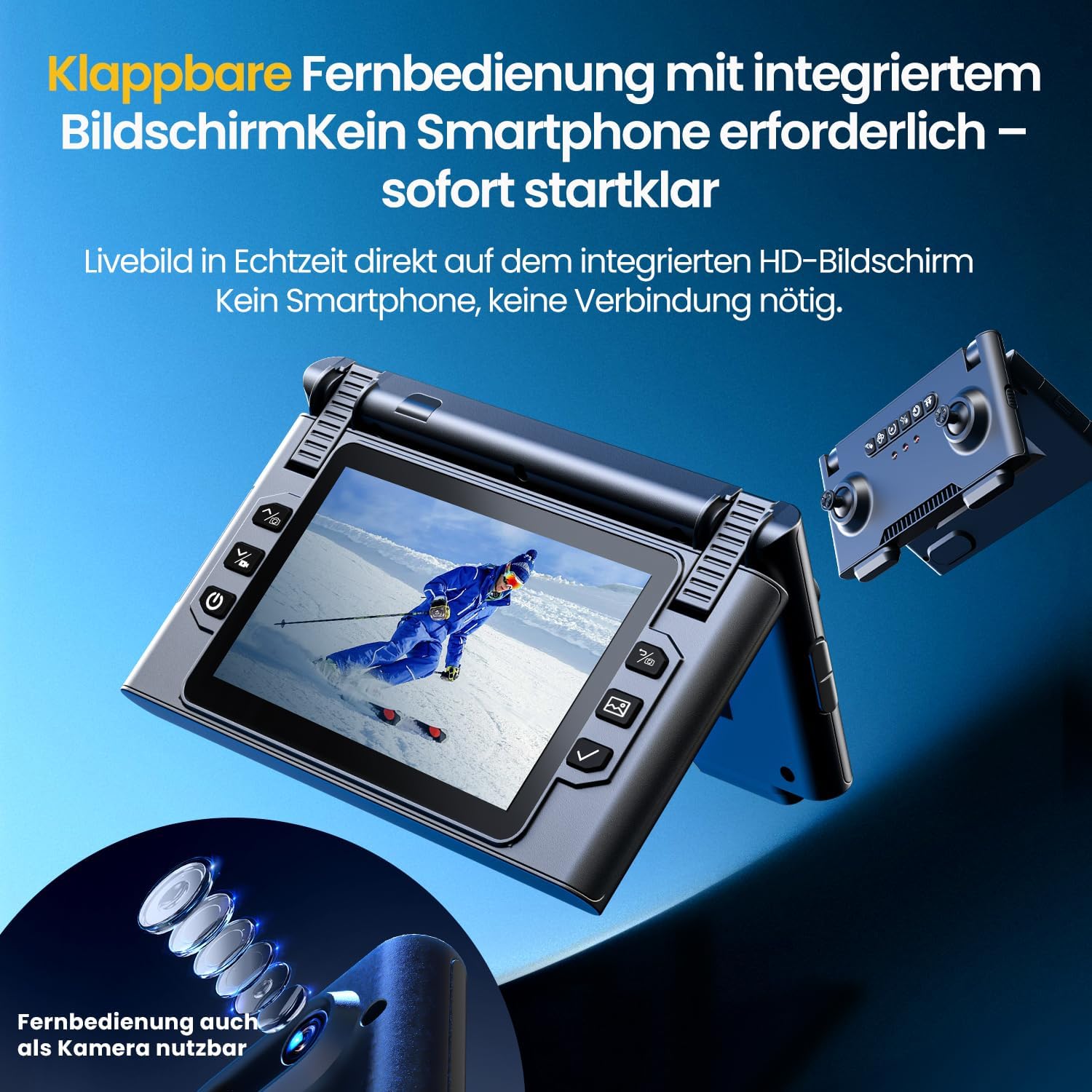
Сүрөт: Жакын план view of the DEERC M66 drone's foldable remote control, showcasing its integrated 4.3-inch HD screen. The screen displays a live feed, and the remote's buttons and joysticks are visible. This design allows for immediate flight without a smartphone connection.
Иштөө нускамалары
1. Учууну башкаруунун негизги каражаттары
- Бир баскычтуу учуу/конуу: Press the dedicated button on the remote control for automatic takeoff or landing.
- Башсыз режим: Activate Headless Mode to simplify flight orientation. In this mode, the drone's front will always be the direction the remote control is facing, regardless of the drone's actual orientation.
- Шашылыш токтотуу: In case of an emergency, press the emergency stop button to immediately cut power to the motors.

Сүрөт: Three distinct panels illustrating beginner-friendly flight features. The first shows the drone taking off from a landing pad, representing one-button start and landing. The second depicts the drone in headless mode, with arrows indicating simplified directional control. The third shows the drone descending rapidly, symbolizing the emergency stop function.
2. Flight Modes and Tricks
- Ылдамдыкты жөндөө: The drone offers 3 speed levels (Slow, Medium, Fast) to accommodate different skill levels and flying environments. Adjust the speed using the dedicated button on the remote control.
- 360° айлануу: Perform impressive aerial stunts with a single button press. Ensure sufficient altitude and clear surroundings before attempting flips.

Сүрөт: Two panels demonstrating advanced flight capabilities. The top panel shows the drone performing a 360-degree flip with a single button press, illustrating an aerial trick. The bottom panel displays three drones at different speeds (Slow, Medium, Fast), indicating the adjustable speed settings for varied flight experiences.
3. Камеранын иштеши жана функциялары
The integrated 1080P camera is designed for clear close-up shots and everyday scenes.
- 1080P HD камера: Capture high-definition photos and videos. The camera features a 90° adjustable lens for flexible wide-angle shots.
- Жаңсоо башкаруу: Initiate photo and video recording with simple hand gestures, making it easy to capture moments without touching the remote.
- 5G берүү: Enjoy a stable live image feed on the remote control's screen up to approximately 100 meters, providing real-time visual feedback for precise control.

Сүрөт: А деталдуу view of the DEERC M66 drone, highlighting its 1080P HD camera with a 90-degree adjustable lens. The image also shows a comparison between 1080P and 720P resolution, emphasizing the clarity of the 1080P camera for aerial views.
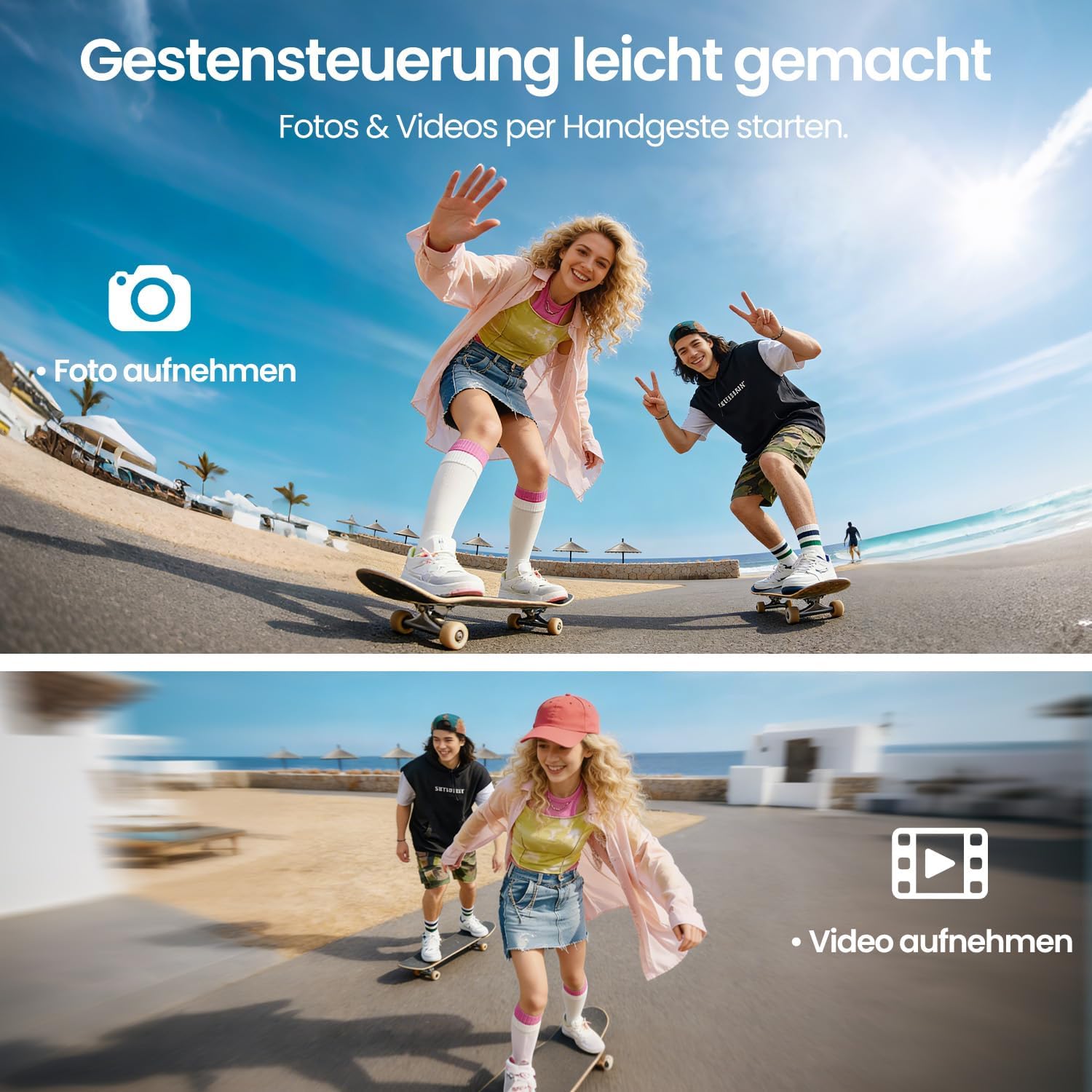
Сүрөт: Two panels demonstrating gesture control. The top panel shows a person making a hand gesture to take a photo, indicated by a camera icon. The bottom panel shows another person making a different hand gesture to record a video, indicated by a video camera icon. This illustrates the ease of capturing media hands-free.
4. Obstacle Avoidance and Stability
- 360° тоскоолдуктардан качуу: The drone is equipped with 360° obstacle avoidance to help reduce collisions, making it safer for beginners.
- Оптикалык агымдын жайгашуусу: Optical flow sensors ensure stable positioning at low altitudes, contributing to a calm and uniform flight experience, especially indoors or in confined outdoor spaces.
- Brushless Motor: The brushless motor provides quiet and stable flight performance, enhancing durability and efficiency.

Сүрөт: The DEERC M66 drone flying near a rocky surface, with visual cues indicating obstacle avoidance sensors and stable flight. An inset shows a brushless motor, emphasizing its quiet and uniform operation. This image highlights the drone's stability features and collision prevention.
Техникалык тейлөө
- Тазалоо: Regularly clean the drone body, propellers, and camera lens with a soft, dry cloth. Avoid using liquids or solvents.
- Пропеллерди алмаштыруу: Inspect propellers for damage before each flight. Replace any bent, cracked, or chipped propellers immediately using the provided screwdriver and spare propellers.
- Батареяга кам көрүү: Store batteries in a cool, dry place. Do not overcharge or over-discharge batteries. If the drone will not be used for an extended period, charge batteries to approximately 50% before storage.
- Мотор инспекциясы: Periodically check the brushless motors for any debris or obstructions. Ensure they spin freely.
Проблемаларды чечүү
| Көйгөй | Мүмкүн себеп | Чечим |
|---|---|---|
| Дрон күйбөйт. | Батарея заряддалган эмес же туура эмес салынган. | Ensure drone battery is fully charged and correctly inserted. Check remote control batteries. |
| Remote control does not connect to drone. | Drone and remote are not paired or too far apart. | Ensure both devices are powered on and within range. Restart both devices and try pairing again. |
| Drone is unstable during flight. | Damaged propellers, uncalibrated sensors, or strong winds. | Check and replace damaged propellers. Perform sensor calibration (refer to advanced settings in the remote control). Avoid flying in windy conditions. |
| Poor camera image quality or no live feed. | Weak 5G signal, dirty lens, or memory card issue. | Ensure drone is within 5G transmission range (approx. 100m). Clean the camera lens. Check if the memory card is properly inserted and has free space. |
| Drone drifts during hover. | Uncalibrated gyroscope or optical flow sensor. | Perform gyroscope and optical flow sensor calibration as per remote control instructions. |
Техникалык шарттар
| Өзгөчөлүк | Деталь |
|---|---|
| Модель номери | M66 |
| Бренд | DEERC |
| Өлчөмдөрү (L x W x Y) | 15 x 8 x 7.5 см (бүктөлгөн) |
| Элемент Салмагы | 148 грамм |
| Камеранын чечилиши | 1080p (Video Capture) |
| Алыстан башкаруу экраны | 4.3 дюйм |
| Учуу убактысы | 40 мүнөткө чейин (2 батарейка менен) |
| Мотор түрү | Brushless Motor |
| Берүү технологиясы | 5G WiFi |
| Өзгөчөлүктөр | Optical Flow Positioning, 360° Obstacle Avoidance, 360° Flip, Headless Mode, 3 Speed Levels |
| Батареянын курамы | Литий-полимер |
| Алыстан башкаруунун батареясы | 2 x D batteries (not included) |
| Жаш аралыгы (сүрөттөө) | 12 жаш жана андан жогору |
Кепилдик жана колдоо
For warranty information and technical support, please refer to the contact details provided with your purchase or visit the official DEERC webсайт. Кепилдик дооматтар үчүн сатып алганыңыздын далилин сактаңыз.
- Кайтаруу саясаты: 30-day refund/replacement policy (as per Amazon.com.be).
- Өндүрүүчү: DEERC
- Сатуучу: HOLYTON (fulfilled by Amazon)