
1. Киришүү
Сатып алганыңыз үчүн рахматasing the ENUOSUMA Mini Projector ENU41. This portable projector is designed to provide a versatile and immersive viewing experience for home entertainment, outdoor movies, and presentations. Featuring 4K 1080P support, WiFi 6, Bluetooth 5.0, and a 270-degree rotatable design, it offers flexibility and high-quality projection.
This manual provides essential information for setting up, operating, and maintaining your projector. Please read it thoroughly before use to ensure proper function and longevity of the device.
2. Коопсуздук маалыматы
- l болгондо проектордун объективине тике карабаamp күйүк.
- Ашыкча ысып кетүүнүн алдын алуу үчүн проектордун айланасында туура желдетүүнү камсыз кылыңыз.
- Аппарат менен кошо берилген кубат адаптерин гана колдонуңуз.
- Проекторду суудан же башка суюктуктардан алыс кармаңыз.
- Проекторду туруксуз беттерге коюудан алыс болуңуз.
- Проекторду өз алдынча бөлүктөргө бөлүүгө же оңдоого аракет кылбаңыз. Квалификациялуу тейлөө кызматкерлерине кайрылыңыз.
- Балдар жетпеген жерде сактаңыз.
3. Пакеттин мазмуну
Пакетиңизде бардык буюмдар бар экенин текшериңиз:
- ENUOSUMA Mini Projector ENU41
- Алыстан башкаруу
- Кубаттуу адаптер
- User Manual
4. Продукт бүтүп калдыview
The ENUOSUMA Mini Projector ENU41 is a compact and versatile device. Below are key features and components.

Image: The ENUOSUMA Mini Projector ENU41, demonstrating its compact and portable design, easily held in one hand.
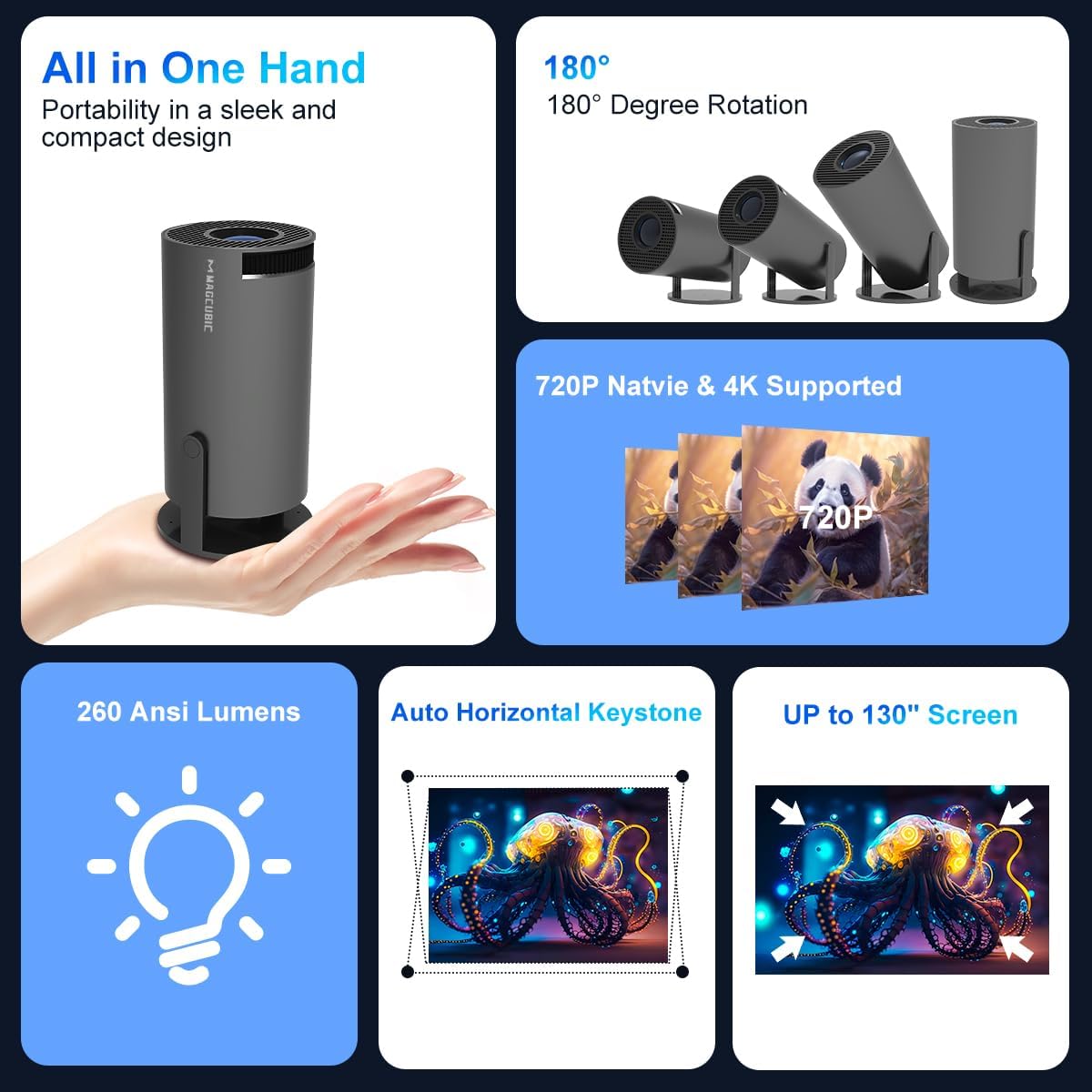
Сүрөт: An overview of the projector's features, including its portability, 180-degree rotation capability, 720P native resolution with 4K support, 260 ANSI Lumens brightness, automatic horizontal keystone correction, and ability to project up to a 130-inch screen.
5. Орнотуу нускамалары
5.1 Кубат туташтыруу
- Кубат адаптерин проектордун кубат киргизүү портуна туташтырыңыз.
- Кубат адаптерин розеткага сайыңыз.
- Аппаратты күйгүзүү үчүн проектордун же пульттун кубат баскычын басыңыз.
5.2 Жайгаштыруу жана проекциялоо
The projector features a 270-degree rotatable design, allowing for flexible placement and projection onto walls, ceilings, or floors.
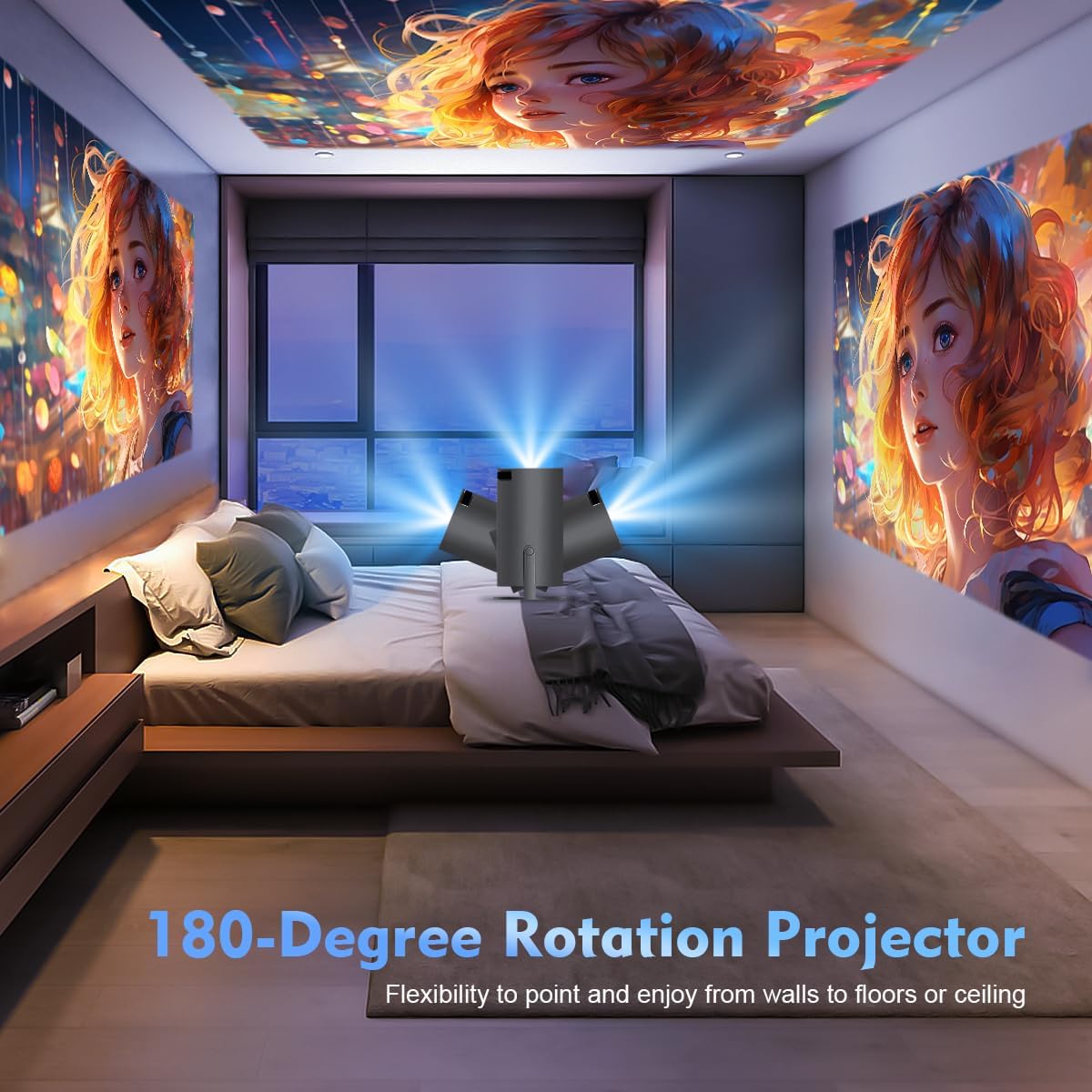
Image: The projector's 180-degree rotation feature, enabling projection onto various surfaces like walls, floors, or ceilings for versatile viewing.
Оптималдуу үчүн viewing, consider the projection distance and screen size:
- идеал viewing distance for an 80-inch screen is approximately 1.6 meters.
- Проектор 40 дюймдан 130 дюймга чейинки экран өлчөмдөрүн колдойт.

Image: A visual guide to projection distances and corresponding screen sizes, indicating an optimal projection distance of 1.6m for an 80-inch display.
5.3 Фокустоо жана Keystone коррекциясы
The projector features automatic horizontal keystone correction and 4-point correction for a perfectly rectangular image.
- Automatic Keystone: The projector will automatically adjust the image shape horizontally.
- Кол менен Фокус: Rotate the focus ring on the projector lens to achieve a clear image.
- 4-пункттук оңдоо: Use the remote control to manually adjust each corner of the projected image for precise alignment if needed.

Image: Demonstration of the automatic horizontal keystone and 4-point correction features, ensuring a perfectly aligned and rectangular projection.
6. Иштөө нускамалары
6.1 Түзмөктөрдү туташтыруу
The ENUOSUMA Mini Projector ENU41 supports various connectivity options:
- WiFi 6: Connect to your home network for online streaming and screen mirroring. Navigate to the network settings in the projector's menu to connect to a WiFi network.
- Bluetooth 5.0: Connect external Bluetooth speakers or headphones for enhanced audio. Access Bluetooth settings in the menu to pair devices. The projector can also function as a Bluetooth speaker for your phone.
- HDMI: Connect devices such as laptops, gaming consoles (PS5), Blu-ray players, or TV sticks using an HDMI cable. Select the HDMI input source from the projector's menu.
- OF: Connect older devices using an AV cable. Select the AV input source from the projector's menu.
6.2 Экранды чагылдыруу
Mirror content from your smartphone or tablet wirelessly using Miracast, Airplay, or DLNA.

Image: The projector's screen mirroring capabilities, supporting DLNA, Airplay, and Miracast for seamless content sharing from mobile devices.
- Ensure your mobile device and the projector are connected to the same WiFi network.
- Select the appropriate screen mirroring option (Miracast for Android, Airplay for iOS) from the projector's menu.
- Follow the instructions on your mobile device to initiate screen mirroring.
6.3 Аудио чыгаруу
The projector has a built-in HiFi speaker. For a more immersive audio experience, connect external Bluetooth speakers.

Image: The projector's BT 5.0 and built-in HiFi speaker features, allowing convenient connection to external Bluetooth speakers for enhanced sound.
6.4 Чоңойтуу функциясы
The projector supports a 50% zoom function, allowing you to adjust the image size without moving the projector.
- Access the zoom settings in the projector's display menu.
- Adjust the zoom level using the remote control.
7. Техникалык тейлөө
- Линзаны тазалоо: Оптикалык линзалар үчүн атайын жасалган жумшак, түксүз кездемени колдонуңуз. Абразивдүү тазалагычтарды колдонбоңуз.
- Тазалоо Casing: Проектордун сыртын жумшак, кургак чүпүрөк менен сүртүңүз. Кежир белгилер үчүн, бир аз d колдонуңузamp чүпүрөк, анан кылдат кургатуу.
- Вентиляция: Regularly check that the ventilation openings are not blocked by dust or debris. Use a soft brush or compressed air to clean them.
- Сактагыч: Проекторду узак убакыт бою колдонбогон учурда, аны салкын, кургак, чаңдан жана өтө жогорку температурадан корголгон жерде сактаңыз.
8. Кыйынчылыктарды
- Кубат жок: Кубат адаптери проекторго да, розеткага да бекем туташтырылганын текшериңиз. Башка розетканы колдонуп көрүңүз.
- Сүрөт жок: Check the input source selection. Ensure the connected device is powered on and sending a signal. Verify all cables are securely connected.
- бүдөмүк сүрөт: Adjust the manual focus ring on the lens. Ensure the projector is placed within the recommended projection distance.
- Image is Crooked: The projector has automatic horizontal keystone. If further adjustment is needed, use the 4-point correction feature via the remote control.
- Үн жок: Check the volume settings on both the projector and the connected device. If using external speakers, ensure they are properly connected and powered on. Verify Bluetooth connection if applicable.
- WiFi туташуу маселелери: Ensure the projector is within range of your WiFi router. Re-enter the WiFi password carefully. Restart both the projector and the router.
- Алыстан башкаруу иштебейт: Check the batteries in the remote control and replace if necessary. Ensure there are no obstructions between the remote and the projector's IR receiver.
9. Техникалык шарттар
| Өзгөчөлүк | Спецификация |
|---|---|
| Бренд | ENUOSUMA |
| Модел | ENU41 |
| Продукциянын өлчөмдөрү | 10 x 5 x 10 см |
| Элемент Салмагы | 300 г |
| Дисплей түрү | LCD |
| Native Resolution | 1280 x 720 |
| Колдоого алынган резолюция | 1920 x 1080 (4K колдоого алынат) |
| Аспект катышы | 16:10 |
| Сүрөттүн карама-катышы | Жогорку |
| Байланыш технологиясы | WiFi 6, Bluetooth 5.0, HDMI, AV |
| Шайкеш түзмөктөр | Laptops, Smartphones, Gaming Consoles, Blu-ray Players, Media Players |
| Өзгөчөлүктөр | Wi-Fi 6, Bluetooth 5.0, Portable, Rotatable Design |
| Монтаж түрү | Столдун үстү |
| Жаңыртуу ылдамдыгы | 600 Гц |
10. Кепилдик жана колдоо
ENUOSUMA products are manufactured to high-quality standards. For warranty information, please refer to the warranty card included in your product packaging or visit the official ENUOSUMA webсайт.
For technical support, troubleshooting assistance, or service inquiries, please contact ENUOSUMA customer support through the contact information provided on our official webсайт же сатып алуу платформаңыз.
Please have your model number (ENU41) and purchase date ready when contacting support.