
1. Киришүү
The iflytek AINOTE 2 is an advanced 10.65-inch E-Ink tablet designed for note-taking, writing, and reading. Powered by ChatGPT-5, it integrates artificial intelligence to enhance productivity through features like voice-to-text transcription, handwriting conversion, and smart schedule management. This manual provides essential information for setting up, operating, and maintaining your device.
2. Кутуда эмне бар
- AINOTE 2 Note Taking Tablet 10.65-inch
- Стилус калеми
- USB-C заряддоо кабели
- Quick Start Guide
3. Продукт бүтүп калдыview
The AINOTE 2 features a sleek, ultrathin design with a high-resolution E-Ink display. It is built for portability and a natural writing experience.
3.1. Физикалык өзгөчөлүктөрү
- Өлчөмдөрү: 7.5 x 5.4 x 0.2 дюйм
- Салмагы: 10.4 унция (295 г)
- Калыңдыгы: 4.2мм
- Дисплей: 10.65-inch Carta 1300 E-Ink, 2560x1920 resolution (300PPI)
- Баскычтар: Power button, AI search button
- Порттор: USB Type-C заряддоо порту
- Аудио: 4 microphones for voice pickup
- Калем: Magnetic attachment, eraser function, customizable button.
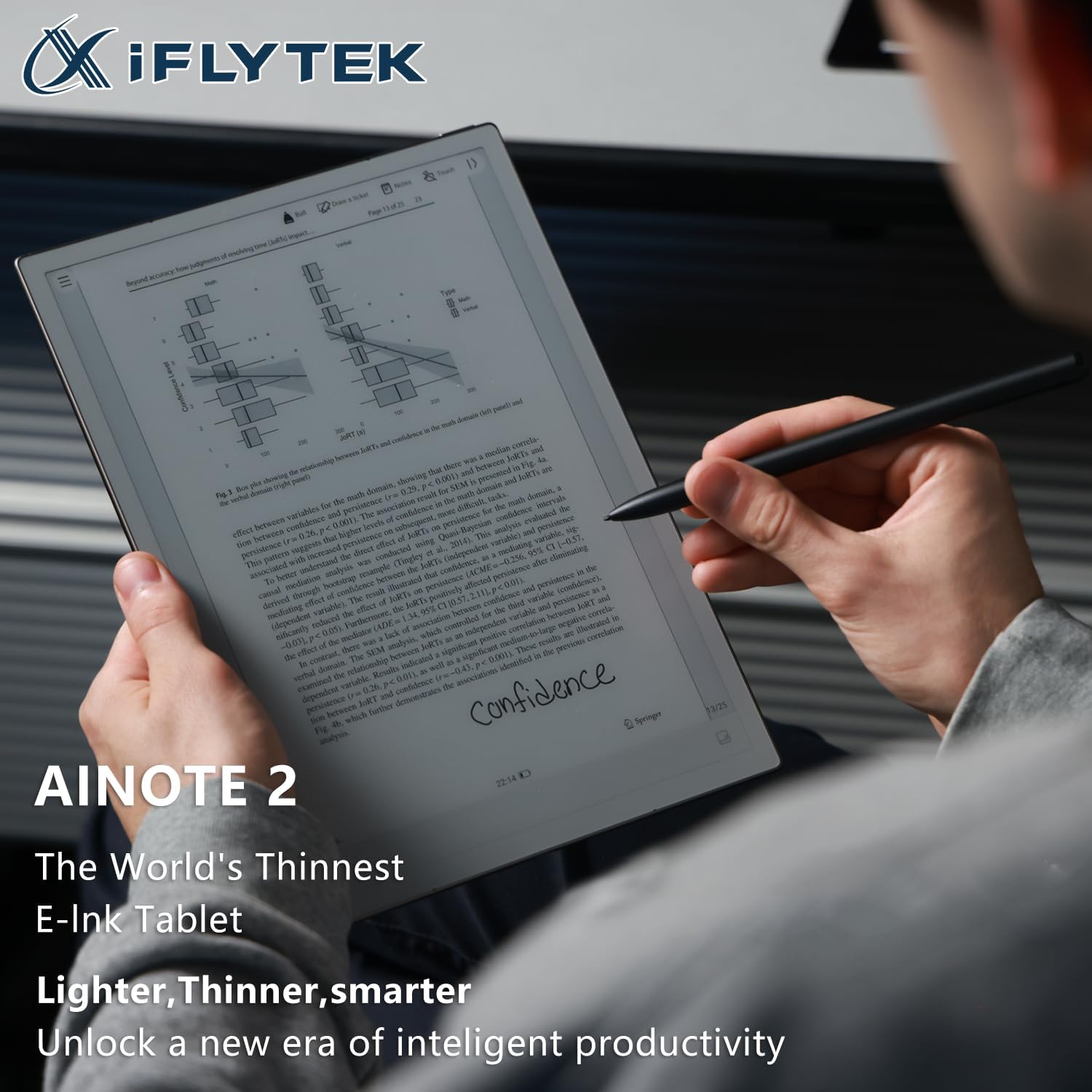
The device is designed to be lightweight and comfortable to hold, mimicking the feel of paper. The stylus provides a natural writing experience with various brush styles and pressure sensitivity.

4. Орнотуу
4.1. Күйгүзүү / Өчүрүү
- To power on, press and hold the power button (located on the top edge) for 3 seconds.
- To power off, press and hold the power button for 3 seconds and select 'Power off' from the on-screen options.
- A short press of the power button will lock or unlock the screen.
4.2. Баштапкы конфигурация
Upon first power-on, follow the on-screen prompts to select your language, connect to Wi-Fi, and set up your basic preferences.
Видео: Бул видео жалпы маалымат беретview of the iflytek AINOTE 2, highlighting its design and key features.
5. Негизги операция
5.1. Навигация
The AINOTE 2 features a user-friendly interface. Navigate through menus and applications using touch gestures on the E-Ink display. The top bar provides quick access to notes, schedule, reading, and other settings.
5.2. Creating Notes
From the main screen, tap the 'Notes' section. You can create new notes by tapping the '+' icon. The stylus allows for a natural writing experience with various brush styles and pressure sensitivity.
Video: This video demonstrates how to write notes on the AINOTE 2, showcasing the stylus responsiveness and various writing tools.
6. Өркүндөтүлгөн функциялар
6.1. AI Capabilities (Powered by ChatGPT-5)
The AINOTE 2 integrates advanced AI features to streamline your workflow:
- AI жардамчысы: Launch your AI assistant with one button to search notes, summarize content, and manage schedules.
- Транскрипция: Supports 16 languages for voice-to-text transcription during meetings or lectures.
- Handwriting Conversion: Convert handwritten notes into digital text with 133 handwriting-to-text options.
- Котормо: Offers 11 instant translation modes for global communication.

Video: This video demonstrates how to record meetings and utilize the transcription feature on the AINOTE 2.
Video: This video illustrates the process of converting handwritten notes into digital text using OCR on the AINOTE 2.
6.2. Mind Mapping
The AINOTE 2 supports native handwritten mind mapping. Build your mind maps by hand, with live nodes that grow as you think. You can write, move, and share without needing additional tools or typing.

6.3. Smart Schedule Management
Convert your handwritten doodles into actionable tasks. Circle, triangle, or star marks can instantly be synced to your schedule. The AINOTE 2 is compatible with Google Calendar, allowing effortless synchronization of your schedules across devices.
7. Reading and Writing Experience
Enjoy a paper-like writing experience with 8 refined brush styles that mimic real handwriting. The low latency ensures pixel-perfect precision. For reading, the 10.65-inch ultra-clear Carta 1300 display offers smooth, eye-friendly reading with fast refresh rates. It is compatible with popular e-reading apps like Kindle, Kobo, and Google Play.


8. Connectivity and Sync
The AINOTE 2 supports seamless file synchronization across its dedicated app, cloud services, and other devices. This ensures your notes and documents are always accessible.
Video: This video demonstrates how to sync files between the AINOTE 2 and Google Drive for easy access and backup.
Video: This video shows how to sync notes between the AINOTE 2 and a phone or PC using the AINOTE App.
9. Техникалык тейлөө
9.1. Батареянын иштөө мөөнөтү жана заряддоо
The AINOTE 2 is equipped with a 4000mAh battery, providing up to 14 days of battery life on a single charge. Battery life can vary based on usage, including Wi-Fi activity, downloads, and brightness settings. Charge the device using the provided USB Type-C cable.
9.2. Программалык камсыздоону жаңыртуу
Regularly check for and install software updates to ensure optimal performance and access to new features. Updates can typically be found in the device's settings menu.
10. Кыйынчылыктарды
If you encounter any issues with your AINOTE 2, try the following basic troubleshooting steps:
- Аппаратты өчүрүп күйгүзүңүз: Press and hold the power button, then select 'Restart'.
- Батареянын деңгээлин текшерүү: Ensure the device has sufficient charge.
- Verify Wi-Fi connection: For online features and updates, confirm a stable Wi-Fi connection.
- Consult online resources: Visit the iflytek support webКөп берилүүчү суроолор жана кошумча жардам алуу үчүн сайт.
11. Техникалык шарттар
| Өзгөчөлүк | Спецификация |
|---|---|
| Туруктуу экранды көрсөтүү өлчөмү | 10.65 дюйм |
| Screen Resolution | 1920*2560 |
| Max Screen Resolution | 1920*2560 Pixels Per Inch |
| Процессор | 2.2 GHz (8-core 64-bit Rockchip) |
| Card Description | Интеграцияланган |
| Зымсыз түрү | 802.11a, 802.11ac, 802.11ax, 802.11b, 802.11g, 802.11n |
| Батареянын орточо иштөө мөөнөтү (саат менен) | 14 күн |
| Операция системасы | Android 14 |
| Элемент Салмагы | 10.4 унция |
| Пакеттин өлчөмдөрү | 7.5 x 5.4 x 0.2 дюйм |
| Эстутум сактоо сыйымдуулугу | 64 ГБ |
12. Кепилдик жана колдоо
For warranty information and technical support, please refer to the documentation included with your product or visit the official iflytek webсайт. Ар кандай кепилдик дооматтары үчүн сатып алганыңыздын далилин сактаңыз.