
1. Продукт бүтүп калдыview
The Thermaltake 6.0 Inch LCD Screen Kit is an accessory designed to enhance your Thermaltake chassis. It provides a customizable display for graphics, videos, and real-time system monitoring data. This kit supports the TT RGB PLUS 3.0 software for extensive customization and control.
Негизги өзгөчөлүктөрү:
- Дисплей: 6.0-inch LCD with 1480x720p resolution.
- Ыңгайлаштыруу: Supports preloaded graphics, custom images (JPG, GIF, PNG), and videos (MP4, MOV, AVI) up to 30MB each.
- Мониторинг: Real-time display of CPU, GPU, RAM data, including frequency, load, and temperatures.
- Программалык камсыздоо: Controlled via TT RGB PLUS 3.0 software.
- Байланыш: Type-C to USB (9-Pin) connection.
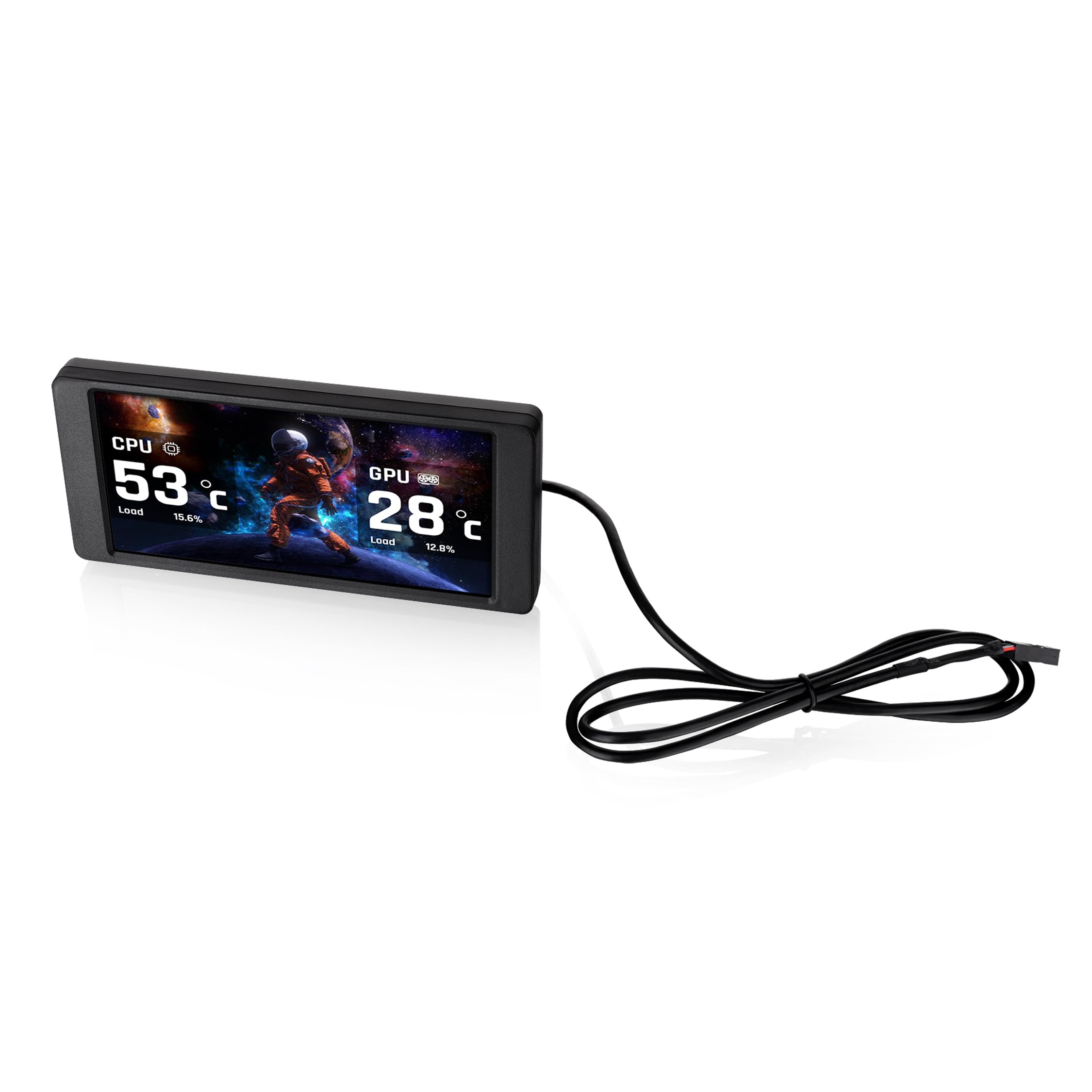
Image 1.1: The Thermaltake 6.0 Inch LCD Screen Kit and its Type-C to USB connection cable.
2. Орнотуу жана орнотуу
Follow these steps to properly install your Thermaltake 6.0 Inch LCD Screen Kit.
2.1. Шайкештикти текшерүү
Before installation, ensure your chassis is compatible with a standalone screen kit. Refer to your chassis manual or the Thermaltake webшайкештик жөнүндө маалымат алуу үчүн сайт.
2.2. Физикалык орнотуу
- Carefully position the 6.0 Inch LCD Screen Kit within your Thermaltake chassis. This kit is designed as an expansion accessory and may require specific mounting points or custom fitting depending on your case model.
- Secure the screen kit in place using appropriate mounting hardware (not included, if custom fitting is required).

Сүрөт 2.1: Арткы view of the LCD Screen Kit, highlighting the Type-C connection port.
2.3. Кабель туташтыруу
- Connect the provided Type-C cable to the Type-C port on the back of the LCD Screen Kit.
- Connect the other end of the cable (USB 9-Pin connector) to an available USB 2.0 header on your motherboard.
2.4. Программалык камсыздоону орнотуу
- Download the latest version of the TT RGB PLUS 3.0 software from the official Thermaltake webсайт (www.thermaltake.com).
- Экрандагы нускамаларды аткаруу менен программаны орнотуңуз.
- Restart your computer after installation to ensure all drivers and software components are properly loaded.
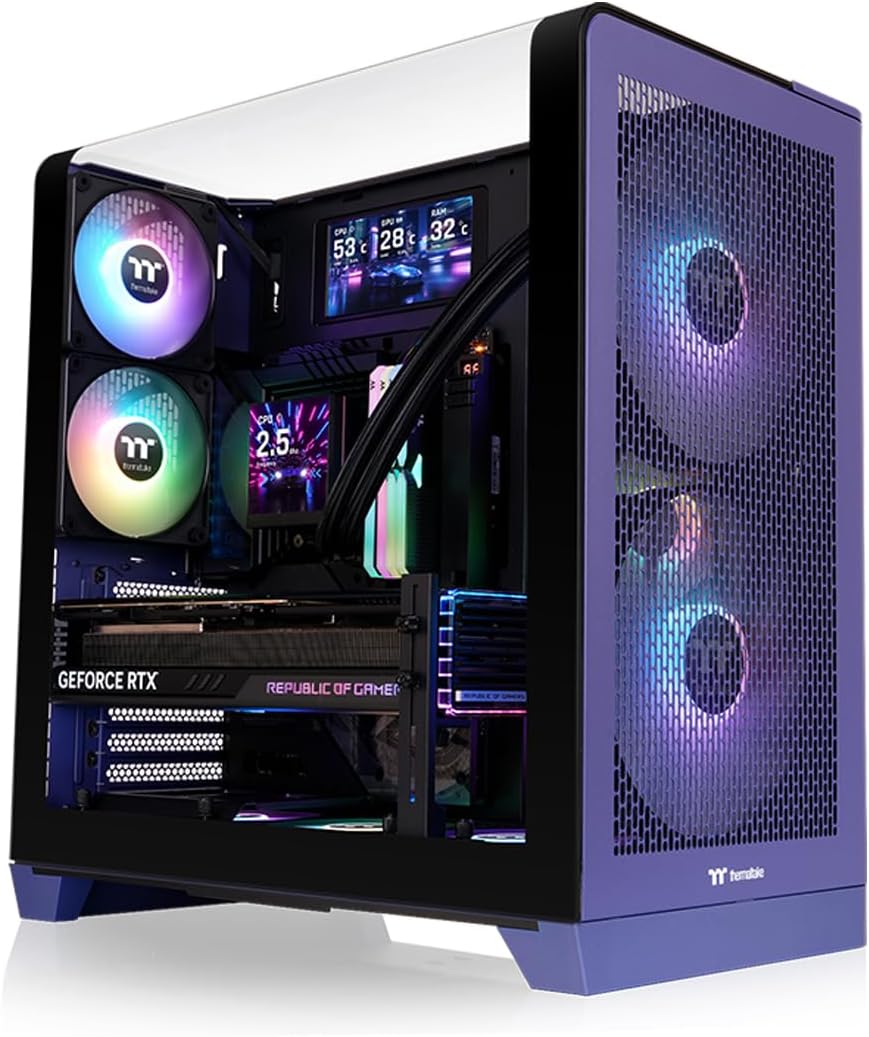
Image 2.2: The LCD Screen Kit integrated into a PC build, displaying real-time system information.
3. Иштөө нускамалары
The Thermaltake 6.0 Inch LCD Screen Kit is controlled and customized through the TT RGB PLUS 3.0 software.
3.1. Launching the Software
After installation, launch the TT RGB PLUS 3.0 software from your desktop shortcut or Start Menu.
3.2. Дисплейди ыңгайлаштыруу
Within the TT RGB PLUS 3.0 software, navigate to the LCD Screen Kit section. Here you can configure various display options:
- Background Graphics: Choose from six default background styles or upload your own custom images. Supported formats include JPG, GIF, and PNG.
- Видеону ойнотуу: Upload and play custom videos in MP4, MOV, and AVI formats. Each file can be up to 30MB.
- Реалдуу убакыттагы мониторинг: Select which system parameters to display, such as CPU temperature, load, and frequency; GPU temperature, load, and frequency; and RAM usage.
- Time and Weather: Configure the display to show current time and local weather information.

Image 3.1: The TT RGB PLUS 3.0 software interface, showing options for customizing the LCD display.
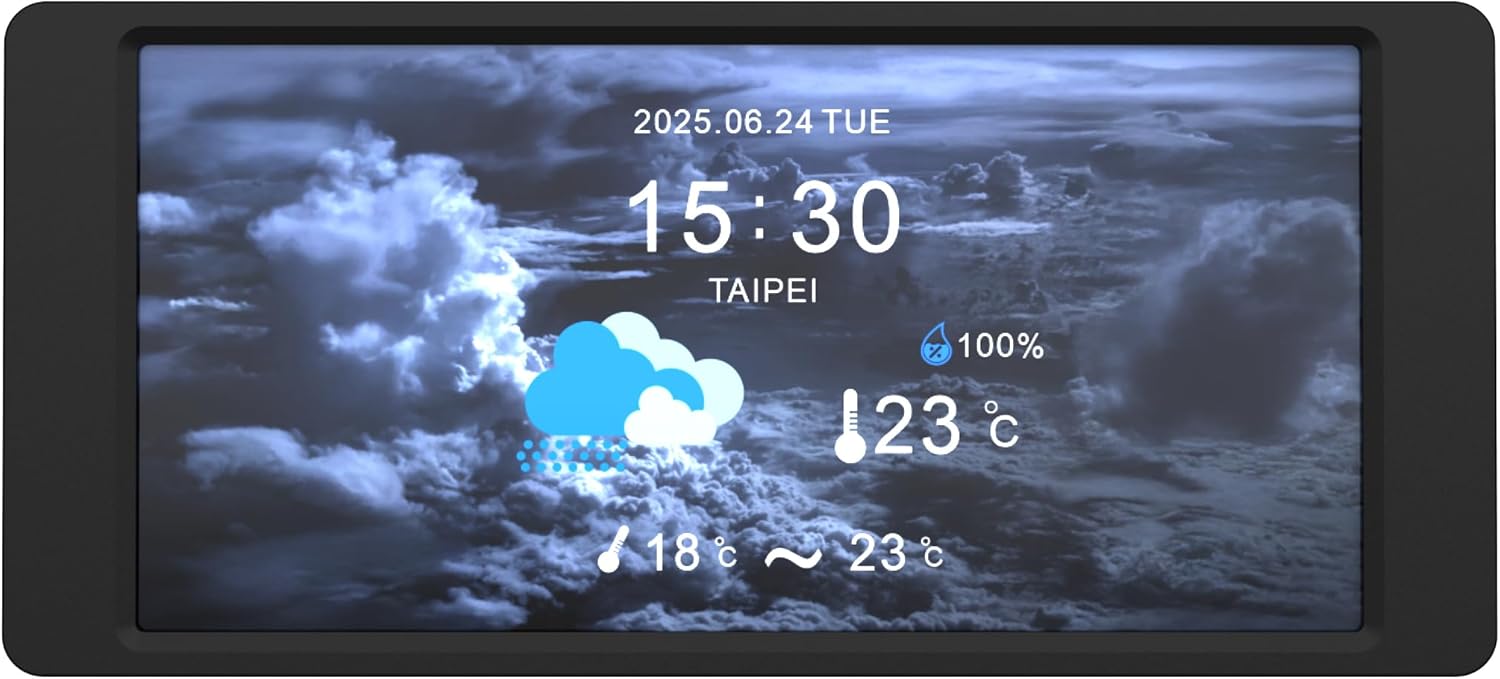
Image 3.2: The LCD Screen Kit displaying time and weather information.
4. Техникалык тейлөө
Proper maintenance ensures the longevity and optimal performance of your LCD Screen Kit.
4.1. Экранды тазалоо
- Gently wipe the screen surface with a soft, lint-free cloth.
- өжөр тактар үчүн, бир аз гampчүпүрөктү суу же экранга коопсуз тазалоо эритмеси менен жабыңыз. Суюктукту экранга түз чачпаңыз.
- Avoid using harsh chemicals, abrasive materials, or alcohol-based cleaners, as these can damage the screen finish.
4.2. Программалык камсыздоону жаңыртуу
Regularly check the Thermaltake website for updates to the TT RGB PLUS 3.0 software. Software updates often include performance improvements, bug fixes, and new features.
5. Кыйынчылыктарды
If you encounter issues with your LCD Screen Kit, refer to the following troubleshooting tips.
5.1. Screen Not Displaying / No Power
- Ensure the Type-C to USB (9-Pin) cable is securely connected to both the LCD Screen Kit and the motherboard's USB header.
- Verify that your computer is powered on and the operating system has loaded.
- Check your motherboard's BIOS/UEFI settings to ensure the USB header is enabled.
5.2. Software Issues (Freezing, Incorrect Display)
- Программаны жаңыртуу: Ensure you are running the latest version of TT RGB PLUS 3.0 software. Outdated software can cause instability.
- Программалык камсыздоону кайра иштетүү: Close and restart the TT RGB PLUS 3.0 application.
- Программалык камсыздоону кайра орнотуу: If issues persist, uninstall and then reinstall the TT RGB PLUS 3.0 software.
- Системалык ресурстар: The software may consume system resources. If you experience performance slowdowns, monitor your system's RAM usage and close unnecessary background applications.
5.3. Custom Content Not Displaying
- Verify that your custom images or videos are in the supported formats (JPG, GIF, PNG for images; MP4, MOV, AVI for videos).
- камсыз кылуу file size does not exceed 30MB per file.
- Check the TT RGB PLUS 3.0 software settings to confirm the custom content is correctly selected and applied.
6. Техникалык шарттар
| Өзгөчөлүк | Спецификация |
|---|---|
| Бренд | Thermaltake |
| Модель номери | AC-079-OO1NAN-A1 |
| Модель аты | 6.0 дюймдук LCD экран комплекти |
| Screen Size | 6 дюйм |
| Резолюция | 1480x720p |
| Аспект катышы | 16:9 |
| Screen Finish | Жылтырак |
| Контраст катышы | 2000:1 |
| Дисплей түрү | LCD |
| Элемент Салмагы | 0.22 килограмм |
| Байланыш технологиясы | USB түрү C |
| Кошумча функциялар | Real-Time System Data Display, Customizable Graphics |
| UPC | 840480304836 |
7. Кепилдик жана колдоо
7.1. Кепилдик маалыматы
This Thermaltake 6.0 Inch LCD Screen Kit is covered by a 3 жылдык Өндүрүүчүнүн Кепилдиги. Please retain your proof of purchase for warranty claims. For detailed warranty terms and conditions, refer to the official Thermaltake webсайтка же кардарларды тейлөөгө кайрылыңыз.
7.2. Техникалык колдоо
For further technical assistance, software downloads, or to report issues, please visit the official Thermaltake support webсайт:
You may also contact Thermaltake customer service directly through the contact information provided on their webсайт.