
Aninerel ANJ-12KP-SP-WIFI
Aninerel ANJ-12KP-SP-WIFI 12000W Solar Hybrid Inverter User Manual
Model: ANJ-12KP-SP-WIFI
Brand: Aninerel
1. Продукт бүтүп калдыview
The Aninerel ANJ-12KP-SP-WIFI is a 12000W solar hybrid inverter designed for both on-grid and off-grid solar power systems. It converts 48V DC power to 120V single-phase or 240V split-phase AC power, providing a continuous output of 12,000W and a peak output of 24,000W. This inverter features two built-in MPPT solar charging controllers, supporting up to 6,000W + 6,000W PV input with a maximum DC voltage of 500V and a maximum PV charging current of 220A. It is suitable for various applications including RVs, homes, cabins, and workshops.

Сүрөт 1.1: Алдыңкы view of the Aninerel ANJ-12KP-SP-WIFI 12000W Solar Hybrid Inverter, showing the display screen and indicator lights.

Image 1.2: Diagram illustrating a typical single-phase hybrid inverter system setup, showing power flow from solar panels, grid, and battery to household loads.
2. Негизги өзгөчөлүктөрү
- Жогорку кубаттуулугу: 12,000W continuous, 24,000W peak output, 48V DC to 120V/240V AC split-phase conversion.
- Кош MPPT күн энергиясы менен кубаттоо: Two built-in MPPT controllers support up to 6,000W + 6,000W PV input with a maximum DC voltage of 500V and a maximum PV charging current of 220A.
- Параллель мүмкүнчүлүк: Supports parallel connection of up to 6 units for a maximum output power of 72kW. Can achieve 120V single-phase, 240V split-phase, or 208V three-phase output with appropriate configurations.
- Smart LCD Monitoring: Features an LCD screen and indicator LEDs for real-time monitoring of power input/output, battery status, and system alerts. Allows configuration of charging current, voltage thresholds, and priority modes.
- Flexible Charging & Output Modes: Four charging modes (Solar Only, AC Priority, Solar Priority, Hybrid Charging) and three output modes (Mains Priority, PV Priority, Inverter Output) for diverse scenarios.
- Батарея шайкештиги: Compatible with AGM, GEL, Lead-acid, Li-ion, and LiFePO4 48V batteries. Supports no-battery mode for direct solar-to-load applications.
- Күчтүү дизайн: IP65-rated enclosure for dustproof and durable operation in various environments. Features intelligent cooling with a variable speed fan.
- Комплекстүү коргоо: Ашыкча электр кубатына каршы камтылган коргооtage, undervolvoltage, reverse polarity, and short circuits.
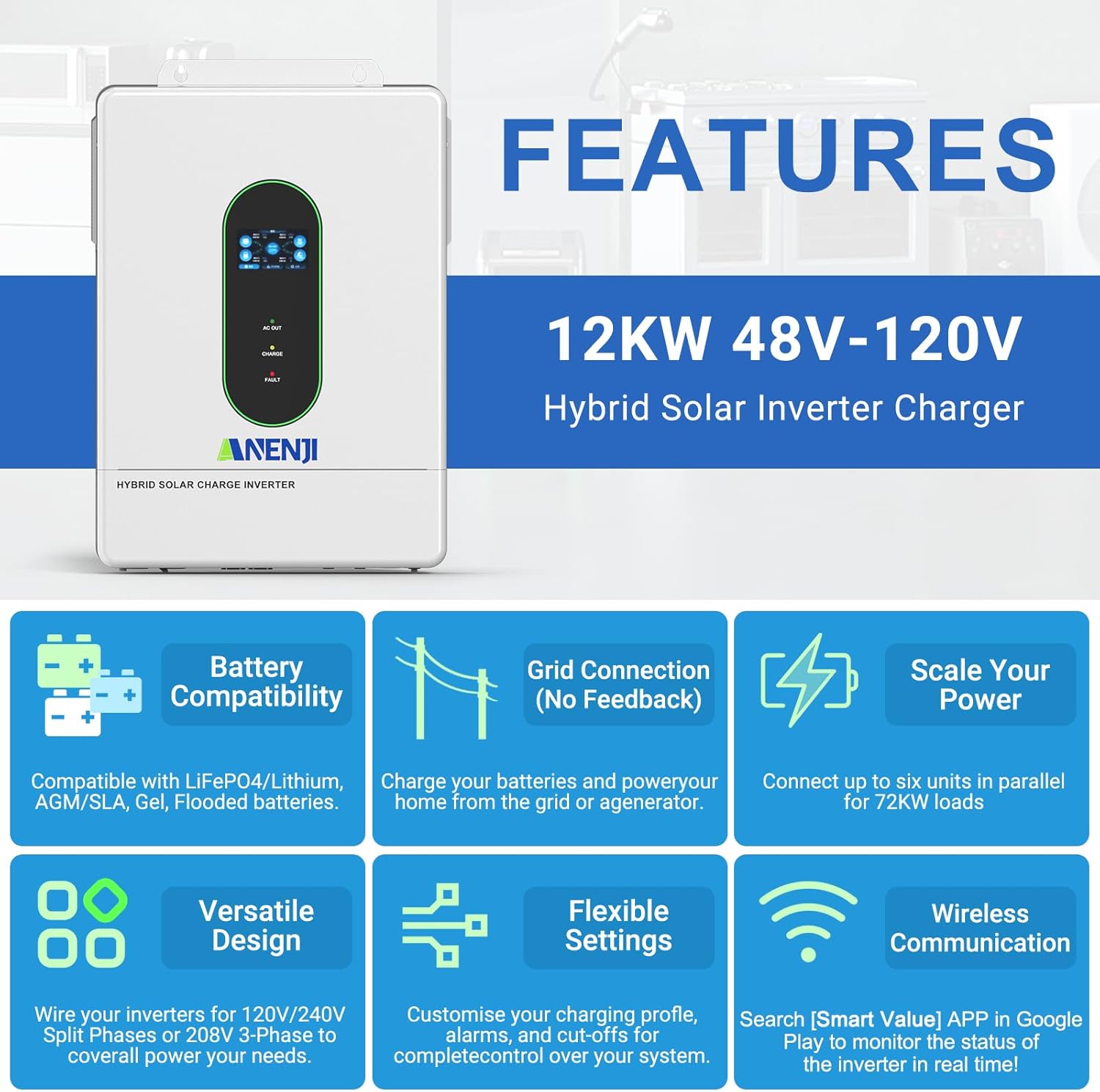
Сүрөт 2.1: Бүттүview of key features including battery compatibility, grid connection, scalability, versatile design, flexible settings, and wireless communication.
3. Продукциянын компоненттери жана аксессуарлары
The following items are typically included with your Aninerel ANJ-12KP-SP-WIFI Hybrid Solar Inverter:
- Aninerel ANJ-12KP-SP-WIFI Hybrid Solar Inverter Unit
- Instruction Manual
- Орнотуу куралдарынын топтому
- Parallel Cable (x1)
- Anti-reverse current CT (x2)
- WiFi Module (x1)
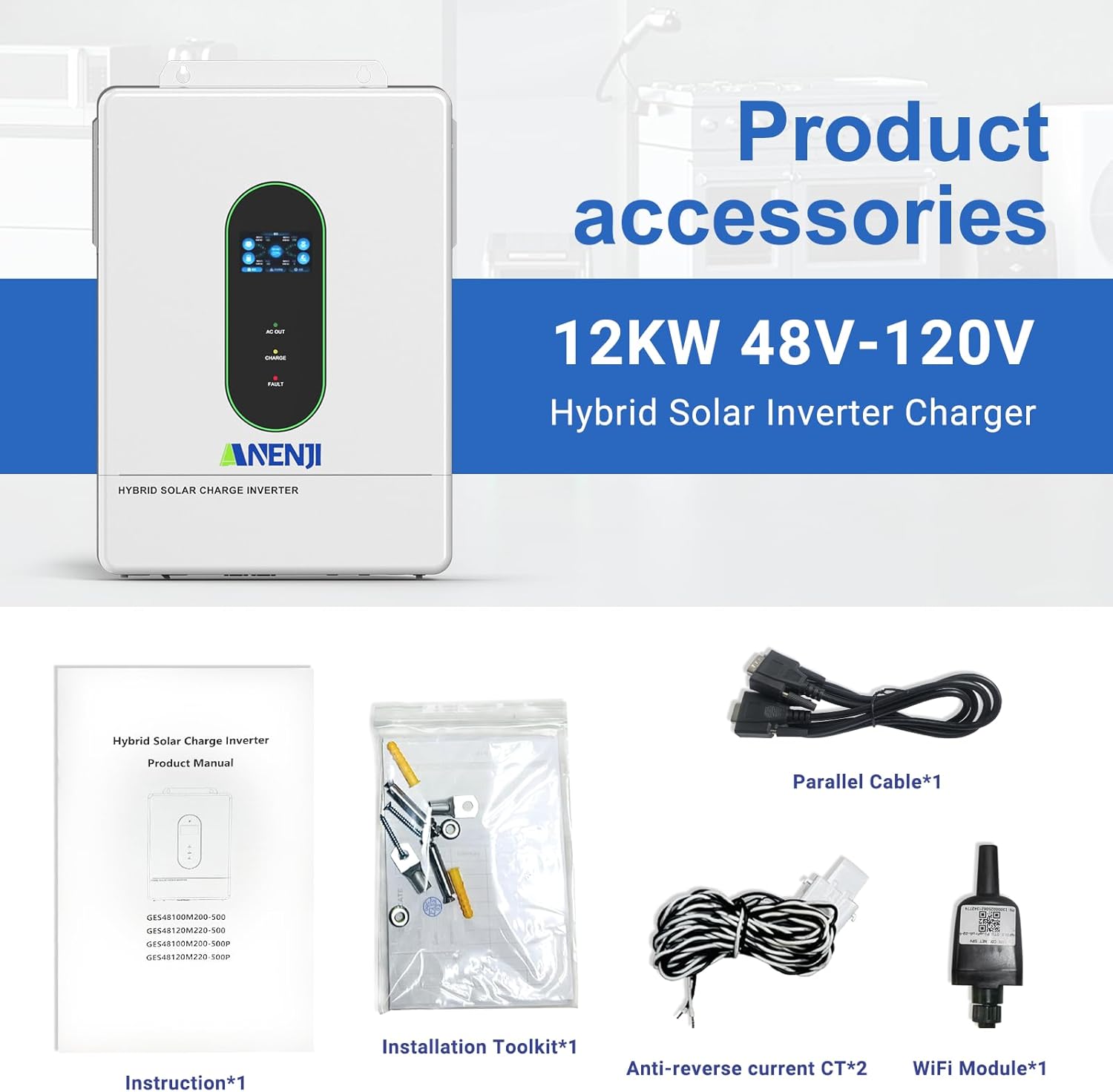
Image 3.1: Contents of the product package, including the inverter, manual, installation tools, cables, CTs, and WiFi module.
4. Орнотуу жана орнотуу
4.1. Физикалык орнотуу
Ensure the inverter is mounted in a well-ventilated area, protected from direct sunlight and moisture. The IP65 rating allows for indoor or semi-outdoor use. Refer to the included instruction manual for detailed mounting procedures and clearances.
4.2. Connection Ports Overview
Familiarize yourself with the various connection ports on the inverter. Proper connection is crucial for safe and efficient operation.

Сүрөт 4.1: Детальдуу view of the inverter's connection panel, labeling each port for display, pilot lamp, AC output, AC input, WiFi port, USB, communication ports (RS485-1, RS485-2/CAN), dry contact, CT sensing, ON/OFF switch, PV parameters, battery parameters, parallel communication, AC input breaker, and grounding screw hold.
- Экранды көрсөтүү
- Учкуч лamp
- AC чыгаруу порту
- AC киргизүү порту
- WiFi port (optional)
- USB байланыш порту
- RS485-1 байланыш порту
- RS485-2/CAN communication port
- Кургак байланыш порту
- CT sensing for self-consumption (optional)
- ON/OFF рокер которгучу
- Photovoltaic (PV) parameters
- Батарея параметрлери
- Параллель байланыш порту (параллель модулу гана)
- AC киргизүү өчүргүч
- Жерге туташтыруу бурагы
4.3. Электрдик байланыштар
All electrical wiring should be performed by a qualified electrician in accordance with local electrical codes and regulations.
- PV киргизүү: Connect your solar panel arrays to the PV input terminals. The inverter supports dual MPPT inputs, each up to 6000W. Ensure the PV array voltage белгиленген диапазондо (90-450VDC).
- Батарея туташуу: Connect a 48V battery bank (AGM, GEL, Lead-acid, Li-ion, or LiFePO4) to the battery terminals. Observe correct polarity.
- AC Input (Utility/Generator): Connect the grid or a generator to the AC input port.
- AC чыгаруу: Connect your household loads to the AC output port. The inverter provides 120V (L1/N, L2/N) or 240V (L1/L2) split-phase output.
- Негиздөө: Ensure the inverter is properly grounded using the grounding screw hold.

Image 4.2: Detailed wiring diagram showing connections for PV input, utility/generator input, battery, and inverter output to household loads.
4.4. Параллель туташуу
The inverter supports parallel connection of up to 6 units to increase total power output and surge capacity. This allows for flexible configurations including single-phase, split-phase, or three-phase systems.

Image 4.3: Diagrams illustrating various parallel connection configurations for single-phase and split-phase systems, showing how multiple inverters can be combined.

Image 4.4: Illustration of maximum 6 parallel connections for 120V single-phase/240V split-phase residential systems, delivering up to 72kW of power.
4.5. WiFi Monitoring Setup
The inverter includes a WiFi module for real-time monitoring of its operating status via a mobile application. Install the WiFi module into the designated port. Download the "Smart Value" app from the Google Play Store or Apple App Store to configure and monitor your system.
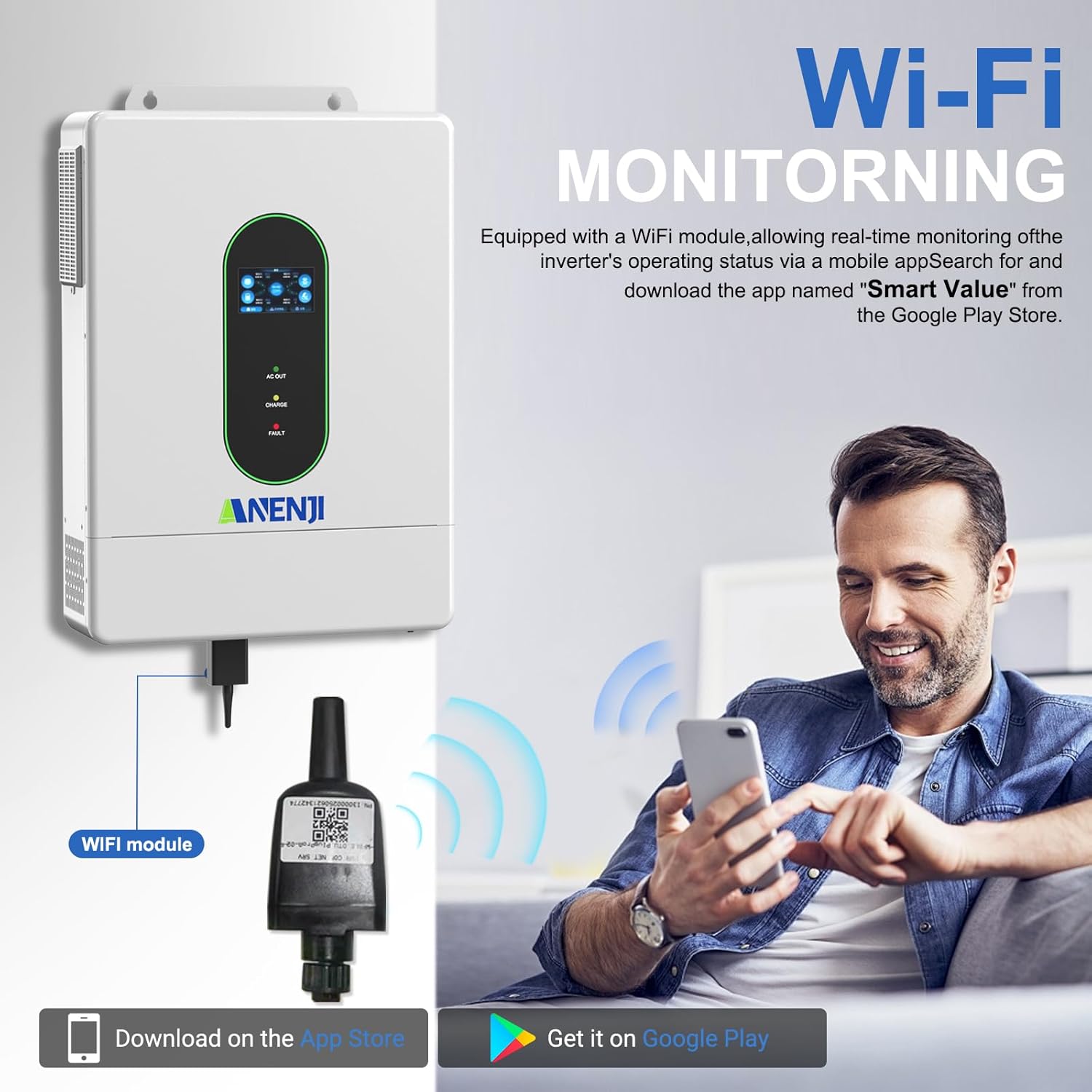
Image 4.5: Diagram showing the WiFi module connection to the inverter and a user monitoring the system via a smartphone app. The app "Smart Value" is available on Google Play and the App Store.
For detailed instructions on connecting the WiFi module and setting up the monitoring application, refer to the specific instructions provided with the WiFi module or contact customer support.
5. Иштөө нускамалары
5.1. LCD Screen and Indicator LEDs
The inverter features an LCD screen and indicator LEDs to provide real-time status updates. The LCD allows for configuration of various system settings.
- AC OUT LED: Indicates AC output status.
- кубаттоо LED: Батареянын заряддоо абалын көрсөтөт.
- FAULT LED: Indicates system errors or faults.
Use the control buttons adjacent to the LCD screen to navigate menus and adjust settings such as charging current, voltage thresholds, and operational priority modes.
5.2. Charging Priority Modes
The inverter offers four charging modes to control how the battery bank is charged from different power sources:
- Күн энергиясынын артыкчылыгы: The inverter prioritizes solar power for charging. AC input will only charge the battery when solar power is insufficient.
- Solar and AC Input: The inverter charges the battery bank from both solar and AC power simultaneously.
- Күн гана: The inverter charges the battery bank exclusively from available solar power.
- Гибриддик кубаттоо: (Details typically configured via settings, balancing solar and AC based on battery level and load).
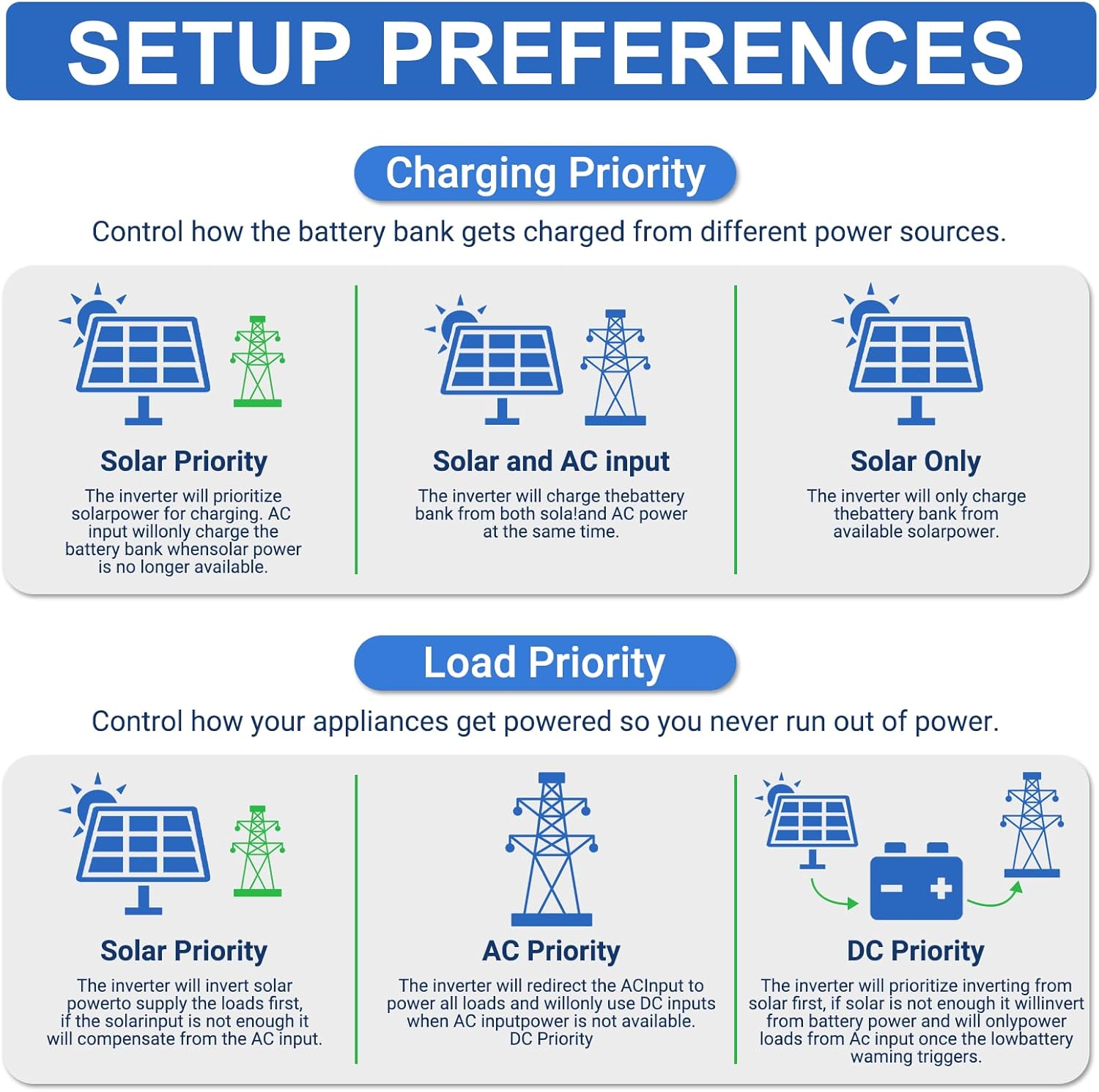
Image 5.1: Diagrams illustrating the different charging priority modes (Solar Priority, Solar and AC input, Solar Only) and load priority modes (Solar Priority, AC Priority, DC Priority).
5.3. Output Priority Modes
The inverter provides three output modes to manage how appliances are powered:
- Mains Priority (AC Priority): The inverter will redirect AC input to power all loads. If AC input is not available, it will switch to inverter output from batteries/solar.
- PV Priority (Solar Priority): The inverter will use solar power to supply the load first. If solar power is insufficient, it will draw from AC input or batteries.
- Inverter Output (DC Priority): The inverter prioritizes drawing power from the battery. If the battery level is low, it will switch to AC input.
5.4. No-Battery Operation
The inverter supports operation without a connected battery bank for direct solar-to-load applications. In this mode, the inverter will directly power loads from solar PV input. Ensure proper configuration for this mode as per the detailed manual.
6. Техникалык тейлөө
Regular maintenance helps ensure the longevity and optimal performance of your inverter. Always disconnect all power sources before performing any maintenance.
- Тазалоо: Мезгил-мезгили менен инвертордун сыртын кургак чүпүрөк менен тазалап туруңуз. Желдетүүчү тешиктердин чаң жана таштандыдан таза болушун камсыз кылыңыз.
- Байланыштары: Жыл сайын бардык электр туташууларынын бекемдигин жана дат басуу белгилерин текшерип туруңуз.
- Батареянын ден соолугу: If using a battery bank, monitor battery health and perform maintenance as recommended by the battery manufacturer.
- Программалык камсыздоонун жаңыртуулары: Өндүрүүчүнү текшериңиз website or app for any available firmware updates for the inverter or WiFi module.
7. Кыйынчылыктарды
This section provides general guidance for common issues. For detailed troubleshooting, refer to the complete instruction manual or contact technical support.
| Көйгөй | Мүмкүн себеп | Чечим |
|---|---|---|
| Инвертор күйбөй жатат | No DC input from battery/PV; AC input breaker tripped; ON/OFF switch off. | Батарея байланыштарын жана тtage; ensure PV input is sufficient; reset AC input breaker; turn ON/OFF switch to ON. |
| AC чыгышы жок | Overload; battery low; fault condition; output mode setting. | Reduce load; check battery charge; check fault codes on LCD; verify output mode settings. |
| Батарея заряддалбай жатат | PV input insufficient; charging mode setting; battery fault. | Check solar panel connections and sunlight; verify charging mode (e.g., Solar Only); inspect battery health. |
| WiFi monitoring not working | WiFi module not installed correctly; network issues; app configuration. | Ensure WiFi module is securely connected; check local WiFi network; reconfigure app settings. |

Image 7.1: Diagram illustrating the various built-in protections of the inverter, including overcharge, overload, overcurrent, overvoltage, short circuit, overheat, overspeed, and undervoltage коргоо.
8. Техникалык шарттар
Detailed technical specifications for the Aninerel ANJ-12KP-SP-WIFI Hybrid Solar Inverter.
| Параметр | Нарк |
|---|---|
| Модел | ANJ-12KP-SP-WIFI |
| Чыгуучу кубаттуулук | Split phase 12000VA/12000W (Single phase: 7200VA/7200W limited by wiring terminals) |
| Макс. Чоку күч | Split phase 18000VA, Single phase 18000VA |
| Рейтингдүү Чыгуу Voltage | 120Vac (L1/N, L2/N)/240Vac (L1/L2) |
| Моторлордун жүк көтөрүмдүүлүгү | 6HP |
| Номиналдык AC жыштыгы | 50Гц/60Гц |
| Параллель кубаттуулугу | 1~6 units |
| Output Voltage Waveform | Таза синус толкун |
| Ашыкча жүктөн коргоо | (102%<load<125%) +10% report error, turn off output after 5 minutes; (125%<load<150%) +10% report error, turn off output after 10 seconds; load>150% +10% report error, turn off output after 5 seconds. |
| Батарея түрү | Lithium/Lead-acid batteries |
| Батареянын көлөмүtage | 51.2V (минималдуу баштапкы томtage 44V) |
| Mains/Generator Input Range | (90Vac~140Vac) ±2% |
| Коопсуздук сертификаты | UL STD.1741 |
| Макс. MPPT заряддоо агымы | 160A |
| Электр тармагынын/генератордун максималдуу кубаттоо тогу | 160A |
| Max. Hybrid Charge Current | 220A |
| Num. MPP Trackers | 2 |
| Макс. PV массивинин кубаттуулугу | 6000Вт × 2 |
| Макс. киргизүү ток | 22A × 2 |
| Max. ТомtagOpen Cruit e | 500Vdc |
| MPPT Voltage Диапазон | 90Vdc~500Vdc |
| Max. Bypass Phase Overload Current | 2P, 63A/63A (L1/L2) |
| MPPT Tracking Efficiency | 95% |
| Колдоо байланышы | WiFi Modules/RS485/CAN/USB/Dry contact |
| Өлчөмдөр | 24.39 x 17.72 x 5.19 дюйм (61.95 x 45.01 x 13.18 см) |
| Салмагы | 62.9 фунт (28.53 кг) |

Image 8.1: A table summarizing the detailed technical specifications of the ANJ-12000W-LVP-WIFI model.
9. Колдоо жана байланыш маалыматы
For technical assistance, warranty inquiries, or further information, please contact Aninerel customer support.
- Электрондук почта: anenji168@outlook.com
- Телефон: +86 188 0375 9233
- Иштөө сааттары: PDT: 9 AM - 6 PM

Image 9.1: Contact details for Aninerel customer support, including email, phone number, and operating hours.
Ask a question about this manual
Ask about setup, troubleshooting, compatibility, parts, safety, or missing instructions. Manuals+ will review the question and use this page’s manual context to help answer it.