
1. Киришүү
The Trolinktek Wireless CarPlay Adapter (Model B48) is designed to convert your car's existing wired CarPlay or Android Auto system into a wireless experience. This device eliminates the need for cables, providing seamless connectivity between your smartphone and your car's infotainment system. It features intelligent automatic connection technology, a durable metal housing, and a simple plug-and-play installation process.
2. Кутуда эмне бар

Image: Contents of the Trolinktek Wireless CarPlay Adapter package.
- Trolinktek Wireless CarPlay Adapter (Model B48)
- User Manual
- Type-C Connector Cable (for Type-C car ports)
3. Орнотуу нускамалары
The Trolinktek Wireless CarPlay Adapter offers a simple plug-and-play setup. Ensure your vehicle has a factory-installed wired CarPlay or Android Auto system before proceeding.
3.1. Connecting to Wireless CarPlay (iPhone)
Video: Demonstrates the setup process for connecting an iPhone to the Wireless CarPlay Adapter.
- Адаптерди сайыңыз: Insert the Wireless CarPlay Adapter into your car's USB port. If your car has a Type-C port, use the provided Type-C connector cable. The adapter's indicator light will illuminate.
- Bluetooth жана Wi-Fi иштетүү: On your iPhone (iOS 10+), go to Settings and ensure both Bluetooth and Wi-Fi are turned on.
- Адаптер менен жупташуу: In your iPhone's Bluetooth settings, locate and select the adapter's Bluetooth name (e.g., "WirelessDongle-XXXX"). Confirm the pairing request on your iPhone and car screen.
- Allow CarPlay Access: A prompt will appear asking to allow CarPlay access. Select "Allow" or "Use CarPlay" to establish the connection.
- Автоматтык туташуу: After the initial setup, the adapter will automatically connect to your iPhone when you start your car.
3.2. Connecting to Wireless Android Auto (Android)
Video: Demonstrates the setup process for connecting an Android phone to the Wireless CarPlay & Android Auto Adapter.
- Адаптерди сайыңыз: Insert the Wireless CarPlay Adapter into your car's USB port. If your car has a Type-C port, use the provided Type-C connector cable. The adapter's indicator light will illuminate.
- Bluetooth жана Wi-Fi иштетүү: On your Android phone (Android 11+), go to Settings and ensure both Bluetooth and Wi-Fi are turned on.
- Адаптер менен жупташуу: In your Android phone's Bluetooth settings, search for new devices and select the adapter's Bluetooth name (e.g., "WirelessDongle-XXXX"). Confirm the pairing request on your phone and car screen.
- Allow Android Auto Access: A notification may appear to connect to Android Auto. Follow the prompts to allow access and launch Android Auto.
- Автоматтык туташуу: After the initial setup, the adapter will automatically connect to your Android phone when you start your car.
4. Иштөө нускамалары
Once connected, the Wireless CarPlay Adapter allows you to control your CarPlay or Android Auto interface using your car's original controls, maintaining a familiar and safe driving experience.
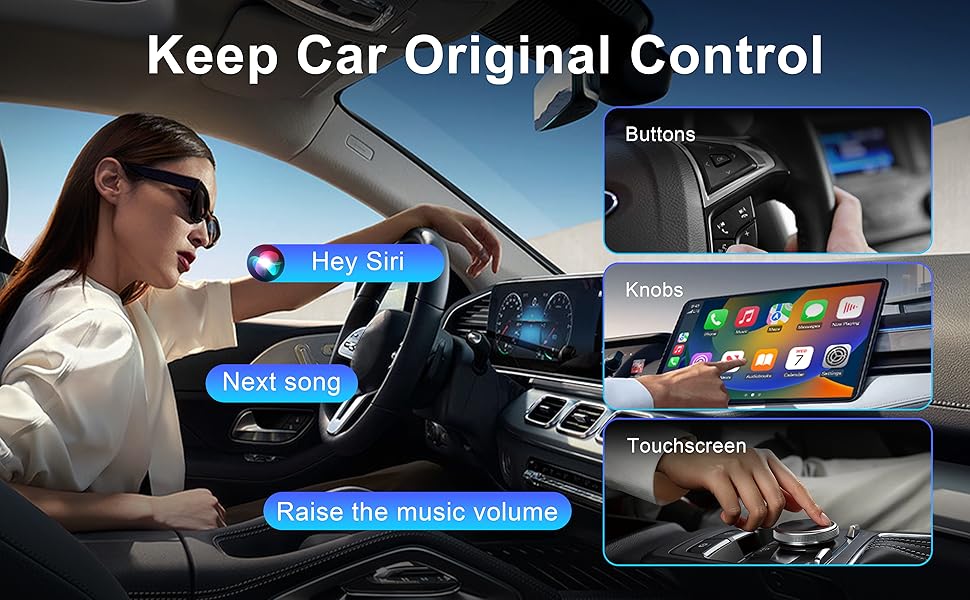
Image: CarPlay interface demonstrating control via car's original buttons, knobs, and touchscreen.
- Сенсордук экранды башкаруу: Interact directly with the car's display for navigation, music, and app selection.
- OEM баскычын башкаруу: Use your vehicle's factory-installed rotary knobs and buttons to navigate the CarPlay/Android Auto interface.
- Руль башкаруусу: Utilize your steering wheel buttons for volume adjustment, track skipping, and answering calls.
- Үн жардамчысы башкаруу: Activate Siri (for CarPlay) or Google Assistant (for Android Auto) using your car's voice command button or by saying the wake phrase (e.g., "Hey Siri"). This allows for hands-free control of navigation, calls, and music.
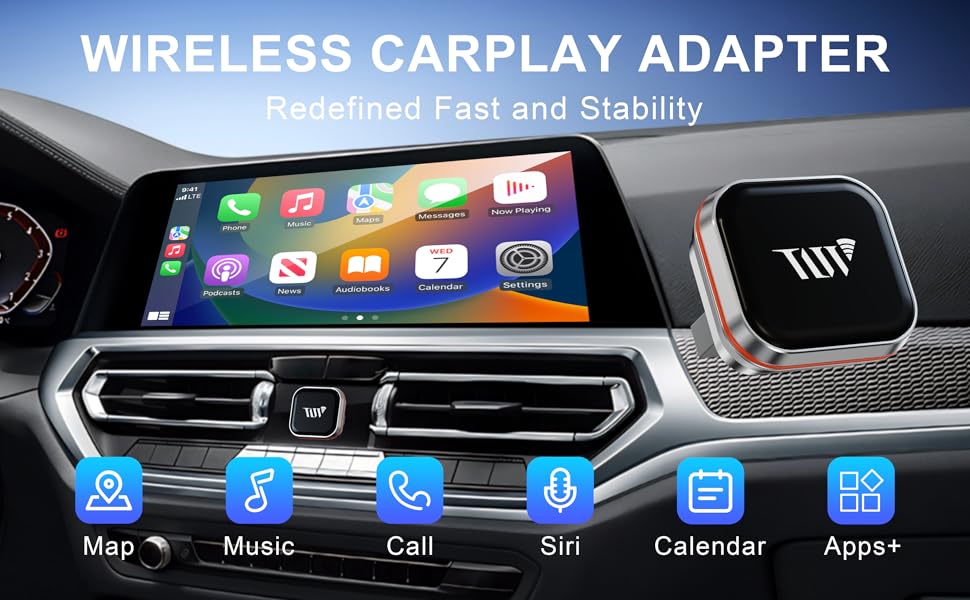
Image: The Wireless CarPlay Adapter interface showing common applications like Maps, Music, and Call functions.
5. Шайкештик
This adapter is designed to work with vehicles that come with a factory-installed wired CarPlay system. It does not add CarPlay or Android Auto functionality to vehicles that do not already possess it.
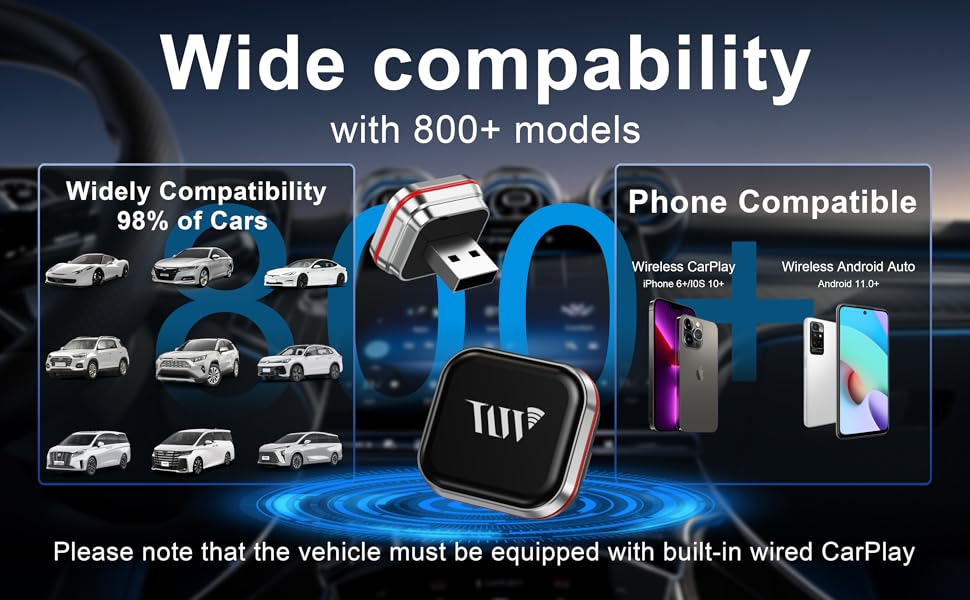
Image: Visual representation of device compatibility.
- iPhone шайкештиги: Compatible with iPhone 6 or later running iOS 10 and above for Wireless CarPlay.
- Android шайкештиги: Compatible with Android phones running Android 11 and above for Wireless Android Auto. Note: Huawei devices may not be compatible.
- Унаа шайкештиги: Works with over 800 car models equipped with factory-installed wired CarPlay.
6. Кыйынчылыктарды
If you encounter issues with your Wireless CarPlay Adapter, please refer to the following common solutions:
| Маселе | Чечим |
|---|---|
| Адаптер автоматтык түрдө туташпай жатат. | Ensure Bluetooth and Wi-Fi are enabled on your phone. Try forgetting the device in your phone's Bluetooth settings and re-pairing. Restart your phone and car's infotainment system. |
| Frequent disconnections during use. | Ensure your phone is within close proximity to the adapter and car's infotainment system. Avoid placing other wireless devices or large metal objects near the adapter that could cause interference. |
| No audio output from CarPlay/Android Auto. | Check your car's audio input settings to ensure it's set to the correct source (e.g., USB, Bluetooth). Verify that the volume on both your phone and car is turned up. |
| CarPlay/Android Auto not launching after connection. | Confirm that your car originally supports wired CarPlay/Android Auto. Some vehicles may require a specific USB port for data transfer. Try restarting your phone and the car's infotainment system. |
| Slow response or lag. | Ensure your phone's operating system is up to date. Close unnecessary apps running in the background on your phone. A strong Wi-Fi signal from the adapter is crucial for optimal performance. |
7. Техникалык шарттар
| Өзгөчөлүк | Деталь |
|---|---|
| Бренд | Trolinktek |
| Модель номери | B48 |
| Байланыш технологиясы | Bluetooth, WiFi |
| Controller Type | Android, iOS |
| Өзгөчө өзгөчөлүк | Apple CarPlay, Hands-Free Calling, Volume Control |
| Шайкеш түзмөктөр | iPhone 6 and above (iOS 10+), Android 11 and above |
| Туташтыргыч түрү | USB Type A, USB Type-C |
| Аудио чыгаруу режими | Стерео |
| Түс | Silver |
| Продукциянын өлчөмдөрү | 0.98"D x 0.86"W x 0.86"H |
| Элемент Салмагы | 4 унция |
| Чыгуу күчү | 5 вольт |
| Ватtage | 5 ватт |
| Башкаруу ыкмасы | тийүү |
| Аудио чыгаруу түрү | Bluetooth |
| Зымсыз технология | Bluetooth |
8. Кепилдик жана колдоо
The Trolinktek Wireless CarPlay Adapter (Model B48) comes with a 3 жылдык кепилдик, анын сапаты жана аткарылышы боюнча жан тынчтыгын камсыз кылуу.
For technical support, troubleshooting assistance, or warranty claims, please refer to the contact information provided in your product packaging or visit the official Trolinktek website. Please have your model number (B48) and purchase details ready when contacting support.