
Introduction
Thank you for choosing the EarFun Air Pro 4+ Adaptive Noise Cancelling Wireless Earbuds. This manual provides detailed instructions to help you set up, operate, and maintain your earbuds for optimal performance. Please read this manual thoroughly before use and retain it for future reference.
Кутуда эмне бар
- EarFun Air Pro 4+ Earbuds
- Заряддоо кутусу
- USB-C заряддоо кабели
- User Manual
- Наушниктердин бир нече өлчөмү
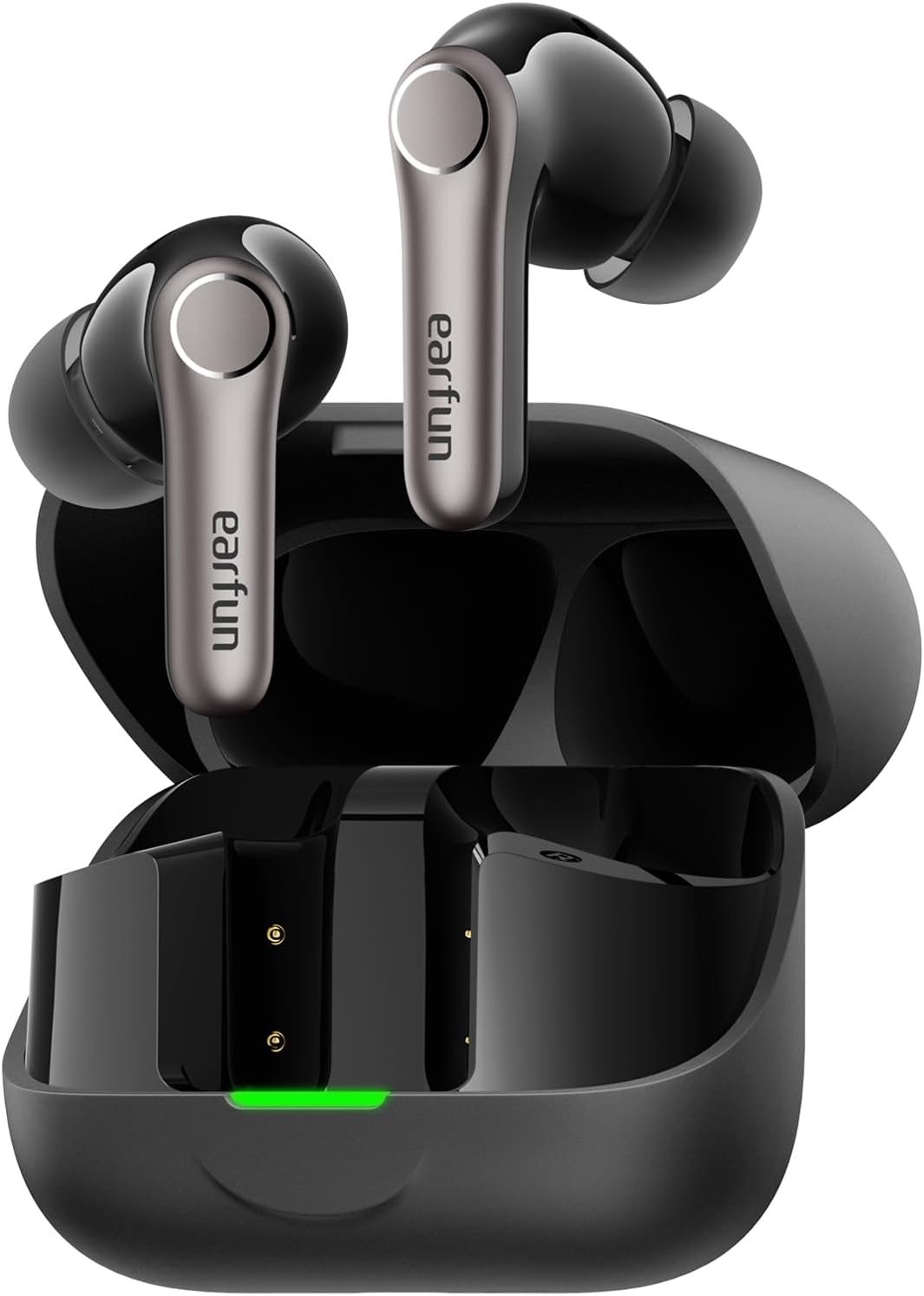
Жайгашуу
1. Баштапкы заряддоо
- Кулакчындардын экөөнү тең зарядкага салыңыз.
- USB-C кабелин корпустагы кубаттоо портуна жана кубат булагына туташтырыңыз.
- Ensure the earbuds and case are fully charged before first use. The LED indicator on the case will show charging status.

2. Туура кулак учун тандоо
A proper fit is crucial for sound quality and noise cancellation. Experiment with the included eartips to find the size that provides the best seal and comfort for your ears.

3. Түзмөгүңүз менен жупташтыруу
- Заряддоо кутучасын ачыңыз. Кулакчындар автоматтык түрдө жупташтыруу режимине өтөт (LED жаркылдайт).
- Түзмөгүңүздө (смартфон, планшет ж.б.) Bluetooth иштетиңиз.
- Издөө "EarFun Air Pro 4+" in the list of available devices and select it to connect.
- For Android devices, Google Fast Pair is supported for quick connection.

Иштөө нускамалары
1. Күйгүзүү/өчүрүү
- Күйгүзүү: Заряддоо кутучасын ачсаңыз, кулакчындар автоматтык түрдө күйөт.
- Өчүрүү: Кулакчындарды кайра заряддоо кутусуна салып, капкагын жабыңыз.
2. Башкаруу элементтерине тийүү
The EarFun Air Pro 4+ features customizable touch controls. Refer to the EarFun App for detailed customization options.
| Акция | Функция (демейки) |
|---|---|
| Бир таптоо (Сол/Оң) | Volume Down / Volume Up |
| Эки жолу таптаңыз (Сол/Оң) | Ойнотуу/Тыныгуу |
| Үч жолу таптап (Сол/Оң) | Мурунку трек / Кийинки трек |
| Узун басуу (Сол/Оң) | Noise Control / Voice Assistant |
3. Ызы-чууну башкаруу режимдери
Utilize the EarFun QuietSmart 3.0 technology for various listening experiences:
- Adaptive Hybrid Active Noise Cancellation (ANC): Reduces ambient noise by up to 50dB, intelligently adjusting based on your surroundings.
- Көшүү үн режими: Аудио угуп жатканда айланаңызды угууга мүмкүнчүлүк берет.
- Кадимки режим: Standard audio playback without noise cancellation or ambient sound.
- Wind Noise Cancelling: Specifically designed to reduce wind interference during calls or listening outdoors.
4. Көп чекиттүү туташуу
The earbuds support connecting to two devices simultaneously (e.g., phone and laptop) for seamless switching between audio sources.
5. Auracast аудио берүүлөрү
With Auracast technology, you can share audio with others or tune into public audio broadcasts in compatible environments.
6. Smart In-Ear Detection
Audio playback automatically pauses when you remove an earbud and resumes when you put it back in.
7. Gaming Mode (Low Latency)
Activate Gaming Mode via the EarFun App for ultra-low latency (under 50ms), enhancing your gaming and video experience.
8. Чалууларды башкаруу
Equipped with 6-Mic AI Beamforming and Qualcomm cVc 8.0 technology, the earbuds ensure clear calls by focusing on your voice and suppressing background noise.
Заряддоо жана Батарея
- Батареянын иштөө мөөнөтү: Up to 12 hours on a single charge (normal mode), and up to 54 hours with the charging case.
- Тез кубаттоо: 10 мүнөттүк кубаттоо болжол менен 3 саат ойноону камсыз кылат.
- Заряддоо кутусу: Supports both USB-C cable charging and wireless charging.
Техникалык тейлөө жана кам көрүү
- Суу жана чаңга туруктуулугу: The earbuds are IP55 rated, protecting against sweat, light rain, and dust. The charging case is not water-resistant.
- Тазалоо: Regularly clean the earbuds and charging case with a soft, dry cloth. Ensure charging contacts are free of debris.
- Сактагыч: Кулакчындарды коргоо жана батареянын иштөө мөөнөтүн узартуу үчүн колдонулбаган учурда кубаттоо кутучасында сактаңыз.
Проблемаларды чечүү
If you encounter any issues, please refer to the EarFun App's FAQ section or contact customer support. Common issues and solutions include:
- Үн жок: Check device volume, earbud battery, and Bluetooth connection.
- Жупташтыруу маселелери: Ensure earbuds are in pairing mode, disable/enable Bluetooth on your device, or reset the earbuds.
- Үн сапаты начар: Check eartip fit, clean earbuds, or adjust EQ settings in the EarFun App.
- Noise Cancellation Ineffective: Ensure proper eartip seal and select the appropriate ANC mode.
Техникалык шарттар
| Өзгөчөлүк | Деталь |
|---|---|
| Модель аты | EarFun Air Pro 4+ |
| Модель номери | TW700B |
| Noise Control | Adaptive Hybrid Active Noise Cancellation (up to 50dB) |
| Аудио драйверлери | Dual-Driver Synergy: 10mm composite dynamic driver + ultra-light FeatherBA balanced armature |
| Байланыш | Bluetooth 6.0 |
| Аудио кодектер | Qualcomm aptX Lossless, Snapdragon Sound, LDAC, LC3, LE Audio, SBC, AAC |
| Микрофондор | 6-Mic AI Beamforming with Qualcomm cVc 8.0 ENC |
| Батареянын иштөө мөөнөтү (наушник) | 12 саатка чейин (Нормалдуу режим) |
| Жалпы ойноо убактысы (Кеп менен) | 54 саатка чейин (Нормалдуу режим) |
| Суу каршылык | IP55 (Кулакчындар гана) |
| Өзгөчөлүктөр | Multipoint Connection, Auracast Broadcast Audio, Google Fast Pair, Smart In-Ear Detection, Gaming Mode (<50ms latency) |
| Башкаруу ыкмасы | Колдонмо, тийүү |
| Элемент Салмагы | 1.87 унция (53 грамм) |
| Продукциянын өлчөмдөрү | 2.36 x 1.97 x 1.1 дюйм |
Кепилдик жана колдоо
EarFun products typically come with a manufacturer's warranty. Please refer to the warranty card included in your product packaging or visit the official EarFun website for detailed warranty information and support options. For technical assistance or inquiries, contact EarFun customer service.