
Introduction
This manual provides comprehensive instructions for the OPPO A6 Pro 5G smartphone. It covers essential information for setup, operation, maintenance, and troubleshooting to ensure optimal use of your device. The OPPO A6 Pro 5G features a 6500mAh battery, 80W SUPERVOOC fast charging, a 6.57-inch 120Hz AMOLED display, a 50MP AI camera system, and IP69 water and dust resistance.
Жайгашуу
1. Кутудан чыгаруу жана алгачкы текшерүү
Carefully remove all components from the packaging. Verify that all items listed in the 'What's in the Box' section are present and undamaged. The package includes the OPPO A6 Pro 5G smartphone and a USB cable.
2. SIM картаны салуу
- Аппараттын капталындагы SIM карта салгычын табыңыз.
- SIM чыгаруучу куралды лотоктун жанындагы кичинекей тешикке киргизип, лоток чыгып кеткенче бекем басыңыз.
- Place your Nano SIM card(s) into the tray with the gold contacts facing down. Ensure proper orientation. This device supports a single SIM card.
- Табаны акырын кайра уячага түртүңүз, ал чыкылдаганча.
3. Баштапкы күйгүзүү жана орнотуу
- OPPO логотиби пайда болгонго чейин Кубат баскычын басып, кармап туруңуз.
- Тилди, аймакты тандоо жана Wi-Fi тармагына туташуу үчүн экрандагы көрсөтмөлөрдү аткарыңыз.
- Sign in with your Google account or create a new one to access Android services and the Google Play Store.
- Configure security settings, including facial recognition, PIN, pattern, or fingerprint.
Иштөө нускамалары
1. Батарея жана заряддоо
The OPPO A6 Pro 5G is equipped with a 6500mAh battery and supports 80W SUPERVOOC fast charging. Use the provided USB cable and a compatible 80W SUPERVOOC charger for optimal charging speed. The device also supports reverse charging, allowing it to act as a power bank for other devices.

2. Дисплей өзгөчөлүктөрү
The 6.57-inch AMOLED display offers a 120Hz refresh rate and a peak brightness of 1400 nits, providing vivid and clear visuals. Adjust display settings such as brightness, color mode, and refresh rate in the 'Settings' menu under 'Display & Brightness'.

3. Камераны колдонуу
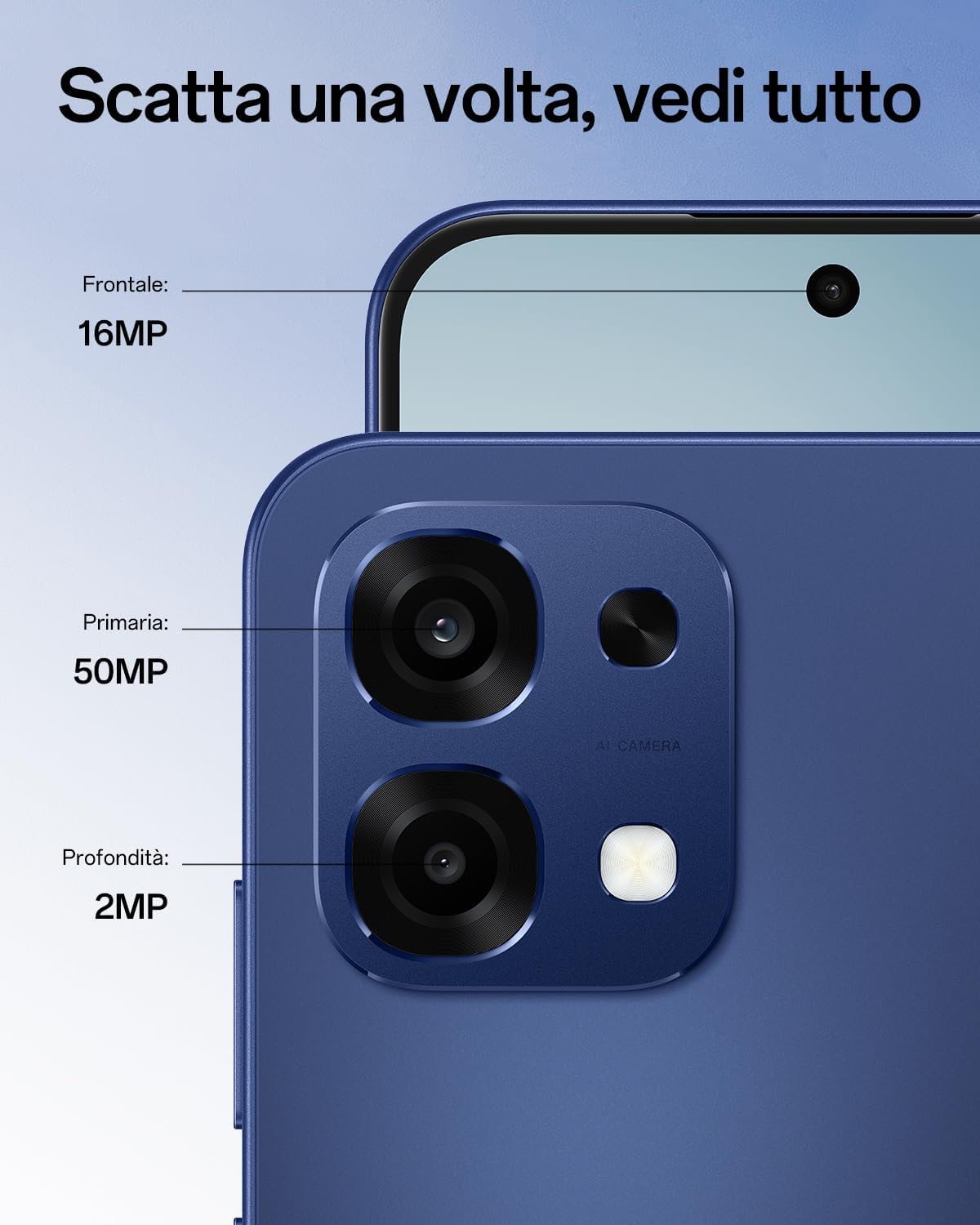
The device features a 50MP main wide-angle camera, a 2MP monochrome sensor, and a 16MP front camera. Utilize AI photo modes such as Underwater mode for clear shots below the surface, AI Night mode for improved low-light photography, and AI Portrait Retouch for enhanced selfies.

4. Network Connectivity
The OPPO A6 Pro 5G supports 5G connectivity, enhanced by AI LinkBoost 3.0 technology for reliable network coverage. Ensure your SIM card is 5G compatible and your service plan supports 5G for optimal performance.
5. Туруктуулуктун өзгөчөлүктөрү
The smartphone boasts military-grade shock resistance and IP69 water and dust resistance, protecting it from drops, impacts, high-pressure water jets, and fine dust.
6. Аткаруу жана муздатуу
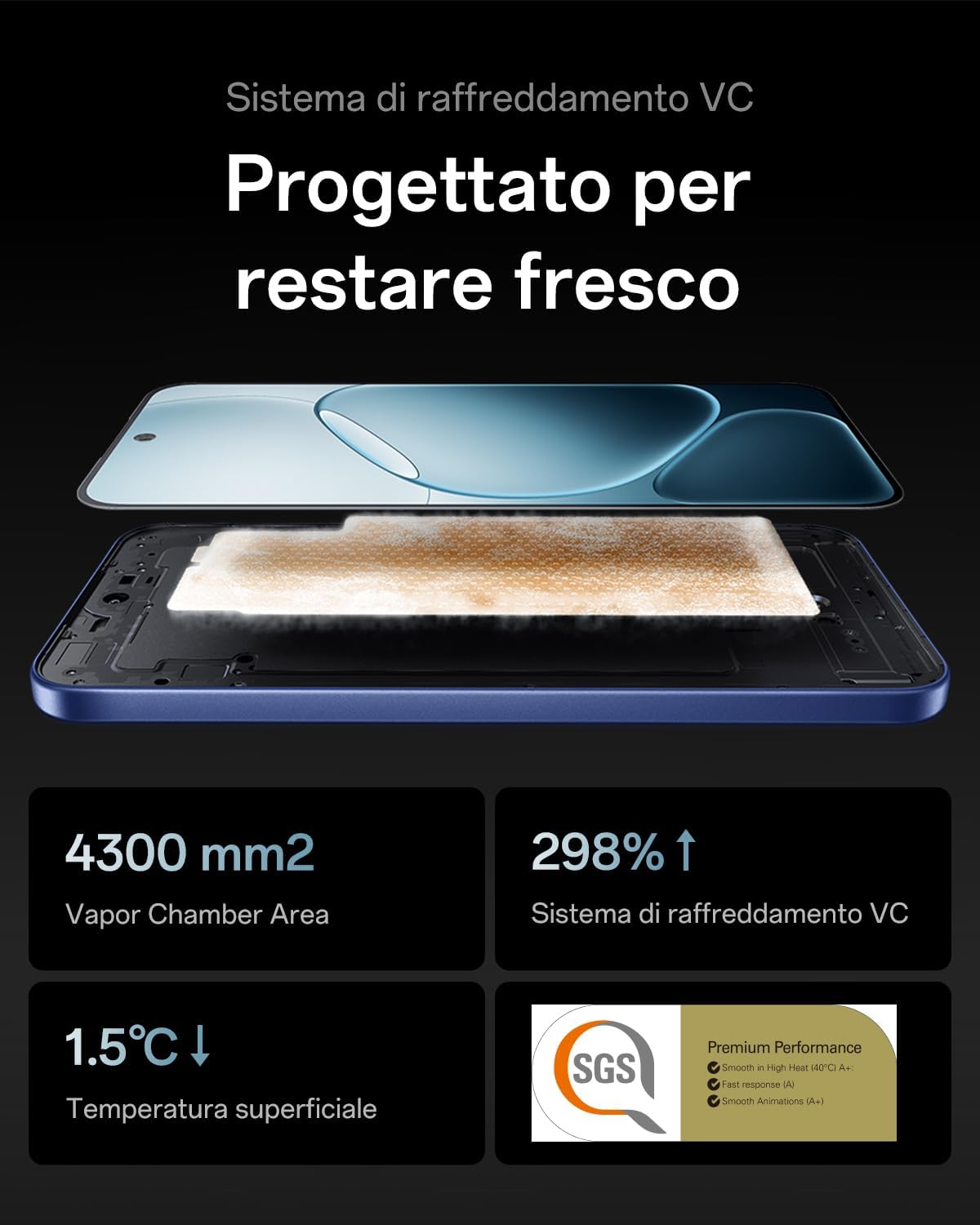
The SuperCool VC cooling system efficiently dissipates heat, ensuring smooth and stable performance during intensive tasks like gaming or multitasking.

7. AI өзгөчөлүктөрү
The device integrates AI GameBoost 2.0 for enhanced gaming performance and AI LinkBoost 3.0 for optimized network connectivity. It also includes Outdoor Mode 2.0 and Glove Touch for usability in various conditions.

8. Расмий продукт Videos
This video demonstrates the exceptional battery autonomy of the OPPO A6 Pro 5G smartphone, highlighting its long-lasting power.
This video showcases the intelligent charging capabilities of the OPPO A6 Pro 5G smartphone, focusing on its rapid and efficient power delivery.
Техникалык тейлөө
1. Аппаратыңызды тазалоо
Телефонуңуздун экранын жана корпусун тазалоо үчүн жумшак, түксүз чүпүрөктү колдонуңуз. Катуу химиялык заттарды же абразивдик материалдарды колдонуудан алыс болуңуз. өжөр тактар үчүн, бир аз гampчүпүрөккө суу же электроника үчүн арналган экран тазалагыч.
2. Программалык камсыздоону жаңыртуу
Regularly check for and install software updates to ensure your device has the latest features, security patches, and performance improvements. Navigate to 'Settings' > 'About device' > 'Software update' to check for available updates.
3. Сактагычты башкаруу
Оптималдуу иштөөсүн сактоо үчүн, түзмөгүңүздүн сактагычын мезгил-мезгили менен башкарып туруңуз. Керексизин өчүрүңүз files, uninstall unused applications, and clear cache data. You can check storage usage in 'Settings' > 'Storage'.
Проблемаларды чечүү
1. Түзмөк күйбөй жатат
If your device does not turn on, ensure it is sufficiently charged. Connect it to the charger for at least 15-30 minutes, then try pressing and holding the Power button again. If the issue persists, perform a forced restart by holding the Power button and Volume Down button simultaneously for about 10-15 seconds.
2. Тармакка туташуу маселелери
If you experience problems with network connectivity (no signal, slow data), check the following:
- SIM картаңыз туура салынганын текшериңиз.
- Учак режимин күйгүзүү жана өчүрүү.
- Түзмөгүңүздү өчүрүп күйгүзүңүз.
- Check your network settings in 'Settings' > 'Mobile network'.
3. Camera Malfunction
If the camera app is not working correctly, try clearing the camera app's cache and data in 'Settings' > 'Apps' > 'Camera' > 'Storage usage'. If the problem continues, restart your phone. Ensure there are no physical obstructions on the camera lenses.
4. Экран жооп бербейт
If the screen becomes unresponsive, try restarting the device. If a restart does not resolve the issue, contact customer support.
Техникалык шарттар
| Өзгөчөлүк | Спецификация |
|---|---|
| Бренд | OPPO |
| Модел | A6 Pro 5G |
| RAM эс көлөмү | 8 ГБ |
| CPU модели | Mediatek Dimensity 900 |
| Сактоо сыйымдуулугу | 256 ГБ |
| Screen Size | 6.57 дюйм |
| Резолюция | 2372 x 1080 |
| Жаңыртуу ылдамдыгы | 120 Гц |
| Зымсыз кызмат көрсөтүүчү | Кулпусу ачылган |
| Уюлдук технология | 5G |
| Байланыш технологиясы | 4G, 5G |
| Түс | Stellar Black |
| Number of SIM Card Slots | Жалгыз SIM |
| Киргизүү порту | USB-C |
| Форма фактору | Бар |
| биометрикалык аныктоо | Жүздү таануу |
| SIM Card Format | Nano |
| Сууга туруктуулук деңгээли | IP69 суу өткөрбөйт |
| Наушник уясы | 3.5 мм |
| Алдыңкы камеранын чечилиши | 16 депутат |
| Арткы камеранын чечилиши | 50 депутат |
| Number of Rear Cameras | 2 |
| Number of Front Cameras | 1 |
| Батарея сыйымдуулугу | 6500 мАч |
| Average Battery Life (Longevity) | 5 жыл |
| Телефон менен сүйлөшүү убактысы | 24 саат |
| Экран түрү | AMOLED |
| Модель жылы | 2025 |
| Элемент Салмагы | 185 грамм |
| Видео тартуунун резолюциясы | 1080p |
| Frame Rate | 30 кадр/сек |
Кепилдик жана колдоо
The OPPO A6 Pro 5G comes with a standard manufacturer's warranty. For specific warranty terms and conditions, please refer to the warranty card included with your product or visit the official OPPO support website. Spare parts for this device are available for up to 5 years within the EU.
For technical assistance, troubleshooting beyond this manual, or to inquire about repairs, please contact OPPO customer support through their official channels. You can typically find contact information on the OPPO website or within the device's 'Settings' menu under 'About device' > 'Customer service'.