
Introduction
Thank you for choosing the Spacetronik Manual Height Adjustable Desk. This ergonomic sit-stand desk is designed to provide a flexible and comfortable workspace, allowing you to easily switch between sitting and standing positions. This manual provides essential information for the safe assembly, operation, and maintenance of your new desk.
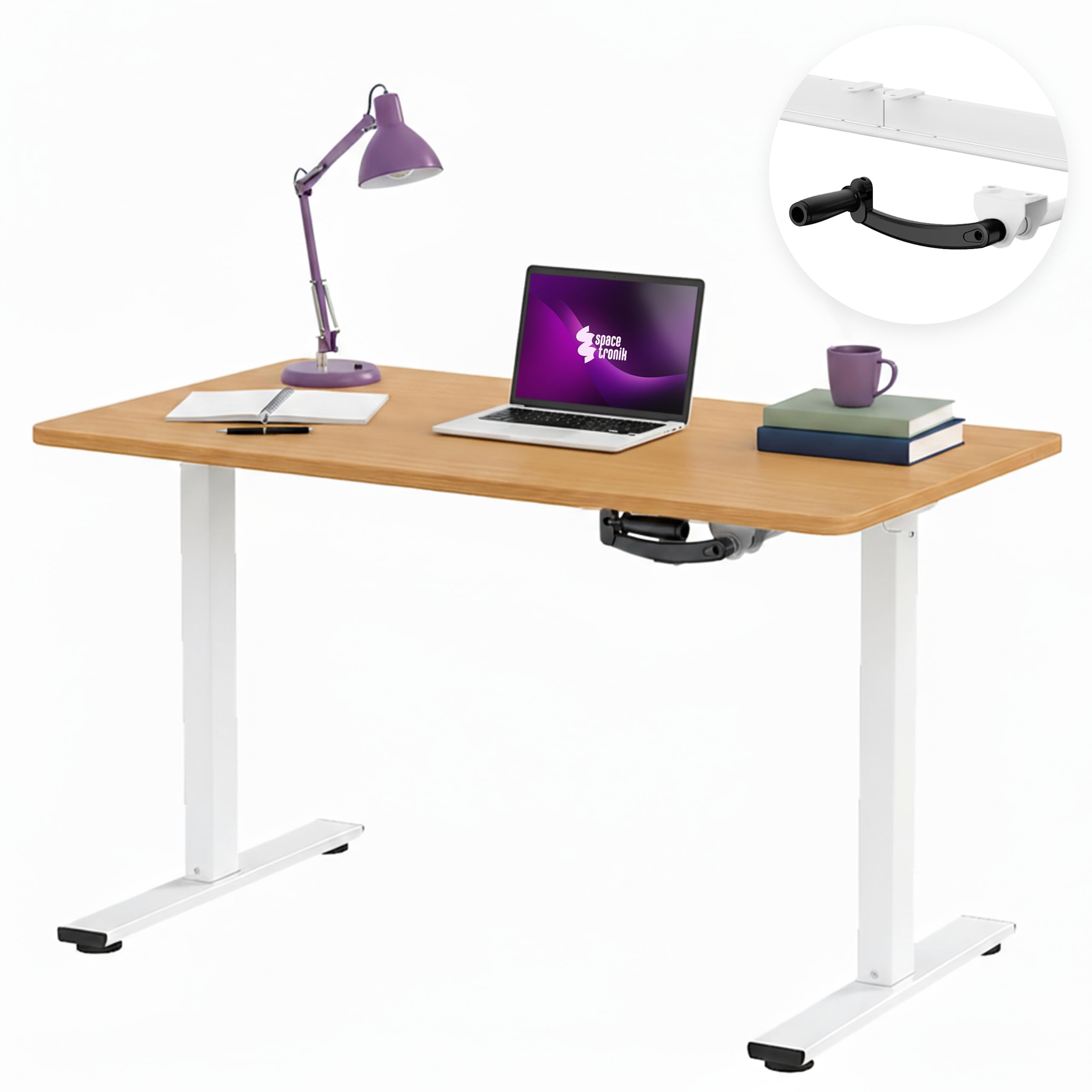
Image: The Spacetronik Manual Height Adjustable Desk in a modern office environment, showcasing анын кооз дизайны жана функционалдуулугу.
Коопсуздук маалыматы
- Монтаждоо жана колдонуудан мурун бардык нускамаларды кунт коюп окуп чыгыңыз.
- Ensure all components are securely fastened before placing items on the desk.
- 40 кг максималдуу жүк көтөрүмдүүлүктөн ашпаңыз.
- Бийиктикти тууралоодо колду жана манжаларды кыймылдуу бөлүктөрдөн алыс кармаңыз.
- Туруктуулугун камсыз кылуу үчүн үстөлдү тегиз жерге коюңуз.
- Коргоочу капкактарсыз суюктуктарды түздөн-түз столдун бетине коюудан алыс болуңуз.
- This desk is intended for indoor use only.
Орнотуу жана чогултуу
Assembly is required for this product. Please refer to the separate assembly instructions included in your package for detailed, step-by-step guidance. Ensure all parts are present and undamaged before beginning assembly.
Жалпы Ассамблеянын кеңештери:
- Чийип кетпеш үчүн бардык компоненттерди жумшак, таза бетке жайыңыз.
- Identify all parts using the provided parts list in the assembly manual.
- Бардык бурамалар менен болтторду бекем тартыңыз, бирок өтө катуу тартпаңыз.
- Коопсуздукту жана жеңилдикти камсыз кылуу үчүн чогултуу үчүн эки адам болушу сунушталат.

Image: Technical drawing illustrating the desk's dimensions, including height range (72-109.5 cm), width (100 cm), and depth (60 cm).
Иштөө нускамалары
Height Adjustment with Manual Crank:
The Spacetronik desk features a manual crank system for smooth and quiet height adjustment. This allows you to effortlessly transition between sitting and standing positions to improve comfort and reduce fatigue during long work sessions.
- Locate the manual crank handle on the side of the desk frame.
- To raise the desk, turn the crank clockwise.
- To lower the desk, turn the crank counter-clockwise.
- Adjust the desk to your desired height within the range of 72 cm to 109.5 cm. The crank mechanism provides a smooth adjustment of approximately 8 mm per turn.

Сүрөт: жакын план view of the manual crank mechanism, highlighting its smooth and precise operation for height adjustment.
Эргономикалык артыкчылыктары:
Regularly changing your posture between sitting and standing can help alleviate back, shoulder, and neck strain, enhance concentration, and promote overall well-being during extended periods of work or gaming.

Image: A visual comparison demonstrating the desk at its minimum sitting height (72 cm) and maximum standing height (109.5 cm), illustrating the ergonomic flexibility.
Техникалык тейлөө
Тазалоо:
- Үстөлдүн бетин жумшак менен сүртүңүз, гamp кездеме.
- Катуу химиялык заттарды же абразивдүү тазалагычтарды колдонуудан алыс болуңуз, анткени алар финишке зыян келтириши мүмкүн.
- For the steel frame, use a mild detergent solution if necessary, then wipe dry.
Жалпы кам көрүү:
- Мезгил-мезгили менен бардык бурамалар менен болтторду текшерип туруңуз, алар бекем бойдон калууда.
- Do not drag the desk; lift it when moving to prevent damage to the frame or floor.
- Keep the crank mechanism free from dust and debris to ensure smooth operation.
Проблемаларды чечүү
Crank is Stiff or Not Moving Smoothly:
- Тоскоолдуктарды текшерүү: Ensure there are no objects blocking the crank mechanism or the desk legs.
- Verify assembly: Confirm that all parts of the frame and crank mechanism were assembled correctly and are not overtightened or misaligned.
- Майлоо: A small amount of silicone-based lubricant can be applied to the moving parts of the crank mechanism if stiffness persists.
Desk is Unstable:
- Тегиздик бети: Ensure the desk is placed on a flat, level floor.
- Tighten fasteners: Re-check and tighten all screws and bolts on the frame and tabletop.
- Салмак бөлүштүрүү: Distribute items evenly on the desk surface, ensuring the load does not exceed 40 kg.
Техникалык шарттар
| Модель номери | SPEO113 |
| Өлчөмдөрү (L x W x Y) | 100 см х 60 см х 72-109.5 см |
| Бийиктигин тууралоо диапазону | 72 cm to 109.5 cm (manual crank) |
| Жүктөө жөндөмдүүлүгү | 40 кг чейин |
| Материалдар | Engineered wood tabletop with melamine finish, steel frame, plastic components |
| Түс (учурдагы вариант) | Dark Wood |
| Салмагы | 20 кг |
| Үстөлдүн калыңдыгы | 2.5 см |

Image: The desk demonstrating its robust construction and ability to support up to 40 kg of equipment, ensuring stability in any position.
Available Tabletop Sizes:
The Spacetronik Manual Height Adjustable Desk is available with various tabletop dimensions to suit different workspace needs:
- 100 x 60 cm (current model)
- 120 x 60 см
- 140 x 60 см

Image: Visual representation of the three available tabletop sizes: 100x60 cm, 120x60 cm, and 140x60 cm, offering flexible workspace options.
Кепилдик маалымат
For specific warranty details regarding your Spacetronik Manual Height Adjustable Desk, please refer to the warranty card included with your product or contact your retailer. Warranty terms typically cover manufacturing defects and material faults under normal use.
Кардарларды колдоо
If you have any questions, require assistance with assembly, or encounter any issues with your Spacetronik desk, please contact the retailer where you purchased the product or visit the official Spacetronik webколдоо булактары үчүн сайт.
Өндүрүүчү: Spacetronik
Келип чыккан өлкө: Кытай