
Introduction
Thank you for choosing the TECKNET TK-HS049 Hybrid Active Noise Cancelling Headphones. These headphones are designed to provide a superior audio experience with advanced noise cancellation, long battery life, and versatile connectivity. This manual will guide you through the setup, operation, and maintenance of your new headphones.
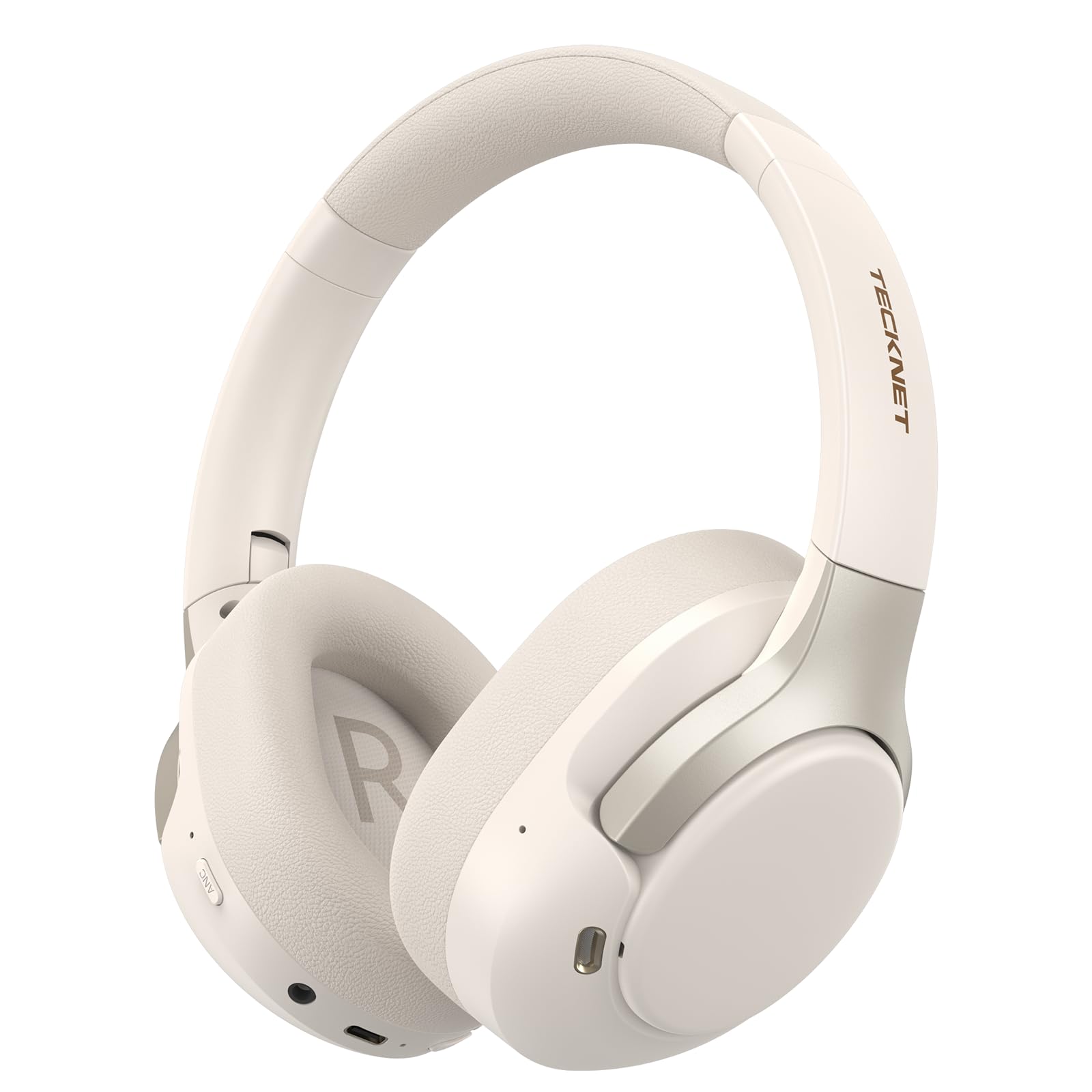
Image: TECKNET TK-HS049 Hybrid Active Noise Cancelling Headphones.
Кутуда эмне бар
- 1 x TECKNET TK-HS049 ANC Headphones
- 1 x 3.5 мм аудио кабель
- 1 x User Manual
- 1 x Type-C заряддоо кабели

Image: Contents of the product packaging.
Продукт бүттүview
Familiarize yourself with the various components and controls of your TECKNET TK-HS049 headphones.
Сүрөт: каптал view of the headphones highlighting control buttons and ports.
Негизги компоненттер:
- Кубат баскычы: Used to turn the headphones on/off and for Bluetooth pairing.
- Үнүн жогорулатуу/Кийинки трек баскычы: Үндүн көлөмүн жогорулатат же кийинки трекке өткөрүп жиберет.
- Үндү азайтуу/Мурунку трек баскычы: Үндү азайтат же мурунку трекке өтөт.
- Көп функциялуу баскыч: Музыканы ойнотуу/тындыруу, чалууларга жооп берүү/аяктоо.
- ANC баскычы: Активдүү ызы-чууну жокко чыгаруу режимдерин өчүрөт.
- Type-C заряддоо порту: Наушниктерди заряддоо үчүн.
- 3.5 мм аудио уячасы: Зымдуу аудио туташуу үчүн.
- Микрофон: Чалуулар жана үн буйруктары үчүн.
Жайгашуу
1. Наушниктерди заряддоо
Before first use, fully charge your headphones. Connect the supplied Type-C charging cable to the charging port on the headphones and the other end to a USB power source (e.g., wall adapter, computer USB port).
- LED индикатору кубаттоо абалын көрсөтөт.
- Толук кубаттоо адатта болжол менен 2-3 саатты талап кылат.
2. Күйгүзүү/өчүрүү
- Күйгүзүү: Press and hold the Power button for 3 seconds until the LED indicator flashes blue.
- Өчүрүү: Press and hold the Power button for 3 seconds until the LED indicator flashes red and then turns off.
3. Bluetooth Жупташтыруу
Кулакчындарды Bluetooth аркылуу түзмөккө туташтыруу үчүн:
- Наушниктердин өчүрүлгөнүн текшериңиз.
- Press and hold the Power button for 5 seconds until the LED indicator flashes red and blue alternately, indicating pairing mode.
- Түзмөгүңүздө (смартфон, планшет, ноутбук) Bluetooth иштетиңиз жана жеткиликтүү түзмөктөрдү издеңиз.
- Select "TECKNET TK-HS049" from the list of devices.
- Туташтырылгандан кийин, LED индикатору акырындык менен көк болуп жанат.
4. Кош түзмөк байланышы
The headphones support simultaneous connection to two Bluetooth devices, allowing seamless switching between them.
- Pair the headphones with the first device (e.g., smartphone) as described above.
- Биринчи түзмөктө Bluetooth'ду өчүрүңүз. Кулакчындар жупташтыруу режимине кайра кирет.
- Pair the headphones with the second device (e.g., laptop).
- Биринчи түзмөктө Bluetooth'ду кайра иштетиңиз. Наушник эки түзмөккө тең автоматтык түрдө туташып турушу керек.
- To switch audio, simply play media on the desired device.

Image: Dual device connection setup.
5. Зымдуу туташуу
For devices without Bluetooth or when battery is low, use the included 3.5mm audio cable.
- 3.5 мм аудио кабелдин бир учун кулакчындын аудио уячасына сайыңыз.
- Экинчи учун түзмөгүңүздүн 3.5 мм аудио чыгаруусуна сайыңыз.
- Note: Some headphone functions (e.g., ANC, EQ modes) may be limited or unavailable in wired mode without power.

Image: Wired connection via 3.5mm audio jack.
Иштеп жатат
1. Активдүү ызы-чууну жокко чыгаруу (ANC) режимдери
Press the ANC button to cycle through the available noise cancellation modes:
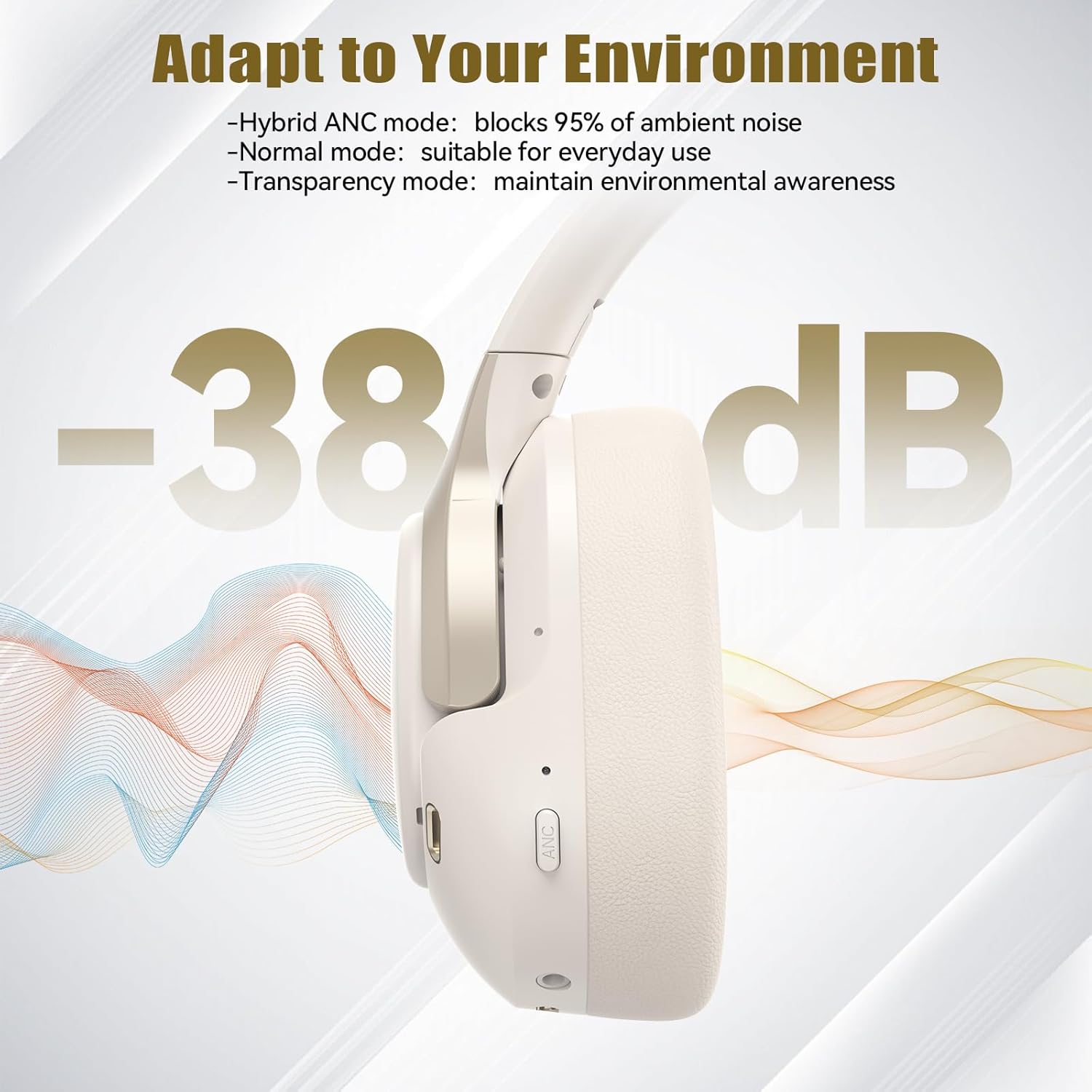
- Hybrid ANC Mode: Blocks up to 35dB-38dB of ambient noise, ideal for travel or noisy environments.
- Кадимки режим: ANC is off, suitable for everyday use where some environmental awareness is desired.
- Ачыктык режими: Allows ambient sounds to pass through, enhancing awareness of your surroundings.

Image: Hybrid Active Noise Cancellation in action.
2. Музыканы ойнотуу
- Ойнотуу/тындыруу: Көп функциялуу баскычты бир жолу басыңыз.
- Кийинки трек: Үнүн жогорулатуу баскычын басып, кармап туруңуз.
- Мурунку трек: Үндү азайтуу баскычын басып, кармап туруңуз.
- Көлөмү: Үндү жогорулатуу баскычын кыскача басыңыз.
- Үнүн азайтуу: Үндү азайтуу баскычын кыскача басыңыз.
3. Чалууларды башкаруу
- Чалууга жооп берүү/аяктоо: Көп функциялуу баскычты бир жолу басыңыз.
- Чакырууну четке кагуу: Көп функциялуу баскычты 2 секунд басып туруңуз.
- Үн жардамчысы: Double-press the Multi-function button to activate your device's voice assistant.
4. EQ Music Modes
The headphones feature 6 EQ music modes to optimize your listening experience for different genres. Press the EQ button (if available, or refer to specific button on your model) to cycle through these modes:
- Бий
- Rock
- Классикалык
- Вокал
- Бас
- Жумшак

Image: Cycling through 6 EQ music modes.
Техникалык тейлөө
To ensure the longevity and optimal performance of your TECKNET TK-HS049 headphones, follow these maintenance guidelines:
- Тазалоо: Кулакчындарды жана баш боону тазалоо үчүн жумшак, кургак чүпүрөктү колдонуңуз. Абразивдүү тазалоочу каражаттарды же эриткичтерди колдонбоңуз.
- Сактагыч: When not in use, store the headphones in a cool, dry place, preferably in a protective case to prevent dust and damage.
- Нымдуулуктан качыңыз: Although the headphones have a waterproof rating, avoid prolonged exposure to water or high humidity. Do not submerge them.
- Заряддоо: Only use the provided Type-C cable for charging. Avoid overcharging the battery.
- Температура: Наушниктерди экстремалдык температурага (ысык же муздак) тийгизбеңиз.
Проблемаларды чечүү
Эгерде сиз кулакчындарыңыз менен кандайдыр бир көйгөйлөргө туш болсоңуз, төмөнкү кеңири таралган көйгөйлөрдү жана чечимдерди караңыз:
| Көйгөй | Чечим |
|---|---|
| Кулакчындар күйбөйт. | Кулакчындар заряддалганын текшериңиз. Кубат булагына туташтырып, бир нече мүнөттөн кийин кайра аракет кылыңыз. |
| Bluetooth аркылуу жупташтыруу мүмкүн эмес. | Make sure the headphones are in pairing mode (LED flashing red/blue). Disable and re-enable Bluetooth on your device. Ensure no other devices are connected. |
| Үн жок же үнү төмөн. | Check volume levels on both headphones and your connected device. Ensure the headphones are properly paired. Try playing audio from a different source. |
| АНК натыйжалуу эмес. | ANC режими иштетилгенин текшериңиз. Наушниктердин кулагыңыздын тегерегине жакшы пломба түзөөрүн текшериңиз. ANC төмөнкү жыштыктагы туруктуу ызы-чууга каршы эң натыйжалуу. |
| Микрофон иштебей жатат. | Ensure the headphones are connected via Bluetooth. Check microphone settings on your device. |
Техникалык шарттар
Detailed technical specifications for the TECKNET TK-HS049 headphones:
| Өзгөчөлүк | Деталь |
|---|---|
| Модель номери | TK-HS049 |
| Байланыш технологиясы | Зымсыз (Bluetooth), Зымдуу (3.5 мм уяча) |
| Bluetooth версиясы | 6.0 |
| Noise Control | Гибриддик ызы-чууну жокко чыгаруу (38 дБ чейин) |
| Айдоочу түрү | 40мм динамикалык айдоочулар |
| Жыштык диапазону | 20Hz - 20,000Hz (supports up to 40kHz for high-resolution audio) |
| Батареянын иштөө мөөнөтү (ANC күйүк) | 40 саатка чейин (60% көлөмдө) |
| Батареянын иштөө мөөнөтү (ANC өчүк) | 70 саатка чейин |
| Башкаруу ыкмасы | Физикалык баскычтар |
| Кулак жайгаштыруу | Кулак үстүндө |
| Материал | Fabric, Silicone, Memory Foam (earcups) |
| Сууга туруктуулук деңгээли | Суу өткөрбөйт |
| Микрофон | 4 ENC Microphones |
| EQ режимдери | 6 Presets (Dance, Rock, Classical, Vocal, Bass, Soft) |

Сүрөт: Батареянын иштөө мөөнөтү бүттүview.

Image: 40mm dynamic drivers for premium audio.

Image: Comfort features including memory foam earcups and adjustable headband.
Кепилдик жана колдоо
TECKNET TK-HS049 headphones come with a 36 айлык кепилдик. If you encounter any problems during product use, please contact our professional customer service team for assistance. You can typically find contact information on the TECKNET official webсайт же сатып алуу платформасы аркылуу.