
Introduction
Thank you for choosing the TMEZON C680 Indoor Window Security Camera. This manual provides essential information for setting up, operating, and maintaining your camera. Please read it thoroughly before use and retain it for future reference.
Коопсуздук маалыматы
- Берилген кубат адаптерин гана колдонуңуз.
- Камераны өтө жогорку температурага же нымдуулукка дуушар кылбаңыз.
- Бул камера имараттын ичинде гана колдонуу үчүн иштелип чыккан.
- Балдар жетпеген жерде сактаңыз.
Пакеттин мазмуну
Таңгагыңызда бардык буюмдар бар экенин текшериңиз. Эгерде кандайдыр бир буюмдар жок болсо же бузулуп калса, кардарларды тейлөө кызматына кайрылыңыз.
- TMEZON C680 Indoor Window Security Camera
- Кубаттуу адаптер
- USB кубат кабели
- Орнотуу комплекти (бурамалар, якорьлор)
- User Manual
Продукт бүттүview
Familiarize yourself with the components of your TMEZON C680 camera.
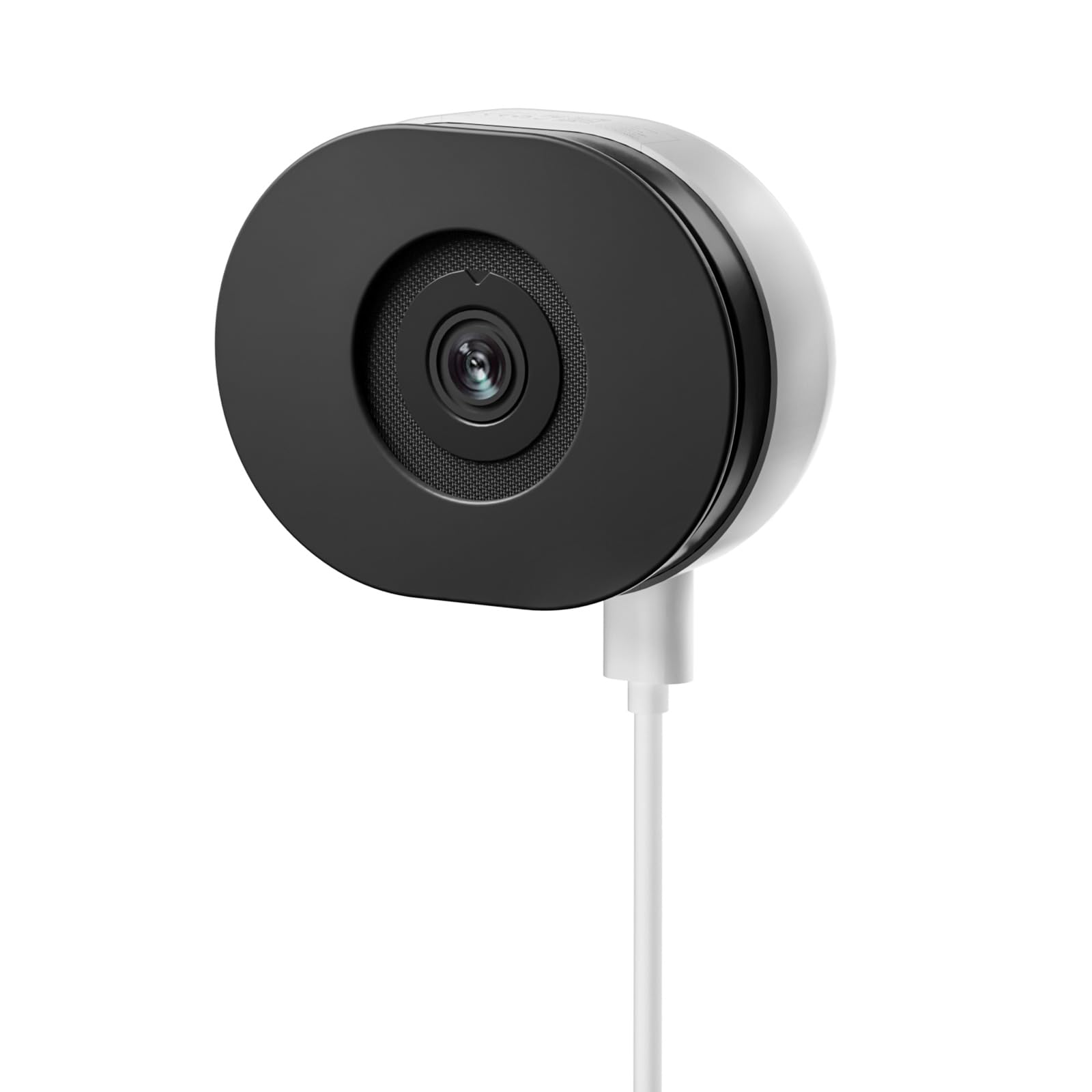
Image: The TMEZON C680 Indoor Window Security Camera. This image displays the camera's compact, circular form factor, highlighting the main lens and overall design.
Камера компоненттери
- Камера линзасы: Captures 4MP 2.5K video.
- Статус индикаторунун жарыгы: Indicates camera status (e.g., solid blue for connected, flashing red for disconnected).
- Микрофон: For audio input and two-way audio communication.
- Баяндамачы: For audio output and two-way audio communication.
- Электр порту: Кубат адаптерине туташат.
- Калыбына келтирүү баскычы: Press and hold for 5 seconds to reset the camera to factory settings.
- MicroSD картасынын уячасы: For local storage (card not included).
Жайгашуу
1-кадам: Колдонмону жүктөп алыңыз
Издөө the "TMEZON Smart" app (or similar, as specified in your product documentation) in your mobile device's app store (App Store for iOS, Google Play Store for Android). Download and install the app.
2-кадам: Камераны күйгүзүңүз
Connect the USB power cable to the camera's power port and plug the power adapter into a wall outlet. The camera's status indicator light will turn on. Wait for it to flash red, indicating it's ready for pairing.
3-кадам: Колдонмого түзмөк кошуу
- Open the TMEZON Smart app and create an account or log in.
- Tap the "+" icon (or "Add Device") to add a new camera.
- Түзмөктөр тизмесинен "Коопсуздук камерасын" же "Акылдуу камераны" тандаңыз.
- Follow the on-screen instructions to connect the camera to your 2.4GHz Wi-Fi network. Ensure your phone is connected to the same 2.4GHz Wi-Fi network.
- The app will display a QR code. Position your camera to scan this QR code from your phone screen. You will hear a confirmation sound from the camera once scanned successfully.
- Туташкандан кийин абал индикаторунун жарыгы катуу көк түскө айланат.
Step 4: Window Mounting
The TMEZON C680 is designed for easy window mounting.
- Choose a clean, flat window surface for optimal viewing.
- Use the provided mounting kit to secure the camera to the window frame or a nearby wall, ensuring the lens faces outwards.
- Adjust the camera angle to cover your desired surveillance area.
Иштөө нускамалары
Live View
Open the TMEZON Smart app and select your camera from the device list to access the live video feed.
Жаздыруу жана ойнотуу
The camera supports 24/7 continuous recording to a local MicroSD card (not included).
- MicroSD картасын салыңыз: Power off the camera, insert a MicroSD card (up to 128GB, Class 10 or higher recommended) into the slot, then power on.
- View Жазуулар: In the app's live view, tap the "Playback" or "History" icon to access recorded footage.
Эки тараптуу аудио
Түз эфирде view interface, tap the microphone icon to speak through the camera's speaker. Tap the speaker icon to listen to audio from the camera's microphone.
Түнкү көрүнүш
The camera automatically switches to color night vision in low-light conditions, providing clear, vivid footage up to 32 feet. No manual adjustment is typically required.
Кыймылды аныктоо жана эскертүүлөр
The camera features motion-only alert type.
- Колдонмодо камеранын жөндөөлөрүнө өтүңүз.
- Find "Motion Detection" or "Alert Settings."
- Enable motion detection and customize sensitivity levels and alert schedules as needed.
- You will receive push notifications on your mobile device when motion is detected.
Техникалык тейлөө
Тазалоо
Камеранын линзасын жана корпусун жумшак, кургак чүпүрөк менен акырын сүртүңүз. Суюк тазалагычтарды же абразивдүү материалдарды колдонбоңуз.
Орнотулган программаны жаңыртуу
Periodically check the TMEZON Smart app for available firmware updates to ensure optimal performance and security. Follow the in-app instructions for updating.
Сактагыч
When not in use for extended periods, store the camera in a cool, dry place, away from direct sunlight.
Проблемаларды чечүү
| Көйгөй | Чечим |
|---|---|
| Камера күйбөй жатат. | Ensure the power adapter is securely connected to both the camera and a working power outlet. Try a different outlet. |
| Wi-Fi'га туташпай жатат. |
|
| No recording to MicroSD card. |
|
| Видеонун сапаты начар. |
|
Техникалык шарттар
- Модел: C680
- Чечим: 4 МП (2.5К)
- Түнкү көрүнүш: Color Night Vision, up to 32 feet
- Байланыш: 2.4 ГГц Wi-Fi
- Сактагыч: MicroSD картасы (128 ГБ чейин, кошулган эмес)
- Аудио: Эки тараптуу аудио (орнотулган микрофон жана динамик)
- Күч: Corded Electric, 5W
- Ички/тышкы колдонуу: Ичинде гана
- Viewбурч: 120 градус
- Өлчөмдөрү: Болжол менен 3.5 x 3.5 x 3.5 дюйм
- Материал: Пластик
- Эскертүү түрү: Кыймыл гана
Кепилдик жана колдоо
TMEZON products are designed for reliability and performance. For warranty information, technical support, or customer service inquiries, please refer to the contact information provided on the product packaging or visit the official TMEZON webсайт.
You can also visit the TMEZON store on Amazon for additional product information and support: TMEZON Amazon Store.