
1. Introduction to Pubbo Air
The WhalesBot Pubbo Air is an interactive educational robot designed to engage children aged 6 and up in STEM learning through play. It features multiple control methods, including voice, touch, remote, and a dedicated mobile application, allowing for a dynamic and personalized user experience. Pubbo Air is equipped with advanced sensors and supports modular and Scratch coding, fostering critical thinking and problem-solving skills.
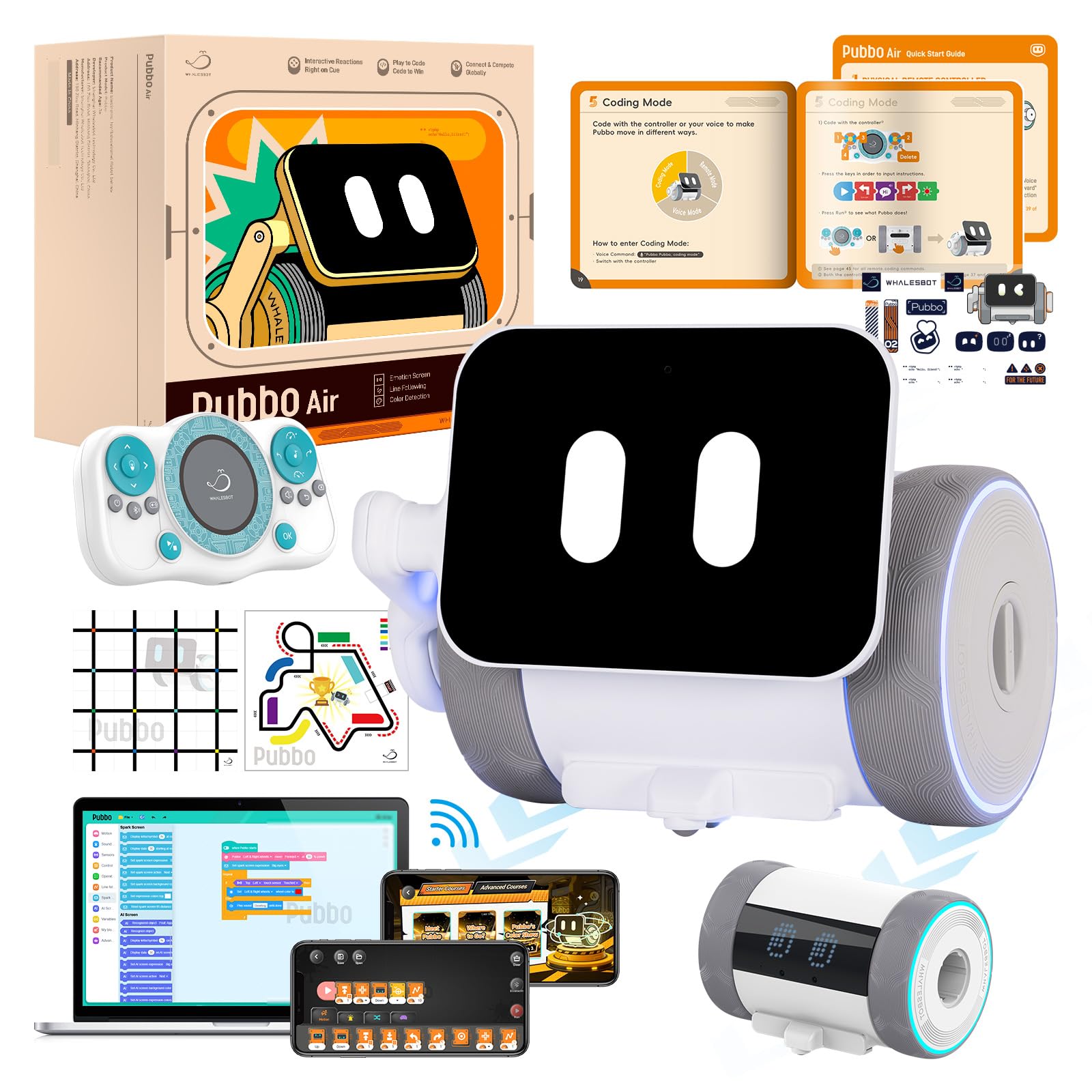
Image: The WhalesBot Pubbo Air robot, showcasing its compact and friendly design.
2. Кутуда эмне бар
Your Pubbo Air package includes the following components:
- Pubbo Air Robot
- Remote Controller
- User Manual
- Quick Start Card
- Карта
- C түрүндөгү кубаттоочу кабель
- Чаптамалар

Image: All components included in the WhalesBot Pubbo Air retail package.
3. Орнотуу колдонмосу
3.1 Кутудан чыгаруу жана баштапкы төлөм
Carefully remove all items from the packaging. Before first use, ensure the Pubbo Air robot is fully charged using the provided Type-C charging cable. Connect the cable to the robot's charging port and a suitable USB power source. The charging indicator will provide status updates.
3.2 Күйгүзүү/өчүрүү
To power on Pubbo Air, locate the power button (usually on the robot's body) and press and hold it until the screen illuminates and you hear a startup sound. To power off, press and hold the power button again until the robot shuts down.
3.3 Колдонмону жүктөп алуу жана туташуу
Download the official 'Pubbo App' from your device's app store. Once installed, open the app and follow the on-screen instructions to connect to your Pubbo Air robot via Bluetooth. Ensure Bluetooth is enabled on your device.

Image: The Pubbo Air robot alongside its remote controller and a tablet displaying the companion app.
Video: An unboxing demonstration of the Pubbo Air robot, showing the contents and initial setup.
4. Иштөө режимдери
4.1 Үн менен башкаруу
Pubbo Air responds to voice commands. To activate voice control, say "Pubbo Pubbo!" followed by your command. The robot's screen will indicate when it is listening. Example буйруктары төмөнкүлөрдү камтыйт:
- Motion Control: BE-CUTE, HEAD-UP, SAY-HELLO, TURN-RIGHT, DANCE-TIME, GO-BACKWARD, START-RUNNING, KEEP-MOVING-BACK
- Play Sounds & Music: CAT-SOUND, MUSIC-TIME, PLAY-PIANO, COW-SOUND, SING-A-SONG, PLANE-SOUND, BARK-LIKE-A-DOG, DINOSAUR-SOUND
- Light & Sound Settings: SPEED-UP, LIGHT-ON, TURN-IT-UP, TURN-GREEN, QUIET-PLEASE, YELLOW-LIGHT, LOUDER-PLEASE, VOLUME-TO-THE-MAX
- Play Mode Selection: CAR-RACE, MAIN-MENU, SLEEP-MODE, SNAKE-GAME, REMOTE-MODE, COLOR-READER, BLUETOOTH-CONNECT, LET'S-DO-LINE-FOLLOWING
Video: A demonstration of Pubbo Air responding to various voice commands and performing actions.
4.2 Сенсордук башкаруу
Pubbo Air is designed to be responsive to touch. A simple tap on its head or body can wake it up, trigger cheerful emojis, or initiate fun animations and sounds. This allows for immediate and intuitive interaction.

Image: Pubbo Air demonstrating various interactive responses to touch and movement, including displaying emojis and dancing.
4.3 Алыстан башкаруу
Use the included remote controller for precise movement and to activate specific functions. The remote allows you to steer Pubbo Air, trigger sounds, and control its expressive screen.

Image: A child operating Pubbo Air using the dedicated remote controller.
4.4 Колдонмону башкаруу
The Pubbo App provides comprehensive control over the robot. Through the app, users can design custom dance moves, create unique sound effects, and combine various emoji expressions. The app also serves as the interface for coding activities.

Image: A child interacting with the Pubbo App on a tablet, controlling the robot's functions.
5. Sensors and Interactive Features
Pubbo Air is equipped with 9 smart sensors that allow it to perceive and interact with its environment:
- Аралык сенсор: For precise ranging and object detection.
- Infrared Encoder: For modulation and movement tracking.
- Сенсордук сенсор: Enables responsive interactions like waking up or initiating actions with a tap.
- IR Obstacle Sensor: Allows the robot to detect and avoid obstacles.
- Жарык сенсору: For detecting ambient light levels.
- Үн сенсору: Enables the robot to detect and react to sounds.
- Gyroscope Sensor: Detects orientation and rotational motion, enabling interactive responses to shaking.
- Боз түстөгү сенсор: Essential for line-following activities.
- Түс сенсору: Allows the robot to recognize and react to different colors.
These sensors enable Pubbo Air to perform various tasks such as following lines, navigating mazes, and responding to light and sound cues, providing a rich interactive experience.

Image: A detailed diagram illustrating the location and function of Pubbo Air's 9 sensors.
Video: Pubbo Air demonstrating its obstacle avoidance capabilities using its sensors.
Video: Pubbo Air showcasing its ability to follow lines and detect colors, demonstrating sensor-based coding.
6. Gamified Education & Coding
The Pubbo App transforms learning into an engaging adventure. It offers interactive coding quests and cartoon-style tutorials that introduce children to programming concepts without prior experience. Through game-based challenges and fun contests, kids develop real programming and STEM skills, including logical reasoning, computational thinking, and creative problem-solving.

Image: Children engaging with the Pubbo App, featuring cartoon courses and gamified coding quests.
7. Техникалык шарттар
| Продукциянын өлчөмдөрү | 6.1 x 5.6 x 4.48 дюйм |
| Элемент Салмагы | 2 фунт |
| Элемент моделинин номери | Pubbo Air |
| Өндүрүүчүнүн сунуш кылган курагы | 6 жаш жана андан жогору |
| Батареялар | 1 C батарейка талап кылынат (киргизилген) |
| Өндүрүүчү | Whalesbot |
8. Коопсуздук маалыматы
Pubbo Air is designed with child safety as a priority. It is made from child-safe ABS+PC material and has passed strict safety tests to ensure its suitability for children aged 6 and above. Always supervise young children during play.
9. Кыйынчылыктарды
If you encounter any issues with your Pubbo Air robot, please try the following steps:
- Робот жооп бербей жатат: Ensure the robot is powered on and fully charged. Check the remote control batteries if using the remote.
- Колдонмого туташуу маселелери: Verify Bluetooth is enabled on your device and the robot is within range. Try restarting both the app and the robot.
- Күтүлбөгөн жүрүм-турум: Ensure the robot's sensors are clean and unobstructed. Check for any active coding programs that might be influencing its actions.
- Үн буйруктары таанылган жок: Speak clearly and ensure there is minimal background noise. Confirm the robot's microphone is not obstructed.
10. Кепилдик жана колдоо
For warranty information or technical support, please refer to the official WhalesBot website or contact their customer service directly. Details can typically be found in the included User Manual or on the product's official support pages online.