
1. Киришүү
The Tilta Nucleus-M II Wireless Lens Control System is designed for precise remote control of cinema lenses. This Hand Wheel Kit provides a versatile FIZ (Focus, Iris, Zoom) Hand Unit for adjusting lens settings. The system supports multiple wireless motors and offers advanced features such as lens mapping and camera control.
Негизги өзгөчөлүктөр төмөнкүлөрдү камтыйт:
- Multi-Motor Control: Accommodates wireless adjustment of focus, iris, zoom, and ND motors.
- Lens Mapping: Allows users to save and display focus, iris, and zoom information.
- Камераны башкаруу: Enables wireless adjustment of camera settings like ISO, White Balance, and Shutter Speed.
- Шайкештик: Works with cinema and photography lenses via the motor's 0.8 or 0.5 gear pitch.
- Ecosystem Integration: Compatible with previous Nucleus systems, including Nucleus-M and Nano II.
2. Кутуда эмне бар

Image: All components included in the Tilta Nucleus-M II Wireless Lens Control System Hand Wheel Kit, neatly arranged with the carrying case.
The Tilta Nucleus-M II Wireless Lens Control System Hand Wheel Kit includes the following components:
- 1x Nucleus-M II Motor (with 0.8 Mod Motor Gear)
- 1x Nucleus-M II Motor Rod Mount (15mm)
- 1x Nucleus-M II Motor Rod Mount (19mm)
- 1x Nucleus-M II 7-Pin to 7-Pin Connection Cable (30cm)
- 1x Nucleus-M II 7-Pin to 7-Pin Connection Cable (50cm)
- 1x Nucleus-M II P-Tap to 7-Pin Power Cable (70cm)
- 1x Nucleus-M II FIZ Hand Unit
- 1x Nucleus-M II Electronic Focus Marking Disk
- 5x Nucleus-M II Follow Focus Marking Disk
- 1x Nucleus-M II FIZ Hand Unit Lanyard
- 1x Nucleus-M II Soft Shell Carrying Case
- 2x Tilta Universal Focus Gear Ring - Black
3. Орнотуу
3.1 Powering the FIZ Hand Unit
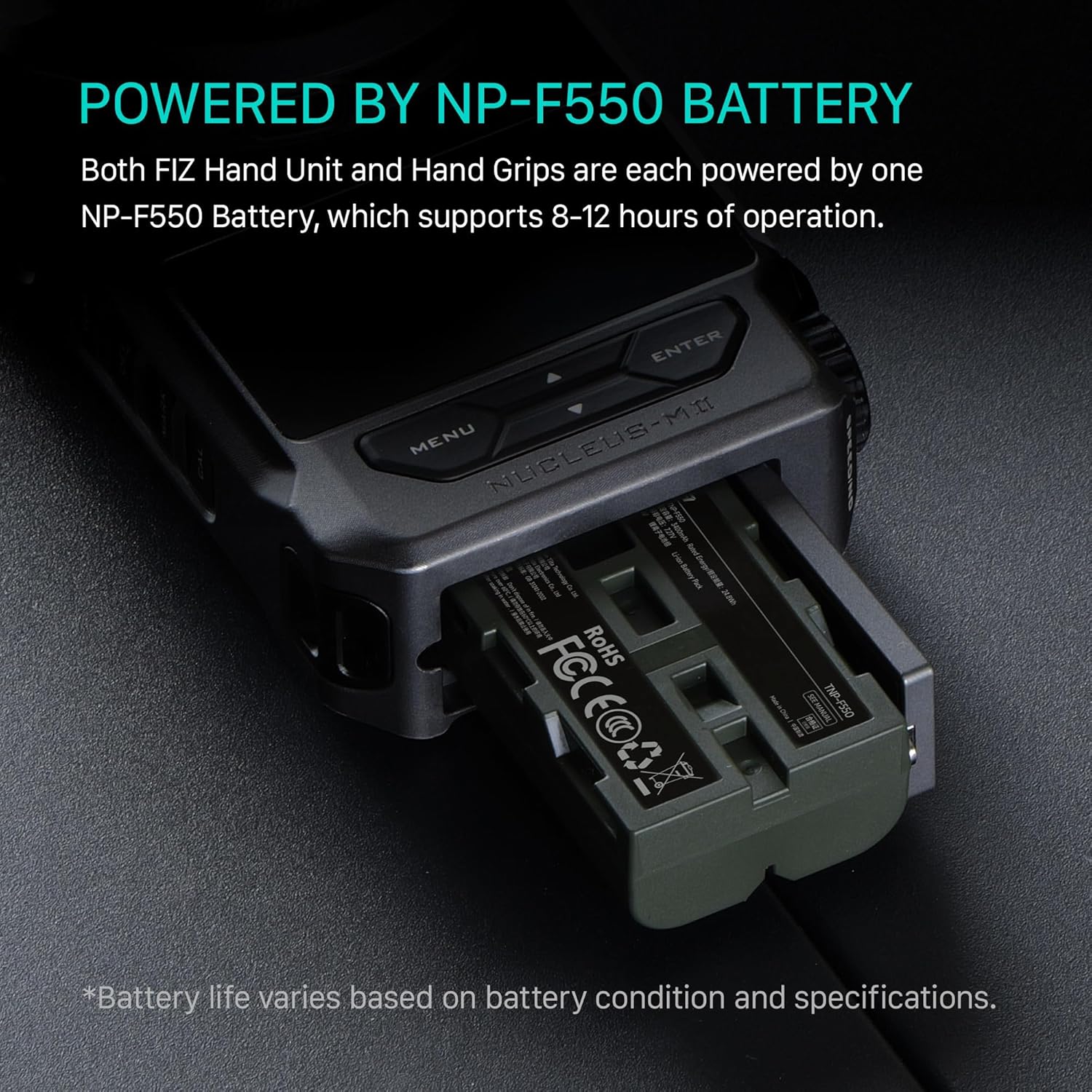
Image: The FIZ Hand Unit with an NP-F550 battery being inserted into its dedicated slot, illustrating the power source.
- Locate the battery compartment on the FIZ Hand Unit.
- Insert a fully charged NP-F550 battery into the compartment. Ensure correct polarity.
- Батарея уясынын капкагын бекем жабыңыз.
3.2 Моторду монтаждоо

Image: A comparison of the compact Tilta Nucleus-M II motor (left) with a previous generation motor (right), highlighting its streamlined design.
- Attach the appropriate motor rod mount (15mm or 19mm) to the Nucleus-M II motor.
- Mount the motor onto your camera rig's rod system, positioning it to align with the lens gear.
- Ensure the motor's gear engages properly with the lens's focus, iris, or zoom gear. Use the Tilta Universal Focus Gear Ring if your lens lacks a standard gear.
3.3 Туташтыруучу компоненттер
- Connect the Nucleus-M II motor to a power source using the P-Tap to 7-Pin Power Cable (70cm) or a 7-Pin to 7-Pin Connection Cable (30cm or 50cm) if daisy-chaining multiple motors.
- The FIZ Hand Unit and motors will automatically attempt to pair upon power-up. Refer to the FIZ Hand Unit display for connection status.
3.4 Attaching the Hand Wheel
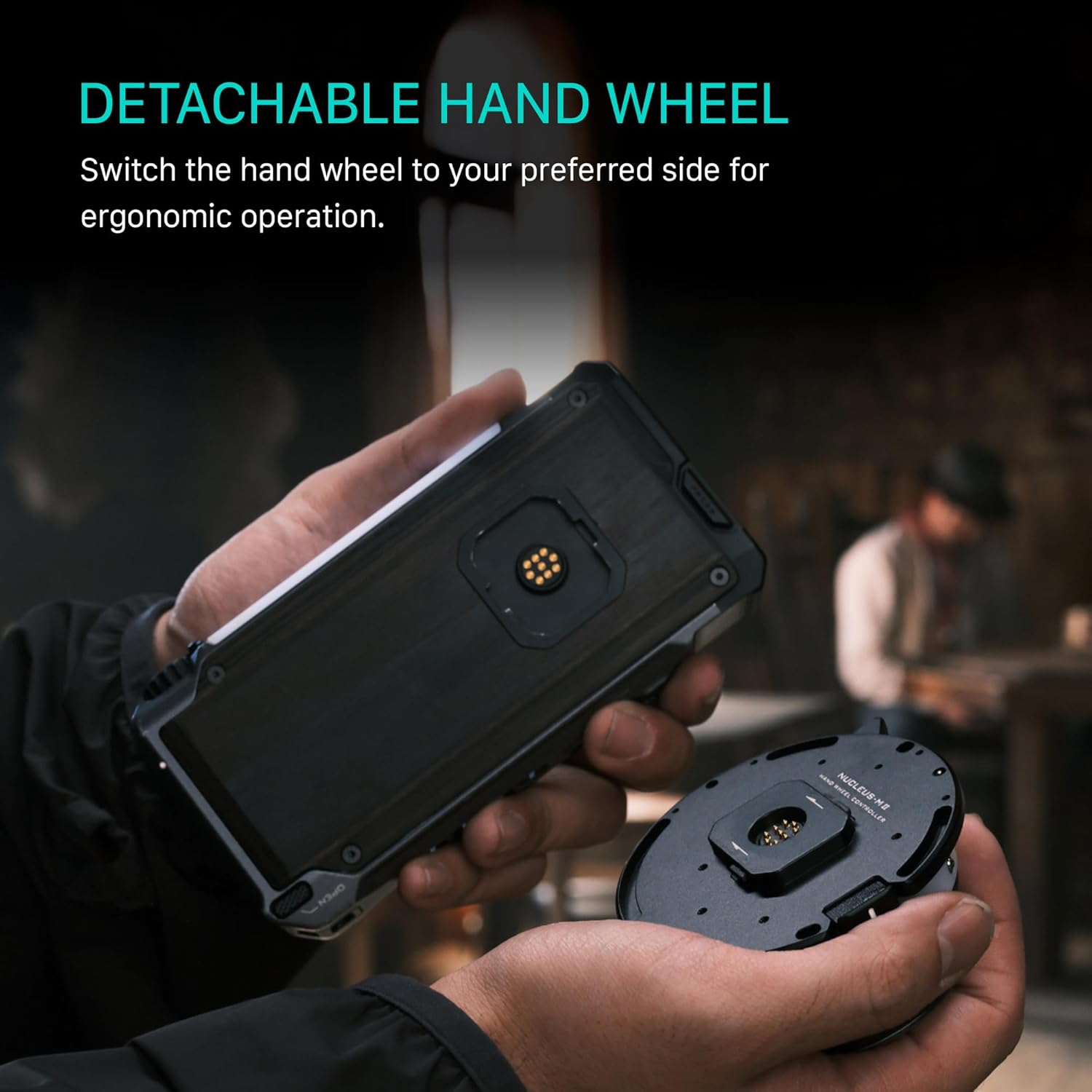
Image: A user detaching or attaching the hand wheel to the FIZ Hand Unit, demonstrating its modular design for ergonomic flexibility.
- Align the detachable hand wheel with the port on the FIZ Hand Unit.
- Gently push and twist to secure the hand wheel in place. It can be switched to either side for ergonomic preference.
4. Иштөө нускамалары
4.1 FIZ Hand Unit Overview

Image: The FIZ Hand Unit's 2.4-inch touchscreen display, showing digital readouts for focus, iris, and zoom, along with menu options.
The FIZ Hand Unit features a 2.4-inch touchscreen display for intuitive control. It provides real-time information on focus distance, iris, and zoom settings. Use the menu and enter buttons to navigate the interface.
4.2 Adjusting Focus, Iris, and Zoom
- Use the main hand wheel to control the assigned lens function (typically focus).
- Utilize the smaller dials or dedicated buttons on the FIZ Hand Unit to adjust iris and zoom.
- The hand wheel tension can be adjusted for fine-tuned focus pulls. Refer to the unit's settings menu for this adjustment.
4.3 Электрондук фокусту белгилөөчү диск

Image: The Electronic Marking Disk displaying digital focus information, including depth-of-field indicators, for precise focus pulling.
The Electronic Focus Marking Disk offers two modes:
- Санариптик дисплей режими: Provides an on-screen digital overlay with a precise depth-of-field indicator for accurate focus pulling.
- Кол менен белгилөө режими: Allows direct marking of focus points on the disk with a pen or marker for tactile control.
4.4 Lens Mapping
The Nucleus-M II allows you to store and load mapped lens data. This feature enables quick and easy adjustment of focus to specific distances, iris to standard T-stops, or zoom to exact focal lengths. Consult the FIZ Hand Unit's menu for lens mapping procedures.
4.5 Камераны башкаруу
The FIZ Hand Unit supports wireless camera control, allowing you to adjust settings such as ISO, White Balance, and Shutter Speed directly from the unit. Ensure your camera is compatible and properly configured for remote control.
5. Техникалык тейлөө
Tilta Nucleus-M II системаңыздын узак мөөнөттүү иштешин жана оптималдуу иштешин камсыз кылуу үчүн, төмөнкү техникалык тейлөө көрсөтмөлөрүн аткарыңыз:
- Тазалоо: Use a soft, dry cloth to clean the FIZ Hand Unit, motors, and cables. Avoid abrasive cleaners or solvents.
- Батареяга кам көрүү: Always use recommended NP-F550 batteries. Store batteries in a cool, dry place when not in use. Remove batteries from the unit during extended storage.
- Сактагыч: Store the system in its soft shell carrying case to protect it from dust, moisture, and physical damage.
- Кабелдик текшерүү: Бардык кабелдерди эскирүүнүн же бузулуунун белгилерин үзгүлтүксүз текшерип туруңуз. Бузулган кабелдерди дароо алмаштырыңыз.
6. Кыйынчылыктарды
If you encounter issues with your Nucleus-M II system, consider the following troubleshooting steps:
- Кубат жок: Ensure batteries are fully charged and correctly inserted. Check all power cable connections.
- Мотор жооп бербейт: Verify that the motor is properly powered and connected. Check the FIZ Hand Unit display for connection status. Re-pair the motor if necessary.
- Inaccurate Focus/Iris/Zoom: Perform a lens calibration through the FIZ Hand Unit menu. Ensure the motor gear is correctly engaged with the lens gear.
- Интерференция: If experiencing signal drops, try changing the wireless channel on the FIZ Hand Unit. Ensure no other wireless devices are causing interference.
- Орнотулган программаны жаңыртуу: Check the Tilta website for any available firmware updates for your Nucleus-M II system, which may resolve known issues.
7. Техникалык шарттар
| Продукциянын өлчөмдөрү | 14 x 10 x 5.5 дюйм |
| Элемент Салмагы | 4.44 фунт |
| Элемент моделинин номери | WLC-T06-K1 |
| ASIN | B0FV28VJHR |
| Өндүрүүчү | Тилта |
| Биринчи жеткиликтүү | 7-октябрь, 2025-жыл |
8. Кепилдик маалыматы
For detailed warranty information regarding your Tilta Nucleus-M II Wireless Lens Control System, please refer to the official Tilta website or contact Tilta customer support directly. Warranty terms and conditions may vary by region and product.
9. Колдоо
If you require further assistance or have questions not covered in this manual, please visit the official Tilta support page or contact their customer service team. You can find contact information and additional resources on the Amazon'догу Tilta дүкөнү or the main Tilta webсайт.