
1. Киришүү
The XTOOL D6 is an advanced OBD2 diagnostic scanner designed for comprehensive vehicle system analysis. It offers full system diagnostics, 15 essential service functions, and supports modern vehicle protocols like FCA AutoAuth and CAN FD. This manual provides detailed instructions for setting up, operating, and maintaining your XTOOL D6 device.

Image 1.1: XTOOL D6 main screen overview, illustrating its diagnostic capabilities and supported features.
2. Пакеттин мазмуну
Пакетиңизде бардык буюмдар бар экенин текшериңиз:
- XTOOL D6 Diagnostic Tablet
- Main OBD2 Diagnostic Cable
- USB Cable for PC Connection/Charging
- Кубаттуу адаптер
- Customized Carrying Case
- Колдонуучунун Колдонмосу (бул документ)
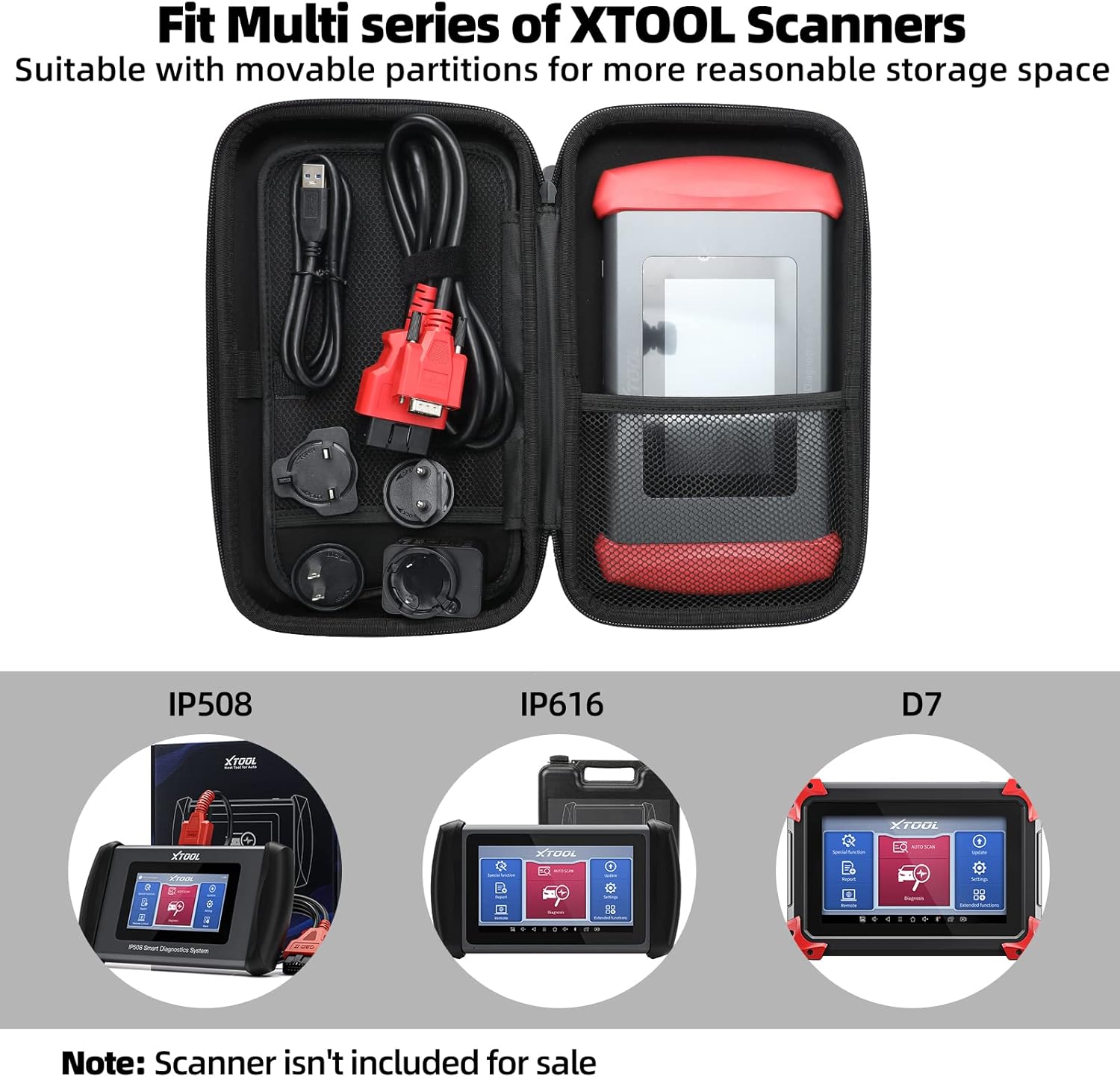
Image 2.1: The XTOOL D6 scanner and its accessories stored within the customized carrying case.
3. Орнотуу
3.1 Алгачкы күйгүзүү жана каттоо
- Түзмөктү иштетүү үчүн кубат баскычын басып, кармап туруңуз.
- Тилди жана аймакты тандоо үчүн экрандагы көрсөтмөлөрдү аткарыңыз.
- Connect the device to a Wi-Fi network for internet access.
- Register your device by creating an XTOOL account or logging in if you already have one. This is essential for software updates and warranty activation.
3.2 Программалык камсыздоо жаңыртуулары
The XTOOL D6 offers free lifetime software updates. Regularly updating your device ensures access to the latest vehicle coverage, diagnostic functions, and performance enhancements.
- Негизги менюдан, баскычын басыңыз Жаңыртуулар сөлөкөтү.
- Система жеткиликтүү жаңыртууларды текшерет.
- Select the desired updates and tap Жүктөп алуу or Орнотуу. Ensure a stable internet connection during this process.
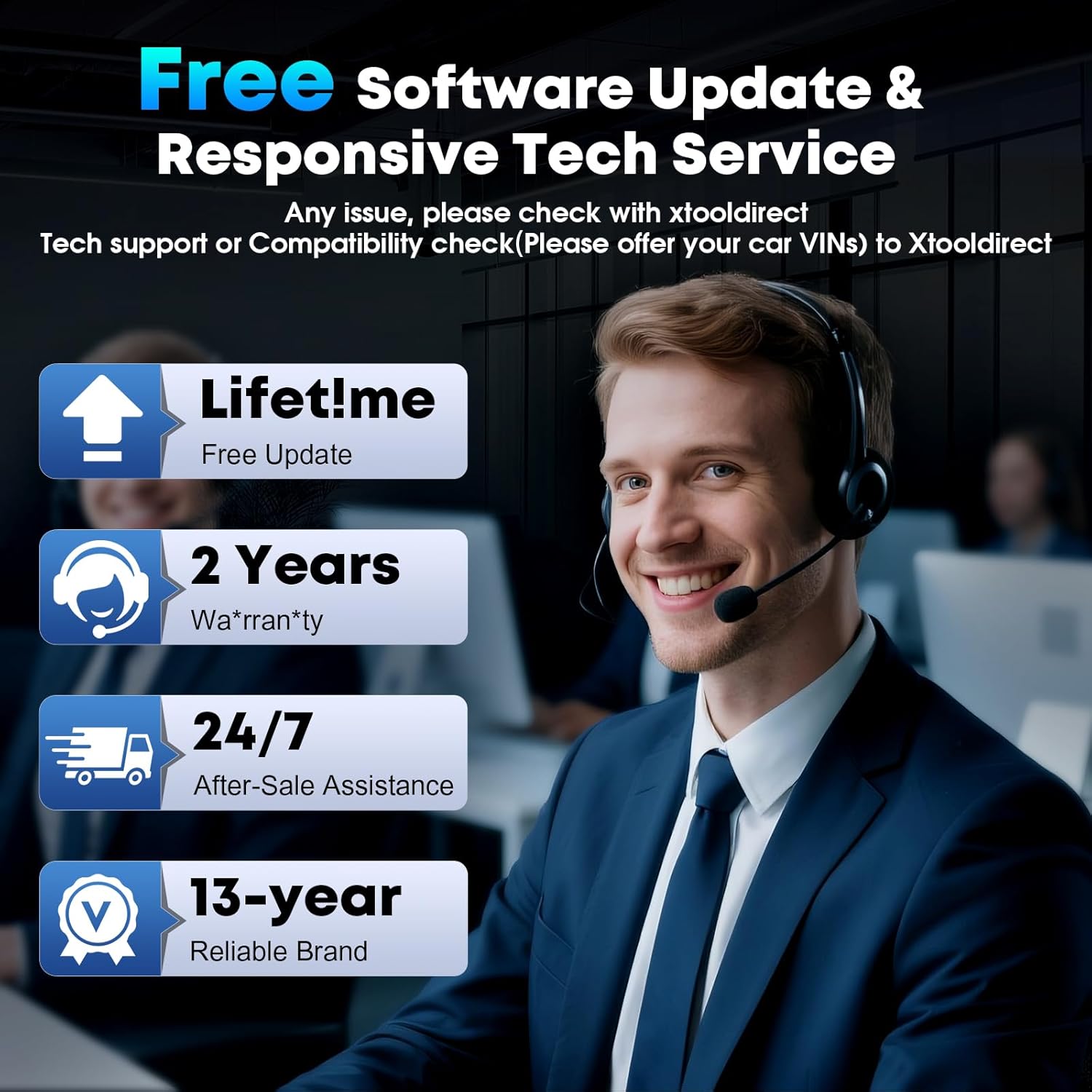
Image 3.1: The XTOOL D6 offers free lifetime software updates and dedicated technical support.
4. Иштөө нускамалары
4.1 Унаага туташуу
- Унаанын OBD2 портун табыңыз, эреже катары, айдоочу тараптагы аспаптар тактасынын астына.
- Connect the main diagnostic cable to the XTOOL D6 device.
- Диагностикалык кабелдин экинчи учун унаанын OBD2 портуна сайыңыз.
- Унаанын от алдыргычын күйгүзүңүз ON position (engine off).
4.2 Толук системанын диагностикасы
The XTOOL D6 can perform comprehensive diagnostics on all available electronic control units (ECUs) in a vehicle, including Engine (ECM), Transmission (TCM), ABS, SRS, TPMS, HVAC, and more.
- Негизги менюдан тандаңыз Диагностика or Auto Scan.
- үчүн Auto Scan, the device will automatically identify the vehicle's VIN and scan all systems.
- үчүн Диагностика, you may need to manually select the vehicle make, model, and year.
- Туташкандан кийин, сиз:
- Диагностикалык көйгөй коддорун (DTC) окуу
- DTCлерди тазалоо
- View Live Data Stream (graphical or numerical)
- Perform Actuation Tests
- View Фреймдин берилиштерин тоңдуруу
4.3 Special Functions (15+ Relearns)
The D6 offers over 15 essential service functions for common maintenance tasks:
- Майды калыбына келтирүү
- Электрондук токтоочу тормоз (EPB) баштапкы абалга келтирилди
- Батареяны башкаруу тутуму (BMS) баштапкы абалга келтирилди
- Cam Crank Position/Crankshaft Sensor Relearn (CKP Relearn)
- Throttle Body Relearn
- Tire Pressure Monitoring System (TPMS) Relearn
- ABS автоматтык кан агуусу
- Инжектор коддоо
- Суспензияны калибрлөө
- Transmission Relearn
- Жана башкалар.
To access these functions, select Атайын функция from the main menu and choose the desired service.
4.4 AutoVIN and Live Data
The AutoVIN feature automatically identifies vehicle information for faster diagnostics. The device also displays real-time live data streams, allowing you to monitor up to 4 parameters simultaneously for detailed analysis.
4.5 FCA AutoAuth and CAN FD Support
The XTOOL D6 supports FCA AutoAuth for secure access to 2018+ Chrysler, Jeep, Dodge, and 2017+ Fiat vehicles. It also supports the CAN FD protocol for modern vehicles, including GM 2020+ models. Эскертүү: FCA AutoAuth requires account registration via AutoAuth's website, not through XTOOL.
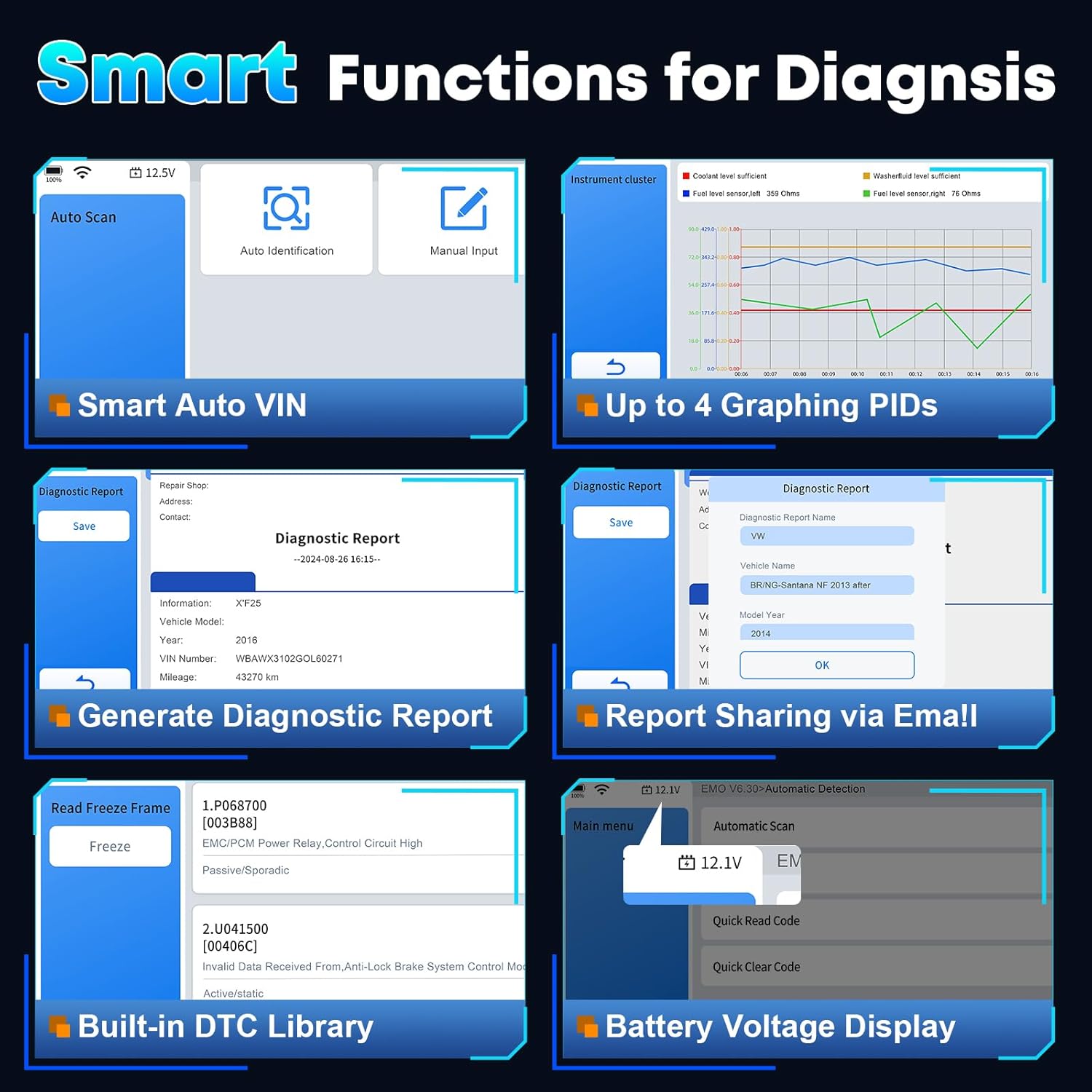
Сүрөт 4.1: Бүттүview of smart diagnostic functions available on the XTOOL D6.

Image 4.2: XTOOL D6 extensive vehicle coverage, language support, and protocol compatibility.
5. Техникалык тейлөө
5.1 Аспапка кам көрүү
- Keep the device clean using a soft, dry cloth. Avoid abrasive cleaners.
- Store the device in its customized carrying case when not in use to protect it from drops, scratches, and dust. The case is designed to be waterproof and oilproof.
- Аппаратты экстремалдык температурага же түз күн нуруна узак убакытка калтыруудан сактаңыз.
- Ensure all cables are properly connected and disconnected to prevent damage to ports.
5.2 Программалык камсыздоону башкаруу
- Regularly perform software updates as described in Section 3.2.
- Periodically clear diagnostic reports and unnecessary data to free up storage space. The device has 32GB internal storage, expandable via microSD.
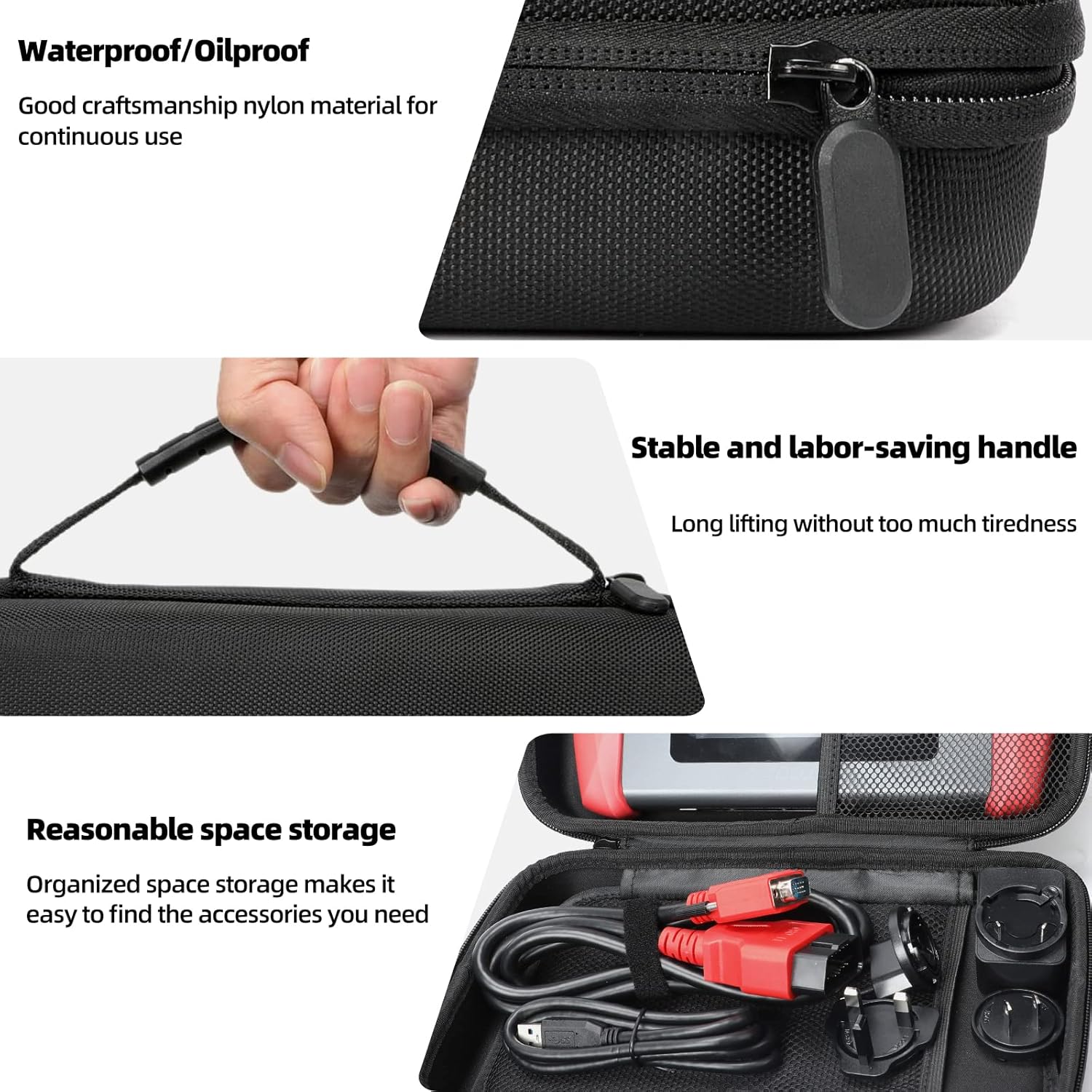
Image 5.1: Features of the XTOOL D6 carrying case, designed for protection and portability.
6. Кыйынчылыктарды
If you encounter issues with your XTOOL D6, refer to the following common troubleshooting steps:
- Түзмөк күйбөй жатат: Ensure the battery is charged. Connect the device to a power source using the provided USB cable and adapter.
- Унаа менен байланыш жок: Verify that the diagnostic cable is securely connected to both the D6 and the vehicle's OBD2 port. Ensure the vehicle's ignition is in the ON position. Check for any blown fuses in the vehicle's OBD2 circuit.
- Программанын тоңушу же жай иштеши: Restart the device. Ensure you have the latest software updates installed. Clear unnecessary diagnostic reports to free up storage.
- Wi-Fi туташуу көйгөйлөрү: Check your Wi-Fi router and network settings. Ensure the device is within range of the Wi-Fi signal.
- FCA AutoAuth access issues: Confirm that you have registered and activated your account on the AutoAuth website. Ensure your device is connected to the internet.
For persistent issues, please contact XTOOL customer support.
7. Техникалык шарттар
| Өзгөчөлүк | Спецификация |
|---|---|
| Бренд | XTOOL |
| Модел | D6 |
| Операция системасы | Linux |
| Screen Size | 5.45 дюймдук HD сенсордук экран |
| Батарея | 3150mAh Built-in Battery |
| Сактагыч | 32 ГБ (microSD аркылуу кеңейтүүгө болот) |
| Байланыш | Wi-Fi, USB |
| Колдоого алынган протоколдор | CAN FD, FCA AutoAuth, OBD2 standard protocols |
| Унаа камтуу | 90+ brands, 10,000+ vehicles (1996+ US, 2003+ EU, 2008+ Asian) |
8. Кепилдик жана колдоо
The XTOOL D6 diagnostic scanner comes with a 2-year warranty, ensuring coverage against manufacturing defects and malfunctions under normal use.
8.1 Техникалык колдоо
XTOOL provides responsive technical support. If you have any questions regarding the device's operation, compatibility, or require assistance with diagnostics, please contact XTOOL Direct support.
- For support, please visit the official XTOOL webсайтка же продуктунун таңгагында берилген байланыш маалыматына кайрылыңыз.
- When contacting support, please provide your device's serial number (SN) and a detailed description of the issue.