Introduction
Thank you for choosing the Generic Automatic Sprinkler Controller. This device is designed to simplify your watering tasks, ensuring your garden, lawn, or plants receive optimal hydration. Featuring an intuitive LCD display, flexible operating modes, and rain sensing technology, this controller offers efficient and convenient irrigation management.
Коопсуздук маалыматы
- Ensure the controller is installed securely to prevent accidental detachment.
- Do not submerge the device in water. It is designed to be weather-resistant, not submersible.
- Use only AAA batteries. Do not mix old and new batteries or different battery types.
- Балдар жетпеген жерде сактаңыз.
- Disconnect from the water source during freezing temperatures to prevent damage.
Пакеттин мазмуну
Бардык компоненттер бар экендигин текшериңиз:
- 1x Automatic Sprinkler Controller
- 1x Колдонуучунун колдонмосу (бул документ)
- (Batteries not included - requires 2x AAA batteries)
Продукт бүттүview
The sprinkler controller features a clear LCD display and five control buttons for easy programming. It includes a built-in water filter/strainer to prevent debris buildup.

Сүрөт: Фронт view of the Automatic Sprinkler Controller, highlighting the LCD screen and the five control buttons below it. The device is black with a brass-colored connector at the top.

Сүрөт: А деталдуу view of the controller's LCD display, showing current time (13:00), start time (06:02), and end time (06:08) settings. Various icons for mode, frequency, and battery level are visible.
Жайгашуу
1. Батареяны орнотуу
- Контроллердин арткы бетиндеги батарея бөлүмүн табыңыз.
- Бөлүмдүн капкагын ачыңыз.
- Туура полярдуулукту (+/-) камсыз кылып, 2 жаңы AAA батарейкасын салыңыз.
- Батарея уясынын капкагын бекем жабыңыз.
2. Шланг туташтыруу
- Attach the top connector of the sprinkler controller to your outdoor faucet. Hand-tighten only.
- Connect your garden hose or drip irrigation system to the bottom outlet of the controller. Hand-tighten only.
- Суу агып кетпеши үчүн бардык туташуулардын коопсуз экенин текшериңиз.

Сүрөт: The automatic sprinkler controller connected to a standard outdoor faucet at the top and a garden hose at the bottom, demonstrating proper installation.

Сүрөт: The sprinkler controller shown installed on a silver faucet, with a green background suggesting a garden or lawn setting.
Иштөө нускамалары
1. ЖК дисплей интерфейси
The 2.1-inch LCD display shows current time, watering schedule, battery status, and other settings. Icons indicate the active mode and functions.
2. Баскыч функциялары
- Left Button (Water Drop Icon): Manual watering / Rain Delay activation.
- Middle Left Button (Gear Icon): Settings / Program adjustment.
- Middle Right Button (M/Clock Icon): Mode selection (Manual/Automatic) / Time setting.
- Right Plus Button (+): Increase value / Navigate forward.
- Right Minus Button (-): Decrease value / Navigate backward.
3. Учурдагы убакытты коюу
- басыңыз M/Clock убакыт дисплейси жаркылдаганга чейин баскычты басыңыз.
- колдонуу + жана - саатты тууралоо үчүн баскычтар.
- Басыңыз M/Clock мүнөттөргө жылдыруу үчүн кайрадан, андан кийин тууралаңыз + жана -.
- Басыңыз M/Clock убакытты ырастоо жана андан чыгуу үчүн.
4. Programming Automatic Watering Schedule
This controller allows customization of start time, watering duration, and frequency.
- басыңыз Gear button to enter programming mode. The display will show options for Start Time, Duration, and Frequency.
- Колдонуу + жана - to adjust the flashing value (e.g., hour for Start Time).
- басыңыз Gear button to move to the next setting (e.g., minutes for Start Time, then Duration, then Frequency).
- Баштоо убактысы: Сугаруу баштоо үчүн керектүү убакытты коюңуз.
- Узактыгы: Set how long the watering cycle will last (e.g., minutes).
- Жыштыгы: Set how often watering occurs (e.g., every X hours or days).
- Бардык орнотуулар тууралангандан кийин, басыңыз Gear button repeatedly until the display returns to the main screen, saving your program.
5. Кол менен сугаруу режими
To initiate watering outside of the programmed schedule:
- басыңыз Суу тамчысы баскычы.
- Колдонуу + жана - каалаган кол менен сугаруу узактыгын орнотуу үчүн.
- басыңыз Суу тамчысы button again to start manual watering. The display will show a countdown.
- Кол менен сугарууну мөөнөтүнөн мурда токтотуу үчүн, баскычын басыңыз Суу тамчысы кайра баскычын.
6. Жамгырдын кечиктирүү функциясы
The rain delay function temporarily pauses your watering schedule to conserve water during rainy periods.
- While on the main screen, press and hold the Суу тамчысы баскычын бир нече секунда басыңыз.
- The display will show options for rain delay duration (e.g., 24h, 48h, 72h).
- Колдонуу + жана - to select the desired delay period.
- басыңыз Суу тамчысы button to confirm. The schedule will resume automatically after the delay.
- To cancel rain delay, press and hold the Суу тамчысы button again until the delay icon disappears.
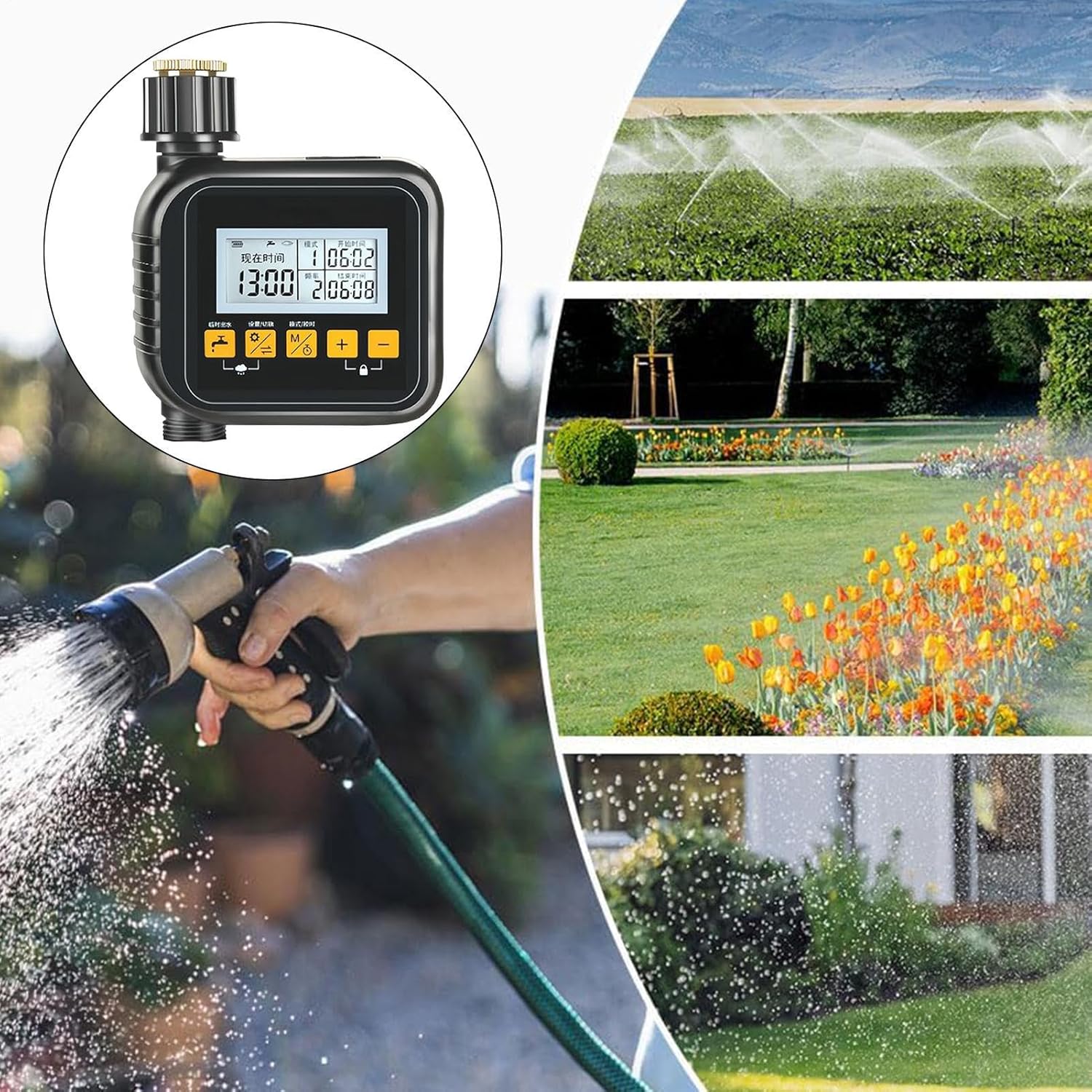
Сүрөт: A collage showing the sprinkler controller in the foreground, with background images depicting different watering methods like overhead sprinklers, garden beds being watered, and a person using a hose nozzle, illustrating its versatile application.
Техникалык тейлөө
- Тазалоо: Periodically wipe the controller with a damp кездеме. Абразивдүү тазалагычтарды колдонбоңуз.
- Фильтрди тейлөө: The built-in water filter/strainer should be checked and cleaned regularly to prevent debris buildup and ensure proper water flow. Unscrew the inlet connection, remove the filter, rinse it under running water, and reinsert.
- Батареяны алмаштыруу: Replace batteries when the low battery indicator appears on the LCD. Remove old batteries promptly to prevent leakage.
- Кышкы сактоо: Before the first frost, disconnect the controller from the faucet and hose. Remove batteries and store the unit indoors in a dry, frost-free location.
Проблемаларды чечүү
| Көйгөй | Мүмкүн себеп | Чечим |
|---|---|---|
| Контроллер күйбөйт. | Өлүк же туура эмес орнотулган батарейкалар. | Туура полярдуулукту камсыз кылуу менен батарейкаларды жаңы AAA батарейкалары менен алмаштырыңыз. |
| Суу акпайт. | Faucet is off; filter is clogged; low battery; incorrect programming. | Ensure faucet is fully open. Clean the water filter. Replace batteries. Check programming for start times and duration. |
| Байланыштардан агып чыгуулар. | Бош туташуулар; шайба эскирген. | Туташтыргычтарды кол менен бекемдеңиз. Резина шайбалары бузулган болсо, текшерип, алмаштырыңыз. |
| Сугаруу графиги иштетилбей жатат. | Incorrect time setting; program not saved; rain delay active. | Verify current time and programmed schedule. Ensure program is saved. Check if rain delay is active and cancel if necessary. |
Техникалык шарттар
- Модел: SQ7S7FA9SDPOAO6C
- Продукт материалы: ABS + жез
- Продукциянын өлчөмдөрү: Approximately 15cm x 12cm x 6cm (5.91 x 4.72 x 2.36 inches)
- Элемент Салмагы: Болжол менен 350г (13.6 унция)
- Дисплей: 2.1 дюймдук LCD
- Кубат булагы: 2x AAA батарейкалар (киргизилген эмес)
- Иштөө режимдери: Manual, Automatic, Rain Delay

Сүрөт: A diagram illustrating the physical dimensions of the sprinkler controller: 15cm (5.90 inches) in height, 12cm (4.72 inches) in width, and 6cm (2.36 inches) in depth.
Кепилдик жана колдоо
This product is manufactured by Generic. For specific warranty information or technical support, please refer to the retailer's return policy or contact the seller directly through your purchase platform. Keep your purchase receipt for warranty claims.