
1. Киришүү
Thank you for choosing the CINMOORE CM-C2U 3K Indoor Security Camera. This manual provides essential information for setting up, operating, and maintaining your camera to ensure optimal performance and security. This camera is designed for indoor use, offering advanced features such as 3K UHD video, AI-powered detection, pan-tilt-zoom functionality, and dual-band Wi-Fi connectivity.
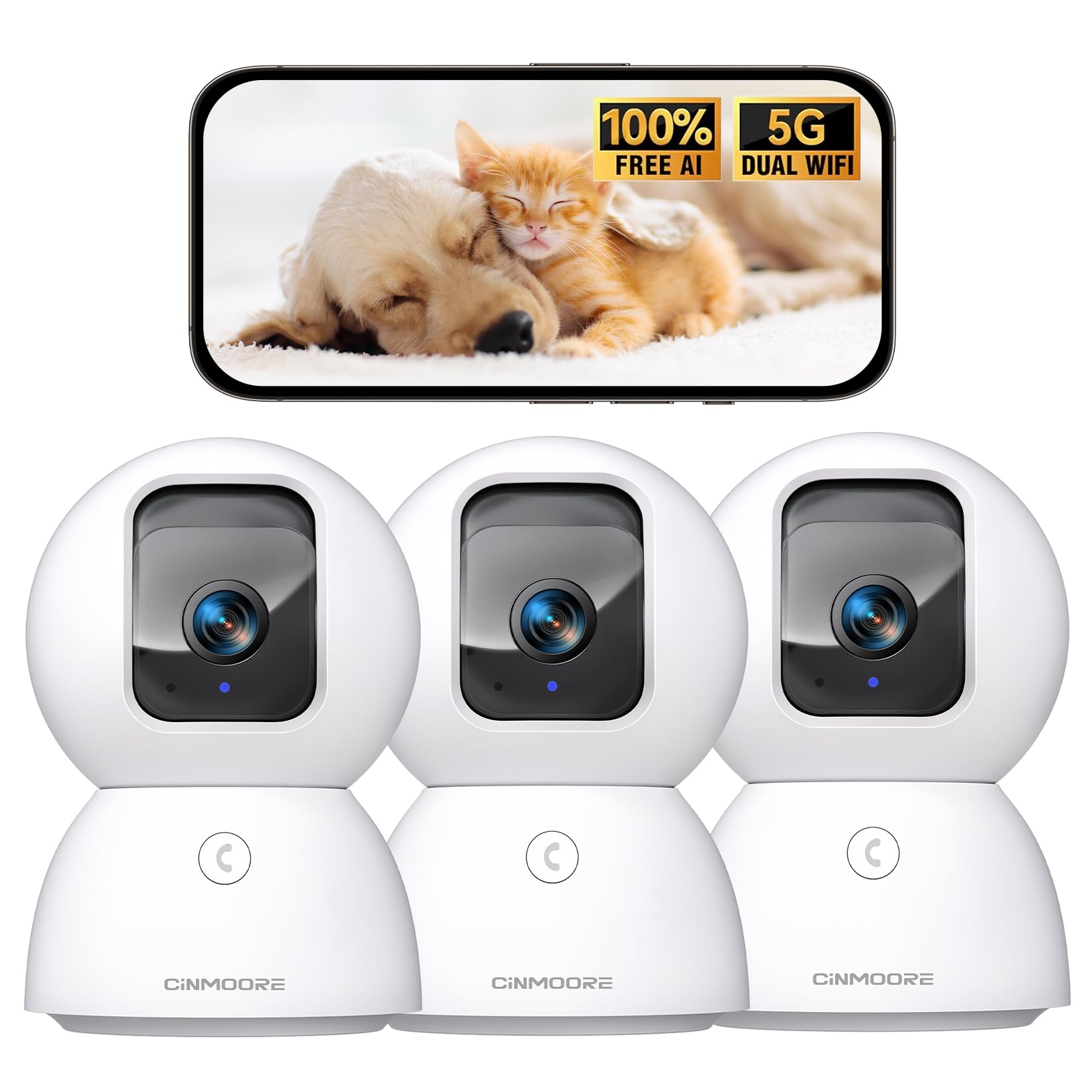
Figure 1: CINMOORE CM-C2U 3K Indoor Security Camera
2. Кутуда эмне бар
- CINMOORE Security Camera (x3)
- Mounting Bracket Base (x3)
- Кубат адаптери (x3)
- Маалымат кабели (x3)
- Бурама анкерлери (x3)
- Колдонуучунун колдонмосу (x1)
3. Орнотуу нускамалары
3.1 Баштапкы кубаттуулук
- Маалымат кабелин камеранын кубат портуна туташтырыңыз.
- Кубат адаптерин стандарттуу электр розеткасына сайыңыз.
- The camera will power on, and an indicator light will blink, signaling it's ready for setup.
3.2 Колдонмону жүктөп алуу жана туташуу
- Смартфонуңуздун колдонмолор дүкөнүнөн (iOS же Android) расмий CINMOORE тиркемесин жүктөп алыңыз.
- Каттоо эсебин түзүңүз же сизде мурунтан эле бар болсо кириңиз.
- Follow the in-app instructions to add your new camera. This typically involves scanning a QR code located on the camera's base.
- Connect the camera to your home Wi-Fi network. The camera supports Dual-Band 2.4GHz/5GHz Wi-Fi 6 for a stable connection.
Video: C2U Indoor Camera 1-minute Setup. This video demonstrates the quick and easy setup process for the CINMOORE C2U Indoor Camera, guiding users through connecting the device to the power supply and linking it to the mobile application.
4. Иштөө нускамалары
4.1 Live Video Monitoring
Access the live feed from your camera anytime, anywhere via the CINMOORE app. The 3K UHD resolution provides clear and detailed visuals.

Figure 2: Demonstrates the superior 3K clarity of the camera's video feed compared to 2K resolution, highlighting vivid detail for monitoring.
4.2 Pan-Tilt-Zoom (PTZ) башкаруу
Use the virtual joystick in the app to remotely control the camera's movement. Enjoy a 360° horizontal pan and a 109° vertical tilt to cover every corner of your room. The camera also features AI auto-tracking to follow detected movement.

Figure 3: Illustrates the camera's comprehensive 360° pan and tilt capabilities, along with other key features like 3K Ultra HD, sound/crying alerts, and local facial recognition.
4.3 Эки тараптуу аудио
Engage in real-time conversations using the full-duplex two-way audio feature. Speak through the app and hear responses from the camera's location. A one-click call button can trigger family alerts.
4.4 Жасалма интеллектти аныктоо жана көзөмөлдөө
The camera offers free AI detections for facial recognition (stores up to 5 faces locally), person detection, pet detection, baby crying detection, and smoke/gas alarm recognition. Receive instant alerts on your smartphone when activity is detected. Customize detection zones to focus on specific areas.

Figure 4: Highlights the camera's no-subscription local AI detection features, including recognition of up to 5 faces and 6 types of detections (person, pet, motion, noise, loitering, facial) while ensuring 100% privacy.
4.5 Түнкү көрүнүш
The 0-Glow Night Vision 2.0 provides clear monitoring in low-light conditions without emitting a visible red glow, ensuring undisturbed sleep for babies and pets. The night vision range is up to 33 feet.

Figure 5: Compares the CINMOORE camera's 0-Glow Night Vision with a traditional camera's red glow, emphasizing safe and undisturbed monitoring for infants and pets.
4.6 Сактоо параметрлери
Choose between local storage via an SD card (up to 512GB, not included) for 24/7 recording, or optional AWS Cloud storage with bank-level security (30-day free trial available). SD card encryption ensures footage is only viewable within the CINMOORE App.

Figure 6: Details the camera's encrypted and secure storage options, including SD card support (up to 512GB, not included) and optional AWS Cloud Storage with a 30-day free trial.
4.7 Купуялык режими
Activate the one-tap privacy mode, which physically covers the camera lens, ensuring your privacy when you are home.
5. Монтаждоо параметрлери
The CINMOORE CM-C2U camera offers flexible mounting options to suit your needs:
- Столдун үстүнө орнотуу: Камераны жөн гана стол, текче же стол сыяктуу каалаган тегиз жерге коюңуз.
- Дубалга орнотуу: Use the included mounting bracket base and screw anchors to securely attach the camera to a wall.
- Шыпка орнотуу: The camera can also be mounted to the ceiling using the provided bracket for an overhead view.
Ensure the camera is positioned to provide the optimal viewing angle for your desired monitoring area.
Video: Setup Guide for IMILAB indoor camera. This video provides a step-by-step guide on how to set up an IMILAB indoor camera, including unboxing, connecting to power, app setup, and mounting options.
6. Техникалык шарттар
| Модель аты | CM-C2U |
| Ички/тышкы колдонуу | Indoor |
| Видео тартуунун резолюциясы | 3K/4MP |
| Connectivity Protocol | Wi-Fi (Эки тилкелүү 2.4 ГГц/5 ГГц Wi-Fi 6) |
| Power Source | Электр зымдары |
| Controller Type | Amazon Alexa |
| Монтаж түрү | Шыпка орнотуу / Үстөлгө орнотуу / Дубалга орнотуу |
| Түнкү көрүү диапазону | 33 Feet (0-Glow) |
| Жергиликтүү сактагыч | SD card (up to 512GB, not included) |
| Өлчөмдөр | 3 x 4.5 x 3 дюйм |
| Элемент Салмагы | 2.33 фунт |
7. Техникалык тейлөө
- Тазалоо: Камеранын линзасын жана корпусун жумшак, кургак чүпүрөк менен акырын сүртүңүз. Катуу химиялык заттарды же абразивдүү материалдарды колдонуудан алыс болуңуз.
- Программалык камсыздоонун жаңыртуулары: Камераңызда эң акыркы функциялар жана коопсуздук жакшыртуулары бар экенине ынануу үчүн CINMOORE колдонмосун жеткиликтүү микропрограмма жаңыртуулары үчүн үзгүлтүксүз текшерип туруңуз.
- Power Cycle: If the camera experiences connectivity issues, try unplugging it from the power source for 10 seconds and then plugging it back in.
- SD Card башкаруу: Эгер SD картаны колдонсоңуз, мезгил-мезгили менен кайраview жана жазылган foo башкарууtage to prevent the card from becoming full.
8. Кыйынчылыктарды
- Камера Wi-Fiга туташпай жатат:
- Wi-Fi тармагыңыз 2.4 ГГц же 5 ГГц экенин текшериңиз.
- Wi-Fi сырсөзү туура киргизилгенин текшериңиз.
- Камераны Wi-Fi роутериңизге жакыныраак жылдырыңыз.
- Роутериңизди жана камераңызды өчүрүп күйгүзүңүз.
- Видеонун сапаты начар:
- Интернетке туташуу ылдамдыгын текшериңиз.
- Камера объективинин таза экенин текшериңиз.
- Мүмкүн болсо, колдонмодон видеонун сапатынын жөндөөлөрүн тууралаңыз.
- Кыймылды аныктоо эскертүүлөрү жок:
- Колдонмонун жөндөөлөрүндө кыймылды аныктоо иштетилгенин текшериңиз.
- Adjust motion sensitivity levels.
- Смартфонуңуздагы колдонмонун эскертме жөндөөлөрүн текшериңиз.
- Эки тараптуу аудио көйгөйлөр:
- Колдонмо үчүн телефонуңуздун микрофону иштетилгенин текшериңиз.
- Check the volume settings in the app.
- Так байланыш үчүн фондук ызы-чууну азайтыңыз.
9. Кепилдик жана колдоо
The CINMOORE CM-C2U camera comes with a 24-month warranty. For any issues or inquiries, please contact CINMOORE customer support. We offer free replacement for eligible issues, extended warranty options, and professional support to ensure your satisfaction.
For further assistance, refer to the help section within the CINMOORE app or visit our official webсайт.