Introduction
Thank you for choosing the F96 Health Smartwatch. This manual provides essential information for setting up, operating, and maintaining your device. The F96 Smartwatch is designed to offer comprehensive health monitoring, including ECG, blood pressure, SpO2, blood sugar, and body temperature tracking, alongside smart features like Bluetooth calling and GPS. Please read this manual thoroughly before use to ensure optimal performance and safety.
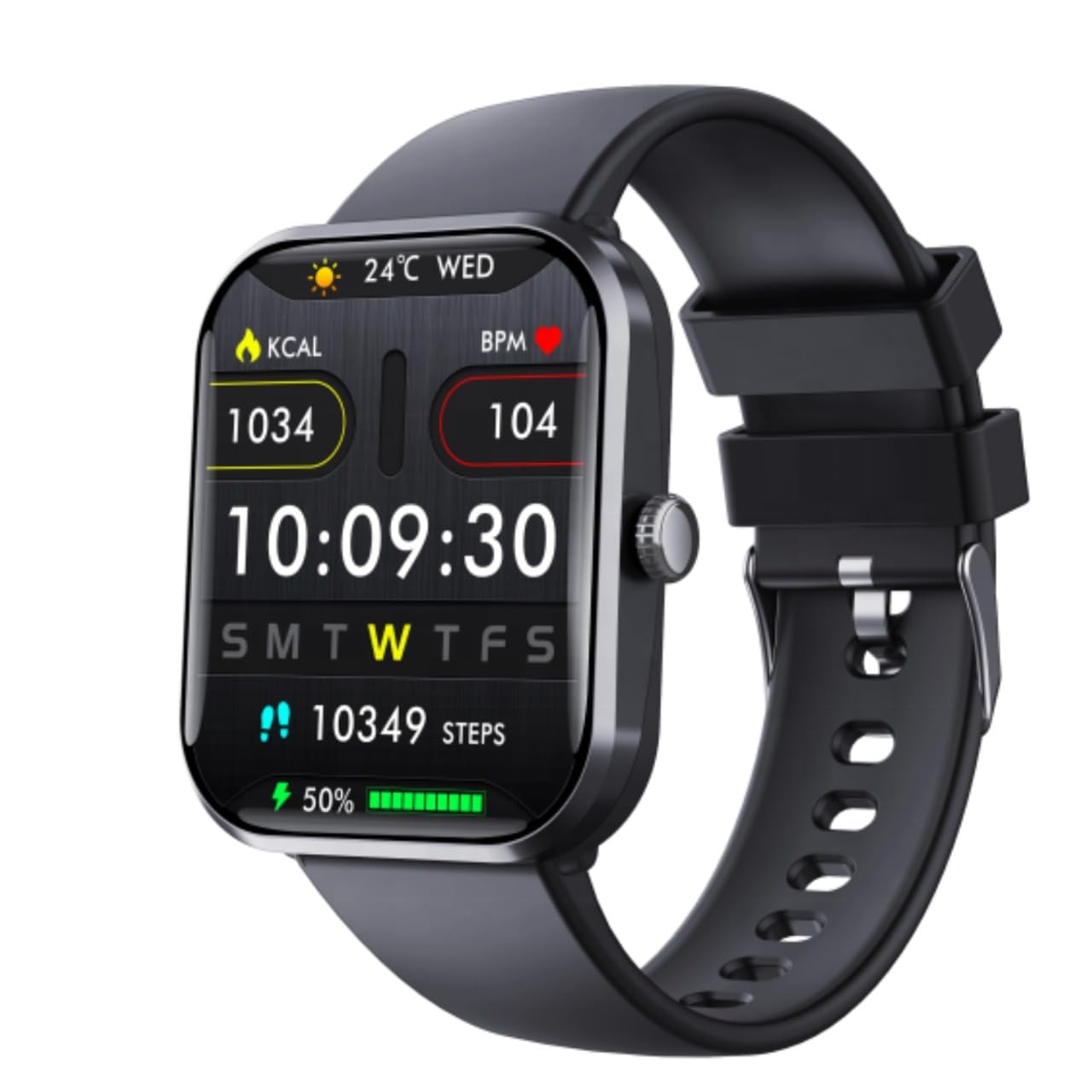
Image: The F96 Health Smartwatch, showcasing анын дисплейи жана жаркыраган дизайны.
Кутуда эмне бар
Upon opening your F96 Health Smartwatch package, please verify that all the following items are included:
- F96 Health Smartwatch
- Заряддоо кабели
- Колдонуучунун Колдонмосу (бул документ)
Жайгашуу
1. Акылдуу саатты заряддоо
Before first use, fully charge your F96 Smartwatch. Connect the provided charging cable to the charging port on the back of the smartwatch and plug the other end into a standard USB power adapter (not included). A full charge typically takes approximately 2 hours. The battery level indicator on the screen will show charging progress.
2. Күйгүзүү / Өчүрүү
- Күйгүзүү үчүн: Экран күйгөнгө чейин каптал баскычын бир нече секунд басып туруңуз.
- Өчүрүү үчүн: Капталдагы баскычты басып, кармап туруңуз, андан кийин экрандагы "Өчүрүү" опциясын тандаңыз.
3. Колдонмону орнотуу жана жупташтыруу
To unlock the full potential of your F96 Smartwatch, including data synchronization and advanced settings, you need to install the companion application on your smartphone. The smartwatch is compatible with iOS smartphones.
- Scan the QR code provided in the quick start guide or search for the designated app in your smartphone's app store.
- Тиркемени орнотуп, суралса каттоо эсебин түзүңүз.
- Смартфонуңузда Bluetooth'ду иштетиңиз.
- Open the app, navigate to the device pairing section, and select your F96 Smartwatch from the list of available devices.
- Follow the on-screen instructions to complete the pairing process. Ensure the smartwatch is close to your phone during pairing.
Иштөө нускамалары
1. Дисплей жана навигация
The F96 Smartwatch features a 4.83 cm (1.90-inch) LCD touchscreen display and intuitive button controls. Swipe left, right, up, or down on the screen to navigate through menus and features. Press the side button to return to the home screen or access the main menu.
2. Ден соолуктун мониторинги
The F96 Smartwatch offers comprehensive real-time tracking of various vital signs. Access these features through the main menu on your smartwatch.
- ЭКГ мониторинги: Follow on-screen instructions to take an electrocardiogram reading.
- Кан басымынын мониторинги: Ensure the watch is worn correctly for accurate readings.
- SpO2 көзөмөлдөө: Кандын кычкылтек менен каныккандыгын өлчөйт.
- Blood Sugar Levels: Provides insights into blood glucose trends.
- Body Temperature Measurements: Денеңиздин температурасын көзөмөлдөйт.

Image: The F96 Health Smartwatch and its companion app displaying blood sugar monitoring data.
3. Bluetooth чалуу
Once paired with your smartphone, the F96 Smartwatch allows you to make and receive calls directly from your wrist. Access the call function through the smartwatch menu.
4. GPS көзөмөлдөө
The built-in GPS functionality allows for tracking your outdoor activities and routes without needing your phone. This feature is particularly useful during workouts like running or cycling.
5. Акылдуу эскертмелер
Receive notifications for calls, messages, and app alerts directly on your smartwatch. Ensure notification permissions are enabled in the companion app on your smartphone.

Image: The F96 Health Smartwatch showing smart notification reminders from various applications.
6. Уйкуну талдоо
The smartwatch monitors your sleep patterns, including night sleep and provides a detailed analysis of your sleep quality. View your sleep data in the companion app.

Image: The F96 Health Smartwatch and its app providing sleep analysis, including time asleep and deep sleep duration.
7. Спорт режимдери
The F96 Smartwatch supports 108 sports modes, allowing you to track various physical activities. Select your desired activity from the sports menu to monitor metrics such as calories burned, distance, and heart rate.

Image: The F96 Health Smartwatch showcasing multiple sports tracking modes, including outdoor run, cycling, hiking, and more.
8. SOS шашылыш чалуу
For enhanced safety, the smartwatch includes an SOS emergency call function. Configure emergency contacts in the companion app. In an emergency, activate the SOS function to alert your designated contacts.
Техникалык тейлөө
1. Тазалоо
Regularly clean your smartwatch and band to prevent skin irritation and maintain device hygiene. Use a soft, lint-free cloth. If necessary, slightly dampчүпүрөктү суу менен. Катуу химиялык заттарды же абразивдүү материалдарды колдонуудан алыс болуңуз.
2. Сууга туруктуулук
The F96 Smartwatch is IP67-rated, meaning it is protected against splashes and brief immersion in water up to 30 meters. It is suitable for daily use and light water exposure. However, it is not recommended for swimming, diving, or high-pressure water activities. Avoid exposing the watch to hot water or steam.
Проблемаларды чечүү
If you encounter issues with your F96 Health Smartwatch, refer to the following common solutions:
- Түзмөк күйбөй жатат: Ensure the smartwatch is fully charged. Connect it to the charging cable and a power source for at least 15 minutes.
- Смартфон менен жупташтырууга мүмкүн эмес: Make sure Bluetooth is enabled on your phone and the smartwatch. Restart both devices and try pairing again. Ensure the companion app has necessary permissions.
- Туура эмес ден соолук көрсөткүчтөрү: Ensure the smartwatch is worn snugly on your wrist, about one finger's width above the wrist bone. Clean the sensor on the back of the watch. Avoid excessive movement during readings.
- Билдирмелер көрүнбөйт: Check that notifications are enabled in both your phone's settings and the smartwatch's companion app. Ensure the smartwatch is connected via Bluetooth.
- Кыска батареянын иштөө мөөнөтү: Reduce screen brightness, disable unnecessary features, and limit background app refresh. Ensure the watch is fully charged before use.
If problems persist, consult the support section of the companion app or contact customer support.
Техникалык шарттар
| Өзгөчөлүк | Спецификация |
|---|---|
| Модел | F96 |
| Дисплей өлчөмү | 4.83 см (1.90 дюйм) |
| Дисплей түрү | LCD |
| Резолюция | 240 x 280 пиксель |
| Жарыктык | 500 нит |
| Ден соолук мониторинги | ECG, Blood Pressure, SpO2, Blood Sugar, Body Temperature |
| Байланыш | Bluetooth |
| Өзгөчөлүктөр | Bluetooth Calling, GPS Tracking, SOS Emergency Call |
| Суу каршылык | IP67 (30 метрге чейин) |
| Батарея сыйымдуулугу | 99.98 миллионamp Саат |
| Заряддоо убактысы | 2 саат |
| Шайкеш түзмөктөр | Смартфон (iOS) |
| Операция системасы | Менчик OS |
| Эстутум сактоо сыйымдуулугу | 100 ГБ |
| Түзмөк интерфейси | Баскычтар, сенсордук экран |
Кепилдик жана колдоо
For warranty information and customer support, please refer to the documentation included with your purchase or visit the manufacturer's official website. Keep your proof of purchase for warranty claims. For technical assistance or inquiries, contact the customer service provided by the retailer or manufacturer.


