
Introduction
The Dreamegg Sunrise 2 is a versatile device designed to enhance your sleep and wake-up routines. It integrates a sunrise alarm clock, a sound machine with 29 soothing sounds, and a dimmable night light. This manual provides detailed instructions for setting up and operating your device to ensure optimal performance and user experience.
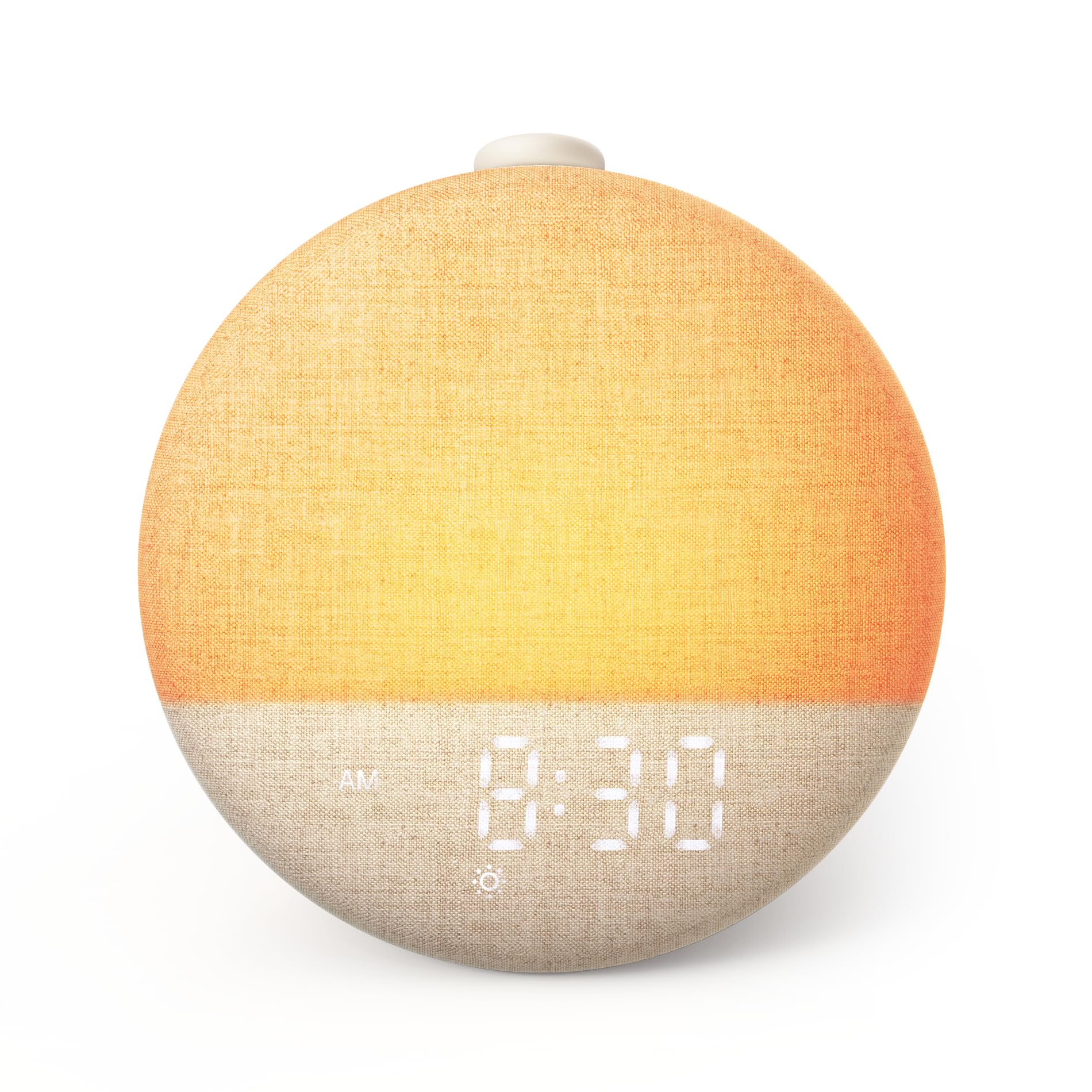
Figure 1: Dreamegg Sunrise 2, an all-in-one sleep companion.
Продукт бүттүview
The Dreamegg Sunrise 2 offers a comprehensive sleep system without the need for subscriptions or additional applications. Key features include:
- Акырын ойготуу: Simulates a natural sunrise with a gradual light increase, supporting your natural circadian rhythm for a calm awakening.
- Relaxing Sleep Environment: Features 29 soothing sounds and 10 ambient light colors to help you unwind and fall asleep peacefully.
- Интуитивдик башкаруулар: Equipped with a large, multi-functional button for easy sound control, snooze, and alarm management. A dedicated Favorite Mode button allows instant access to your preferred bedtime settings.
- Customizable Routines: Offers a flexible 5-180 minute timer, 20-level dimmable light, and 5 brightness settings for the digital display, allowing personalized adjustments.
- Интеграцияланган система: Combines a wake-up light, night light, sound machine, and alarm clock into a single device.
Жайгашуу
- Пакеттен чыгаруу: Carefully remove the Dreamegg Sunrise 2 from its packaging. Ensure all components, including the device, USB-C cable, and power adapter, are present.
- Кубат туташуу: Connect the provided USB-C cable to the device and the power adapter. Plug the adapter into a standard electrical outlet. The device will power on and display the time.
- Баштапкы убакыт жөндөөсү: Refer to the 'Setting Time' section under Operating Instructions to set the current time.
Иштөө нускамалары
Негизги башкаруу элементтери
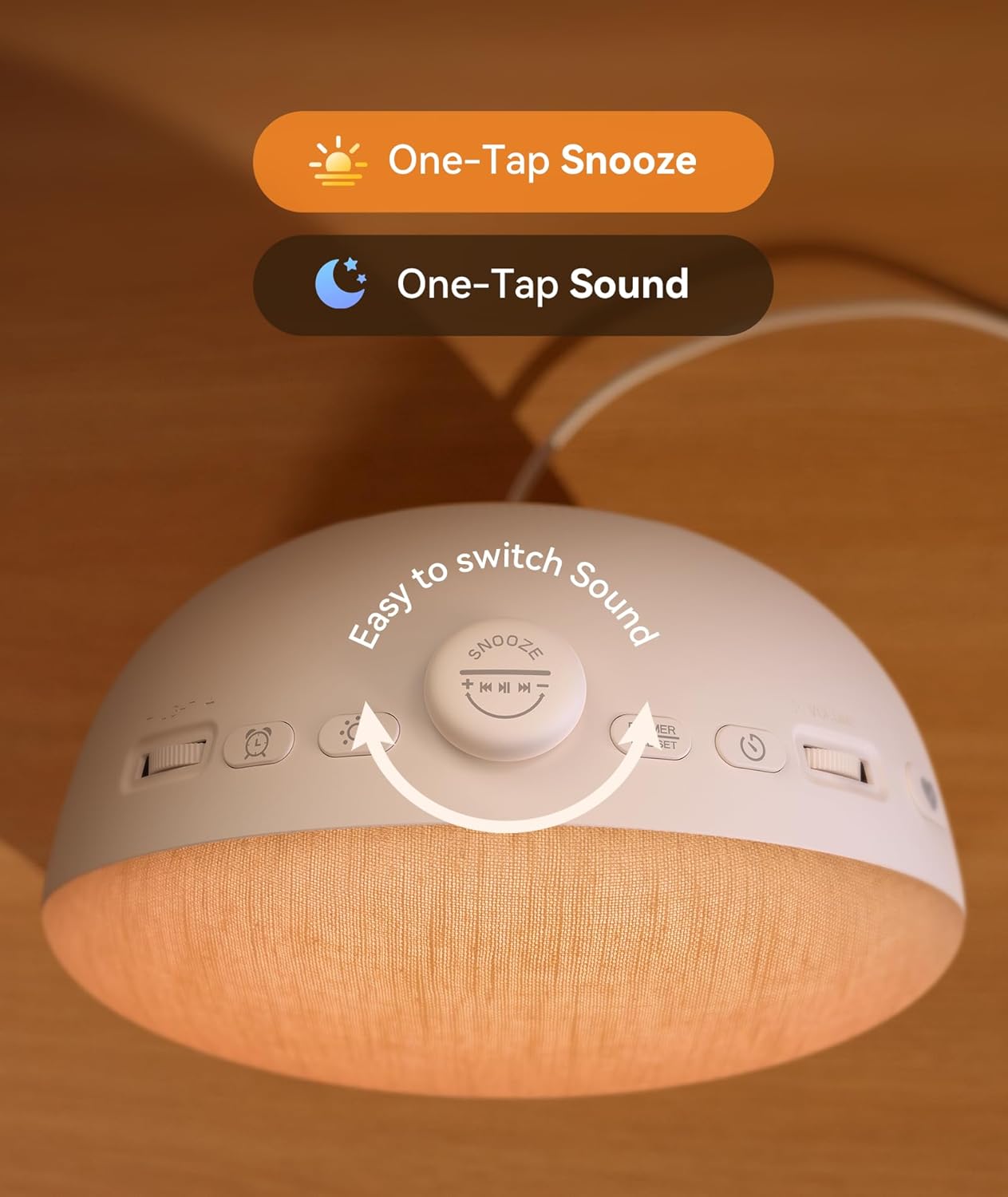
Figure 2: Top controls of the Dreamegg Sunrise 2.
- Snooze/Pause Button: Tap to snooze an active alarm or pause playing sounds. Rotate to explore different sounds.
- Күңүрттөө/Убакытты коюу баскычы: Press to adjust display brightness. Press and hold to enter time setting mode.
- Жарык баскычы: Press to turn on/off the night light. Press and hold to cycle through light colors.
- Ойготкуч баскычы: Press to activate/deactivate the alarm. Press and hold to set alarm time and preferences.
- Көлөмдү өлчөөчү ролик: Rotate to adjust the sound volume.
- Light Brightness Roller: Rotate to adjust the brightness of the night light.
- Сүйүктүү баскычы: Press to activate your saved favorite sleep setting. Press and hold to save the current settings as your favorite.
Убакытты орнотуу
- басып, кармап туруңуз Dimmer/Time Set убакыт дисплейси жаркылдаганга чейин баскычты басыңыз.
- колдонуу Volume Roller to adjust hours and the Light Brightness Roller мүнөт тууралоо үчүн.
- басыңыз Dimmer/Time Set ырастоо жана чыгуу үчүн кайра баскычын басыңыз.
Ойготкуч орнотуу

Figure 3: The Dreamegg Sunrise 2 simulating a sunrise wake-up.
- басып, кармап туруңуз Ойготкуч ойготкуч убактысы жаркылдаганга чейин баскычты басыңыз.
- колдонуу Volume Roller to set the alarm hour and the Light Brightness Roller ойготкуч мүнөттү коюуга.
- басыңыз Ойготкуч убакытты ырастоо үчүн баскычты басыңыз.
- Next, select your desired wake-up sound by rotating the Snooze/Pause баскычы.
- Сигналдын үнүн төмөнкү менен тууралаңыз Volume Roller.
- Choose the sunrise duration (0-60 minutes) and light intensity using the Light Brightness Roller.
- басыңыз Ойготкуч button again to save all settings and activate the alarm.
Sound Machine Functions

Figure 4: Dreamegg Sunrise 2 offering 29 sleep and relaxation sounds.
- To turn on/off the sound machine, press the Snooze/Pause баскычы.
- айлантыңыз Snooze/Pause button to cycle through the 29 available sounds (e.g., white noise, nature sounds, lullabies).
- Adjust the sound volume using the Volume Roller.
- To set a timer for the sound machine (5-180 minutes), press the Таймер button (if available, otherwise refer to general timer settings).
Night Light Functions
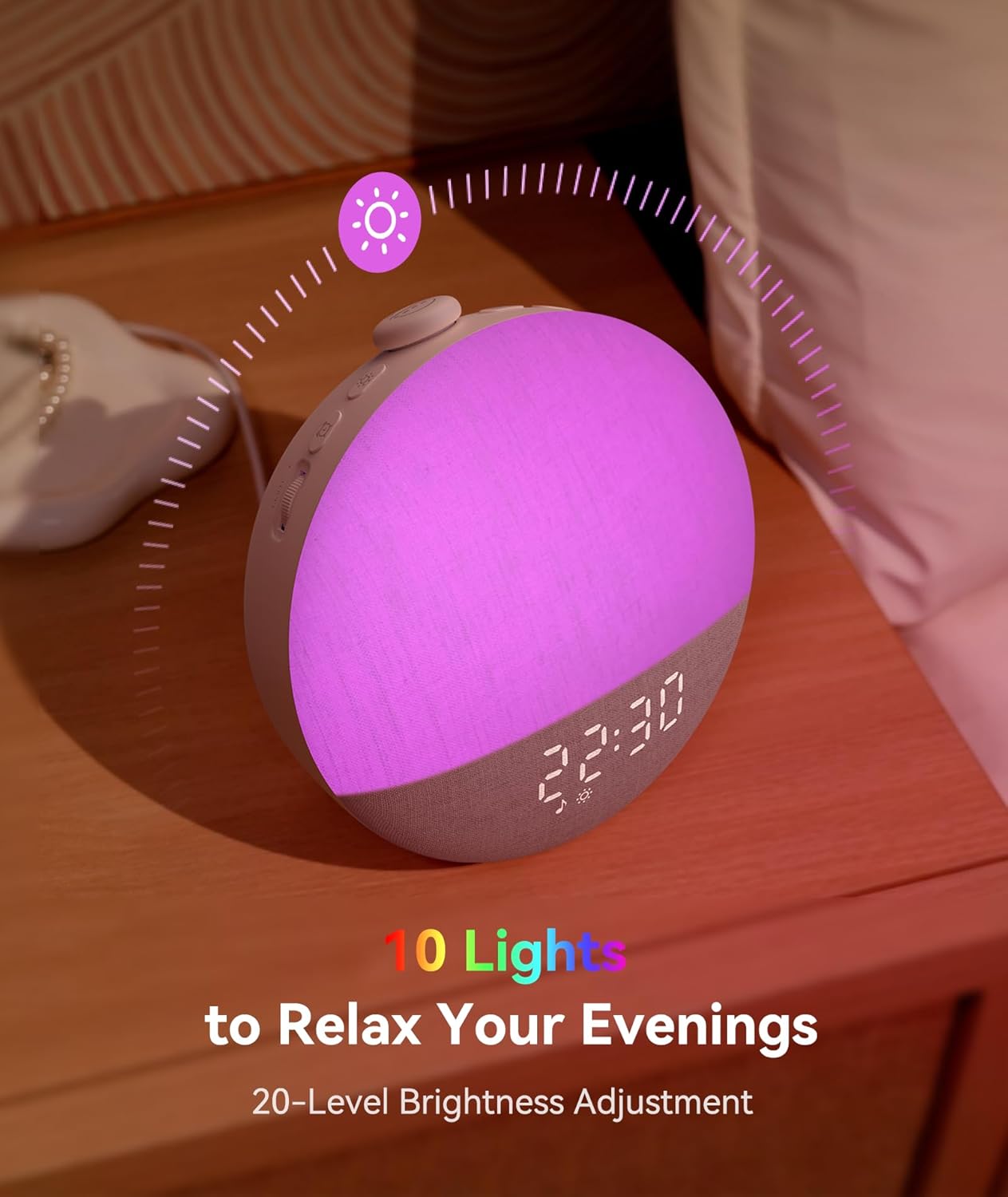
Figure 5: Dreamegg Sunrise 2 with customizable ambient lighting.
- басыңыз Жарык Түнкү жарыкты күйгүзүү же өчүрүү үчүн баскычты басыңыз.
- басып, кармап туруңуз Жарык button to cycle through the 10 available ambient light colors.
- Adjust the brightness of the night light using the Light Brightness Roller (20 деңгээл).
Сүйүктүү режим
- To save your current sound, light, and timer settings as a favorite, press and hold the Сүйүктүү баскычы.
- To quickly activate your saved favorite settings, simply press the Сүйүктүү баскычы.
Тындырма функциясы
- When the alarm sounds, tap the Snooze/Pause button to activate the snooze function for 9 minutes.
- The alarm will sound again after the snooze period.
Техникалык тейлөө
- Тазалоо: Түзмөктүн бетин тазалоо үчүн жумшак, кургак чүпүрөктү колдонуңуз. Суюк тазалоочу каражаттарды же абразивдүү материалдарды колдонбоңуз.
- Сактагыч: Узак мөөнөткө колдонулбаганда, аспапты күн тийбеген, салкын, кургак жерде сактаңыз.
- Кубат кабели: Always use the provided power cable and adapter. Inspect the cable regularly for any damage.
Проблемаларды чечүү
| Көйгөй | Мүмкүн себеп | Чечим |
|---|---|---|
| Түзмөк күйбөйт. | Power cable not connected properly or power outlet issue. | Ensure the power cable is securely connected to both the device and the power adapter. Try a different power outlet. |
| Ойготкуч угулбайт. | Ойготкуч иштетилген эмес же үнү өтө төмөн. | Verify the alarm is set and activated (check alarm icon on display). Increase alarm volume using the Volume Roller. |
| Үн аппараты ойнобой жатат. | Sound machine is off or volume is too low. | Press the Snooze/Pause button to turn on the sound machine. Adjust volume with the Volume Roller. |
| Light not changing color or brightness. | Incorrect button usage or brightness set to minimum. | Press and hold the Light button to cycle colors. Use the Light Brightness Roller to adjust brightness. |
| Электр кубаты өчүрүлгөндөн кийин убакыт/жөндөөлөр баштапкы абалга келтирилетtage. | Extended power loss beyond internal battery backup. | Reset the time and alarm settings manually after power is restored. |
Техникалык шарттар
- Модель номери: D66B
- Продукциянын өлчөмдөрү: 6.51 x 4.03 x 6.3 дюйм
- Элемент Салмагы: 12.87 унция (365 грамм)
- Материал: Акрилонитрил бутадиен стирол (ABS)
- Түсү: Крем
- Өндүрүүчү: Dreamegg
- Үндөр: 29 Тынчтандыруучу үндөр
- Ачык түстөр: 10 Ambient Light Colors
- Жарык жарыктыгы: 20-Level Dimmable Light
- Дисплей жарыктыгы: 5 Жарыктык орнотуулары
- Таймер: 5-180 Minute Flexible Timer
Маанилүү маалымат
Коопсуздук маалыматы
Please follow the user manual and use the provided power cable for safety. Do not attempt to disassemble or modify the device. Keep away from water and high humidity environments.
Юридикалык баш тартуу
Тамак-аш кошулмаларына байланыштуу билдирүүлөр FDA тарабынан бааланган эмес жана кандайдыр бир ооруну же ден соолук абалын аныктоо, дарылоо, айыктыруу же алдын алуу үчүн арналган эмес. Бул продукт медициналык шайман эмес.
Кепилдик жана колдоо
For warranty information and customer support, please refer to the official Dreamegg webсайтка же түздөн-түз кардарларды тейлөөгө кайрылыңыз. Кепилдик дооматтар үчүн сатып алуу дүмүрчөгүңүздү сактаңыз.


