
1. Киришүү
This manual provides detailed instructions for the installation, operation, and maintenance of your GNCC GT1Pro-W-1P Outdoor Security Camera. This product is designed to enhance your home security with features such as 2K resolution, motion detection, color night vision, and two-way audio. Please read this manual thoroughly before use to ensure proper functionality and safety.
2. Пакеттин мазмуну
Таңгагыңызда бардык буюмдар бар экенин текшериңиз. Эгерде кандайдыр бир буюмдар жок болсо же бузулуп калса, кардарларды тейлөө кызматына кайрылыңыз.
- GNCC GT1Pro-W-1P Outdoor Security Camera (2 units)
- Instruction Manual
- Монтаждоо бурамалар жана дубал сайгычтар
- Кубат адаптерлери (2 даана)
- Mounting Stands (2 units)
3. Орнотуу жана орнотуу
3.1 Физикалык орнотуу
The GNCC GT1Pro-W-1P camera is designed for wall mounting. Choose a location that provides the desired viewing angle and is within reach of a power outlet. Ensure the camera is positioned to cover the area you wish to monitor.
- Бургулоо пункттарын белгилөө: Use the included mounting stand as a template to mark the screw holes on the wall.
- Бургулоо тешиктери: Drill pilot holes at the marked positions. Insert the wall plugs if mounting on masonry.
- Стендди бекитүү: Attach the mounting stand to the wall using the provided screws.
- Камераны тиркөө: Securely attach the camera to the mounting stand. Adjust the camera angle as needed.
- Туташуу кубаты: Connect the power adapter to the camera and plug it into a suitable outdoor-rated power outlet.

Image: The GNCC GT1Pro-W-1P camera mounted on a wall, highlighting its IP65 waterproof rating, suitable for outdoor use.
3.2 Колдонмону жүктөп алуу жана каттоо эсебин түзүү
The GNCC camera operates with the Osaio app. Download the app to your smartphone to manage your camera settings and view жандуу тоюттар.
- Osaio тиркемесин жүктөп алыңыз: Издөө "Osaio" in your smartphone's app store (Apple App Store or Google Play Store) and download the application.
- Эсеп түзүү: Open the Osaio app and follow the on-screen instructions to create a new user account.
3.3 Wi-Fiга туташуу
Ensure your Wi-Fi network is 2.4 GHz, as the camera is compatible only with this frequency band. If your router uses both 2.4 GHz and 5 GHz, ensure the 2.4 GHz band is enabled and accessible.
- Камераны күйгүзүү: Plug in the camera. Wait for the indicator light to flash, indicating it's ready for pairing.
- Колдонмого түзмөк кошуу: Open the Osaio app, tap the "+" icon to add a new device. Select your camera model from the list.
- Колдонмодогу нускамаларды аткарыңыз: The app will guide you through connecting the camera to your 2.4 GHz Wi-Fi network. This typically involves scanning a QR code generated by the app with the camera lens.
- Ырастоо: Туташкандан кийин, камеранын индикатор жарыгы өзгөрөт жана колдонмо ийгиликтүү жупташууну ырастайт.
4. Операция
4.1 Live View жана 2K чечилиши
Access the live video feed from your camera through the Osaio app. The camera provides 2K Ultra HD resolution, offering clear and detailed images of your monitored area.

Сүрөт: Мисample of 2K HDR video quality, showcasing the camera's ability to capture clear details.
4.2 Эки тараптуу аудио
The camera features built-in two-way audio, allowing you to communicate with individuals near the camera through the Osaio app. This is useful for speaking to visitors or deterring unwanted guests.
- Микрофонду иштетүү: Түз эфирде view interface of the Osaio app, tap the microphone icon to speak.
- Угуу: The camera's speaker will transmit your voice, and you can hear responses through your phone's speaker.

Image: Illustration of the camera's two-way audio feature, enabling communication with people near the camera.
4.3 Кыймылды аныктоо жана эскертүүлөр
The camera is equipped with advanced motion detection. When motion is detected, the camera can record footage and send instant notifications to your smartphone via the Osaio app.
- Кыймылды аныктоону иштетүү: Navigate to the camera settings in the Osaio app to enable motion detection.
- Сезгичтикти тууралоо: Жалган коңгуроолорду азайтуу үчүн кыймылды аныктоо сезгичтигин тууралаңыз.
- Эскертмелерди алуу: Ensure app notifications are enabled on your smartphone to receive alerts.
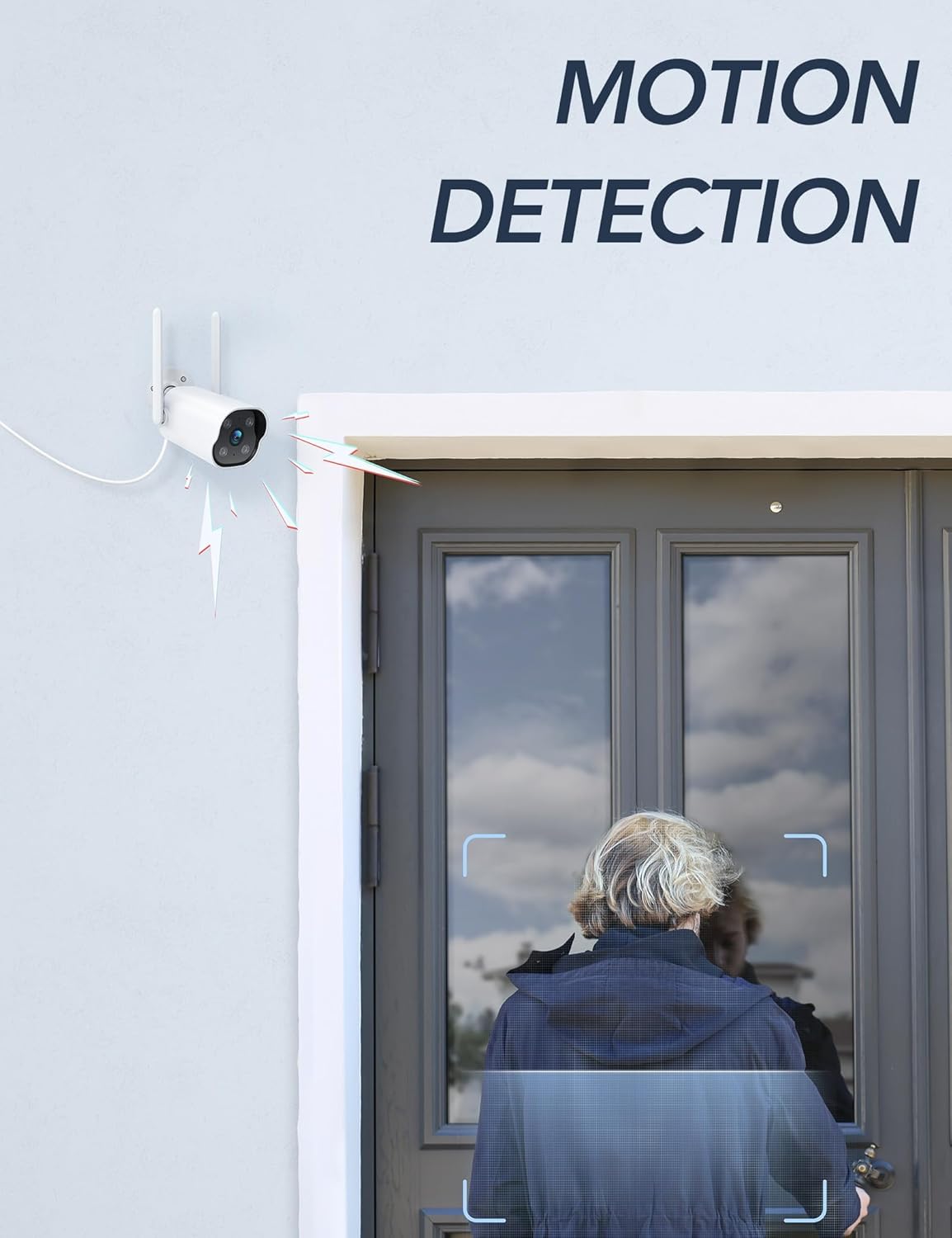
Image: The camera's motion detection feature, showing it identifying a person at a doorway.

Сүрөт: Мисample of push notifications received on a smartphone when motion or sound is detected by the camera.
4.4 Түнкү көрүнүш
The camera provides enhanced night vision, allowing clear visibility up to 50 feet (15 meters) in low-light conditions. It supports color night vision for improved detail.
4.5 24/7 жаздыруу
The camera supports continuous 24/7 recording, ensuring constant surveillance of your property. Recorded footage can be accessed via the Osaio app.

Image: The Osaio app interface displaying a timeline of continuous 24/7 video recording, with thumbnails of captured events.
5. Video Storage Options
Your GNCC camera offers flexible options for storing recorded video footage.
- Local Storage (SD Card): The camera supports local storage via a Micro SD card (not included). Insert an SD card (up to 128 GB) into the designated slot on the camera for continuous recording or event-triggered footage.
- Булуттагы сактагыч: Optional cloud storage services are available through the Osaio app. This provides off-site backup of your recordings. A free trial period may be offered.

Image: Visual representation of the camera's dual storage options: cloud storage and local SD card storage (up to 128GB).
6. Техникалык тейлөө
- Тазалоо: Periodically clean the camera lens with a soft, dry cloth to ensure clear image quality. Do not use harsh chemicals.
- Программалык камсыздоонун жаңыртуулары: Check the Osaio app regularly for available firmware updates. Keeping your camera's firmware updated ensures optimal performance and security.
- Кубат туташуу: Ensure the power connection remains secure and free from damage.
7. Кыйынчылыктарды
| Көйгөй | Чечим |
|---|---|
| Камера Wi-Fi'га туташа албай жатат. | Ensure your Wi-Fi network is 2.4 GHz. The camera does not support 5 GHz Wi-Fi. Check Wi-Fi password and signal strength. Restart your router and camera. |
| Эч кандай эскертмелер алынган жок. | Verify that motion detection is enabled in the Osaio app. Check your smartphone's notification settings to ensure the Osaio app has permission to send alerts. |
| Сүрөттүн сапаты начар. | Камера линзасын тазалаңыз. Камеранын линзасынын айланасында эч кандай тоскоолдуктар жок экенин текшериңиз. viewИнтернет байланышыңыздын ылдамдыгын текшериңиз. |
| Эки тараптуу аудио иштебей жатат. | Ensure your smartphone's microphone and speaker are enabled and not muted. Check the volume settings in the Osaio app. |
| SD карта жаздырбай жатат. | Ensure the SD card is correctly inserted and formatted within the Osaio app. Check if the SD card has sufficient free space. The camera supports up to 128 GB. |
8. Техникалык шарттар
| Өзгөчөлүк | Деталь |
|---|---|
| Модель номери | GT1Pro-W-1P |
| Video Resolution | 2K Ultra HD |
| Байланыш | 2.4 GHz Wi-Fi, Wired (Power) |
| Өзгөчөлүктөр | 2-Way Audio, Motion Sensor, Night Vision (Color), Weather Proof (IP65) |
| Сактагыч параметрлери | Micro SD картасы (128 ГБ чейин, кошулган эмес), булут сактагычы (милдеттүү эмес) |
| Ички/тышкы колдонуу | Сыртта |
| Power Source | Электр зымдары |
| Шайкеш түзмөктөр | Smartphone (via Osaio App) |
| Өлчөмдөрү (L x W x Y) | 11 x 7.6 x 5 см |
| Салмагы | 608 г |
| Камтылган компоненттер | Instruction Manual, Mounting Screws, Power Adapter, Stand |
9. Кепилдик жана колдоо
For warranty information or technical support, please refer to the warranty card included with your product or visit the official GNCC website. You can also contact GNCC customer service through the Osaio app or their website for assistance with product inquiries, troubleshooting, or service requests.
Онлайн колдоо: www.gncc.com/support