
Introduction
This manual provides detailed instructions for the installation, operation, and maintenance of your GNCC GT1ProB-2P Outdoor Security Camera. Designed for reliable home surveillance, this 2K camera features motion detection, color night vision, two-way audio, and 24/7 recording capabilities. Please read this manual thoroughly before use to ensure proper setup and optimal performance.
Пакеттин мазмуну
- GNCC GT1ProB-2P Outdoor Security Camera (2 units)
- Кубаттуу адаптер
- Монтаждоочу стенд
- Монтаждоо бурамалар
- Instruction Manual
Жайгашуу
1. Физикалык орнотуу
The GNCC GT1ProB-2P camera is designed for outdoor use and is IP65 waterproof. Select a suitable location that provides the desired viewing angle and is within range of a power outlet and your 2.4 GHz Wi-Fi network.
- Бургулоочу позицияларды белгилөө: Place the mounting stand against the wall or surface where you intend to install the camera. Use a pencil to mark the positions for the mounting screws.
- Бургулоо тешиктери: Drill pilot holes at the marked positions. Insert wall anchors if necessary for your mounting surface.
- Стендди бекитүү: Attach the mounting stand to the wall using the provided mounting screws.
- Камераны тиркөө: Securely attach the camera to the mounting stand. Adjust the camera angle as needed.
- Туташуу кубаты: Connect the power adapter to the camera and plug it into a power outlet. The camera will power on.

Image: The GNCC GT1ProB-2P camera, demonstrating its IP65 waterproof design, suitable for outdoor installation.
2. Колдонмону орнотуу жана жупташтыруу
The GNCC GT1ProB-2P camera uses the Osaio app for control and monitoring.
- Колдонмону жүктөп алуу: Издөө "Osaio" in your smartphone's app store (App Store for iOS or Google Play Store for Android) and download the application.
- Эсеп түзүү: Open the Osaio app and follow the on-screen instructions to create a new user account or log in if you already have one.
- Түзмөк кошуу: Tap the "+" icon or "Add Device" option within the app. Select your camera model (GT1ProB-2P) from the list.
- Wi-Fi'га туташуу: Follow the app's prompts to connect the camera to your 2.4 GHz Wi-Fi network. Ensure your phone is also connected to the same 2.4 GHz Wi-Fi network during the pairing process.
- QR кодун сканерлөө: The app may display a QR code. Hold your camera up to your phone screen to scan the QR code. A voice prompt from the camera will confirm successful connection.
- Толук орнотуу: Once connected, name your camera and complete the setup process within the app.
Иштөө нускамалары
Live View жана Жаздыруу
Access the Osaio app to view жаша фооtage from your camera. The camera supports 24/7 continuous recording.
- Жергиликтүү сактагыч: Insert a MicroSD card (up to 128GB, not included) into the camera's MicroSD card slot for local storage of recordings.
- Булуттагы сактагыч: An optional cloud storage service is available, offering a 14-day free trial. This provides remote backup of your recordings.

Image: A smartphone interface showing 24/7 recording playback from the GNCC camera, with a timeline of events.
Кыймылды аныктоо жана эскертмелер
The camera features advanced motion detection. When motion is detected, the camera can send instant notifications to your smartphone via the Osaio app.
- Иштетүү/Өчүрүү: You can enable or disable motion detection and adjust sensitivity settings within the Osaio app.
- Эскертүүлөр: Receive push notifications on your phone when motion or sound is detected.
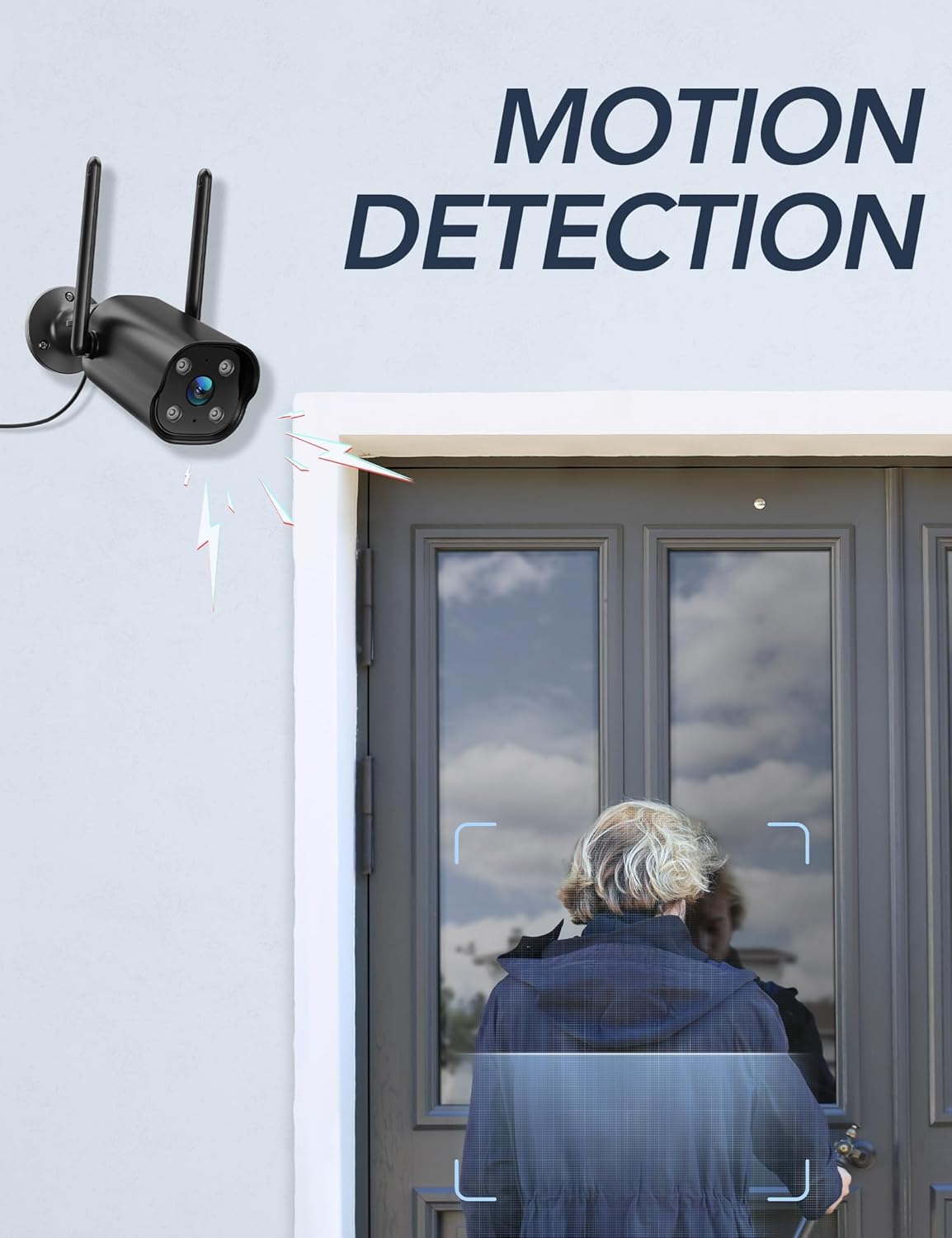
Image: The GNCC camera illustrating its motion detection capability, highlighting a person entering the detection zone.

Image: A smartphone displaying push notifications from the Osaio app, indicating detected motion and sound events.
Эки тараптуу аудио
The integrated microphone and speaker allow for two-way communication through the camera. This feature enables you to speak to visitors or deter intruders remotely.
- Иштетүү: Түз эфирде view interface of the Osaio app, locate and tap the microphone icon to speak through the camera.
- Угуу: Камеранын микрофону анын айланасындагы аудиону алат, аны сиз телефонуңуз аркылуу уга аласыз.

Image: The GNCC camera demonstrating its two-way audio function, allowing communication between the user and the monitored area.
Түнкү көрүнүш
The camera is equipped with enhanced night vision, providing clear visibility up to 50 feet (15 meters) in low-light conditions. It also supports color night vision for improved detail.
Smart Home интеграциясы
The GNCC GT1ProB-2P camera is compatible with Amazon Alexa and Google Home. Refer to the Osaio app settings or your smart home assistant's documentation for instructions on linking your camera.
Техникалык тейлөө
Тазалоо
To ensure optimal image quality, periodically clean the camera lens. Use a soft, damp cloth to gently wipe away dust and dirt. Avoid using harsh chemicals or abrasive materials that could scratch the lens.
Орнотулган программаны жаңыртуу
GNCC regularly releases firmware updates to improve camera performance and add new features. Check for available updates through the Osaio app settings. It is recommended to keep your camera's firmware up to date.
Проблемаларды чечүү
Жалпы маселелер жана чечимдер
- Камера оффлайн:
- Камера күйгүзүлгөнүн жана кубат адаптери коопсуз туташканын текшериңиз.
- Wi-Fi роутериңизди жана интернет байланышыңызды текшериңиз.
- Verify the camera is within range of your 2.4 GHz Wi-Fi network.
- Кубат адаптерин сууруп жана кайра сайып, камераны өчүрүп-күйгүзүңүз.
- Жаздыруу жок:
- If using local storage, ensure a MicroSD card is properly inserted and formatted within the Osaio app.
- Check recording settings in the Osaio app to ensure 24/7 recording or motion-triggered recording is enabled.
- If using cloud storage, verify your subscription status.
- Сүрөттүн сапаты начар:
- Камера линзасын жумшак чүпүрөк менен тазалаңыз.
- Камера жетиштүү кубат алып жатканын текшериңиз.
- Wi-Fi сигналыңыздын күчүн текшериңиз; алсыз сигнал видео агымынын сапатына таасир этиши мүмкүн.
- Кыймылды аныктоо иштебей жатат:
- Verify motion detection is enabled in the Osaio app settings.
- Кыймыл сезгичтигинин жөндөөлөрүн тууралаңыз.
- Камераны тоскон эч кандай тоскоолдуктар жок экенин текшериңиз view.
Техникалык шарттар
| Модель аты | GT1ProB-2P |
| Бренд | GNCC |
| Байланыш технологиясы | Wired (Power), Wi-Fi (2.4 GHz), Bluetooth |
| Видео тартуунун резолюциясы | 2K |
| Сүрөт сенсорунун чечилиши | 3 депутат |
| Түнкү көрүү диапазону | 50 фут (15 метр) чейин |
| Өзгөчөлүктөр | 2-Way Audio, HD Resolution, Motion Sensor, Night Vision, Weatherproof (IP65) |
| Ички/тышкы колдонуу | Сыртта |
| Шайкеш түзмөктөр | Smartphone (via Osaio App), Amazon Alexa, Google Home |
| Power Source | Электр зымдары |
| Жергиликтүү сактагыч | 128 ГБ чейин MicroSD карта (киргизилген эмес) |
| Cloud Storage | Optional, 14-day free trial available |
| Элементтин өлчөмдөрү (L x W x Y) | 11 x 7.6 x 5 Сантиметр |
| Түс | Кара |
| Өндүрүүчү | Каладо |

Image: The GNCC camera highlighting its dual storage options: optional cloud storage and local MicroSD card storage (up to 128GB).
Кепилдик маалымат
GNCC products are covered by a limited warranty from the date of purchase. This warranty typically covers defects in materials and workmanship under normal use. Please refer to the warranty card included in your product packaging or visit the official GNCC webкепилдиктин белгилүү бир шарттары жана эрежелери, анын ичинде мөөнөтү жана камтуу чоо-жайы үчүн сайтты караңыз.
The warranty does not cover damage caused by improper installation, accident, misuse, abuse, natural disaster, or unauthorized modification or repair.
Кардарларды колдоо
If you encounter any issues or have questions regarding your GNCC GT1ProB-2P Outdoor Security Camera, please contact our customer support team. Before contacting support, please ensure you have reviewed the troubleshooting section of this manual.
- Онлайн колдоо: Visit the official GNCC webКөп берилүүчү суроолор, колдоо макалалары жана байланыш формалары үчүн сайт.
- Электрондук почта колдоо: Refer to your product packaging or the GNCC webкардарларды колдоо кызматынын атайын электрондук почта дареги үчүн сайт.
- Osaio App: The Osaio app may also offer in-app support options or a help section.
When contacting support, please have your product model (GT1ProB-2P) and purchase information readily available.