
Introduction
Welcome to the iFLYTEK AINOTE 2, a 10.65-inch large screen paper tablet designed for enhanced productivity. This ultrathin device combines the natural feel of writing on paper with advanced AI capabilities, including voice-to-text transcription, multilingual translation, and smart note organization. This manual provides essential information for setting up, operating, and maintaining your AINOTE 2 to maximize its potential.
Кутуда эмне бар
Кутудан чыгарылганда бардык буюмдар бар экенин текшериңиз:
- 1 x AINOTE 2 Paper Tablet
- 1 x Стилус калеми
- 1 x USB Type-C кабели
- 1 x User Manual
Продукт бүттүview
The AINOTE 2 features a sleek, ultrathin design with a 10.65-inch E Ink display, offering a paper-like experience for comfortable reading and writing.
Физикалык өзгөчөлүктөрү
- Экран: 10.65-inch E Ink Display, 1920x2560 resolution, 300 PPI.
- Өлчөмдөрү: 11.4 x 7.8 x 10.9 дюйм.
- Салмагы: 1.74 pounds (approximately 295g).
- Калыңдыгы: 4.2мм.
- Баскычтар: Power button (with fingerprint unlock), AI search button.
- Порттор: USB3.0 Type-C for charging and data transfer.
- Аудио: Quad-microphone Array.
- Байланыш: WiFi 6, Bluetooth 5.4.
- Батарея: 4000mAh Nonstandard Battery (included).
Stylus Pen Features
- Built-in eraser.
- No charging required.
- Eight pen styles for varied writing and sketching.
- Responsive and precise for a natural writing feel.
- Жеңил жана ыңгайлуу дизайн.
- Magnetic attachment to the tablet.
Visual Overview
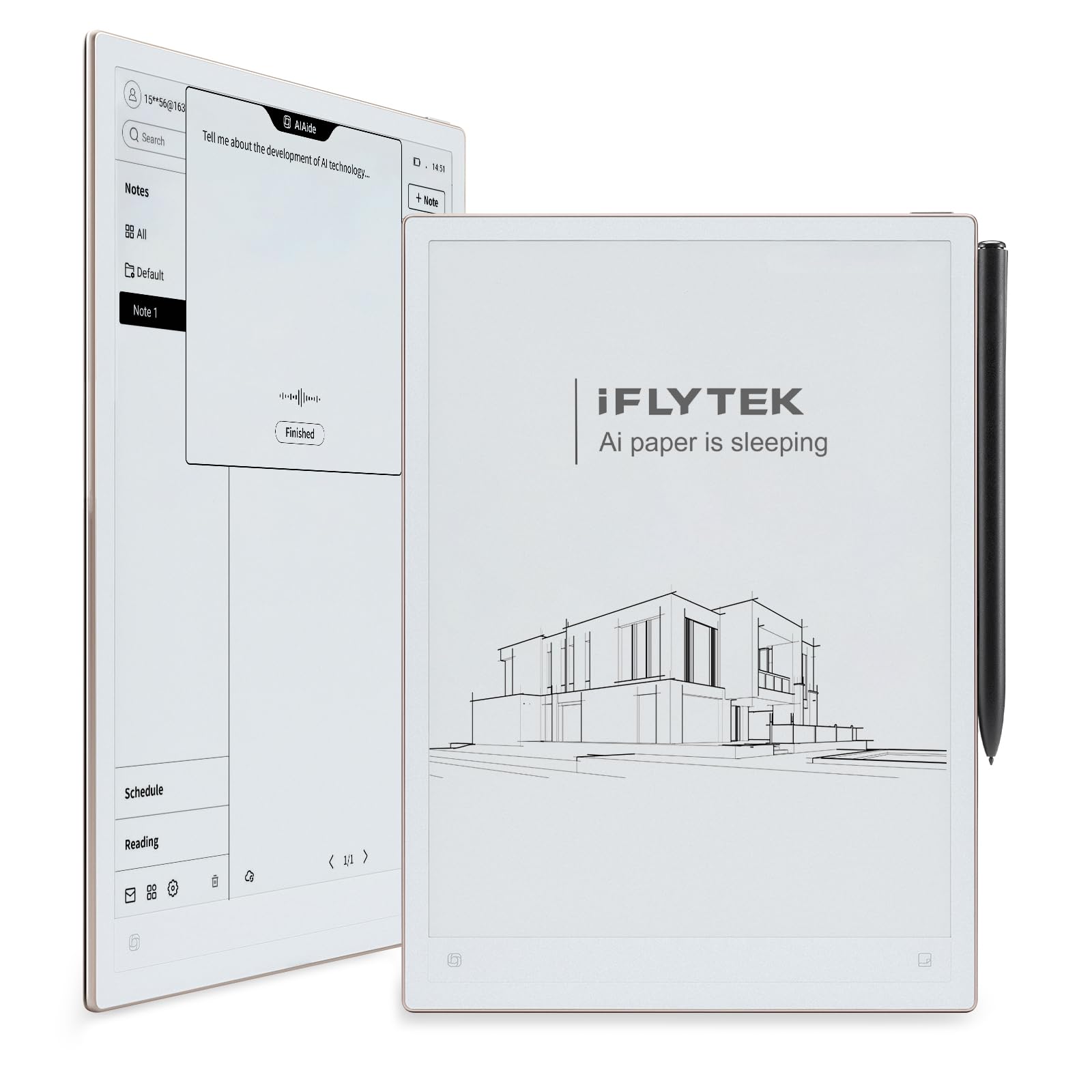


Жайгашуу
Баштапкы күйгүзүү
To power on your AINOTE 2, press and hold the power button located on the side of the device for approximately 3 seconds until the screen activates. The device will guide you through the initial setup process, including language selection and Wi-Fi connection.
Stylus Pen Pairing
The stylus pen is designed for immediate use and does not require pairing or charging. Simply bring the pen close to the screen to begin writing or interacting with the tablet.
Манжа изинин кулпусун ачуу
The AINOTE 2 supports fingerprint unlock for quick and secure access. During initial setup, you will have the option to register your fingerprint. To unlock, simply place your registered finger on the power button.
Google Play Store Access
The device runs on Android 14 and is GMS certified, allowing access to the Google Play Store. You can download and install your favorite reading and productivity apps, such as Kindle, Kobo, and Google Play Books, directly onto your tablet.

Иштөө нускамалары
Note Taking
Experience a natural, paper-like writing feel with the included stylus. The AINOTE 2 offers eight refined brush styles and pixel-perfect precision. You can jot down ideas, create mind maps, and organize your thoughts with ease.
- Handwriting to Text: Convert handwritten notes to text with a single tap.
- AI-Powered Summaries: Automatically generate meeting summaries from your notes.
- Task Management: Highlight key points (star, triangle, circle markers) to instantly transform them into actionable to-do lists and weekly reports.
Окуу
Enjoy smooth, eye-friendly reading on the E Ink display with fast refresh rates. The AINOTE 2 supports various file formats including PDF, EPUB, TXT, MOBI, AZW, JPEG, PNG, DOC(X), XLS(X), and PPT(X). Access your favorite content seamlessly via compatibility with popular reading apps.
AI өзгөчөлүктөрү
The AINOTE 2 leverages advanced AI to boost your productivity:
- Үндөн текстке транскрипциялоо: Supports 16 languages (EN/ES/CN/FR/SA/VN/KR/RU/DE/JP/HK/TH/ID/MY/HU/IT) for real-time transcription during meetings or lectures, with automatic speaker recognition.
- Тез которуу: Supports 11 languages for instant translation, facilitating cross-border communication.
- AI издөө: Utilize AI to search your notes and documents for quick insights.
Connectivity & Sync
The AINOTE 2 offers effortless ecosystem integration:
- Google Calendar Sync: Keep your schedule consistent across all devices by syncing with Google Calendar.
- Multi-Device Sync: Your notes, tasks, and schedules stay updated across Android, iOS, and macOS devices via seamless cloud synchronization.

Окутуучу видеолор
iFLYTEK AINOTE 2, 10.65" Large Screen Paper Tablet: Бул видеодо толук маалымат берилетview of the AINOTE 2, highlighting its design, stylus features, AI capabilities, and reading experience.
How to use the AINOTE 2 for daily: This video demonstrates the practical daily use of the AINOTE 2, covering note-taking, transcription, reading, app downloads, and AI-powered chat features.
Техникалык тейлөө
Батареянын иштөө мөөнөтү
The AINOTE 2 is equipped with a 4000mAh battery, designed to provide all-day use on a single charge. To maximize battery life, avoid extreme temperatures and use the provided USB Type-C cable for charging.

Аппаратты тазалоо
Use a soft, lint-free cloth to gently wipe the screen and body of the tablet. Avoid using harsh chemicals or abrasive materials that could damage the E Ink display.
Проблемаларды чечүү
Түзмөк жооп бербей жатат
If the device becomes unresponsive, press and hold the power button for approximately 8 seconds to force a restart. If the issue persists, ensure the device is charged.
Байланыш маселелери
If you experience problems with Wi-Fi or Bluetooth, try the following:
- Toggle Wi-Fi/Bluetooth off and on again in the device settings.
- Restart your router or connected device.
- Ensure the AINOTE 2 is within range of the Wi-Fi network or Bluetooth device.
Техникалык шарттар
| Модель аты | АИНОТ 2 |
| Элемент моделинин номери | XT-DXB311E |
| Бренд | iflytek |
| Операция системасы | Android 14 (GMS тастыкталган) |
| Screen Size | 10.65 Inches E Ink Display |
| Max Screen Resolution | 1920×2560 Pixels Per Inch, 300 PPI |
| CPU | 2.2 ГГц сегиз ядролуу |
| RAM | 4 ГБ |
| Ички сактагыч | 64 ГБ |
| Байланыш технологиясы | Bluetooth 5.4, Wi-Fi 6 |
| Батарея сыйымдуулугу | 4000mAh |
| Заряддоо порту | USB3.0 Type-C |
| Элемент Салмагы | 1.74 фунт (болжол менен 295 г) |
| Продукциянын өлчөмдөрү | 11.4 x 7.8 x 10.9 inches (approx. 4.2mm thin) |
| Өзгөчөлүктөр | Quad-microphone Array, Fingerprint Unlock, Stylus Control, AI Voice-to-Text, 16-Language Transcription, 11-Language Translation, Google Calendar Sync, Multi-device Sync |
| Колдоого алынган File Форматтар | PDF/EPUB/TXT/MOBI/AZW/JPEG/PNG/DOC(X)/XLS(X)/PPT(X) |
Кепилдик жана колдоо
Кепилдик маалымат
The iFLYTEK AINOTE 2 comes with a standard manufacturer's warranty. Please refer to the warranty card included in your product packaging for specific terms and conditions. Keep your proof of purchase for any warranty claims.
Кардарларды колдоо
For technical assistance, troubleshooting, or product inquiries, please visit the official iFLYTEK webсайтка же кардарларды колдоо тобуна кайрылыңыз. Сиз ошондой эле кайрыла аласыз iFLYTEK Store on Amazon кошумча ресурстар үчүн.