
1. Киришүү
Thank you for choosing the KTC H25T7-3 24.5 Inch 240Hz FHD Gaming Monitor. This manual provides essential information for setting up, operating, and maintaining your monitor. Please read it thoroughly before use to ensure optimal performance and safety.
Коопсуздук маалыматы
- Өрткө же электр тогуна урунбоо үчүн мониторду жамгырдын же нымдуулуктун таасирине дуушар кылбаңыз.
- Мониторду ачпаңыз casinг. Ичинде колдонуучу тейлей турган бөлүктөр жок. Бардык тейлөөлөрдү квалификациялуу кызматкерлерге тапшырыңыз.
- Монитор кулап калбаш үчүн аны туруктуу, тегиз бетке коюңуз.
- Ашыкча ысып кетүүнүн алдын алуу үчүн монитордун айланасында туура желдетүүнү камсыз кылыңыз.
- Use only the power adapter and cables provided by KTC.
2. Кутуда эмне бар
Verify that all the following items are present in your package:
- KTC H25T7-3 24.5" FHD 240Hz Monitor (x1)
- Монитор стенди (x1)
- Тез баштоо боюнча колдонмо (QSG) (x1)
- DisplayPort (DP) кабели (x1)
- Кубат адаптери (x1)
- Кубат кабели (x1)
3. Продукт бүтүп калдыview
The KTC H25T7-3 is a 24.5-inch Full HD (1920x1080) gaming monitor featuring a Fast IPS panel, 240Hz refresh rate, and 1ms MPRT response time for smooth visuals. It supports HDR400 and Adaptive-Sync technology to enhance your viewоюн жана оюн тажрыйбасы.
Негизги өзгөчөлүктөрү
- 24.5" FHD Fast IPS Panel: Delivers crisp 1080p resolution with wide 178° viewбурчтар.
- 240Hz Refresh Rate & 1ms MPRT: Ensures ultra-smooth motion and minimal ghosting.
- Adaptive-Sync технологиясы: Synchronizes the monitor's refresh rate with your GPU for tear-free gameplay.
- HDR400 колдоосу: Provides enhanced contrast and color depth for a more immersive visual experience.
- Эргономикалык стенд: Offers tilt, pivot, and height adjustments for personalized viewсооронуч.
- Көзгө кам көрүүнүн өзгөчөлүктөрү: Low blue light and flicker-free technology reduce eye strain during extended use.
- Бир нече туташуу параметрлери: Includes 2x HDMI 2.0, 1x DisplayPort 1.4, and 1x USB 2.0.

Figure 3.1: ашыкview of KTC H25T7-3 monitor features including Fast IPS, 240Hz, HDR400, and adjustable stand.
4. Орнотуу
4.1 Стендди чогултуу
- Мониторду жана стенд компоненттерин таңгактан этияттык менен алып салыңыз.
- Берилген бурамалар аркылуу стенд негизин стенд мойнуна бекитиңиз.
- Align the assembled stand with the mounting slot on the back of the monitor and secure it firmly.

Сүрөт 4.1: Алдыңкы view of the KTC H25T7-3 monitor with its stand assembled.
4.2 VESA дубалга орнотуу (кошумча)
The monitor supports a 100x100mm VESA mount. To wall mount the monitor:
- Эгерде стенд мурунтан эле бекитилген болсо, аны монитордон алып салыңыз.
- Attach your VESA-compatible wall mount bracket to the four screw holes on the back of the monitor. Ensure the screws are appropriate for the VESA standard and do not overtighten.
- Ишенимдүү орнотуу үчүн VESA орноткучуңуз менен берилген көрсөтмөлөрдү аткарыңыз.

4.2-сүрөт: Арткы view of the KTC H25T7-3 monitor, highlighting the input ports and VESA mounting area.
4.3 Туташтыруучу кабельдер
Connect the necessary cables to the corresponding ports on the monitor and your computer/device:
- Күч: Connect the power adapter to the monitor's DC input and then plug the power cord into a power outlet.
- DisplayPort (DP): For optimal performance (240Hz, Adaptive-Sync), connect the provided DisplayPort cable from your graphics card to the monitor's DP 1.4 port.
- HDMI: Alternatively, connect an HDMI cable from your device to one of the monitor's HDMI 2.0 ports.
- USB: The USB 2.0 port can be used for firmware upgrades or connecting peripherals.
5. Иштөө нускамалары
5.1 Күйгүзүү/өчүрүү
Press the power button (usually located on the back or bottom of the monitor) to turn the monitor on or off. The power indicator light will illuminate when the monitor is on.
5.2 Экрандык менюнун навигациясы
The On-Screen Display (OSD) menu is controlled by a joystick button, typically located on the back of the monitor. Use the joystick to navigate through the menu options and adjust settings.
- Push In: Тандоону киргизиңиз/ырастаңыз.
- Өйдө/төмөн: Меню параметрлери боюнча чабыттоо.
- Сол оң: Adjust values or move between sub-menus.
5.3 Дисплей орнотууларын тууралоо
Access the OSD menu to configure various display settings:
- Жарыктык/Контраст: Жалпы жарыктыктын жана контрасттын деңгээлин тууралаңыз.
- Түс жөндөөлөрү: Fine-tune color temperature, gamma, and individual RGB values.
- Сүрөт режими: Select from preset modes (e.g., Standard, Game, Movie, sRGB) or customize your own.
- Жаңыртуу ылдамдыгы: Ensure your graphics card output is set to 240Hz for optimal performance.
- Adaptive-Sync: Enable this feature in the OSD menu and your graphics card control panel to eliminate screen tearing.
- HDR: Activate HDR400 for compatible content to experience enhanced dynamic range.
- Төмөн көк жарык: Adjust the blue light filter to reduce eye strain.

Figure 5.1: Visual representation of the 240Hz refresh rate for smooth motion.
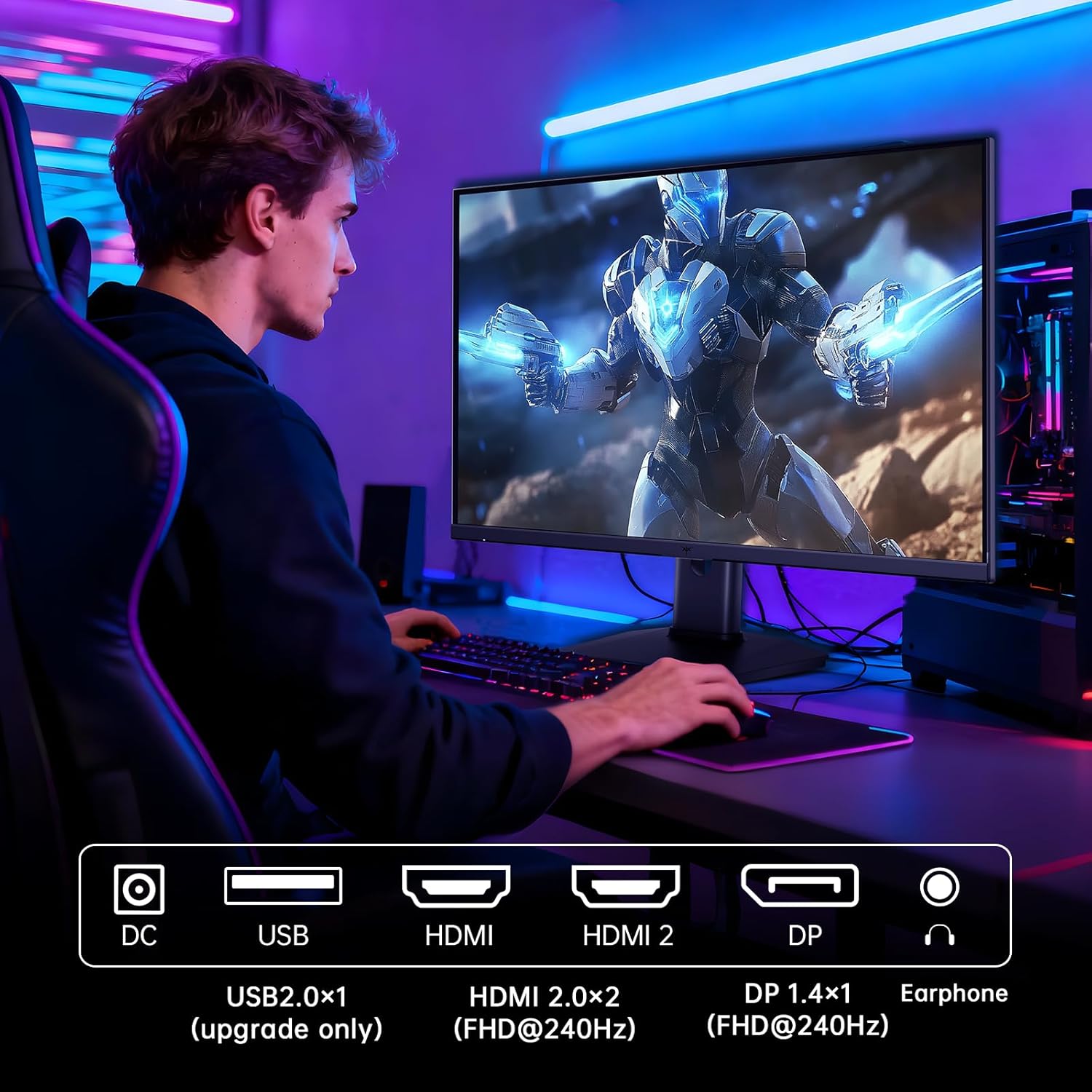
Figure 5.2: Comparison showing the effect of Adaptive-Sync on reducing stuttering and screen tearing.

Figure 5.3: Illustration of HDR400 technology delivering clear details in dark areas compared to HDR10.

Figure 5.4: Diagram illustrating hardware blue light reduction technology to filter harmful blue light bands.
5.4 Эргономикалык жөндөөлөр
Монитор стендиңизди оптималдаштыруу үчүн ар кандай тууралоолорду жүргүзүүгө мүмкүндүк берет viewабалы:
- Россия: Adjust the screen angle forward or backward (-5° to 20°).
- Пивот: Rotate the screen 90° for portrait mode.
- Бийиктигин тууралоо: Экранды 110 ммге чейин көтөрүңүз же ылдый түшүрүңүз.
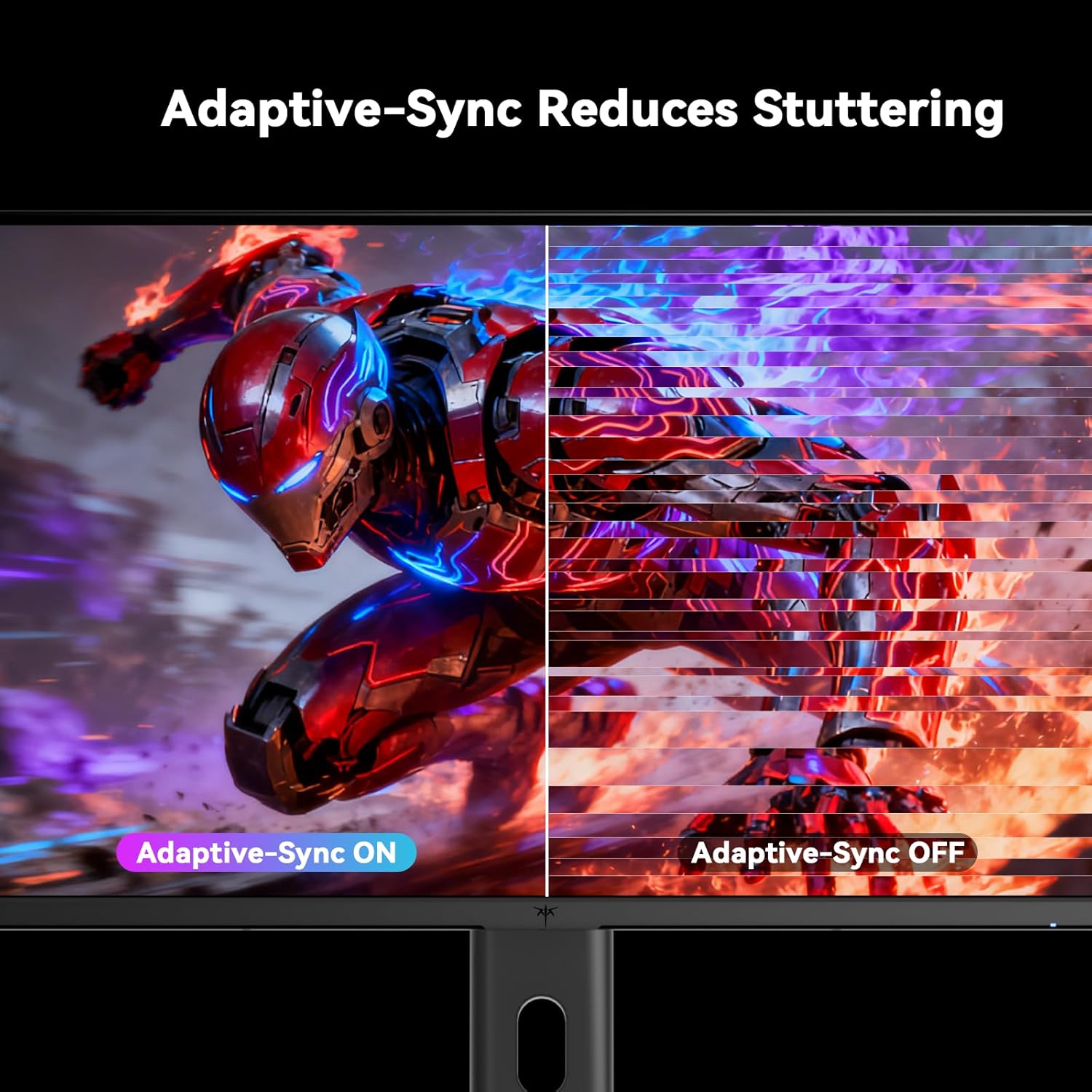
Figure 5.5: Diagram showing the tilt, pivot, and height adjustment capabilities of the monitor stand.
5.5 Расмий продукт Video
Video 5.1: An official product video from KTC-Official showcasing the 24.5 Inch FHD 240Hz Gaming Monitor, demonstrating its features and performance.
6. Техникалык тейлөө
6.1 Мониторду тазалоо
Монитордун экранын тазалоо жана вasing:
- Тазалоодон мурун мониторду дайыма электр розеткасынан сууруп алыңыз.
- Жумшак, түксүз кездемени жеңил колдонуңуз dampсуу же абразивдүү эмес экран тазалагыч менен иштетиңиз.
- Тазалоочу каражатты түз экранга чачпаңыз.
- Бензолду, эриткичти, аммиак негизиндеги тазалоочу каражаттарды же абразивдүү материалдарды колдонуудан алыс болуңуз.
6.2 Жалпы кам көрүү
- Мониторду түз күн нурунан, ашыкча ысыктан же сууктан алыс кармаңыз.
- Монитор же анын кабелдерине оор нерселерди коюудан алыс болуңуз.
- Монитордогу желдетүү тешиктерин жаап албаңыз.
7. Кыйынчылыктарды
Мониторуңузда көйгөйлөргө туш болсоңуз, төмөнкү жалпы көйгөйлөрдү жана чечимдерди караңыз:
| Көйгөй | Мүмкүн себеп | Чечим |
|---|---|---|
| Күч жок | Электр кабели туташкан эмес; розетка иштебей жатат | Электр кабелинин бекем туташтырылганын текшериңиз. Розетканы башка түзмөк менен текшериңиз. |
| Сигнал жок | Video cable not connected; Incorrect input source selected; Computer/device not powered on | Check video cable connections. Select the correct input source via the OSD menu. Ensure your computer/device is on. |
| Жымыңдаган экран | Incorrect refresh rate; Cable issue; Adaptive-Sync not enabled | Set refresh rate to 240Hz. Try a different video cable. Enable Adaptive-Sync in OSD and GPU settings. |
| Image distortion/poor quality | Incorrect resolution; Graphics driver issue; Monitor settings | Set resolution to 1920x1080. Update graphics drivers. Adjust OSD settings (brightness, contrast, color). |
7.1 Заводдук абалга кайтаруу
If problems persist, you may perform a factory reset through the OSD menu. This will revert all monitor settings to their default values.
8. Техникалык шарттар
Detailed technical specifications for the KTC H25T7-3 monitor:
| Өзгөчөлүк | Спецификация |
|---|---|
| Модель номери | H25T7-3 |
| Screen Size | 24.5 дюйм |
| Панел түрү | Ыкчам IPS |
| Резолюция | FHD 1080p (1920 x 1080 пиксел) |
| Аспект катышы | 16:9 |
| Жаңыртуу ылдамдыгы | 240Hz |
| Жооп убактысы | 1 мс (MPRT) |
| Adaptive Sync | Ооба |
| HDR колдоо | HDR400 |
| Түс гаммасы | 114% sRGB |
| Контраст катышы | 1000:1 |
| Display Colors | 16.7 млн |
| Жарыктык | 350 кд/м² |
| Viewбурч | 178° (H/V) |
| Байланыш | 2x HDMI 2.0, 1x DisplayPort 1.4, 1x USB 2.0 |
| VESA тоосунун шайкештиги | 100x100мм |
| Эргономикалык тууралоо | Tilt, Pivot, Height |
| Продукциянын өлчөмдөрү (стенд менен) | 7.6 x 21.97 x 18.23 дюйм |
| Буюмдун салмагы (стенд менен) | 11.58 фунт |
| Тtage | 12 вольт (ток) |
9. Кепилдик жана колдоо
9.1 Кепилдик маалыматы
KTC monitors are designed and manufactured to the highest quality standards. For specific warranty terms and conditions, please refer to the warranty card included with your product or visit the official KTC webсайт. Сатып алуу квитанциясын кепилдик дооматтары үчүн сатып алуунун далили катары сактаңыз.
9.2 Кардарларды колдоо
If you have any questions, require technical assistance, or experience issues not covered in this manual, please contact KTC customer support. Contact details can typically be found on the official KTC webсайтында же Ыкчам баштоо колдонмосунда.