
1. Киришүү
Thank you for choosing EUQQ YYK-Q10 Wireless Earbuds. This manual provides detailed instructions for setting up, operating, and maintaining your earbuds to ensure optimal performance and longevity. Please read this manual carefully before use and retain it for future reference.
2. Пакеттин мазмуну
- EUQQ YYK-Q10 Wireless Earbuds (L/R)
- Заряддоо кутусу
- USB-C заряддоо кабели
- S/M/L Ear Tips (M pre-installed)
- User Manual
3. Продукт бүтүп калдыview
The EUQQ YYK-Q10 earbuds feature advanced audio technology for a superior listening experience. Key components include the earbuds with touch control areas and the charging case with an LED display.

Сүрөт 3.1: Internal structure of an EUQQ earbud, illustrating the Active Noise Cancellation (ANC) and Clear Voice Capture (CVC 8.0) components for enhanced audio and call clarity.
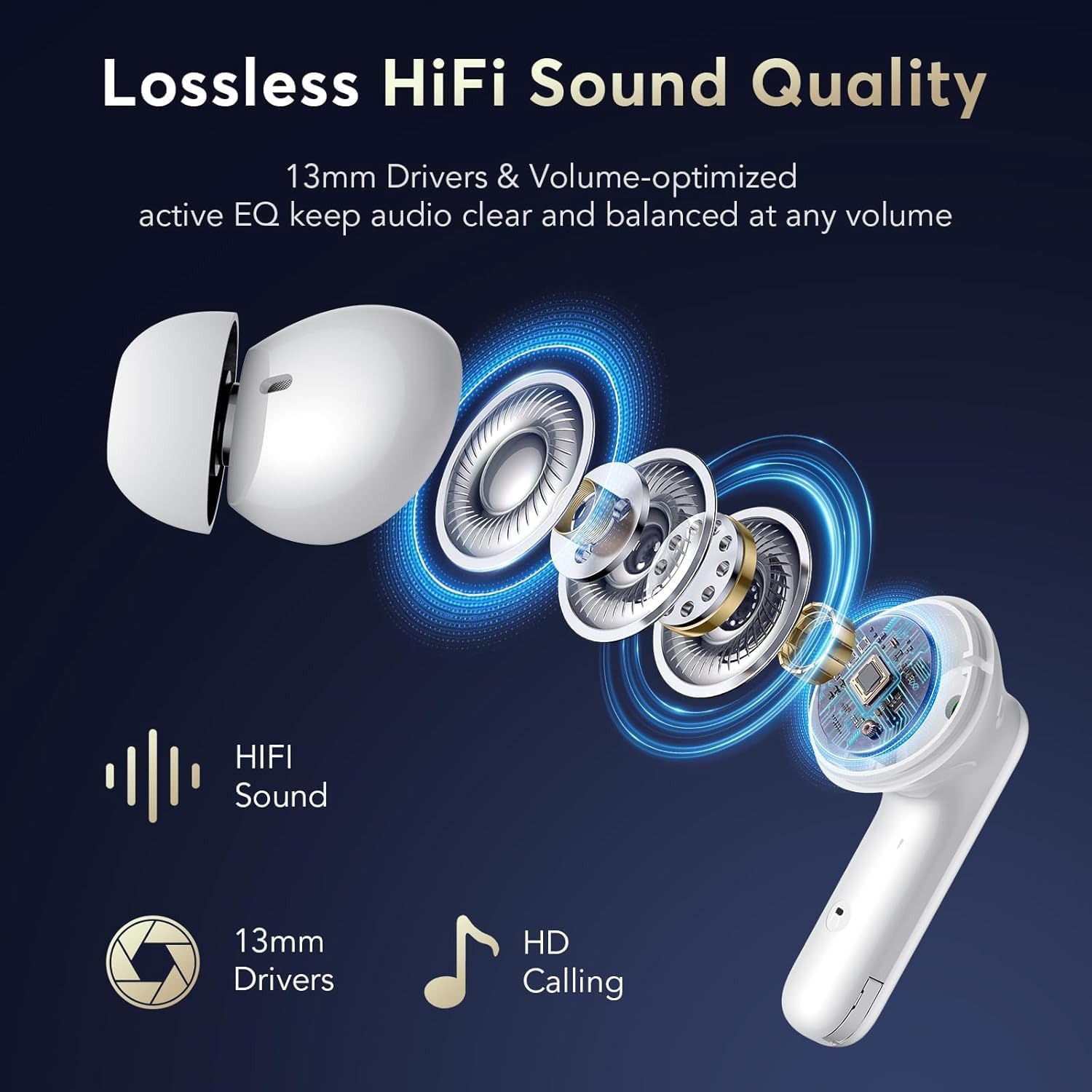
Сүрөт 3.2: жарылды view кулакчындардын көргөзмөсүнүнasing 13mm drivers and other components responsible for delivering lossless HiFi sound quality and HD calling.
4. Орнотуу
4.1 Кулакчындарды жана кутучаны заряддоо
Before first use, fully charge the earbuds and the charging case. Place the earbuds into the charging case. Connect the USB-C charging cable to the charging port on the case and a power source. The LED display on the case will indicate the charging status and battery levels.
- A full charge for the earbuds takes approximately 1 hour.
- The charging case provides multiple charges, extending total playtime up to 36 hours.

Сүрөт 4.1: The earbuds inside the charging case, illustrating the USB-C charging connection and the LED display showing battery status for both earbuds and the case.
4.2 Баштапкы жупташтыруу
- Кулакчындардын кубатталганын текшериңиз.
- Заряддоо кутучасын ачыңыз. Кулакчындар жупташтыруу режимине автоматтык түрдө кирет.
- Түзмөгүңүздө (смартфон, планшет ж.б.) Bluetooth иштетиңиз.
- Издөө available Bluetooth devices and select "YYK-Q10" from the list.
- Туташкандан кийин үн билдирүүсү ийгиликтүү жупташтырууну ырастайт.
After the initial pairing, the earbuds will automatically connect to your last paired device when the charging case is opened, provided Bluetooth is enabled on your device.
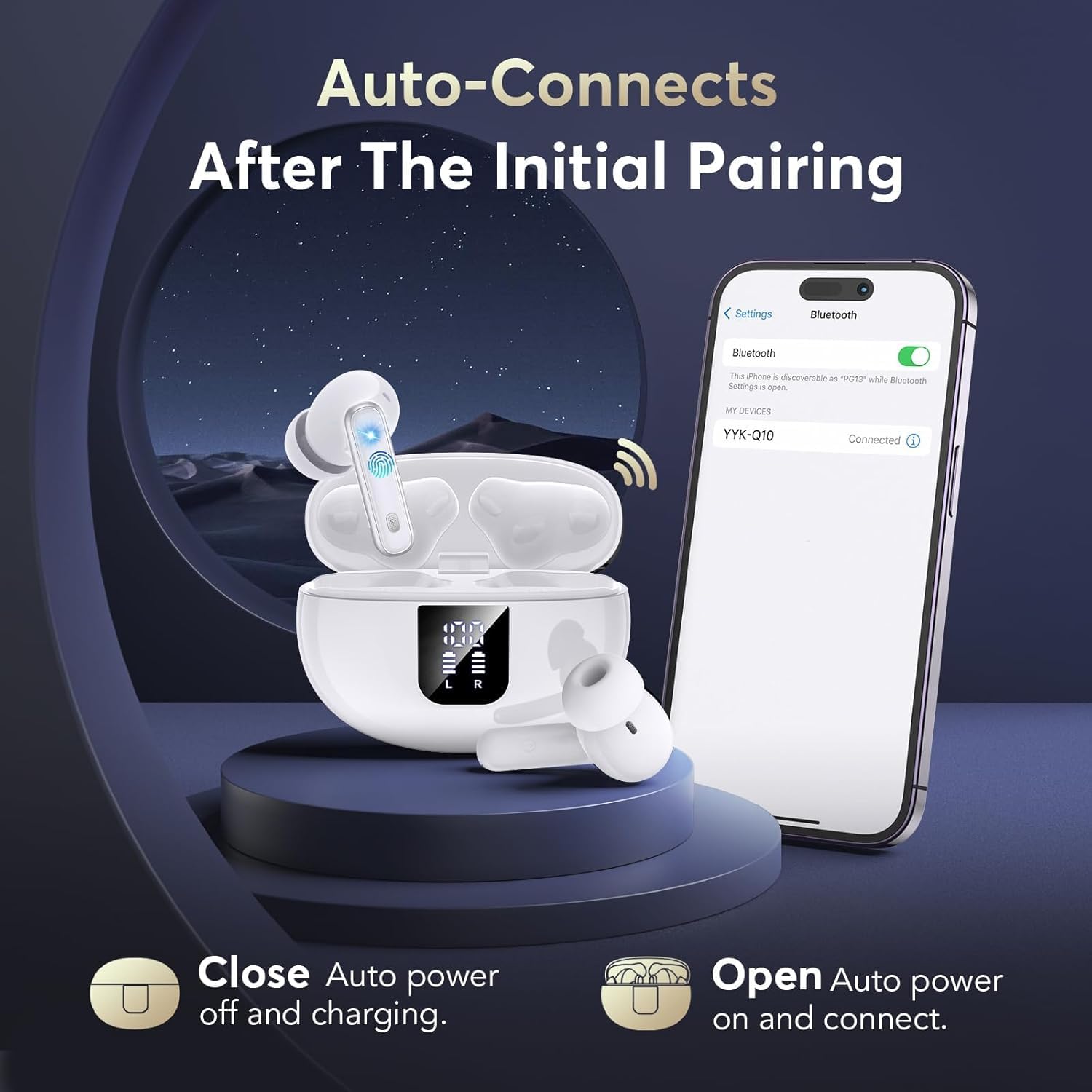
Сүрөт 4.2: A visual representation of the automatic connection process, showing the earbuds and case alongside a phone screen indicating a successful Bluetooth connection to "YYK-Q10".

Сүрөт 4.3: An infographic detailing the improvements offered by Bluetooth 5.4 technology, such as a 50% increase in connection range, 75% increase in stable connection, and 100% increase in transfer speed range.
5. Кулакчындарды иштетүү
5.1 Сенсордук башкаруу
Кулакчындар ар кандай функцияларды аткаруу үчүн сенсордук сезгич аймактарга ээ:
| Акция | Функция |
|---|---|
| Бир таптоо (сол/оң) | Музыка ойнотуу/тындыруу, Чалууга жооп берүү/аяктоо |
| Эки жолу таптаңыз (оң кулакчын) | Кийинки трек |
| Эки жолу таптаңыз (Сол кулакчын) | Мурунку трек |
| Үч жолу таптоо (сол/оң) | Үн жардамчысын жандырыңыз |
| Узакка басуу (сол/оң, 2 секунд) | Активдүү ызы-чууну жокко чыгаруу (ANC) жана ачыктык режиминин ортосунда которулуу |
| Long Press (L/R, 3 seconds during call) | Кирүүчү чалууларды четке кагуу |
5.2 Активдүү ызы-чууну жокко чыгаруу (ANC) жана ачыктык режими
The YYK-Q10 earbuds offer two distinct listening modes:
- Активдүү ызы-чууну жокко чыгаруу (ANC): This mode reduces ambient noise, allowing for an immersive audio experience. Ideal for noisy environments.
- Ачыктык режими: This mode allows you to hear your surroundings clearly without removing the earbuds. It enhances safety and awareness by letting in ambient sounds.
To switch between ANC and Transparency Mode, long press the touch button on either earbud for 2 seconds.

Сүрөт 5.1: A user demonstrating the Transparency Mode feature, highlighting the ability to hear ambient sounds by long-pressing the earbud's touch control.
6. Ыңгайлуулук жана туурасы
For optimal sound quality and comfort, select the ear tips that best fit your ears. The YYK-Q10 comes with S, M, and L size ear tips. Experiment with different sizes to find the most secure and comfortable fit.
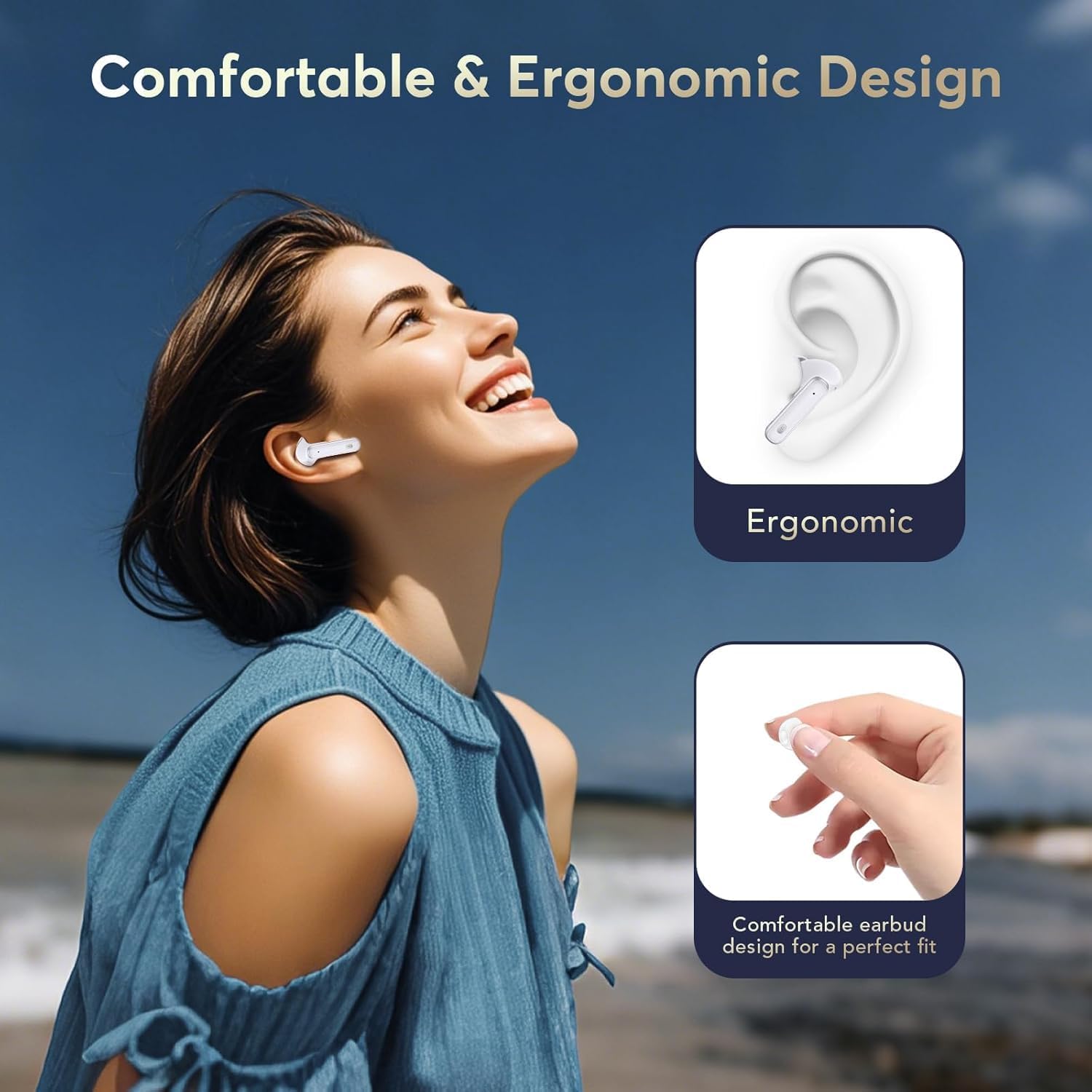
Сүрөт 6.1: A visual guide to the ergonomic design of the earbuds, demonstrating how they are shaped for a comfortable and secure fit within the ear.
7. Техникалык тейлөө
7.1 Тазалоо
- Кулакчындарды жана заряддоо кутусун жумшак, кургак, түксүз чүпүрөк менен дайыма тазалап туруңуз.
- Катуу химиялык заттарды, тазалоочу эриткичтерди же күчтүү жуучу каражаттарды колдонбоңуз.
- Remove ear tips and clean them separately with water if necessary, ensuring they are completely dry before reattaching.
7.2 Сактоо
Колдонулбаганда, кулакчындарды чаңдан жана бузулуудан коргоо үчүн кубаттоочу кутуга салып сактаңыз. Салкын, кургак жерде, экстремалдык температурадан алыс сактаңыз.
8. Кыйынчылыктарды
- Үн жок: Кулакчындар кубатталганын, туура жупташтырылганын жана үнү кулакчындар менен түзмөгүңүздүн экөөндө тең туураланганын текшериңиз.
- Жупташтыруу маселелери: Түзмөгүңүздөгү Bluetooth'ду өчүрүп, кулакчындарды кайра кутуга салып, кутучаны жаап, кайра ачыңыз, андан кийин кайра жупташтырып көрүңүз. Башка түзмөктөр туташууга аракет кылып жатпаганын текшериңиз.
- Earbud Not Charging: Check that the charging contacts on the earbuds and in the case are clean and free of debris. Ensure the charging cable is securely connected.
- Үзгүлтүксүз туташуу: Ensure you are within the Bluetooth range (up to 15 meters) and there are no significant obstructions between the earbuds and your device.
9. Техникалык шарттар
| Өзгөчөлүк | Деталь |
|---|---|
| Бренд | EUQQ |
| Модел | YYK-Q10 |
| Bluetooth версиясы | 5.4 |
| Noise Cancellation | Dual ANC & CVC 8.0 |
| Айдоочунун өлчөмү | 13.0мм динамикалык айдоочулар |
| Ойнотуу убактысы (наушник) | 6-7 саат (бир заряд) |
| Жалпы ойноо убактысы (капка менен) | 36 саатка чейин |
| Заряддоо убактысы (наушник) | Болжол менен 1 саат |
| Суу өткөрбөйт рейтинги | IPX7 |
| Bluetooth диапазону | 15 метрге чейин |
| Кулак жайгаштыруу | Кулакта |
| Импеданс | 140 Ом |
10. Кепилдик жана колдоо
EUQQ products are designed for reliability and performance. For warranty information or technical support, please refer to the contact details provided with your purchase or visit the official EUQQ webсайт. Кепилдик дооматтары үчүн сатып алганыңыздын далилин сактап коюңуз.