
1. Киришүү
The EPOMAKER TH87 is a versatile 87-key Tenkeyless (TKL) mechanical keyboard designed for various computing environments. It features tri-mode connectivity (Wired USB-C, 2.4GHz Wireless, and Bluetooth), hot-swappable switches, PBT keycaps, and customizable RGB backlighting. This manual provides detailed instructions for setting up, operating, maintaining, and troubleshooting your keyboard.
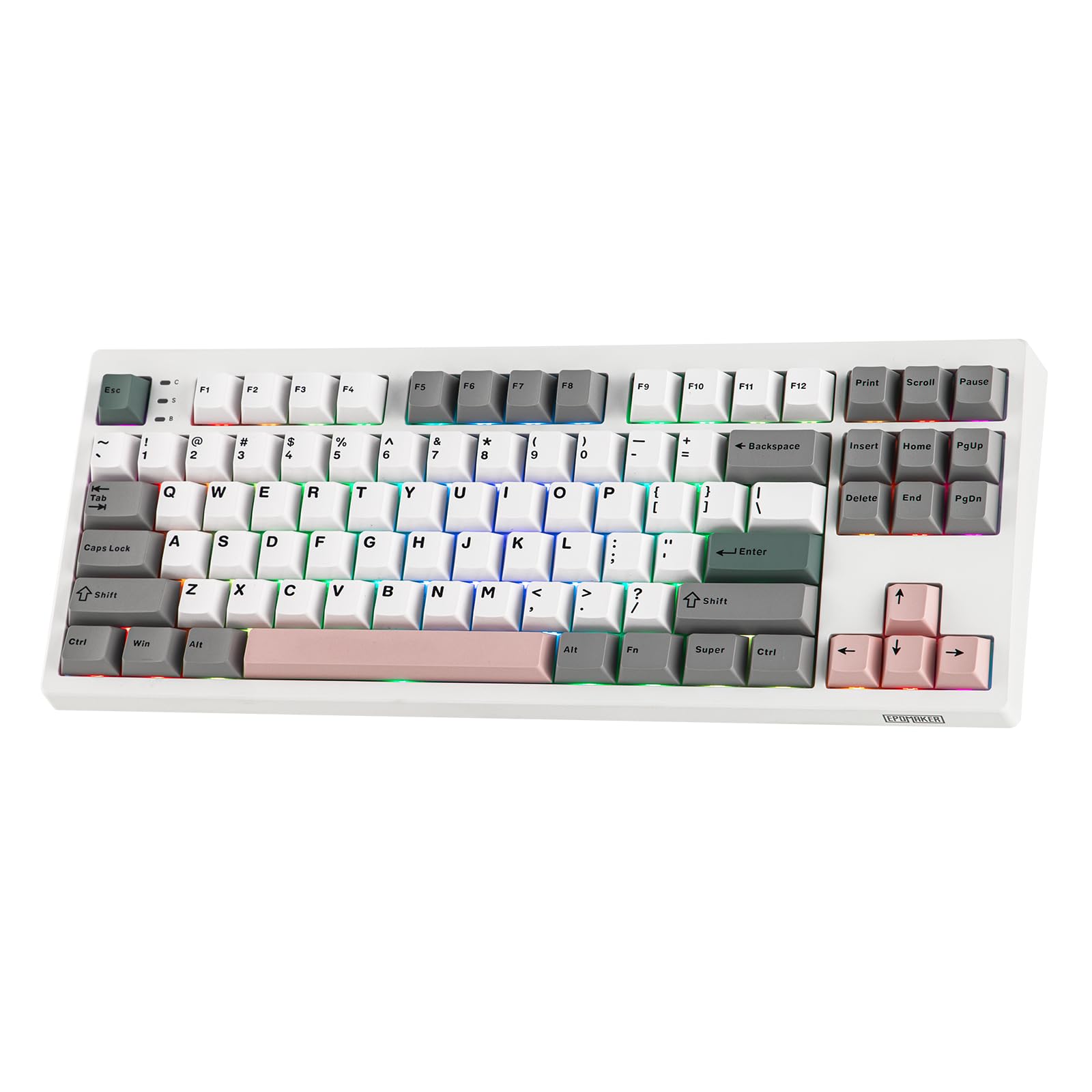
Figure 1: EPOMAKER TH87 Wireless Mechanical Keyboard
2. Пакеттин мазмуну
Пакетиңизде бардык буюмдар бар экенин текшериңиз:
- TH87 Wireless Gaming Keyboard
- USB A-to-C Cable
- Extra Switches (for customization)
- Wireless 2.4Ghz Receiver (stored under the side kick-stand)
- 2-in-1 Switch-and-Keycap Puller
- Колдонуучунун Колдонмосу (бул документ)
Video 1: EPOMAKER TH87 Unboxing & Overview & Typing Video. This video demonstrates the unboxing process and provides a general overview of the keyboard's features and typing experience.
3. Орнотуу
Follow these steps to set up your EPOMAKER TH87 keyboard:
3.1. Зымдуу туташуу
- Баскычтоптогу USB-C портун табыңыз.
- Connect the provided USB A-to-C cable to the keyboard and your computer.
- Ensure the mode switch on the keyboard is set to 'USB'.
3.2. 2.4 ГГц зымсыз туташуу
- Locate the 2.4GHz wireless receiver, typically stored in a compartment under the side kick-stand of the keyboard.
- Ресиверди компьютериңиздеги жеткиликтүү USB портуна сайыңыз.
- Set the mode switch on the keyboard to '2.4G'. The keyboard should automatically connect.
3.3. Bluetooth туташуусу
- Set the mode switch on the keyboard to 'BT'.
- On your device (PC, Mac, Tablet, Phone), open Bluetooth settings.
- Издөө new devices and select 'EPOMAKER TH87' to pair.
- Баскычтоп бир нече Bluetooth технологиясын колдойтfiles; refer to the full user manual for specific pairing instructions for each profile.
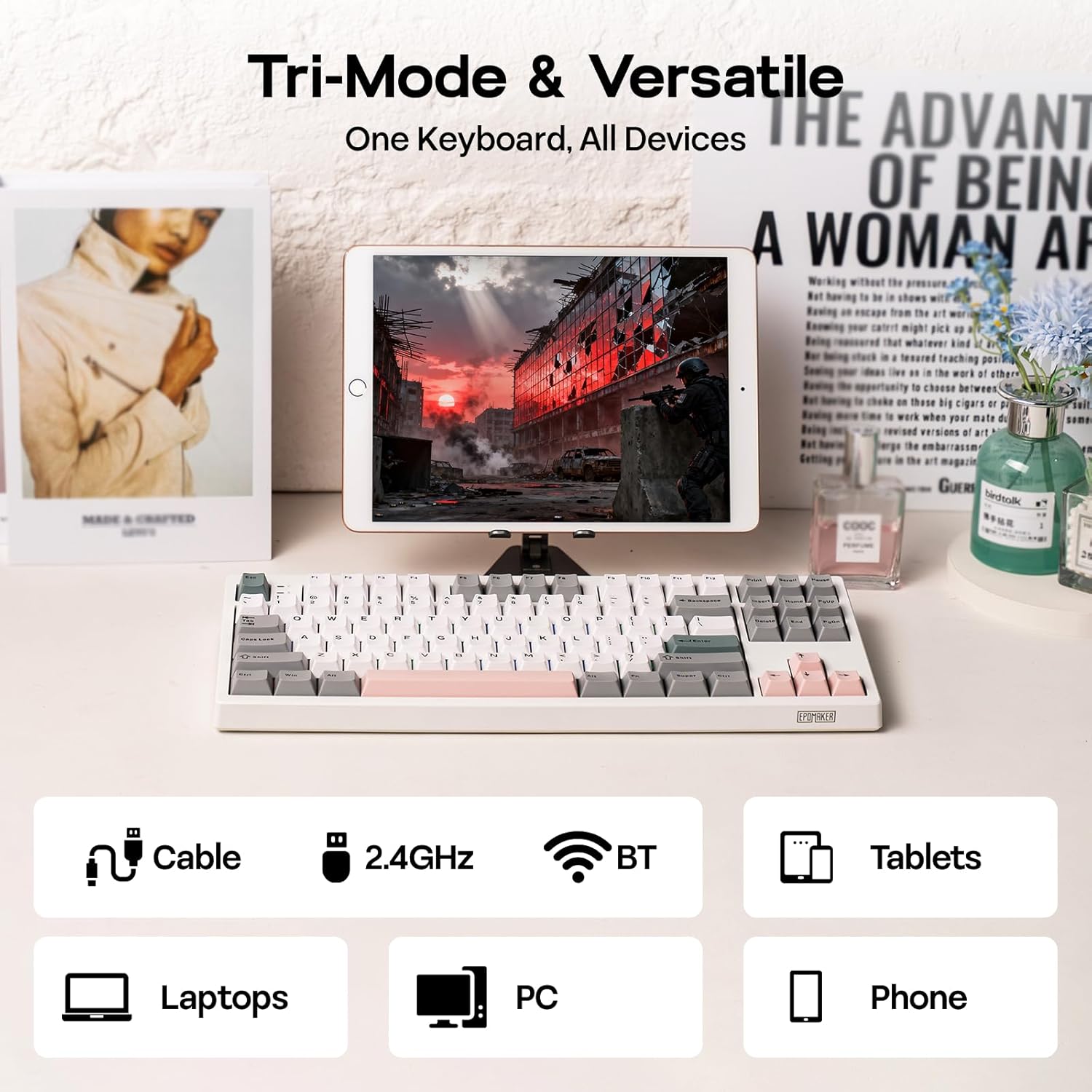
2-сүрөт: Үч режимдүү туташуу параметрлери
4. Иштөө нускамалары
4.1. Негизги функциялар
The TH87 features a standard 87-key TKL layout. All keys function as labeled in their default state.
4.2. Function Keys (Fn Combinations)
The keyboard includes an 'Fn' key to access secondary functions printed on certain keycaps. Common combinations include:
- Fn + F1-F12: Multimedia controls, volume adjustment, etc.
- Fn + Жебе баскычтары: Adjust RGB lighting effects (brightness, speed, direction).
- Fn + Win: Windows баскычын кулпулоо/ачуу.
- Fn + Enter: Батареянын абалын текшериңиз.
4.3. ОС режимин которуу
Use the dedicated switch on the keyboard to toggle between Mac and Windows compatibility modes.
5. Ыңгайлаштыруу
The EPOMAKER TH87 offers extensive customization through its web-based driver software.
5.1. Web-Based Driver
The custom driver allows you to:
- Жеке баскычтарды кайталаңыз.
- Record and assign macros for complex key sequences.
- Adjust RGB lighting effects, colors, brightness, and speed.
- Configure advanced key functions like SOCD (Simultaneous Opposite Cardinal Directions) and Mod Tap.
Access the driver online via the official EPOMAKER website or the QR code provided in the brand card.
Video 2: How to Use TH87 Online Web Driver. This video guides you through connecting your keyboard to the web driver and customizing key functions, macros, and lighting settings.
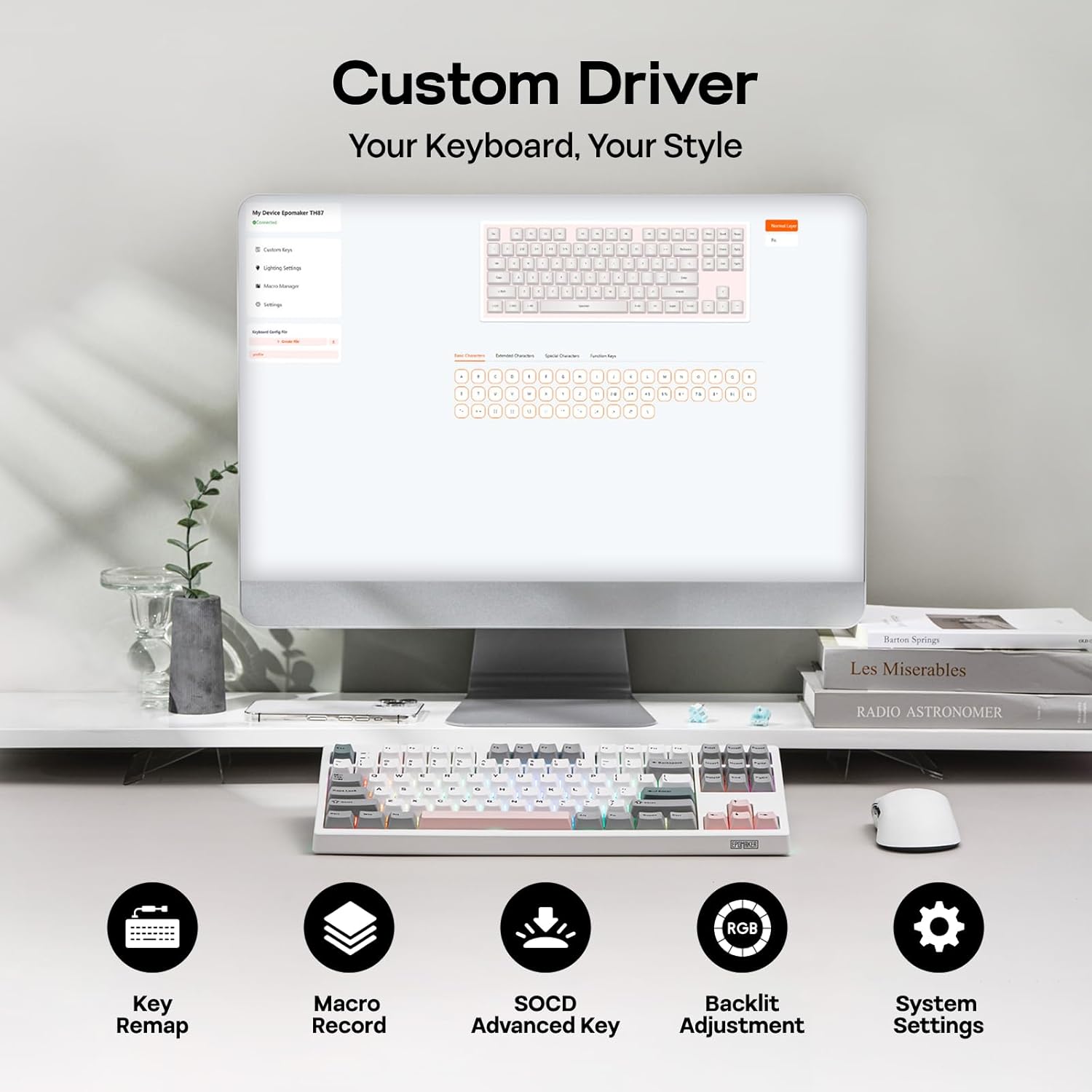
Figure 3: Custom Driver Interface
5.2. Ыкчам алмаштыруучу которгучтар
The TH87 features a hot-swappable PCB, allowing you to change mechanical switches without soldering. It is compatible with 3-pin and 5-pin switches.
Өчүргүчтү алмаштыруу үчүн:
- Баскыч капкагын алып салуу үчүн берилген клавиатура тарткычын колдонуңуз.
- Use the provided switch puller to gently remove the switch from the PCB.
- Жаңы которгучтун төөнөгүчтөрүн платадагы тешиктер менен тегиздеп, ал ордуна чыкылдаганча бекем басыңыз.
- Баскыч капкагын алмаштырыңыз.
The keyboard comes with pre-lubed EPOMAKER Sea Salt Silent V2 switches (Linear, 45±5gf Trigger Force, 51±5gf Bottom-Out Force, 1.8±0.4mm Pre-Travel, 3.5±0.4mm Total Travel).

Figure 4: Hot-Swappable Switches and Sea Salt Silent V2 Specifications
Video 3: EPOMAKER TH87 Typing with Creamy Jade/Sea Salt Silent Switch. This video demonstrates the sound profile of the included switches.
5.3. RGB арткы жарыктандыруу
The TH87 features per-key RGB backlighting with various effects. You can adjust the saturation, brightness, and speed of the lighting through the Fn key combinations or the custom driver software.
6. Батарея маалыматы
The keyboard is equipped with a 10000mAh battery, providing extended usage times:
- Up to 45 hours of continuous use with RGB backlight at brightest setting.
- Up to 200 hours of continuous use with RGB backlight off.
To charge the keyboard, connect it via the USB-C cable to a computer or a compatible USB power adapter. The keyboard charges when plugged in. Always use a computer USB port for charging. Using a power adapter directly may cause battery damage.
7. Техникалык тейлөө
Туура тейлөө сиздин клавиатураңыздын узак иштөөсүн жана иштешин камсыз кылат:
- Тазалоо: Regularly clean keycaps and the keyboard surface with a soft, dry cloth. For deeper cleaning, remove keycaps using the provided puller and use compressed air to clear debris.
- Сактагыч: Клавиатураны күн нурунан жана экстремалдык температурадан алыс, салкын, кургак жерде сактаңыз.
- Колдонуу: Клавиатураны түшүрүп албоо же аны суюктуктарга тийгизбөө керек.
8. Кыйынчылыктарды
Эгер клавиатураңызда көйгөйлөргө туш болсоңуз, төмөнкү жалпы чечимдерди караңыз:
- Баскычтоп жооп бербей жатат: Ensure the keyboard is charged and the correct connectivity mode (Wired, 2.4G, BT) is selected. Try reconnecting the cable or re-pairing the wireless connection.
- Катталбай жаткан ачкычтар: Check if the switches are properly seated. If a specific key is not working, try replacing its switch with one of the extra switches provided.
- RGB жарык иштебейт/туура эмес: Verify lighting settings in the custom driver or cycle through effects using Fn key combinations. Ensure the keyboard is sufficiently charged.
- Туташуу маселелери: For 2.4GHz, ensure the dongle is securely plugged in and close to the keyboard. For Bluetooth, ensure your device's Bluetooth is enabled and the keyboard is paired correctly. Avoid interference from other wireless devices.
- Программалык камсыздоо маселелери: If the custom driver is not detecting the keyboard, ensure it is connected via USB-C and the mode switch is set to 'USB'.
9. Техникалык шарттар
| Өзгөчөлүк | Деталь |
|---|---|
| Бренд | EPOMAKER |
| Модель номери | TH87 |
| Keyboard Description | TKL Layout Mechanical Keyboard |
| Ачкычтардын саны | 87 |
| Байланыш технологиясы | 2.4Ghz Wireless, BT, USB A-to-C Wired |
| Power Source | Батарея менен иштейт (10000mAh) |
| Баскычтоптун арткы жарыгы | RGB |
| Которуу түрү | Linear (EPOMAKER Sea Salt Silent Switch) |
| Өзгөчөлүктөр | Backlit, Ergonomic, Hot-Swappable, Programmable Keys, Rechargeable |
| Продукциянын өлчөмдөрү | 14.43"L x 5.59"W x 1.63"H |
| Материал | Пластик |
| Шайкеш түзмөктөр | Gaming Console, Laptop, PC, Projector, Tablet |

Figure 5: Technical Specifications and Layout
10. Кепилдик жана колдоо
The EPOMAKER TH87 Wireless Mechanical Keyboard comes with a 1 жылдык кепилдик сатып алынган күндөн тартып.
For technical support, warranty claims, or any inquiries, please contact EPOMAKER customer service:
- Электрондук почта: support@epomaker.com
- Официалдуу Webсайт: www.epomaker.com
Please have your purchase receipt and product model number (TH87) ready when contacting support.