
Introduction
This manual provides comprehensive instructions for the setup, operation, and maintenance of your WalkerFit A37 Smartwatch. Please read this manual thoroughly before using your device to ensure proper function and to maximize your user experience.
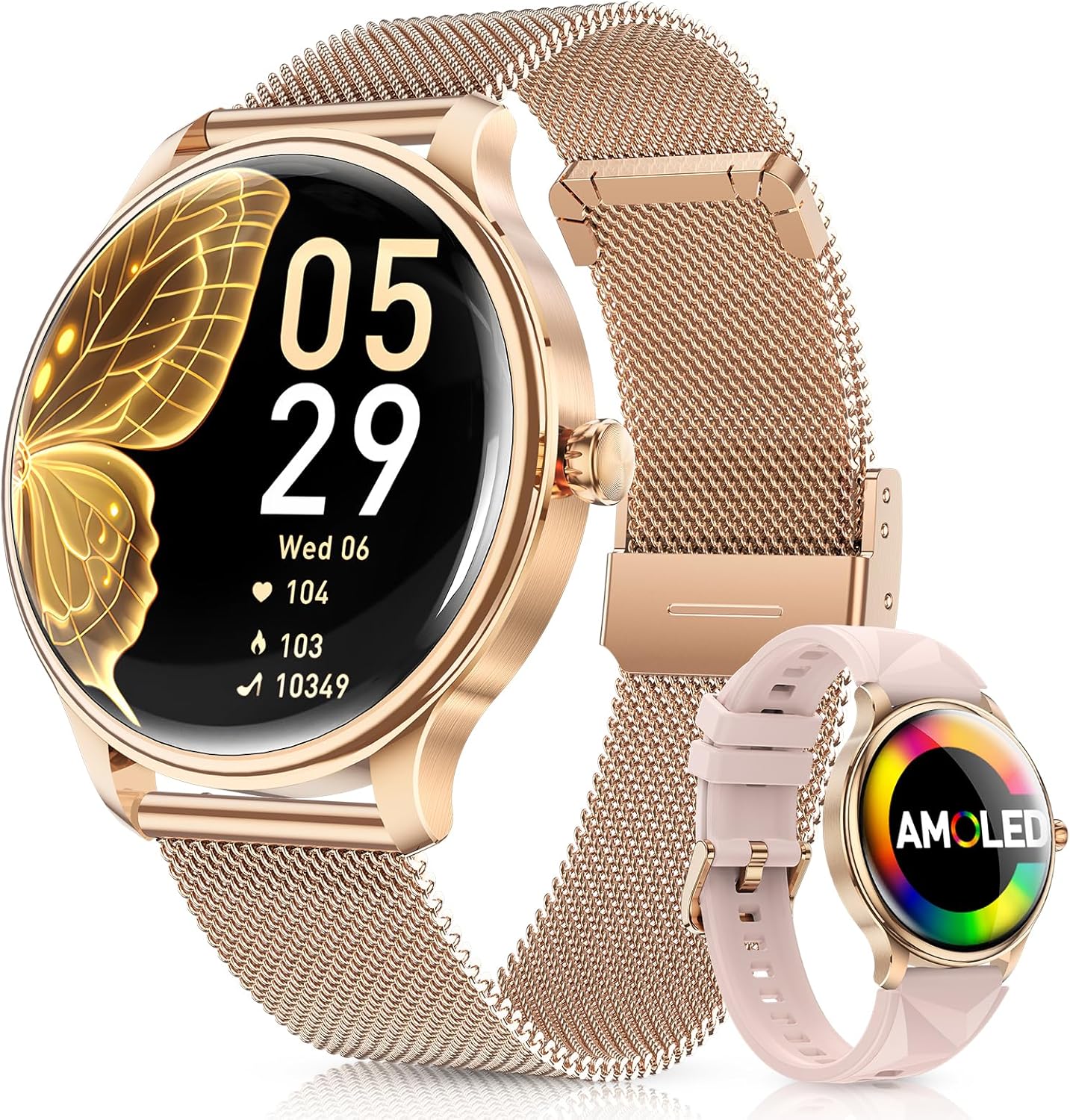
Image: The WalkerFit A37 Smartwatch, showcasing its round gold casing, AMOLED display, and two interchangeable straps: a gold Milanese mesh band and a pink silicone band.
Пакеттин мазмуну
Upon opening your WalkerFit A37 Smartwatch package, verify that all the following items are included:
- WalkerFit A37 Smartwatch (1 unit)
- Magnetic Wireless Charging Cable (1 unit)
- Колдонуучунун колдонмосу (1 бирдик)
- Interchangeable Watch Bands (2 units: 1 Milanese mesh, 1 silicone)

Image: The WalkerFit A37 Smartwatch and its accessories laid out, including the smartwatch, magnetic charging cable, user manual, and two interchangeable straps (gold Milanese and pink silicone), presented within a gift box setting.
Жайгашуу
1. Баштапкы заряддоо
Before first use, fully charge your WalkerFit A37 Smartwatch.
- Connect the magnetic wireless charging cable to a USB power adapter (not included).
- Place the back of the smartwatch onto the magnetic charging pad. The watch will automatically align and begin charging.
- A full charge typically takes 1.5 to 2 hours. The battery icon on the watch display will indicate charging status.

Image: The WalkerFit A37 Smartwatch being charged wirelessly using its magnetic charging pad, illustrating the ease of connection and the charging indicator on the watch screen.
2. Колдонмону орнотуу жана жупташтыруу
Акылдуу саатыңыздын толук функцияларын ачуу үчүн смартфонуңузга коштоочу тиркемени жүктөп алып, орнотуңуз.
- Scan the QR code provided in the manual or on the watch packaging, or search for the "WalkerFit" app in your smartphone's app store (Google Play Store for Android, Apple App Store for iOS).
- Тиркемени орнотуп, керектүү уруксаттарды бериңиз.
- Open the WalkerFit app and create an account or log in.
- Follow the in-app instructions to pair your smartwatch. Ensure Bluetooth is enabled on your smartphone.
- The app will guide you through connecting to the "A37" device.
3. Боо тиркеме
Your smartwatch comes with two interchangeable straps. To attach or change a strap:
- Locate the quick-release pins on the back of each strap.
- Slide the pin inwards and align the strap with the lug holes on the watch body.
- Release the pin to secure the strap. Gently pull on the strap to ensure it is properly locked in place.
Иштөө нускамалары
Негизги навигация
- Сенсордук экран: Менюларда жана экрандарда жылдыруу үчүн солго/оңго, өйдө/ылдый серпиңиз. Тандоо үчүн таптаңыз.
- Каптал баскычы: Press to wake the screen, return to the watch face, or access the main menu.
Негизги өзгөчөлүктөрү
- 1.43 дюймдук AMOLED дисплей: The vivid 466x466 resolution display offers clear visuals. The Always-On Display feature can be enabled in settings.

Сүрөт: Жакын план views of the WalkerFit A37 Smartwatch, highlighting its 1.43-inch 2.5D curved glass AMOLED display and ultra-slim 10mm body, demonstrating its elegant and lightweight design.
- Bluetooth Calling & Notifications:
Once paired with your smartphone, the watch can receive call, message, and app notifications. You can answer or dial calls directly from the watch using Bluetooth 5.3.

Image: The WalkerFit A37 Smartwatch demonstrating its AI Voice Assistant capabilities and displaying examples of incoming call, call log, and instant message notifications from various social media applications.
- Female Wellness Tracking: The watch monitors menstrual cycles, sleep patterns, heart rate, stress levels, breathing, and blood oxygen (SpO2). Access these features via the watch menu or the companion app for detailed insights.

Image: The WalkerFit A37 Smartwatch displaying its female health tracking features, including menstrual cycle prediction and ovulation period, alongside detailed screens for heart rate, blood oxygen, and sleep monitoring.
- Спорт режимдери: Over 120 sports modes are available to track various activities, including steps, calories, distance, and heart rate. Select your desired sport from the watch menu to begin tracking.

Image: A person showering while wearing the WalkerFit A37 Smartwatch, illustrating its IP68 waterproof rating. The watch display shows activity tracking metrics like calories, distance, and steps, along with icons representing various sports modes.
- AI үн жардамчысы: Use the integrated voice assistant for tasks like making calls, playing music, or checking weather. Tap the voice assistant icon on the watch face or menu to activate.
Техникалык тейлөө
- Тазалоо: Wipe the watch screen and body with a soft, dry, lint-free cloth. For stubborn smudges, lightly dampчүпүрөктү суу менен. Катуу химиялык заттарды же абразивдүү материалдарды колдонуудан алыс болуңуз.
- Сууга туруктуулук (IP68): The watch is IP68 waterproof, meaning it can withstand immersion in up to 1.5 meters of fresh water for up to 30 minutes. It is suitable for daily use, showering, and swimming in shallow water. Do not use it for diving, hot water activities, or exposure to high-pressure water.
- Сактагыч: Саатты узак убакыт бою колдонбогондо, күндүн тике тийбеген жана экстремалдык температурадан алыс, салкын, кургак жерде сактаңыз.
- Батареяга кам көрүү: To prolong battery life, avoid fully discharging the battery frequently. Charge the watch regularly.
Проблемаларды чечүү
| Көйгөй | Чечим |
|---|---|
| Саат күйбөй жатат. | Сааттын толук заряддалганын текшериңиз. Аны магниттик кубаттагычка кеминде 30 мүнөт туташтырыңыз. |
| Смартфон менен жупташтыруу мүмкүн эмес. |
|
| Билдирмелер алынган жок. |
|
| Туура эмес ден соолук маалыматы. |
|
| Батареянын иштөө мөөнөтү кыска. |
|
Техникалык шарттар
| Өзгөчөлүк | Деталь |
|---|---|
| Модел | A37 |
| Дисплей | 1.43" AMOLED, 466x466 resolution, Always-On Display |
| Байланыш | Bluetooth 5.3 |
| Батарея сыйымдуулугу | 280 мАч литий полимери |
| Заряддоо ыкмасы | Магниттик зымсыз заряддоо |
| Заряддоо убактысы | Болжол менен 1.5 - 2 саат |
| Батареянын иштөө мөөнөтү | 7 күнгө чейин (типтүү колдонуу) |
| Суу каршылык | IP68 |
| Сенсорлор | Heart Rate, Blood Oxygen (SpO2), Accelerometer |
| Спорт режимдери | 120+ |
| Эс | 128 MB Storage, 256 KB RAM |
| Шайкеш OS | Android, iOS |
| Салмагы | 23g (watch body only) |
Кепилдик жана колдоо
The WalkerFit A37 Smartwatch comes with a 1-year manufacturer's warranty. For technical support, warranty claims, or any inquiries, please contact WalkerFit customer service.
Contact information can typically be found on the official WalkerFit website or through the companion application.