
Introduction
This manual provides detailed instructions for the setup, operation, maintenance, and troubleshooting of your Autel MaxiSys MS909 S2 Diagnostic Scanner. Please read this manual thoroughly before using the device to ensure proper and safe operation.
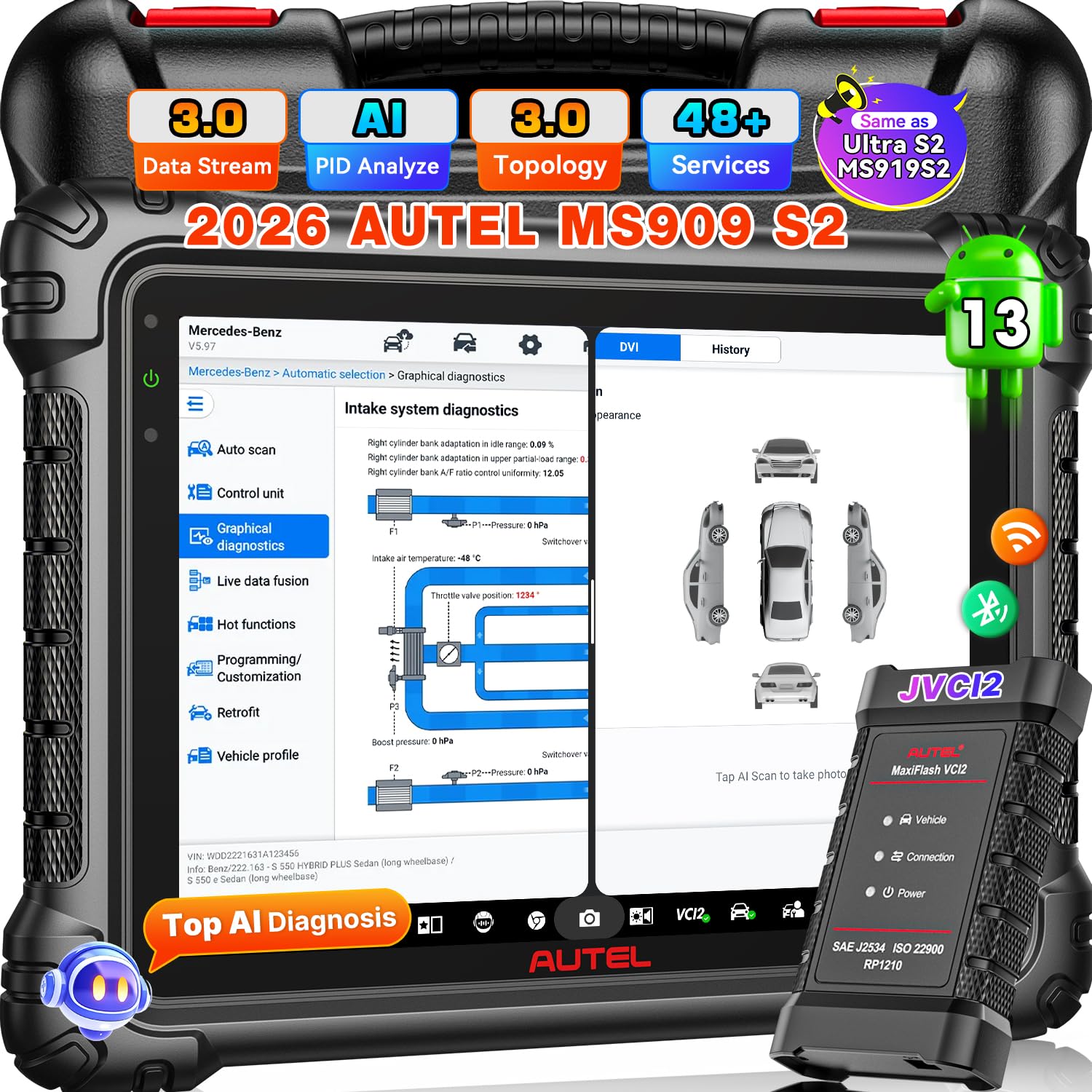
Image: Autel MaxiSys MS909 S2 Diagnostic Scanner with its main components.
Жайгашуу
1. Таңгактан чыгаруу жана алгачкы текшерүү
Carefully unpack all items from the carrying case. Verify that all components listed below are present and undamaged. If any items are missing or damaged, contact customer support.
Камтылган компоненттер:
- Autel MaxiSys MS909 S2 Diagnostic Scan Tool
- MaxiFlash VCI (Vehicle Communication Interface)
- Кубаттуу адаптер
- USB кабели
- Колдонуучунун Колдонмосу (бул документ)
- Ташуу кутусу

Image: A visual representation of the complete accessory list included with the Autel MaxiSys MS909 S2.
2. Аппаратты заряддоо
Connect the power adapter to the scan tool and a power outlet. Allow the device to charge fully before first use. The battery indicator on the screen will show charging status.
3. Күйгүзүү жана баштапкы конфигурация
Press and hold the power button to turn on the device. Follow the on-screen prompts to complete the initial setup, including language selection, time zone, and Wi-Fi connection. Ensure a stable internet connection for software updates.
4. Программалык камсыздоону жаңыртуу
It is recommended to update the software to the latest version upon initial setup. Navigate to the 'Update' section on the main menu and download any available updates. The MS909 S2 includes 2 years of free software updates.
Иштөө нускамалары
The Autel MaxiSys MS909 S2 is an advanced diagnostic tool designed for comprehensive vehicle analysis and maintenance. It operates on Android 13 and features a 2.7G 8-core processor for fast performance.

Сүрөт: бүттүview of the Autel MaxiSys MS909 S2 highlighting its AI features and enhanced hardware specifications.
1. Унаага туташуу
Connect the MaxiFlash VCI to the vehicle's OBD-II port. Connect the VCI to the MS909 S2 via Bluetooth or USB cable. The device will automatically establish communication with the vehicle.
2. Диагностикалык функциялар
The MS909 S2 offers a wide range of diagnostic capabilities:
- OE All System Diagnosis: Perform comprehensive scans of all available vehicle systems (e.g., Engine, ABS, Airbag, Transmission).
- Автоматтык сканерлөө 3.0: Quickly identify vehicle information and perform a full system scan.
- Коддорду окуу/тазалоо: Retrieve and erase Diagnostic Trouble Codes (DTCs).
- Түз эфирдеги маалыматтарды бириктирүү: View real-time data parameters from multiple systems simultaneously for dynamic analysis.
- Enhanced PID Analysis: Visualize multiple parameters, detect system anomalies, and compare pre/post-repair data.

Image: Depiction of the OE Full System Diagnosis capability of the MS909 S2.
3. Өркүндөтүлгөн функциялар
- Топологияны картага түшүрүү 3.0: Provides an OE-style system analysis, visual ECU mapping, and color-coded module status for quick fault identification.
- TruSpeed моторун оңдоо: Access verified OEM-grade repair data, including procedures, wiring diagrams, DTCs, and specifications. (Note: This feature is optional and may require an additional subscription for US and Canada regions).
- ECU программалоо жана коддоо: Program blank ECUs, reflash modules, and perform online coding for specific BMW, Mercedes-Benz, Audi, Porsche, VW, Infiniti, and Hyundai vehicles.
- 48+ Кызмат функциялары: Perform various maintenance services such as Oil Reset, EPB Reset, BMS Reset, SAS Reset, Throttle Reset, ABS Bleed, and more.
- 3000+ Bidirectional Control: Actuate vehicle components directly from the scanner to test their functionality.
- Multi-Point Digital Vehicle Inspection (DVI): Utilize AI-powered image analysis for dent/scratch detection and integrate with Autel TBE200/ITS600 for tire analysis.
- MAX Virtual Assistant: Use voice commands for hands-free navigation, system scans, and accessing maintenance tasks.
- Split-Screen Diagnostic: View multiple applications or data streams simultaneously for enhanced comparison and analysis.

Image: Illustration of Smart Topology Map 3.0 and Motor TruSpeed Repair functionalities.

Image: Demonstrates the extensive active test capabilities and OE ECU programming/coding features.
4. Vehicle Coverage and Protocols
The MS909 S2 supports a wide range of vehicles, including 95% of post-2000 models and 85% of post-2019 models, with support for some 2026 production models. It incorporates new DOIP and CAN FD protocols for enhanced compatibility.
- FCA AutoAuth & SFD: Provides access to protected functions for 2017 & later FCA vehicles (Chrysler, Dodge, Jeep, Alfa Romeo, Fiat). (Note: FCA Auto Auth is for US, Canada, Mexico).
Техникалык тейлөө
1. Программалык камсыздоону жаңыртуу
Regularly check for and install software updates to ensure optimal performance, access to new features, and expanded vehicle coverage. Updates are available for 2 years free of charge.
2. Тазалоо жана сактоо
Аппаратты жумшак менен сүртүп, таза кармаңыз, damp cloth. Avoid using abrasive cleaners or solvents. Store the scanner in its carrying case in a dry, cool environment away from direct sunlight and extreme temperatures.
3. Батареяга кам көрүү
Батареянын иштөө мөөнөтүн узартуу үчүн, батареянын тез-тез толук зарядын жоготуп алуудан алыс болуңуз. Түзмөктү үзгүлтүксүз кубаттап туруңуз, айрыкча, ал узак убакытка сактала турган болсо.
Проблемаларды чечүү
If you encounter issues with your Autel MaxiSys MS909 S2, refer to the following common problems and solutions:
- Түзмөк күйбөй жатат: Ensure the battery is charged. Connect the power adapter and try again. If the issue persists, contact customer support.
- VCI Malfunction: Check the connection between the VCI and the vehicle, and between the VCI and the scanner. Ensure the VCI is powered on.
- Registration Issues: Verify your internet connection. Double-check your registration details. If problems persist, contact Autel customer support.
- Функция колдоого алынбайт: Vehicle compatibility varies by function. Ensure the vehicle model and year are supported for the specific function you are attempting. Consult the vehicle coverage list or contact support with your VIN.
- Жай аткаруу: Ensure the device has sufficient storage space. Close unnecessary applications. Perform a software update if available.
Техникалык шарттар
| Өзгөчөлүк | Спецификация |
|---|---|
| Бренд | Autel |
| Модел | MaxiSys MS909 S2 |
| Операция системасы | Android 13 |
| Процессор | 2.7G 8-core |
| Screen Size | 11 дюйм |
| Screen Resolution | 2176*1600 |
| Эс | 12 ГБ RAM + 256 ГБ ROM |
| Батарея сыйымдуулугу | 15000mAh |
| VCI | Upgraded VCI 2 |
| Байланыш | Wi-Fi 6 |
| Камера | 16MP Front & 16MP Rear Dual Camera |
| Power Source | Батарея менен иштейт |
| Automotive Fit түрү | Universal Fit |
| Унаа камтуу | 95% of post-2000 vehicles, 85% of post-2019 vehicles, some 2026 models. Supports DOIP/CAN FD. |
| UPC | 849438096700 |
| ASIN | B0FXMRS5FR |

Image: A detailed comparison table outlining the specifications of the Autel MS909 S2 against other Autel models.
Кепилдик жана колдоо
1. Кепилдик маалыматы
The Autel MaxiSys MS909 S2 comes with a 1-year manufacturer's warranty from the date of purchase. This warranty covers defects in materials and workmanship under normal use.
2. Кардарларды колдоо кызматы
For technical assistance, warranty claims, or any other inquiries, please contact Autel customer support:
- Электрондук почта: AutelStoreOnline@outlook.com
- Техникалык колдоо: 24/7 professional technical support is available.
- Жаңыртуулар: Enjoy 2 years of free software updates.
- Сатуудан кийинки тейлөө: Lifetime after-sales service is provided.
- Кайтаруулар/алмаштыруулар: 30-day refund and exchange policy.

Image: Representation of Autel's 24/7 customer support services.