
1. Киришүү
Thank you for choosing Dpofirs Earphones Model Dpofirsuir40pg6nm-11. This manual provides essential information for the proper use, setup, and maintenance of your new earphones. Please read this guide thoroughly before using the product to ensure optimal performance and longevity.
2. Продукциянын өзгөчөлүктөрү
- Smart Battery Display: Equipped with a low-power chip and a high-capacity lithium battery, providing approximately 7-8 hours of playback time. The smart display indicates battery status.
- Unique Over-Ear Design: Lightweight and comfortable over-ear hook design ensures a secure fit during various activities.
- ACS Panoramic Surround Sound: Features professional acoustic tuning technology and a high-elastic composite diaphragm for high-fidelity sound quality and dynamic audio experience.
- Акылдуу ызы-чууну жокко чыгаруу: Dual microphones with noise cancellation technology enhance clarity during video calls and conversations, even in noisy environments.
- Directional Sound Transmission Technology: Utilizes DT4.0 pulse directional sound transmission to accurately deliver audio and effectively reduce sound leakage by up to 99%.
3. Пакеттин мазмуну
Сураныч, пакетте төмөнкү нерселерди текшериңиз:
- 1 Pair of Dpofirs Earphones
- 1 Заряддоо кутусу
- 1 USB кубаттоо кабели

Image: The charging case and the included USB charging cable.
4. Орнотуу нускамалары
4.1 Наушникти жана капты заряддоо
Биринчи колдонуудан мурун, наушникти жана кубаттоочу кутучаны толук заряддаңыз.
- Connect the provided USB charging cable to the charging port on the case and to a USB power source (e.g., computer, wall adapter).
- Place the earphones into the charging case. Ensure they are correctly seated in their respective slots.
- The indicator lights on the case and earphones will show the charging status. Refer to the smart battery display for charge levels.
- A full charge typically takes approximately 1-2 hours for the earphones and 2-3 hours for the charging case.
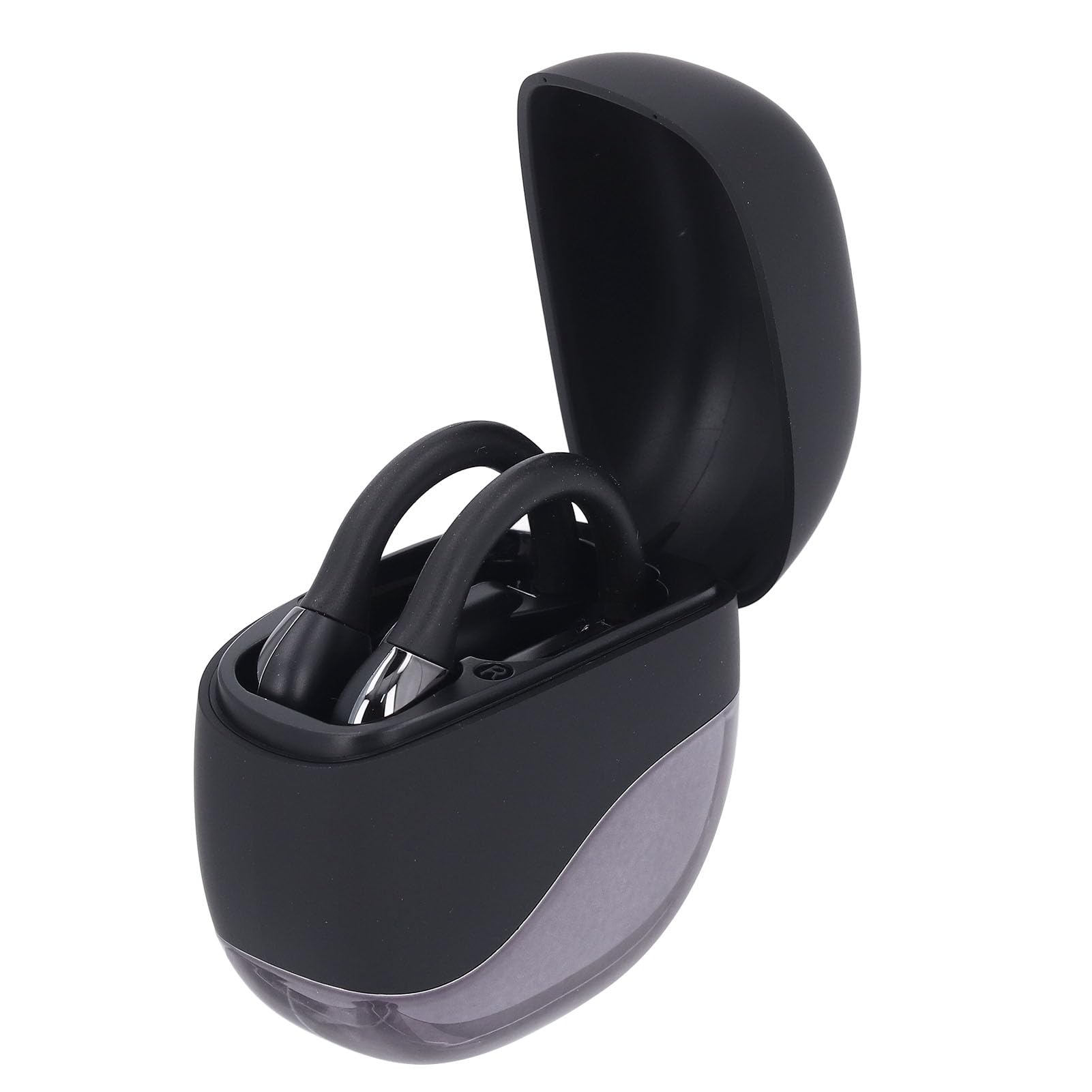
Image: Earphones placed inside the open charging case.
4.2 Bluetooth жупташтыруу
To connect your earphones to a device (smartphone, tablet, etc.):
- Ensure the earphones are charged. Open the charging case. The earphones will automatically enter pairing mode, indicated by a flashing LED light (if present).
- Түзмөгүңүздө Bluetooth жөндөөлөрүнө өтүңүз.
- Bluetooth'ду күйгүзүп, жеткиликтүү түзмөктөрдү издеңиз.
- Select "Dpofirs Earphones" (or similar name) from the list of found devices.
- Once connected, the earphone indicator light will stop flashing, and your device will confirm the connection.
- Кулакчындар кутудан алынып, байланыш аралыгынын ичинде болгондо, алар акыркы жупташтырылган түзмөккө автоматтык түрдө кайра туташат.
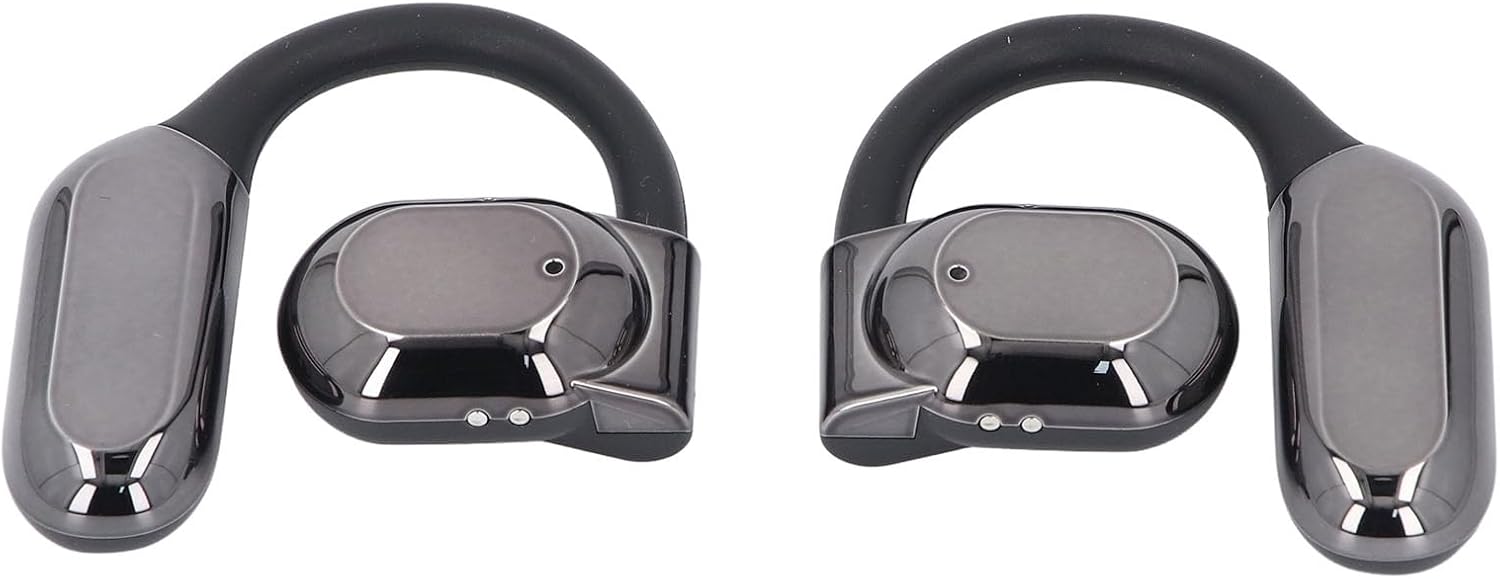
Сүрөт: алдыңкы view of both Dpofirs earphones, showing their design.
5. Иштөө нускамалары
5.1 Күйгүзүү/өчүрүү
- Күйгүзүү: Заряддоо кутучасын ачсаңыз, наушник автоматтык түрдө күйөт.
- Өчүрүү: Кулакчындарды кайра кубаттоочу кутуга салып, капкагын жабыңыз. Алар автоматтык түрдө өчүп, кубаттала баштайт.
5.2 Музыканы ойнотуу
Control music playback through your connected device or via the touch controls on the earphones (if available, refer to specific product documentation for exact touch functions):
- Ойнотуу/тындыруу: Typically a single tap on either earphone.
- Кийинки трек: Often a double tap on the right earphone.
- Мурунку трек: Often a double tap on the left earphone.
- Үндү көзөмөлдөө: May involve a long press or multiple taps; consult specific product instructions.
5.3 Чалууларды башкаруу
Manage phone calls using the earphone controls:
- Чалууга жооп берүү/аяктоо: Typically a single tap on either earphone during an incoming call or an active call.
- Чакырууну четке кагуу: Often a long press on either earphone during an incoming call.
The smart noise cancellation feature with dual microphones helps ensure clear communication during calls.
5.4 Багытталган үн өткөрүү
The DT4.0 pulse directional sound transmission technology is designed to focus audio towards your ears, significantly reducing sound leakage to those around you. This allows for a more private listening experience.

Image: A person wearing the Dpofirs earphones, demonstrating the over-ear fit.
6. Техникалык тейлөө
To ensure the longevity and optimal performance of your Dpofirs Earphones, follow these maintenance guidelines:
- Тазалоо: Кулакчындарды жана кубаттоочу кутучаны жумшак, кургак, мамыксыз чүпүрөк менен үзгүлтүксүз сүртүп туруңуз. Абразивдүү тазалоочу каражаттарды, спиртти же химиялык эриткичтерди колдонбоңуз.
- Сактагыч: Колдонбогондо, наушниктерди чаңдан жана бузулуудан коргоо үчүн заряддоо кутучасында сактаңыз. Кургак, салкын жерде сактаңыз.
- Суу каршылык: Кулакчындарды сууга же ашыкча нымдуулукка тийгизбеңиз. Алар суу өткөрбөө үчүн иштелип чыккан эмес.
- Заряддоо: Use only the provided charging cable or a certified equivalent. Avoid overcharging for extended periods.
7. Кыйынчылыктарды
Наушникиңизде көйгөйлөргө туш болсоңуз, төмөнкү чечимдерди колдонуп көрүңүз:
- Үн жок:
- Кулакчындардын кубатталганын жана күйүп турганын текшериңиз.
- Түзмөгүңүздөгү жана кулакчыныңыздагы үн деңгээлин текшериңиз.
- Verify that the earphones are correctly paired and connected to your device.
- Башка колдонмодон же булактан аудио ойнотуп көрүңүз.
- Жупташуу катасы:
- Түзмөгүңүздө Bluetooth иштетилгенин текшериңиз.
- Make sure the earphones are in pairing mode (out of the case, or by following specific reset instructions if available).
- Кедерги болбош үчүн жакын жердеги башка түзмөктөрдө Bluetooth'ду өчүрүңүз.
- Forget the earphones from your device's Bluetooth list and try pairing again.
- Restart both your device and the earphones.
- кубаттоо маселелери:
- Заряддоо кабели корпуска да, кубат булагына да бекем туташтырылганын текшериңиз.
- Кубат булагынын иштеп турганын текшериңиз.
- Кулакчындардын жана корпустун заряддоочу контакттарын кургак кебез таякча менен тазалаңыз.
- Башка USB кабелин же кубат адаптерин колдонуп көрүңүз.
- Чалуу сапаты начар:
- Микрофондор тоскоол болбогонун текшериңиз.
- Сигнал күчүн жакшыртуу үчүн туташкан түзмөгүңүзгө жакындаңыз.
- Check for environmental noise that might be affecting call clarity.
8. Техникалык шарттар
| Бренд | Dpofirs |
| Модель аты | Dpofirsuir40pg6nm-11 |
| Байланыш | Bluetooth v5.46 (USB for charging) |
| Форма фактору | Over-ear hook with in-ear component |
| Өткөрмө аралык | 10 метрге чейин (32.8 фут) |
| Гарнитуранын Батареясынын Жөндөмдүүлүгү | 90 mAh (Li battery) |
| Заряддоо корпусунун батареясынын сыйымдуулугу | 300 mAh (Li battery) |
| Батареянын иштөө мөөнөтү (ойнотуу) | Болжол менен 7-8 саат |
| Түс | Кара |
| Материал | PC, ABS |
9. Кепилдик жана колдоо
Кепилдик маалыматы жана кардарларды колдоо үчүн, сатып алууда берилген документтерди караңыз же сатуучу менен түз байланышыңыз. Ар кандай кепилдик дооматтары үчүн сатып алганыңыздын далилин сактаңыз.
For further assistance, you may visit the Dpofirs brand store on Amazon: Dpofirs Store