
Moman Xview M4 Pro
Moman Xview M4 Pro Selfie Monitor User Manual
Модел: Xview M4 Pro
1. Киришүү
This manual provides comprehensive instructions for the safe and efficient use of your Moman Xview M4 Pro Selfie Monitor. Please read this manual thoroughly before operating the device and retain it for future reference.
2. Коопсуздук маалыматы
Коопсуз иштөөнү камсыз кылуу жана зыян келтирбөө үчүн төмөнкү сактык чараларын аткарыңыз:
- Мониторду сууга же ашыкча нымдуулукка дуушар кылбаңыз.
- Аппаратты түшүрүүдөн же катуу таасирлерден сактаныңыз.
- Do not attempt to disassemble or repair the monitor yourself. Contact qualified service personnel.
- Мониторду күн нурунан жана жылуулук булактарынан алыс кармаңыз.
- Белгиленген кубат адаптерин жана аксессуарларды гана колдонуңуз.
3. Пакеттин мазмуну
Пакетте бардык буюмдар бар экенин текшериңиз:
- Moman Xview M4 Pro Selfie Monitor (main unit)
- USB-C заряддоо кабели
- Колдонуучунун Колдонмосу (бул документ)
Note: The package contents may vary slightly depending on the region or specific bundle purchased.
4. Орнотуу
4.1 Мониторду заряддоо
Before first use, fully charge the Moman Xview M4 Pro monitor. Connect the provided USB-C cable to the monitor's charging port and the other end to a compatible USB power adapter (not included) or a computer's USB port.
The charging indicator light will typically show red while charging and turn green or off when fully charged.
4.2 Мониторду орнотуу
The Moman Xview M4 Pro is designed to be mounted on various camera rigs or smartphone cages. It features a standard 1/4"-20 screw hole for attachment.
- Attach the monitor to a cold shoe mount or a compatible bracket (sold separately) using the 1/4"-20 screw.
- Securely fasten the monitor to your smartphone cage or camera setup.
- тууралаңыз viewзарыл болгон бурч.
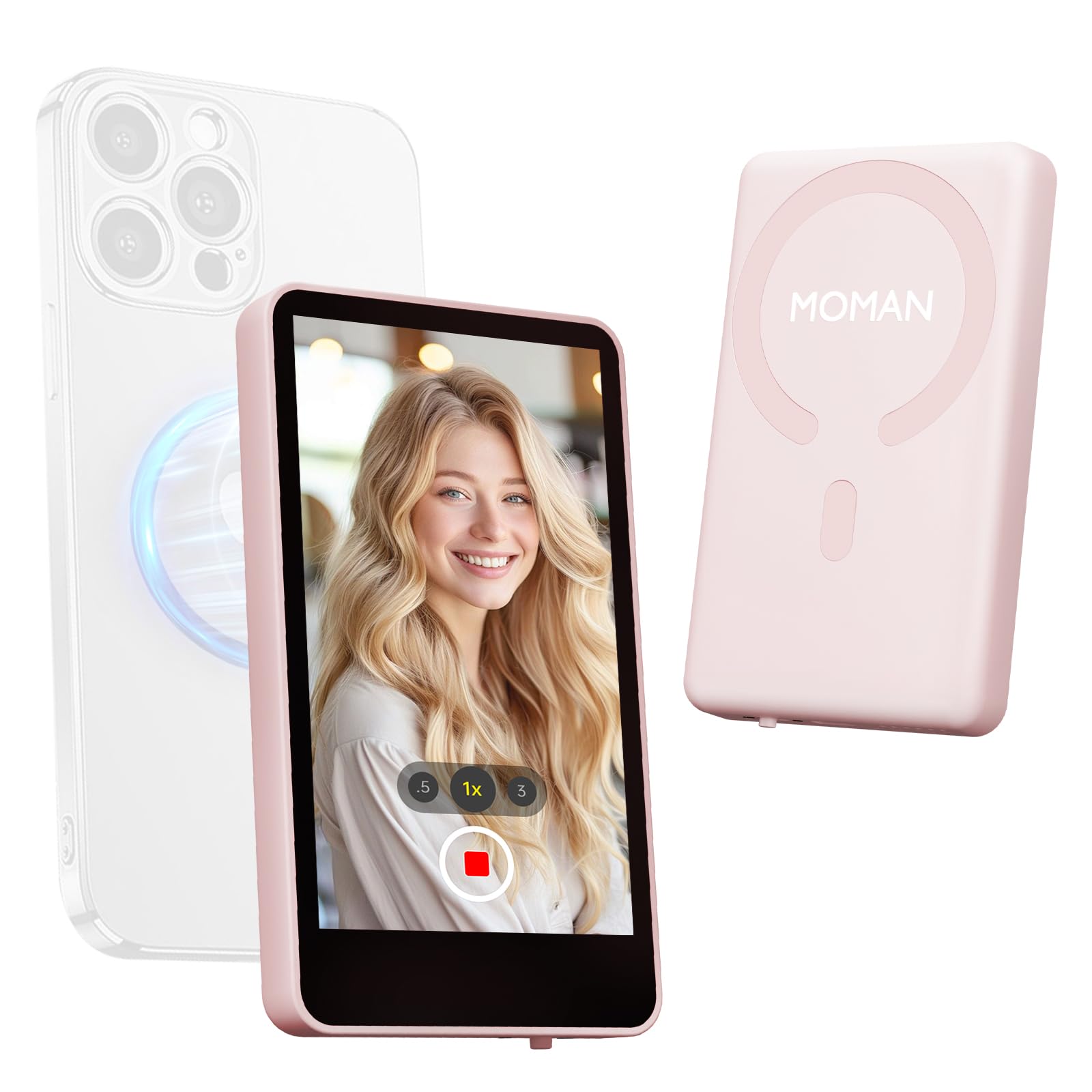
Image: The Moman Xview M4 Pro Selfie Monitor shown attached to a smartphone rig, demonstrating its compact size and mounting flexibility.
5. Иштөө нускамалары
5.1 Күйгүзүү/өчүрүү
To power on the monitor, press and hold the power button located on the side/back of the device for approximately 3 seconds. The screen will illuminate. To power off, press and hold the power button again until the screen turns off.
5.2 Смартфонго туташуу
The Moman Xview M4 Pro connects wirelessly to your smartphone (iPhone 7-17 Series & Android). Follow these steps:
- Смартфонуңуздун Bluetooth жана Wi-Fi иштетилгенин текшериңиз.
- Download and install the dedicated Moman Xview смартфонуңуздун колдонмолор дүкөнүнөн колдонмо.
- Open the Moman Xview app and follow the on-screen instructions to pair with the M4 Pro monitor. The app will guide you through the connection process, typically involving selecting the monitor from a list of available devices.
- Once connected, your smartphone's camera feed will be mirrored on the M4 Pro monitor.
For optimal performance, ensure your smartphone and the monitor are within close proximity and free from wireless interference.
5.3 Монитор функциялары
The M4 Pro monitor provides various functions to enhance your selfie and video recording experience:
- реалдуу убакыт мониторинг: View your smartphone's camera feed in real-time.
- Жарыктыкты жөндөө: Use the dedicated buttons or app controls to adjust screen brightness.
- Mirror/Flip Function: Some models or app versions may offer options to mirror or flip the display for specific shooting scenarios. Refer to the app for available features.
- Батарея көрсөткүчү: The monitor displays its current battery level.
6. Техникалык тейлөө
6.1 Тазалоо
To clean the monitor, use a soft, dry, lint-free cloth. For stubborn smudges, lightly dampen the cloth with water or a screen-cleaning solution. Do not use harsh chemicals or abrasive materials.
6.2 Сактоо
When not in use, store the monitor in a cool, dry place, away from direct sunlight and extreme temperatures. It is recommended to use the original packaging or a protective case to prevent scratches and damage.
7. Кыйынчылыктарды
| Көйгөй | Мүмкүн себеп | Чечим |
|---|---|---|
| Монитор күйбөйт. | Батарея аз. | Charge the monitor using the provided USB-C cable. |
| Смартфонго туташуу мүмкүн эмес. | Bluetooth/Wi-Fi off; App not installed; Monitor not in pairing mode; Interference. | Ensure Bluetooth/Wi-Fi are on. Install Moman Xview app. Restart monitor and app. Move closer to the monitor. |
| Экран бош же бүлбүлдөп турат. | Loose connection; Software glitch. | Ensure secure connection. Restart monitor and smartphone. Check for app updates. |
If the problem persists after trying these solutions, please contact Moman customer support.
8. Техникалык шарттар
| Өзгөчөлүк | Деталь |
|---|---|
| Модел | Xview M4 Pro |
| Байланыш | Wireless (Bluetooth/Wi-Fi) |
| Шайкештик | iPhone 7-17 Series & Android smartphones |
| Өлчөмдөр | 12.19 x 9.91 x 1.9 см (болжол менен) |
| Салмагы | 168 грамм (болжол менен) |
| Power Source | USB-C (internal rechargeable battery) |
Техникалык мүнөздөмөлөр эскертүүсүз өзгөртүлүшү мүмкүн.
9. Кепилдик жана колдоо
Moman products are covered by a limited warranty. For detailed warranty terms and conditions, please refer to the warranty card included with your product or visit the official Moman webсайт.
For technical support, troubleshooting assistance, or service inquiries, please contact Moman customer support through their official webсайт же продукт таңгагында көрсөтүлгөн байланыш маалыматы.
Моман расмий Webсайт: www.moman.co
Ask a question about this manual
Ask about setup, troubleshooting, compatibility, parts, safety, or missing instructions. Manuals+ will review the question and use this page’s manual context to help answer it.